Phishing Attacks: How They Work & How to Prevent Them
Learn what phishing attacks are, common tactics used by scammers, and steps you can take to recognize and avoid these deceptive online threats.
 Michael Gargiulo
Bottom Line: Phishing is one of the most pervasive cyberattack vectors, using fake emails, calls, and websites to steal credentials. Effective defense requires combining security tools with ongoing vigilance and a culture of skepticism toward unsolicited communications.
Cybercriminals constantly refine their tactics to steal personal information and compromise systems. Phishing remains their most effective weapon. The FBI’s Internet Crime Complaint Center received 298,878 phishing and spoofing complaints in 2023[1], more than any other crime type it tracks, and Verizon’s 2024 Data Breach Investigations Report found that the median time for a user to fall for a phishing email was under 60 seconds[2].
These attacks use fake emails, phone calls, texts, and websites to trick people into handing over credentials. Understanding how each type works is the first step toward building a real defense.
| Phishing Type | Method | Primary Target |
|---|---|---|
| Email phishing | Bulk fake emails mimicking trusted brands | Broad audience — credentials, payment info |
| Spear phishing | Personalized emails using known details about the victim | Specific individuals or organizations |
| Vishing | Voice calls impersonating banks or tech support | Financial information, account access |
| Smishing | Fake SMS messages with malicious links | Mobile users, delivery/parcel scams |
| Whaling | Highly targeted attacks on executives or C-suite | Wire transfers, sensitive corporate data (the related business email compromise category drew $2.9 billion in reported losses in 2023[1]) |
| Pharming | Redirecting legitimate URLs to fake sites silently | Login credentials at scale |
| Clone phishing | Duplicating a real email with a malicious link swapped in | Victims who trust the original sender |
How to Detect a Phishing Attempt
Phishing messages share common red flags. Spotting them quickly prevents credential theft and malware infections.
Check the sender address. Attackers often spoof display names but use misspelled domains. An email from “support@amaz0n-security.com” is not Amazon. Hover over the sender field to reveal the actual address.
Look for urgency and threats. Messages claiming “Your account will be locked in 24 hours” pressure you into acting without thinking. CISA lists urgent or emotionally appealing language[3], especially messages that claim dire consequences for not responding immediately, as a key warning sign.
Inspect links before clicking. Hover over any link to preview the destination URL. If the link text says “bankofamerica.com” but the URL points to “boa-secure-login.xyz,” close the message immediately.
Watch for grammar and formatting errors, but do not rely on them. Misspellings, odd spacing, and inconsistent logos can signal a fraudulent message. CISA notes, however, that AI-written messages may have perfect grammar[3], so check the sender, the link, and the request itself.
Tip: Before entering credentials anywhere, verify the URL manually. Don’t click links in emails. Type the address directly into your browser or use a saved bookmark. Legitimate banks and services will never ask for your password via email or phone.
Prevention Best Practices That Actually Work
Detection alone is not enough. Organizations and individuals need layered defenses to block phishing attempts before they reach inboxes.
Enable multi-factor authentication (MFA). Microsoft says MFA can block over 99.9 percent of account compromise attacks[4]. Even if an attacker steals your password, they cannot access your account without the second factor. Where possible choose phishing-resistant methods such as security keys, because CISA’s phishing guidance[5] prioritizes phishing-resistant MFA for administrator accounts.
Implement email authentication protocols. Configure SPF, DKIM, and DMARC records for your domain. Together they verify the sending server of received emails by checking published rules[5], and CISA’s directive for federal agencies says a DMARC policy of reject provides the strongest protection against spoofed email[6].
Run security awareness training regularly. Training helps people spot and report phishing: Verizon’s 2024 report found that 20% of users reported phishing in simulation engagements[2], including 11% of those who had clicked. Because most people act within a minute, repeat the training often enough that the habit stays fresh.
Use protective DNS filtering. CISA recommends a protective DNS resolver[5] to stop attackers redirecting users to malicious websites that steal credentials, and names free options such as OpenDNS Home and Cloudflare Zero Trust Services.
Deploy a phishing report button. Give employees a one-click option to report suspicious emails. CISA calls reporting suspicious phishing activity[5] one of the most efficient methods for protecting organizations.
Phishing Response Steps When an Attack Succeeds
Even the best defenses occasionally fail. A clear incident response plan limits damage and speeds recovery.
Isolate the affected account immediately. Reset the compromised password and revoke active sessions. If MFA was not enabled, enable it now.
Notify your security team immediately. CISA urges organizations to promptly report phishing incidents[5]. Fast reporting gives responders time to block the attacker’s infrastructure before it spreads to other accounts.
Scan for malware. If the victim clicked a link or downloaded an attachment, run a full endpoint scan. Quarantine the device from the network until the scan completes.
Document everything. Record the phishing email headers, URLs, timestamps, and any actions taken. This evidence supports forensic investigation and regulatory reporting.
Communicate with affected parties. If customer data was exposed, notify impacted individuals according to your jurisdiction’s breach notification laws. Transparency preserves trust.
Final Verdict
Phishing remains one of the most persistent threats in cybersecurity. Attackers adapt quickly, moving from email to SMS to voice calls as defenses improve in any single channel.
Detection skills, layered technical controls, and regular training form the foundation of effective defense. Email authentication protocols like DMARC stop domain spoofing. Multi-factor authentication neutralizes stolen credentials. Quarterly training keeps phishing awareness sharp across your organization.
A robust incident response plan ensures that when an attack slips through, your team contains the damage within minutes rather than days. Document your response procedures, assign clear roles, and rehearse them regularly.
Phishing defense is not a one-time project. It requires continuous attention, updated tools, and a security-aware culture at every level of your organization.
References
- IC3. 2024. 2023 IC3Report. Retrieved October 16, 2026 from https://www.ic3.gov/AnnualReport/Reports/2023_IC3Report.pdf.Archived: Wayback Machine snapshot
- Verizon. n.d. 2024 Dbir Data Breach Investigations Report. Retrieved October 16, 2026 from https://www.verizon.com/business/resources/Tfc3/reports/2024-dbir-data-breach-investigations-report.pdf.
- Cybersecurity and Infrastructure Security Agency CISA. n.d. Recognize and Report Phishing. Retrieved October 16, 2026 from https://www.cisa.gov/secure-our-world/recognize-and-report-phishing.Archived: Wayback Machine snapshot
- M. Maynes. 2019. One simple action you can take to prevent 99.9 percent of attacks on your accounts. Microsoft Security Blog (August 20, 2019). Retrieved October 16, 2026 from https://www.microsoft.com/en-us/security/blog/2019/08/20/one-simple-action-you-can-take-to-prevent-99-9-percent-of-account-attacks/.Archived: Wayback Machine snapshot
- CISA. 2023. Phishing Guidance: Stopping the Attack Cycle at Phase One. Retrieved October 16, 2026 from https://www.cisa.gov/sites/default/files/2025-03/Phishing%20Guidance%20-%20Stopping%20the%20Attack%20Cycle%20at%20Phase%20One%20508.pdf.Archived: Wayback Machine snapshot
- Cybersecurity and Infrastructure Security Agency CISA. n.d. BOD 18-01: Enhance Email and Web Security. Retrieved October 16, 2026 from https://www.cisa.gov/news-events/directives/bod-18-01-enhance-email-and-web-security.Archived: Wayback Machine snapshot
Resources for this page
Charts and reference images from our research, free to view and share.
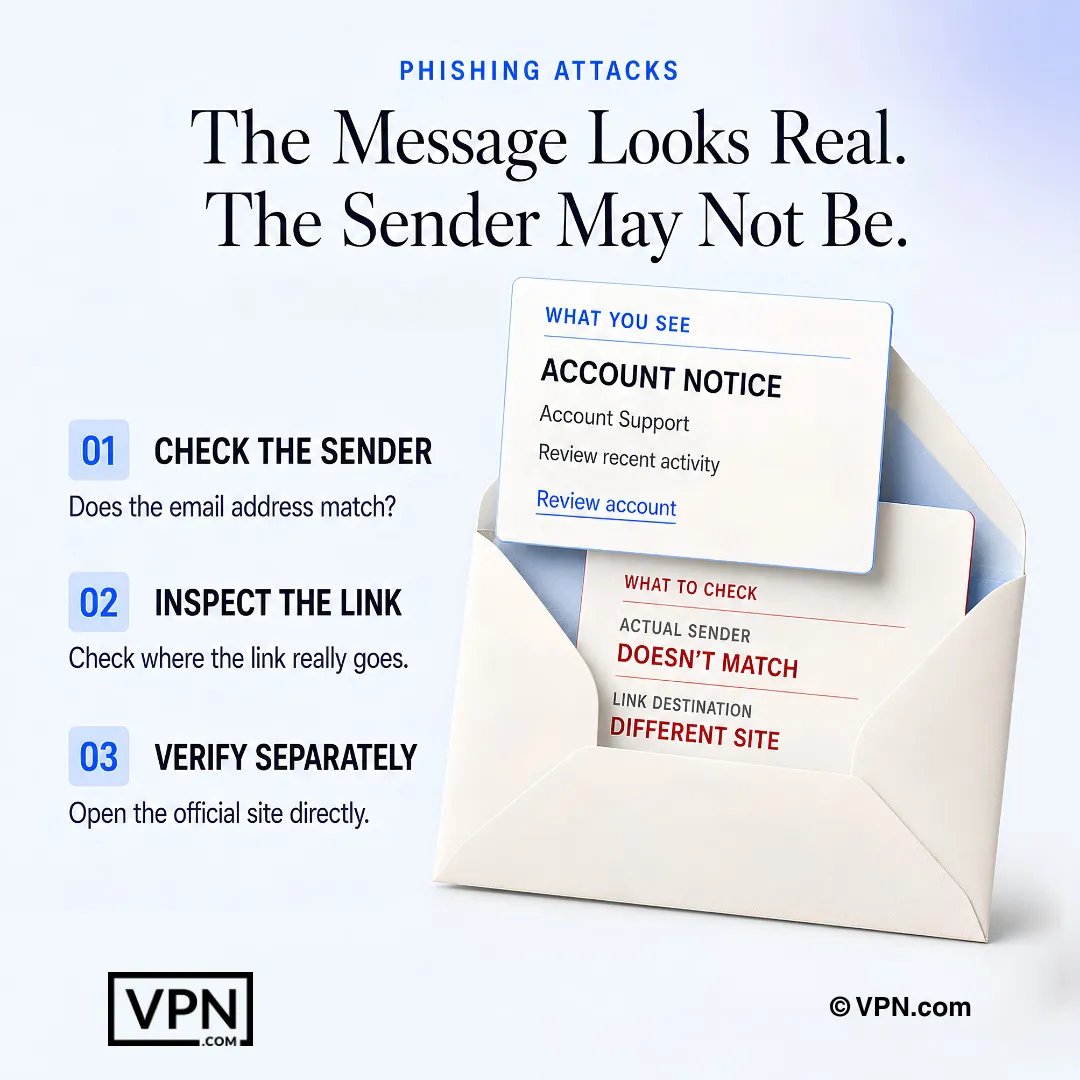
A convincing message can still be fraudulent, so verify its sender and destination outside the message itself.
Frequently Asked Questions
What is phishing and how do attackers actually pull it off?
Phishing works by impersonating trusted senders through fake emails, calls, texts, or websites to trick victims into handing over credentials or money. The FBI’s Internet Crime Complaint Center logged 298,878 phishing and spoofing complaints in 2023. Attackers rely on urgency, spoofed domains, and mimicked branding rather than technical exploits to succeed.
What’s the difference between email phishing, spear phishing, and whaling?
Email phishing blasts fake brand emails to a broad audience seeking credentials or payment info, while spear phishing personalizes messages using known details about a specific target. Whaling goes further, targeting executives and C-suite specifically to authorize wire transfers or leak sensitive corporate data. The more targeted the attack, the more convincing and costly it typically is.
What is vishing and smishing, and how do they differ from email phishing?
Vishing uses voice calls impersonating banks or tech support to extract financial information and account access, while smishing sends fake SMS messages with malicious links, often disguised as delivery or parcel notifications. Both skip email entirely, letting them bypass email authentication protocols like DMARC and exploit the immediacy people associate with phone calls and texts.
What is pharming and why is it harder to catch than a fake email?
Pharming redirects legitimate URLs to fake sites silently, with no suspicious email or link needed, so victims land on a spoofed login page even after typing the correct address themselves. It targets login credentials at scale rather than one victim at a time, and there’s no obvious lure like urgency or a misspelled domain to spot.
What is clone phishing?
Clone phishing duplicates a real, previously sent email and swaps in a malicious link, banking on the fact that the victim already trusts the original sender and message. Because the copy looks nearly identical to something legitimate the recipient has already seen, it bypasses the skepticism that a cold, unexpected email would normally trigger.
What are the telltale signs of a phishing email?
Four red flags reveal many phishing emails. Check the sender address for misspelled domains like “amaz0n-security.com,” watch for urgency such as “your account will be locked in 24 hours,” hover over links to preview the actual destination URL, and look for formatting errors, though AI-written messages can be flawless.
How does multi-factor authentication stop phishing attacks from succeeding?
Microsoft says multi-factor authentication can block over 99.9 percent of account compromise attacks, because a stolen password alone isn’t enough to log in without the second factor. Even if a phishing email successfully harvests your credentials, MFA stops the attacker at the login screen, making it one of the highest-impact defenses available.
What are SPF, DKIM, and DMARC, and do I need all three?
SPF, DKIM, and DMARC are email authentication protocols configured at the domain level that verify incoming mail actually originates from the claimed sender. Yes, they work together rather than as alternatives: DMARC builds on SPF and DKIM to decide what happens to mail that fails the check. CISA says a DMARC policy of reject provides the strongest protection against spoofed email.
How often should security awareness training happen to actually reduce risk?
Often enough that the habit sticks. Verizon’s 2024 report found the median time for a user to fall for a phishing email was under 60 seconds, and only 20% of users reported phishing in simulations. Frequent short refreshers, plus an easy way to report, are the practical response to those numbers.
What tools block phishing sites before employees can click them?
Protective DNS filtering stops users from connecting to known malicious websites, and CISA points to free options such as OpenDNS Home and Cloudflare Zero Trust Services. Pairing that with a one-click phishing report button lets employees flag suspicious emails instantly, which CISA calls one of the most efficient ways to protect an organization.
What should I do first if I clicked a phishing link or entered my password?
Isolate the account immediately: reset the compromised password and revoke all active sessions, then enable MFA if it wasn’t already on. Run a full endpoint scan for malware if you clicked a link or downloaded an attachment, and quarantine the device from the network until that scan completes.
How fast should a company report a phishing incident internally?
Notify your security team immediately after a suspected compromise. CISA urges organizations to promptly report phishing incidents, and speed gives responders time to block the attacker’s infrastructure before it spreads to other accounts. Treat minutes, not days, as the target.
What does a good incident response plan include after credentials are stolen?
A solid phishing response plan documents everything: the phishing email’s headers, URLs, timestamps, and every action taken, which supports forensic investigation and regulatory reporting. It also isolates affected accounts, scans devices for malware, and notifies impacted individuals according to your jurisdiction’s breach notification laws if customer data was exposed.