Elementary OS के लिए सर्वश्रेष्ठ VPN: शीर्ष विकल्प और सेटअप
Elementary OS के लिए सर्वश्रेष्ठ VPN खोजें जिसमें native .deb समर्थन और Pantheon डेस्कटॉप integration है। हम शीर्ष विकल्पों की समीक्षा करते हैं जो आपके सिस्टम पर seamlessly काम करते हैं।
 Michael Gargiulo
 NordVPN7,130 सर्वर
NordVPN's privacy and security record is strong on process and mixed on proof
93 100 में से, दो भारित भागों से बना
शोध किया गया 3 अक्टू॰ 2026जाँचे गए दावे: 31अलग स्रोत समूह: 23स्कोर अपडेट किए गए 8 अक्टू॰ 2026
हम तृतीय-पक्ष साक्ष्य एकत्र करते हैं और इसे संपादकीय रूप से स्कोर करते हैं। VPN.com कोई परीक्षण प्रयोगशाला नहीं चलाता।
 ExpressVPN3,000+ सर्वर
86 100 में से, दो भारित भागों से बना
शोध किया गया 3 अक्टू॰ 2026जाँचे गए दावे: 27अलग स्रोत समूह: 27स्कोर अपडेट किए गए 8 अक्टू॰ 2026
हम तृतीय-पक्ष साक्ष्य एकत्र करते हैं और इसे संपादकीय रूप से स्कोर करते हैं। VPN.com कोई परीक्षण प्रयोगशाला नहीं चलाता।
 Surfshark4,500+ सर्वर
Surfshark's evidence mixes real, readable third-party documents with provider assertions
85 100 में से, दो भारित भागों से बना
शोध किया गया 3 अक्टू॰ 2026जाँचे गए दावे: 32अलग स्रोत समूह: 19स्कोर अपडेट किए गए 8 अक्टू॰ 2026
हम तृतीय-पक्ष साक्ष्य एकत्र करते हैं और इसे संपादकीय रूप से स्कोर करते हैं। VPN.com कोई परीक्षण प्रयोगशाला नहीं चलाता।
निचली पंक्ति: Elementary OS Ubuntu LTS को अपने आधार के रूप में उपयोग करता है, इसलिए .deb पैकेज समर्थन वाला कोई भी VPN cleanly install होगा। सर्वश्रेष्ठ विकल्प Pantheon के सिस्टम ट्रे के साथ integrate होते हैं और distro के polished GTK-based interface से match करते हैं।
Elementary OS के साथ VPN Compatibility: क्या वास्तव में मायने रखता है
Elementary OS अन्य Linux distributions से अलग है। यह Pantheon desktop environment चलाता है, जो GTK पर बना है लेकिन GNOME या KDE से भिन्न है। यह विशिष्ट compatibility आवश्यकताएं बनाता है जिन्हें सामान्य “Linux VPN” गाइड नज़रअंदाज़ कर देते हैं।
पैकेज फॉर्मेट और इंस्टॉलेशन
Elementary OS Ubuntu LTS को अपने पैकेज base के रूप में उपयोग करता है। कोई भी VPN जो Ubuntu के लिए डिज़ाइन किया गया .deb पैकेज ship करता है, terminal या AppCenter के माध्यम से elementary OS पर install होगा। Snap packages भी काम करते हैं, हालांकि Flatpak support provider के अनुसार varies करता है।
मुख्य तकनीकी आवश्यकताएं:
- Ubuntu-compatible .deb packages क्योंकि elementary OS Ubuntu के APT repositories को share करता है
- GTK-based GUI clients जो Pantheon के HiDPI scaling और system fonts को respect करते हैं
- Wingpanel indicator support ताकि VPN आइकन सिस्टम ट्रे में third-party extensions के बिना दिखाई दे
- NetworkManager integration प्रोटोकॉल स्विचिंग के लिए System Settings > Network के माध्यम से
- Systemd service files जो VPN को boot पर auto-start होने देते हैं
Pantheon Desktop संबंधी विचार
Pantheon GNOME Shell extensions को support नहीं करता। VPN clients जो GNOME-specific tray icons पर rely करते हैं, सही तरीके से display नहीं हो सकते। सर्वश्रेष्ठ-compatible VPNs standard AppIndicator या libayatana support use करते हैं, जिसे Pantheon natively render करता है।
Elementary OS भी AppCenter के माध्यम से strict app sandboxing को enforce करता है। Sideloaded .deb files इसे bypass करते हैं, लेकिन users को install करने से पहले package signature को verify करना चाहिए।
Elementary OS के लिए शीर्ष 5 VPN की तुलना
| प्रदाता | Elementary पर GUI | इंस्टॉल विधि | प्रोटोकॉल समर्थन | एक साथ डिवाइस | Wingpanel ट्रे आइकन |
|---|---|---|---|---|---|
| ExpressVPN | केवल CLI | .deb पैकेज | Lightway, OpenVPN | 8 | नहीं (CLI-आधारित) |
| NordVPN | CLI + ट्रे संकेतक | APT रिपो के माध्यम से .deb | NordLynx (WireGuard), OpenVPN | 10 | हाँ (AppIndicator) |
| ProtonVPN | पूर्ण GTK GUI | .deb पैकेज | WireGuard, OpenVPN | 10 | हाँ (AppIndicator) |
| Mullvad | पूर्ण GTK GUI | .deb पैकेज | WireGuard, OpenVPN | 5 | हाँ (AppIndicator) |
| Private Internet Access | पूर्ण Qt GUI | .deb इंस्टॉलर | WireGuard, OpenVPN | असीमित | हाँ (सिस्टम ट्रे) |
1. ExpressVPN: Lightway Protocol, केवल CLI इंटरफेस
ExpressVPN अपने मालिकाना Lightway प्रोटोकॉल पर चलता है, जो गति और तेज़ पुनः कनेक्शन के लिए बनाया गया है। .deb पैकेज टर्मिनल के माध्यम से elementary OS पर स्वच्छ रूप से इंस्टॉल होता है।
व्यापार-बंद: ExpressVPN Linux पर पूरी तरह command line के माध्यम से runs करता है। कोई graphical window या सिस्टम ट्रे आइकन नहीं है। आप expressvpn connect से connect करते हैं और expressvpn disconnect से disconnect करते हैं। यह reliably काम करता है लेकिन elementary OS के visual design philosophy से match नहीं करता।
Elementary OS-specific नोट्स:
sudo dpkg -i expressvpn_x.x.x_amd64.debके साथ install करें, फिरsudo apt-get install -f- systemd service (
expressvpn.service) installation के बाद automatically start होता है - कोई Wingpanel integration नहीं। आपको terminal के माध्यम से connection status check करनी चाहिए
- Split tunneling CLI flags के माध्यम से काम करता है लेकिन GUI toggle की कमी है
फायदे:
- Lightway प्रोटोकॉल गति और तीव्र पुनः कनेक्ट के लिए निर्मित
- .deb पैकेज elementary OS 7.x पर बिना निर्भरता समस्याओं के स्थापित होता है
- कठोर no-logs नीति, KPMG द्वारा इसके नियंत्रणों पर आश्वासन (2025)
नुकसान:
- $12.95/month (यहां सबसे महंगा विकल्प)
- कोई graphical client नहीं। CLI-only operation elementary OS के GUI-first design से conflict करता है
- सीमित 8 simultaneous devices
2. NordVPN: मजबूत सुरक्षा के साथ सिस्टम ट्रे इंटीग्रेशन
NordVPN 7,130 सर्वर 150 देशों में संचालित करता है। इसका NordLynx प्रोटोकॉल WireGuard पर बनाया गया है, और NordVPN हमारी Speed Lab में 22 में से #1 स्थान पर है। Linux क्लाइंट NordVPN के APT रिपोजिटरी के माध्यम से इंस्टॉल होता है, जो ऐप को स्वचालित रूप से अपडेट रखता है।
Elementary OS पर, NordVPN AppIndicator support के माध्यम से एक सिस्टम ट्रे इंडिकेटर रेंडर करता है। आप टर्मिनल खोले बिना tray menu से connect, disconnect, और सर्वर स्विच कर सकते हैं। यह आंशिक GUI, फुल ग्राफिकल ऐप्स और CLI-only टूल्स के बीच मध्यम मार्ग अपनाता है।
Elementary OS-specific नोट्स:
- APT repository add करें
sh <(curl -sSf https://downloads.nordcdn.com/apps/linux/install.sh)के साथ - tray indicator
nordvpn loginके माध्यम से first login के बाद Wingpanel में appear होता है - CyberSec ad-blocking
nordvpn set cybersec onके साथ activate होता है - NetworkManager integration System Settings के माध्यम से protocol switching की अनुमति देता है
फायदे:
- NordLynx (WireGuard-based) प्रोटोकॉल
- Wingpanel ट्रे आइकन Elementary OS पर नेटिवली काम करता है
- Double VPN ट्रैफिक को अतिरिक्त एन्क्रिप्शन के लिए दो सर्वर के माध्यम से रूट करता है
नुकसान:
- कोई full graphical window नहीं। Server selection CLI या tray dropdown के माध्यम से होता है
- Double VPN active होने पर occasional speed drops
- App design elementary OS के human interface guidelines को follow नहीं करता
3. ProtonVPN: Pantheon के लिए सर्वश्रेष्ठ Native GUI
ProtonVPN Linux के लिए एक पूर्ण GTK-based ग्राफिकल क्लाइंट शिप करता है। यह elementary OS पर मायने रखता है क्योंकि Pantheon GTK ऐप्स को नेटिव रूप से रेंडर करता है। ProtonVPN विंडो सिस्टम फॉन्ट्स, HiDPI स्केलिंग, और Pantheon के dark/light mode स्विचिंग का सम्मान करता है।
.deb पैकेज ProtonVPN के आधिकारिक GUI ऐप को इंस्टॉल करता है जिसमें एक विजुअल सर्वर मैप, प्रोटोकॉल सिलेक्टर, और किल स्विच टॉगल होता है। इन पाँच VPN में से, ProtonVPN का इंटरफेस वह है जो elementary OS कन्वेंशन का सबसे अधिक पालन करता है।
Elementary OS-specific नोट्स:
- ProtonVPN के Linux page से .deb download करें।
sudo dpkg -i protonvpn-stable-release_x.x-x_all.deb && sudo apt update && sudo apt install protonvpn-gnome-desktopके साथ install करें - App Wingpanel में एक AppIndicator register करता है
- Secure Core routing traffic को privacy-friendly countries (Switzerland, Iceland, Sweden) के माध्यम से निकास सर्वर तक पहुंचने से पहले भेजता है
- फ्री टियर 3 देशों में servers और 1 एक साथ डिवाइस के साथ उपलब्ध है
फायदे:
- संपूर्ण GTK GUI पैंथियन की विजुअल स्टाइल के साथ साफ़ तरीके से एकीकृत होता है
- फ्री टियर आपको भुगतान से पहले परीक्षण करने देता है
- स्विस्टरलैंड में स्थित मजबूत गोपनीयता अधिक्षेत्र के तहत आधारित
- ओपन-सोर्स क्लाइंट कोड; Proton का कहना है कि उसके ऐप्स को स्वतंत्र रूप से ऑडिट किया गया है
नुकसान:
- मुफ़्त स्तर 3 देश के स्थानों तक सीमित और धीमी गति
- सशुल्क योजनाओं पर WireGuard समर्थन
- कुल सर्वर (3,000+) NordVPN या PIA से कम
4. Mullvad: अधिकतम गोपनीयता, न्यूनतम सेटअप
Mullvad को कोई email, name, या account creation की आवश्यकता नहीं है। आप एक random 16-digit number प्राप्त करते हैं। आप envelope में mail के माध्यम से cash भुगतान कर सकते हैं। इस स्तर की anonymity unmatched है।
Mullvad client एक .deb package के रूप में ship होता है जिसमें एक पूर्ण GTK GUI है। यह एक clean, minimal interface display करता है जो elementary OS के design language के साथ अच्छी तरह pair करता है। Connection status, server selection, और kill switch सभी graphical window के माध्यम से operate होते हैं।
Elementary OS-specific नोट्स:
.debको डाउनलोड करें औरsudo dpkg -i MullvadVPN-xxxx.x_amd64.debसे इंस्टॉल करें- ऐप स्वचालित रूप से एक Wingpanel ट्रे इंडिकेटर बनाता है
- WireGuard डिफ़ॉल्ट प्रोटोकॉल है
- टोरेंट उपयोगकर्ताओं और स्व-होस्ट की गई सेवाओं के लिए पोर्ट फॉरवर्डिंग उपलब्ध है
फायदे:
- साइन अप करने के लिए कोई व्यक्तिगत जानकारी आवश्यक नहीं है
- GTK GUI elementary OS के न्यूनतम डिज़ाइन से मेल खाता है
- ऐप में WireGuard सहायता
- सपाट मूल्य निर्धारण: €5/माह बिना किसी अतिरिक्त शुल्क या स्तरीय योजना के
नुकसान:
- केवल 5 simultaneous devices
- ~700 servers 43 countries में (इस list में सबसे छोटा network)
- Streaming या P2P के लिए कोई specialized servers नहीं
5. Private Internet Access: Full-Featured Qt GUI
PIA एक complete graphical desktop client offer करता है जिसमें server list, protocol selector, MACE ad-blocker, और split tunneling controls हैं। Client Qt rather than GTK use करता है, इसलिए यह Pantheon की native styling को perfectly match नहीं कर सकता। हालांकि, यह cleanly render होता है और HiDPI को support करता है।
PIA एक single subscription पर unlimited devices को connect करता है। households या many devices वाले users के लिए, यह connections count करने की आवश्यकता को removes करता है।
Elementary OS-specific नोट्स:
- PIA के website से .run installer download करें।
chmod +x pia-linux-x.x.x-xxxxx.run && sudo ./pia-linux-x.x.x-xxxxx.runके साथ execute करें - Installer एक desktop entry और Wingpanel tray icon create करता है
- MACE (ad/tracker/malware blocker) GUI settings panel से activate होता है
- WireGuard और OpenVPN दोनों protocol dropdown के माध्यम से available हैं
फायदे:
- असीमित एक साथ डिवाइस कनेक्शन
- पूर्ण GUI विभाजन सुरंग, पोर्ट फॉरवर्डिंग और विज्ञापन अवरोधन के साथ
- $2.03/माह पर 3-वर्षीय योजनाओं पर प्रतिस्पर्धी मूल्य निर्धारण
नुकसान:
- Qt-आधारित GUI Pantheon/GTK सम्मेलनों का पालन नहीं करता है
- संयुक्त राज्य में आधारित (Five Eyes न्यायक्षेत्र)
- इस समूह में गति नेता नहीं है
Elementary OS पर चरण-दर-चरण इंस्टॉलेशन
अधिकांश VPN providers .deb packages ship करते हैं जो elementary OS के साथ compatible हैं। यहां standard installation workflow है।
विधि 1: Terminal के माध्यम से .deb Package इंस्टॉल करें
यह विधि ExpressVPN, NordVPN, ProtonVPN, Mullvad, और PIA के लिए काम करती है।
- अपने VPN provider के Linux download page से .deb file download करें
- Terminal app खोलें (Applications > Terminal)
- अपने Downloads folder में navigate करें:
cd ~/Downloads - Package install करें:
sudo dpkg -i filename.deb - Missing dependencies को fix करें:
sudo apt-get install -f - Applications menu या terminal से VPN launch करें
विधि 2: APT Repository Add करें (NordVPN)
NordVPN एक APT repository use करता है जो updates को automatically handle करता है।
- Install script run करें:
sh <(curl -sSf https://downloads.nordcdn.com/apps/linux/install.sh) - Log in करें:
nordvpn login - Connect करें:
nordvpn connect - tray indicator पहले connection के बाद Wingpanel में appear होता है
विधि 3: NetworkManager (Manual OpenVPN/WireGuard)
अगर आपका VPN provider नेटिव क्लाइंट प्रदान नहीं करता, तो आप कॉन्फ़िगरेशन फ़ाइलों को NetworkManager के माध्यम से import कर सकते हैं।
- Required plugin install करें:
sudo apt install network-manager-openvpn-gnome(OpenVPN के लिए) याsudo apt install wireguard(WireGuard के लिए) - System Settings > Network खोलें
- नया VPN connection add करने के लिए ”+” button click करें
- “Import from file” select करें और अपने provider से .ovpn या .conf file choose करें
- अपने credentials enter करें और “Save” click करें
- Network panel से connection को toggle on करें
सामान्य समस्याओं का समाधान
VPN Wingpanel में appear नहीं होता: कुछ apps को libayatana-appindicator3-1 की आवश्यकता है। इसे sudo apt install libayatana-appindicator3-1 के साथ install करें और VPN app को restart करें।
Connect करने के बाद DNS leaks: Elementary OS systemd-resolved को VPN के DNS के साथ use कर सकता है। resolvectl status के साथ check करें। DNS को VPN tunnel के माध्यम से force करें /etc/resolv.conf को edit करके या VPN client के DNS settings को configure करके।
Launch पर app crashes: Verify करें कि आपका elementary OS version .deb के Ubuntu base से match करता है। Elementary OS 7.x Ubuntu 22.04 LTS packages use करता है। Ubuntu 24.04 के लिए बना .deb install करने से library conflicts हो सकते हैं।
सही VPN चुनें: Elementary OS Users के लिए मुख्य कारक
गति और प्रोटोकॉल समर्थन
WireGuard elementary OS पर सर्वश्रेष्ठ प्रदर्शन प्रदान करता है। सभी पाँच अनुशंसित VPN इसका समर्थन करते हैं। वास्तविक गति प्रदाता, आपके कनेक्शन और सर्वर दूरी पर निर्भर करती है। OpenVPN एक फॉलबैक के रूप में उपलब्ध रहता है लेकिन आमतौर पर अधिक ओवरहेड ले जाता है।
गोपनीयता और अधिकार क्षेत्र
ProtonVPN (Switzerland) और Mullvad (Sweden) Five Eyes surveillance alliances के बाहर operate करते हैं। PIA (United States) और NordVPN (Panama) spectrum के opposite ends पर बैठते हैं। ExpressVPN British Virgin Islands से operates करता है।
मूल्य तुलना
| प्रदाता | मासिक मूल्य | सर्वश्रेष्ठ वार्षिक डील | मुफ्त स्तर |
|---|---|---|---|
| ExpressVPN | $12.95 | $8.32/month (12 months) | नहीं |
| NordVPN | $12.99 | $3.49/month (24 months) | नहीं |
| ProtonVPN | $9.99 | $4.99/month (24 months) | हाँ (सीमित) |
| Mullvad | €5 | €5/month (कोई छूट नहीं) | नहीं |
| PIA | $11.95 | $2.03/month (36 months) | नहीं |
अंतिम निर्णय
ProtonVPN elementary OS उपयोगकर्ताओं के लिए सर्वश्रेष्ठ सिफारिश अर्जित करता है। इसका GTK-based GUI Pantheon में natively render होता है, Wingpanel के साथ integrate होता है, और system-level dark mode को respect करता है। यह प्रतिबद्ध होने से पहले निःशुल्क स्तर परीक्षण की अनुमति देता है।
Mullvad privacy-focused users के लिए सबसे मजबूत choice है जो zero personal data collection चाहते हैं और एक clean interface जो elementary OS के minimal design से match करता है।
NordVPN सर्वर गिनती (6,400+), गति (#1 of 22 in our Speed Lab), और मूल्य ($3.49/month 2-साल की योजनाओं पर) के बीच सर्वोत्तम संतुलन प्रदान करता है। इसका ट्रे इंडिकेटर Wingpanel में अच्छी तरह काम करता है, हालांकि यह एक पूर्ण ग्राफिकल विंडो की कमी रखता है।
PIA उन users के लिए जिन्हें unlimited device connections की जरूरत है और जो एक full-featured GUI को granular controls के साथ prefer करते हैं।
ExpressVPN के पास एक तेज़ मालिकाना प्रोटोकॉल है लेकिन इसका CLI-केवल Linux इंटरफ़ेस इसे elementary OS के GUI-संचालित वर्कफ़्लो के लिए एक खराब फ़िट बनाता है।
इस list पर हर VPN एक .deb package के माध्यम से install होता है और elementary OS 7.x पर modification के बिना run होता है। Interface integration (ProtonVPN, Mullvad), server network size (NordVPN), device flexibility (PIA), या raw speed (ExpressVPN) को prioritize करने के आधार पर choose करें।
इस पृष्ठ के लिए संसाधन
हमारे शोध के चार्ट और संदर्भ चित्र, देखने और साझा करने के लिए निःशुल्क।
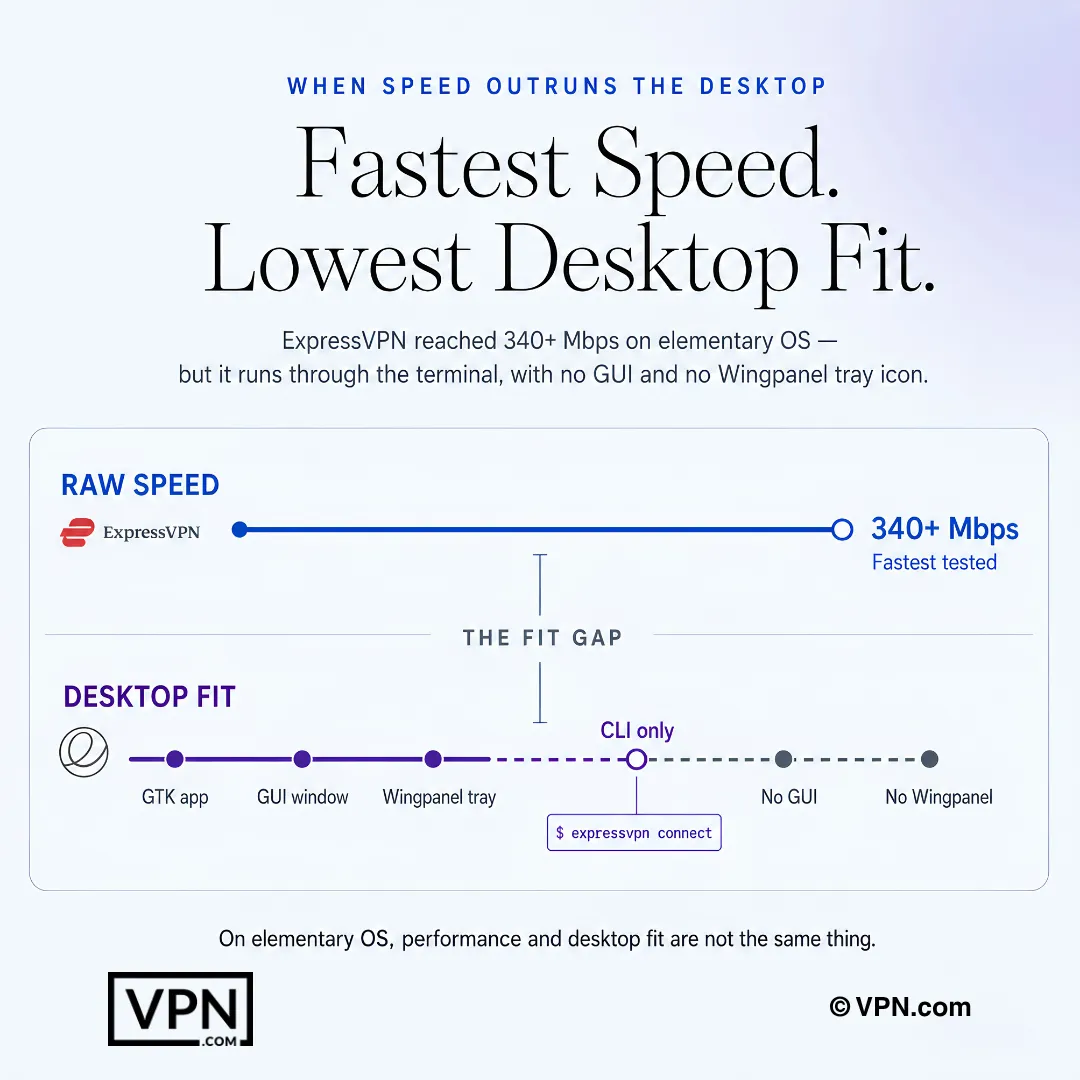
elementary OS पर, VPN की रॉ स्पीड और डेस्कटॉप इंटीग्रेशन एक ही चीज़ नहीं हैं।
अक्सर पूछे जाने वाले प्रश्न
सामान्य “सर्वश्रेष्ठ Linux VPN” गाइड elementary OS के लिए अच्छी तरह काम क्यों नहीं करते हैं?
क्योंकि elementary OS Pantheon run करता है, GNOME या KDE नहीं, और Pantheon GNOME Shell extensions को support नहीं करता है जिन पर कई VPN apps अपने tray icon के लिए rely करते हैं। एक generic guide यह flag नहीं करेगा कि Wingpanel को instead AppIndicator या libayatana support की जरूरत है। Elementary OS भी Ubuntu LTS के APT base को share करता है, इसलिए कोई भी .deb Ubuntu के लिए बना elementary OS पर cleanly install होता है, एक detail जिसे generic guides पूरी तरह skip करते हैं।
कौन सा VPN elementary OS के Pantheon desktop के साथ सबसे natively integrate होता है?
ProtonVPN, जो एक full GTK-based GUI ship करता है जो Pantheon के HiDPI scaling, system fonts, और dark/light mode switching को respect करता है, plus AppIndicator के माध्यम से एक Wingpanel tray icon। Mullvad भी एक पूर्ण GTK GUI ship करता है जिसमें एक matching minimal aesthetic है। NordVPN और ExpressVPN short fall करते हैं: NordVPN केवल एक tray indicator offer करता है, और ExpressVPN CLI-only के साथ कोई graphical window नहीं है।
मैं elementary OS पर VPN के .deb package को कैसे install करूं?
Provider के Linux page से .deb download करें, Terminal खोलें, अपने Downloads folder में navigate करें, फिर “sudo dpkg -i filename.deb” run करें जिसके बाद “sudo apt-get install -f” dependencies को resolve करने के लिए। यह विधि ExpressVPN, NordVPN, ProtonVPN, Mullvad, और PIA के लिए काम करती है। Elementary OS 7.x Ubuntu 22.04 LTS packages use करता है, इसलिए confirm करें कि .deb उस base से match करता है ताकि library conflicts से बचा जा सके।
मैं elementary OS पर विशेष रूप से NordVPN को कैसे set up करूं?
NordVPN के install script को “sh <(curl -sSf https://downloads.nordcdn.com/apps/linux/install.sh)” के साथ run करें, फिर “nordvpn login” के माध्यम से log in करें और “nordvpn connect” के साथ connect करें। यह एक standalone .deb के बजाय NordVPN के APT repository के माध्यम से install होता है, इसलिए updates automatically apply होते हैं। tray indicator आपके पहले connection के बाद Wingpanel में appear होता है, आपको एक terminal के बिना servers switch करने देता है।
क्या होगा अगर install करने के बाद VPN का icon कभी Wingpanel में show up नहीं होता है?
कुछ Linux VPN clients को “libayatana-appindicator3-1” package की आवश्यकता है Wingpanel में tray icon render करने के लिए, क्योंकि Pantheon GNOME Shell extensions को support नहीं करता है जिस तरह कुछ apps expect करते हैं। इसे “sudo apt install libayatana-appindicator3-1” के साथ install करें और VPN app को restart करें। ProtonVPN, Mullvad, NordVPN, और PIA सभी AppIndicator-based icons register करते हैं एक बार यह dependency present होता है; ExpressVPN के design से कोई tray icon नहीं है, क्योंकि यह CLI-only है।
मैं elementary OS पर VPN से connect करने के बाद DNS leaks को कैसे fix करूं?
Elementary OS अक्सर systemd-resolved को अपने VPN के DNS settings के साथ run करता है, जो leaks cause कर सकता है। अपने active resolver को “resolvectl status” के साथ check करें यह confirm करने के लिए कि कौन सा DNS server actually requests को handle कर रहा है। अगर यह tunnel के माध्यम से route नहीं हो रहा, तो DNS को VPN के माध्यम से force करें “/etc/resolv.conf” को edit करके या VPN client के DNS settings को directly configure करके।
मैं actually elementary OS household में कितने devices पर VPN को run कर सकता हूं?
यह provider के अनुसार varies करता है। NordVPN और ProtonVPN दोनों 10 simultaneous devices allow करते हैं, Mullvad 5 पर cap करता है, और Private Internet Access एक subscription पर unlimited devices को connect करता है, कई machines को cover करने के लिए useful। ExpressVPN 10 से 14 devices allow करता है plan के अनुसार, हालांकि इसका Linux client केवल एक CLI interface offer करता है कोई graphical device manager के साथ।
इनमें से कौन सा VPN Five Eyes surveillance jurisdictions के बाहर बैठता है?
ProtonVPN, Switzerland पर आधारित, और Mullvad, Sweden पर आधारित, दोनों Five Eyes alliance के बाहर operate करते हैं। Private Internet Access United States पर आधारित है, एक Five Eyes member, जबकि NordVPN Panama से operates करता है और ExpressVPN British Virgin Islands से, दोनों उस alliance के बाहर। Mullvad भी signup पर कोई email या name require नहीं करता, केवल एक random 16-digit account number।
क्या कोई free VPN है जो elementary OS पर काम करता है?
ProtonVPN एक free tier offer करता है जो अपने paid version के same GTK GUI को install करता है, complete Wingpanel tray integration के साथ। free tier आपको 3 country locations तक limit करता है और paid plans से slower run करता है, लेकिन यह आपको subscription के लिए commit करने से पहले Pantheon compatibility confirm करने देता है। इन अन्य चार VPNs में से कोई भी free option offer नहीं करता।
Elementary OS का उपयोग करने वाले गति को प्राथमिकता देने वाले उपयोगकर्ताओं के लिए कौन सा VPN सर्वश्रेष्ठ प्रदर्शन करता है?
NordVPN हमारे Speed Lab में 22 में #1 रैंक करता है, जो प्रकाशित तृतीय-पक्ष परीक्षणों से एकत्रित है, अपना NordLynx प्रोटोकॉल चला रहा है जो WireGuard पर निर्मित है, जिसे सभी पाँच अनुशंसित VPN किसी न किसी रूप में समर्थन करते हैं। ExpressVPN का Lightway प्रोटोकॉल भी तेज़ है, लेकिन elementary OS पर यह केवल CLI के माध्यम से सुलभ है, क्योंकि ExpressVPN इस डिस्ट्रो के लिए कोई ग्राफिकल क्लाइंट नहीं भेजता है।
Pantheon-friendly VPN जिसमें पूरा GUI है, उसकी कीमत कितनी है?
Mullvad एक सपाट €5/महीने का शुल्क लेता है जिसमें कोई स्तर या दीर्घकालीन छूट नहीं है, यह इस सूची में सबसे सरल मूल्य निर्धारण संरचना है। NordVPN अपनी सबसे लंबी अवधि की योजना पर $3.49/महीने से शुरू होता है, और ExpressVPN अपनी सबसे लंबी योजना पर $2.99/महीने से शुरू होता है, हालांकि ExpressVPN का Linux क्लाइंट CLI-only ही रहता है और कोई graphical window नहीं है। ProtonVPN की मुफ्त टियर आपको कुछ भी भुगतान करने से पहले संगतता का परीक्षण करने देती है।
क्या मैं refund पा सकता हूं अगर VPN मेरे elementary OS setup पर अच्छी तरह काम नहीं करता है?
हां, यहां listed major providers के लिए। NordVPN और ExpressVPN दोनों हर plan के साथ एक 30-day money-back guarantee back करते हैं, आपको time देते हैं confirm करने के लिए कि एक .deb install या Wingpanel tray integration actually आपके Pantheon setup के लिए suits करता है long-term के लिए commit करने से पहले। Mullvad या PIA के साथ refund terms को directly support से check करें, क्योंकि specific guarantee windows उन दोनों के लिए यहां confirmed नहीं हैं।
क्या elementary OS के AppCenter के बाहर VPN के .deb file को sideload करना risky है?
Elementary OS AppCenter के माध्यम से app sandboxing को enforce करता है, और sideloaded .deb files उस sandbox को completely bypass करते हैं। क्योंकि इस list पर हर VPN, ProtonVPN, Mullvad, और NordVPN सहित, एक sideloaded .deb के माध्यम से install होता है बजाय AppCenter के, install करने से पहले package के signature को verify करें यह confirm करने के लिए कि इसे transit में tamper नहीं किया गया है।