Public WiFi Security: Best VPNs and Safety Tips That Work
Public WiFi security starts with knowing the risks. We cover every threat and the best tools including top VPNs to protect your data on open networks.
 Michael Gargiulo
Bottom Line: Public WiFi is a live threat. The same network that lets you check email at a coffee shop also lets anyone on it intercept your unencrypted traffic. A VPN encrypts everything before it leaves your device, making it unreadable even on a compromised network. Enable it before you connect, every time.
Free public WiFi is available almost everywhere: coffee shops, hotels, airports, restaurants, libraries. It lets you work or browse without burning through mobile data. That convenience comes with real risk.
When you connect to a public network, you share it with strangers. Any one of them could use simple tools to intercept unencrypted traffic, steal passwords and login credentials, or infect your device with malware. That does not mean you should avoid public WiFi entirely. It means you need to understand the dangers and take specific precautions.
This guide covers the security risks of open networks, practical steps to protect yourself, and the best VPNs for staying safe on public hotspots.
Security Risks That Make Open Networks Dangerous
Before getting into safety tips, you need to understand exactly why public WiFi creates security and privacy risks.
| Risk | How It Works | What Can Be Stolen |
|---|---|---|
| Unencrypted connections | Data travels in plaintext on open networks | Passwords, emails, browsing activity |
| Man-in-the-Middle attacks | Attacker inserts between you and websites | Login credentials, financial data |
| Rogue WiFi networks | Fake hotspot mimics a legitimate network | Everything you transmit |
| Malware distribution | Exploits unpatched devices via the network | Files, account access |
| Snooping and sniffing | Packet-capture tools read network traffic | Browsing behavior, unencrypted messages |
| Juice jacking | Malicious USB charging station injects malware | Device data, persistent access |
Unencrypted Connections Expose Everything You Send
Most public WiFi networks lack encryption. Your data travels in plaintext across the network. Anyone with free packet-sniffing software can read your emails, passwords, and browsing activity in real time.
Man-in-the-Middle Attacks Intercept Your Sessions
In a man-in-the-middle attack, a hacker positions themselves between your device and the website you visit. They can read your passwords, view your emails, and even alter page content before it reaches your browser. You never know it is happening.
Rogue WiFi Networks Trick You Into Connecting
Hackers create fake WiFi networks with names that look legitimate. You connect thinking it is the real coffee shop network. Once connected, they capture every piece of data you transmit or install malicious software on your device.
Malware Distribution Through Shared Networks
If your device has unpatched vulnerabilities, hackers can exploit public WiFi to push malware onto it. That malware can then steal data, monitor your activity, or lock your files for ransom.
Snooping and Sniffing With Free Tools
Packet-sniffing tools are free and widely available. Anyone on the same network can use them to monitor your browsing activity, read unencrypted messages, and even access shared folders on your device.
How To Stay Safe on Unsecured Networks
While these threats are real, specific precautions reduce your exposure significantly.
Use a Virtual Private Network
A VPN creates an encrypted tunnel between your device and a remote server. All your traffic passes through that tunnel. Hackers on the same network see only unreadable data. A VPN also conceals your IP address and masks your location, making it much harder for anyone to track your activity.
Verify the Network Name Before Connecting
Always confirm the exact network name with staff before connecting. Fake networks use names nearly identical to legitimate ones. Never connect to open networks you cannot verify. Double-checking takes five seconds and prevents you from walking into a trap.
Turn Off File and Printer Sharing
Other users on the same network may access your shared files and folders. Disable file sharing, printer sharing, and network discovery on your device before joining any public hotspot. This keeps your files and your device hidden from others.
Enable Your Firewall
A firewall monitors incoming and outgoing traffic based on security rules. It acts as a barrier between your device and threats on the network. It is not a complete solution on its own, but it adds a meaningful layer of defense.
Visit Only HTTPS Websites
HTTPS encrypts the connection between your browser and the website. Look for “https://” and the lock icon in your address bar. Avoid sites that use plain HTTP. You can also enable DNS over HTTPS in your browser settings or install extensions that force secure connections.
Avoid Public USB Charging Stations
Public USB charging stations can execute “juice jacking[1]” attacks. Hackers use modified ports to steal data or install malware through the USB connection. Use your own wall adapter, a portable battery pack, or a USB data blocker that allows power but blocks data transfer.
Disable Auto-Connect
Auto-connect lets your device join networks without your approval. Turn off this setting and select networks manually. Also remove saved public networks so your device does not reconnect to them automatically later.
Keep Your Device and Apps Updated
Software updates patch the vulnerabilities hackers exploit. Enable automatic updates for your operating system, browser, and apps. Updated antivirus tools also help detect and block new threats before they cause damage.
Enable Two-Factor Authentication on All Accounts
Two-factor authentication (2FA) requires a second verification step beyond your password. Even if someone captures your password on public WiFi, they cannot access your account without the second factor. Enable 2FA on email, banking, and social media accounts at minimum.
Log Out and Clear Your Session Data
After using public WiFi, log out of every account. Clear your browsing history, cache, and cookies. Close all browser tabs. This ensures no sensitive data remains accessible if someone gains access to the network or your session.
Top VPNs That Protect You on Open Networks
Choosing the right VPN is critical for public WiFi safety. These five providers offer the strongest protection on unsecured networks.
NordVPN: Best Overall for Hotspot Protection
NordVPN is one of the most trusted VPNs for securing public WiFi connections. It combines strong encryption with features designed specifically for open networks.
Features
- Extensive Server Network: Over 7,000 servers across 118 countries provide stable, secure connections anywhere.
- NordLynx Protocol: Built on WireGuard, a WireGuard-based protocol that keeps encryption overhead low.
- Threat Protection: Blocks malware, trackers, and malicious websites at the network level.
Performance
- Encryption: AES-256 encryption makes intercepted data unreadable on open networks.
- Speed: Minimal speed loss even on congested public hotspots.
- Reliability: Stable connections with automatic reconnection if the VPN drops.
Pricing
- Monthly Plan: Approximately $13.99 per month.
- Two-Year Plan: Around $4.49 per month.
- Money-Back Guarantee: 30 days, no questions asked.
Special Offerings for Public WiFi
- Auto-Connect on WiFi: Activates VPN protection automatically when your device joins any public network.
ExpressVPN: Fastest Speeds on Public Networks
ExpressVPN delivers consistent performance and strong privacy features that make it ideal for public WiFi protection.
Features
- Global Server Coverage: Servers in 105 countries for secure access from almost anywhere.
- Lightway Protocol: Fast, secure connections with minimal battery drain.
- Network Lock (Kill Switch): Blocks all traffic if the VPN connection drops, preventing data leaks.
Performance
- Encryption: AES-256 encryption on all connections.
- Speed: Ranks #2 of 22 on our Trust Score, aggregated from published third-party tests.
- Reliability: Stable connections across all server locations.
Pricing
- Monthly Plan: Approximately $12.95 per month.
- Annual Plan: Around $8.32 per month.
- Money-Back Guarantee: 30 days.
Special Offerings for Public WiFi
- Automatic Protection: Secures your device instantly when it detects an unknown network.
Surfshark: Best Budget Option With Unlimited Devices
Surfshark offers strong security at a low price point, with no limit on simultaneous device connections.
Features
- Unlimited Devices: Protect every device your household owns with one subscription.
- CleanWeb: Blocks ads, trackers, and malware.
- NoBorders Mode: Works on restricted or censored networks.
Performance
- Encryption: AES-256 encryption across all connections.
- Speed: Fast enough for streaming, browsing, and downloads on public WiFi.
- Reliability: Consistent performance across multiple simultaneous devices.
Pricing
- Monthly Plan: Approximately $12.95 per month.
- Two-Year Plan: Around $2.49 per month.
- Money-Back Guarantee: 30 days.
Special Offerings for Public WiFi
- Automatic WiFi Protection: Secures your connection instantly on public hotspots.
CyberGhost: Simplest Setup for Beginners
CyberGhost offers one-click protection and an intuitive interface, making it the easiest VPN for public WiFi newcomers.
Features
- User-Friendly Interface: One-click connection with minimal configuration.
- Strong Encryption: AES-256 encryption with a strict no-logs policy.
- Automatic WiFi Protection: Detects and secures unsafe networks without manual input.
Performance
- Encryption: Full AES-256 protection on all public networks.
- Speed: Stable speeds for everyday browsing and email.
- Reliability: Consistent, hands-off protection.
Pricing
- Monthly Plan: Approximately $12.99 per month.
- Two-Year Plan: Around $2.05 per month.
- Money-Back Guarantee: 45 days, the longest in this list.
Special Offerings for Public WiFi
- WiFi Protection Rules: Custom rules that automatically activate the VPN on any public network.
ProtonVPN: Maximum Privacy With Secure Core Routing
ProtonVPN is built for users who prioritize privacy above all else. Its Secure Core architecture adds an extra layer of protection.
Features
- Secure Core: Routes traffic through multiple servers in privacy-friendly countries before reaching the destination.
- Strong Encryption: AES-256 encryption with fully open-source apps.
- No-Logs Policy: Headquartered in Switzerland under strong privacy laws.
Performance
- Encryption: Multi-hop routing makes traffic analysis extremely difficult.
- Speed: VPN Accelerator technology minimizes speed loss.
- Reliability: Strong uptime with a focus on secure, stable connections.
Pricing
- Monthly Plan: Approximately $9.99 per month.
- Two-Year Plan: Around $4.99 per month.
- Money-Back Guarantee: 30 days.
Special Offerings for Public WiFi
- Secure Core Technology: Extra protection for sensitive activity on unsecured networks.
Final Verdict
Public WiFi is too useful to avoid, but too risky to use unprotected. A VPN is the single most effective tool. It encrypts all traffic before it touches the network, making intercepted data useless to attackers.
Pair your VPN with two-factor authentication, updated software, and smart habits like verifying network names and avoiding public USB chargers. These steps together reduce your attack surface to near zero.
The convenience of free WiFi is worth keeping. Just make sure you connect on your terms, not the attacker’s.
References
- McAfee. 2025. What Is Juice Jacking? https://www.mcafee.com/learn/what-is-juice-jacking/.Archived: Wayback Machine snapshot
- Cybersecurity and Infrastructure Security Agency. n.d. CISA. Retrieved September 30, 2026 from https://www.cisa.gov.Archived: Wayback Machine snapshot
- Federal Trade Commission. n.d. Consumer Advice. Retrieved September 30, 2026 from https://consumer.ftc.gov.Archived: Wayback Machine snapshot
- Electronic Frontier Foundation. n.d. Electronic Frontier Foundation. Retrieved September 30, 2026 from https://www.eff.org.Archived: Wayback Machine snapshot
Resources for this page
Charts and reference images from our research, free to view and share.
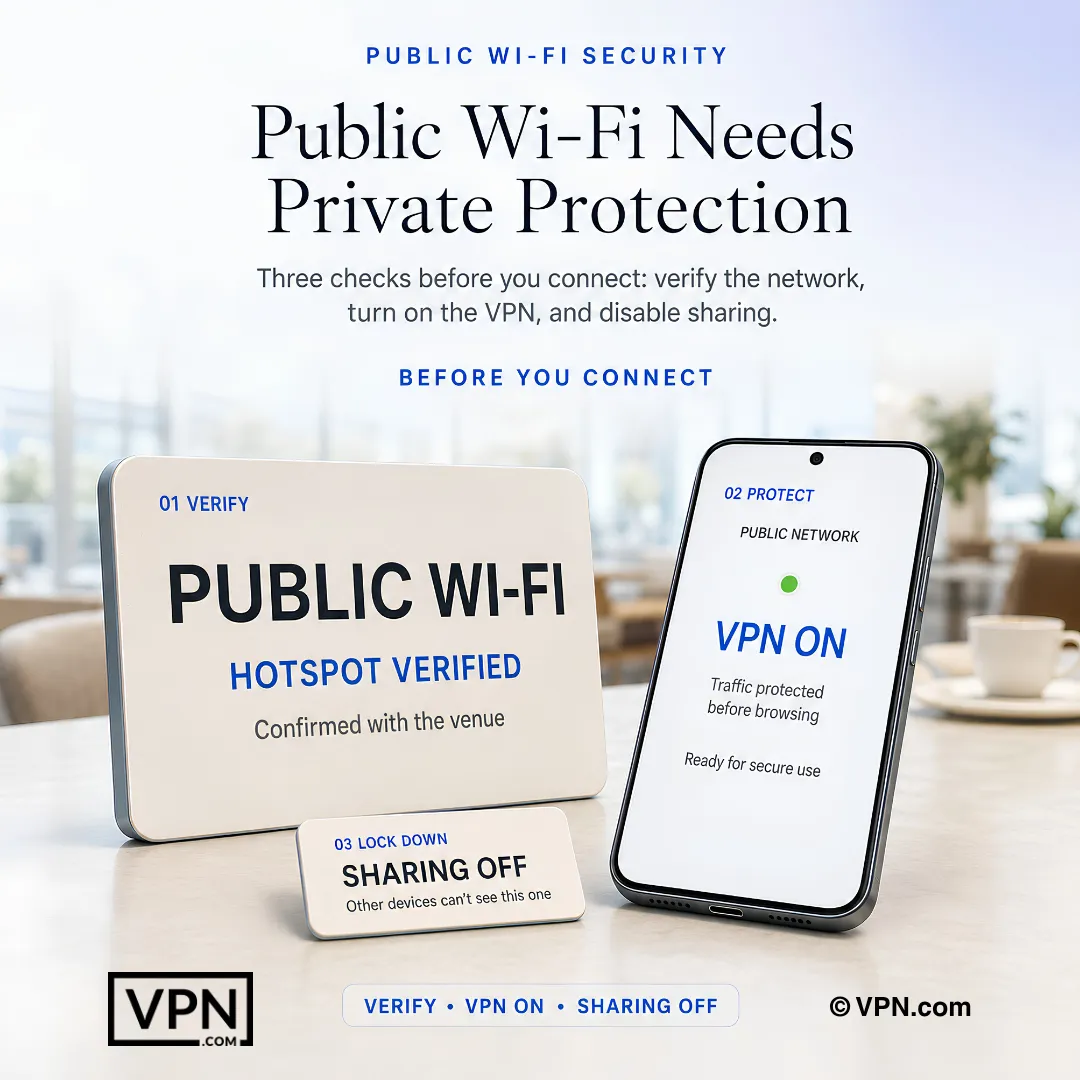
Before using public Wi-Fi, verify the network, activate the VPN, and turn off device sharing.
Frequently Asked Questions
Why is public WiFi at a coffee shop or airport actually dangerous?
Most public WiFi networks transmit data in plaintext, meaning anyone with free packet-sniffing software can read your emails, passwords, and browsing activity in real time. Add in man-in-the-middle attacks, where a hacker positions themselves between your device and the website you visit, and open networks become an easy interception point without you ever knowing.
What is a rogue WiFi network and how do I avoid connecting to one?
A rogue network is a fake hotspot with a name nearly identical to a legitimate one, like “Starbucks_WiFi_Free” sitting next to the real “Starbucks_WiFi.” Once you connect, attackers capture everything you transmit or install malicious software on your device. Always confirm the exact network name with staff before joining, and let a VPN protect you even if you connect to the wrong one.
What is juice jacking and should I worry about public USB charging stations?
Juice jacking is when a hacker modifies a public USB charging port to steal data or install malware through the charging cable itself. Avoid it by using your own wall adapter, a portable battery pack, or a USB data blocker that allows power through but physically blocks data transfer, keeping the port from ever touching your device’s data lines.
How does a VPN actually protect me on an open network?
A VPN creates an encrypted tunnel between your device and a remote server, so all your traffic passes through it before touching the public network. Hackers on the same hotspot see only unreadable data instead of your passwords or browsing activity. It also masks your IP address and location, making it far harder for anyone sharing the network to track you.
What should I do before connecting to any public hotspot?
Verify the exact network name with staff, since fake networks use near-identical names to trick you. Disable auto-connect and remove saved public networks so your device doesn’t rejoin them automatically later. Turn off file and printer sharing plus network discovery, and enable your device’s firewall as an added barrier before you join.
Does visiting HTTPS sites actually make a difference on public WiFi?
Yes, HTTPS encrypts the connection between your browser and the website, so even on an unencrypted network, that specific traffic stays protected. Look for “https://” and the lock icon in your address bar and avoid plain HTTP sites. You can also enable DNS over HTTPS in your browser settings for an added layer beyond your VPN.
Which VPN offers the strongest overall protection for public WiFi?
NordVPN is built specifically for hotspot protection, running AES-256 encryption over its WireGuard-based NordLynx protocol across 7,115 servers in 150 countries. Its Threat Protection feature blocks malware and malicious sites at the network level, and Auto-Connect on WiFi activates the VPN automatically the moment your device joins any public network. Plans start around $4.49/month on the two-year term with a 30-day money-back guarantee.
Is there a budget VPN that still protects every device on public WiFi?
Surfshark is the budget pick, running about $2.49/month on its two-year plan with AES-256 encryption and no limit on simultaneous device connections, useful if your whole household relies on the same hotspot. Its CleanWeb feature blocks ads, trackers, and malware, while NoBorders Mode keeps the VPN working on restricted networks. It includes a 30-day money-back guarantee.
Which VPN is easiest to use for someone new to public WiFi safety?
CyberGhost is built for beginners, with one-click connection and Automatic WiFi Protection that detects unsafe networks without manual input. Its WiFi Protection Rules let you set the VPN to auto-activate on any public network, and it backs plans with a 45-day money-back guarantee, the longest refund window among the providers covered here. Pricing runs around $2.05/month on the two-year plan.
Which VPN adds the most privacy protection for sensitive activity on open networks?
ProtonVPN, headquartered in Switzerland, adds Secure Core architecture that routes traffic through multiple servers in privacy-friendly countries before it reaches its destination, making traffic analysis extremely difficult on a compromised hotspot. Its apps are fully open-source with AES-256 encryption, and VPN Accelerator technology minimizes speed loss. Plans start around $4.99/month on the two-year term with a 30-day guarantee.
Is a VPN enough on its own, or do I need other protections too?
A VPN handles encryption, but it isn’t a complete solution alone. Enable two-factor authentication on email, banking, and social accounts so a captured password on public WiFi still can’t grant account access. Keep your operating system, browser, and apps updated with automatic updates enabled, since patches close the vulnerabilities hackers exploit over shared networks.
What should I do right after I finish using public WiFi?
Log out of every account you accessed, then clear your browsing history, cache, and cookies before closing all browser tabs. This ensures no sensitive session data remains accessible if someone else gains access to that network later or to your device. Pair this habit with disabling auto-connect so your device doesn’t silently rejoin the same hotspot next time.
What if my VPN disconnects while I’m on a public network?
A proper kill switch, like ExpressVPN’s Network Lock, blocks all internet traffic the instant the VPN drops, preventing any data from leaking onto the unencrypted network. Confirm your VPN includes this feature and that it’s enabled by default. NordVPN also offers automatic reconnection, restoring the encrypted tunnel on its own if the connection drops mid-session.