Malware Guide: Types, Risks & Protection Tips
Learn what malware is, the common types cybercriminals use, and how to protect your devices with simple security steps and tools.
 Michael Gargiulo
Bottom Line: Ransomware, one common type of malware, was involved in 23% of the data breaches analysed in Verizon’s 2024 Data Breach Investigations Report[1]. Protecting yourself requires antivirus software, regular updates, strong passwords, file backups, and a VPN to encrypt connections on public Wi-Fi. Malware is a silent threat lurking in the digital world. It grows more dangerous each year, and it keeps evolving. From stealing your passwords to encrypting your files for ransom, malware can wreak havoc on your devices and daily life. The FBI’s Internet Crime Complaint Center received 880,418 complaints in 2023, with potential losses above $12.5 billion[2], so understanding malware and how to prevent it has never been more important. This guide explains malware in plain language. It covers types, causes, prevention, and recovery. You will learn how to spot infections, remove threats, and build habits that keep your devices safe.
| Malware Type | How It Works | Primary Goal |
|---|---|---|
| Virus | Self-replicates and spreads between devices | File corruption, system damage |
| Trojan | Disguises itself as legitimate software | Backdoor access, data theft |
| Ransomware | Encrypts files and demands payment | Financial extortion |
| Spyware | Secretly monitors activity and keystrokes | Credential and data theft |
| Adware | Displays unwanted ads, often bundled with software | Revenue generation, data collection |
| Worm | Replicates across networks without user action | Network disruption, payload delivery |
| Rootkit | Hides deep in system, evades detection | Persistent access, surveillance |
| Botnet | Turns infected devices into a controlled network | DDoS attacks, spam, cryptomining |
| Cryptojacker | Uses device resources to mine cryptocurrency | Financial gain at victim’s expense |
What Does Malware Mean?
Malware is software designed to harm your device, steal your data, or disrupt your life. The term is short for “malicious software.” It includes viruses, ransomware, spyware, and many other threat types.
Malware sneaks into computers and phones through emails, downloads, or compromised websites. Knowing what malware means helps you spot and avoid these digital traps before they cause damage.
The Growing Threat of Malware
Malware is a bigger problem now than ever before. New malware appears constantly. Hackers use AI to make malware smarter, helping it dodge antivirus tools.
Businesses lose millions each year. Regular people face identity theft or encrypted files. One Reddit user shared how ransomware encrypted their files and demanded $500 for a decryption key. The scale of this problem continues to grow across every device type and operating system.
How Malware Infects Your Devices
Malware reaches your devices through sneaky methods. Knowing how it spreads helps you avoid it. Below are the main infection vectors.
Phishing Emails: The Top Gateway for Infections
Phishing emails are the most common way malware reaches devices. These fake emails appear to come from banks, coworkers, or services like Netflix.
They trick you into clicking malicious links or downloading infected attachments. One Quora user shared how opening a fake invoice email installed a trojan that hid as legitimate software. Human action, such as clicking a link or opening an attachment, played a part in 68% of breaches[1] in Verizon’s 2024 analysis. CISA publishes practical advice on recognising and reporting phishing[3]. Hackers craft convincing messages, often using urgent language like “Your account is suspended” to force fast action. To avoid phishing:
- Check sender email addresses for odd spellings or domains.
- Hover over links to see the real URL before clicking.
- Use email filters to catch suspicious messages.
- Run antivirus scans on attachments before opening.
Staying cautious stops phishing attacks.
Drive-by Downloads: Silent Delivery
Drive-by downloads happen when you visit a compromised website. Malware installs without your knowledge or consent. These sites might look safe, like a news page or blog. Hackers hide malicious code inside them.
One Reddit user reported getting adware installed after clicking a fake browser update prompt on a streaming site. Sometimes no click is needed at all. The site exploits browser flaws to install malware silently. To protect yourself:
- Keep browsers like Chrome or Firefox updated.
- Use ad blockers to avoid malicious pop-ups.
- Avoid websites with suspicious URLs or poor security.
- Install an antivirus like Malwarebytes to catch downloads.
Safe browsing habits are your first line of defense.
Software Flaws: Open Doors for Attackers
Unpatched software vulnerabilities give malware an easy entry point. Hackers exploit flaws in operating systems, apps, or plugins to sneak in.
The WannaCry ransomware spread through the EternalBlue exploit of a Windows SMB flaw that Microsoft had already patched in March 2017, according to CISA’s alert[4]. Zero-day exploits targeting unknown flaws are growing each year. If you skip updates, your device becomes an easy target. To stay safe:
- Enable auto-updates for Windows, macOS, or apps.
- Check for patches on software like Adobe or Java.
- Use vulnerability scanners to find weak spots.
- Install a firewall to block exploit attempts.
Regular updates close the door on hackers.
Infected USBs and Devices: Physical Risks
Plugging in infected USB drives or external devices can spread malware instantly. These devices often carry autorun malware that installs when connected.
One user warned about USBs left in public places, like libraries, that infected their PC with a worm. Infected printers or IoT devices like smart cameras can also spread threats. To prevent this:
- Disable autorun on your computer.
- Scan USBs with an antivirus before opening files.
- Avoid using unknown or found devices.
- Update IoT device firmware regularly.
Always check physical devices before trusting them.
Pirated Apps: Threats Disguised as Free Software
Downloading pirated software is a common malware trap. Hackers bundle malicious code into cracked versions of popular programs.
One user shared how a pirated game installed a trojan that stole their banking info. Spyware often hides in free software, tracking your activity or capturing data. To avoid pirated app infections:
- Download only from trusted sources like Google Play or Apple’s App Store.
- Check app reviews and developer names.
- Use an antivirus to scan downloads.
- Avoid “too good to be true” free software.
Stick to legitimate sources every time.
Weak Passwords: An Easy Entry Point
Weak or reused passwords make it simple for hackers to install malware. If your password is “123456” or used across multiple sites, attackers can take over your accounts and plant keyloggers.
Spyware like Olympic Vision records your keystrokes to steal logins. One user lost their email account to a keylogger due to a weak password. To strengthen passwords:
- Use 12+ character passwords with letters, numbers, and symbols.
- Store them in a password manager like LastPass.
- Enable multi-factor authentication (MFA) for extra security.
- Change passwords regularly, especially after a breach.
Strong passwords keep hackers out of your accounts.
Unsecured Wi-Fi: A Hotspot for Attacks
Public Wi-Fi, such as that found at cafes or airports, is a common attack vector. Hackers use man-in-the-middle attacks to intercept data and inject malicious code. Unsecured networks remain a top threat vector for infections.
One user’s phone was compromised after using airport Wi-Fi without a VPN. To secure Wi-Fi connections:
- Use a VPN to encrypt connections on public networks.
- Avoid sensitive tasks like banking on public Wi-Fi.
- Turn off Wi-Fi when not in use.
- Check for “https” on websites you visit.
VPNs add a layer of protection on untrusted networks.
Malvertising: Ads That Deliver Threats
Malvertising uses fake ads to spread malicious software. Clicking a “win a prize” ad can install ransomware or spyware. Even legitimate websites can host bad ads if their ad networks are compromised.
One user’s phone was infected with adware after clicking a fake giveaway ad. To avoid malvertising:
- Use ad blockers like uBlock Origin.
- Avoid clicking flashy or urgent ads.
- Scan devices after visiting new sites.
- Keep antivirus software updated to catch adware.
Stay wary of online ads, even on trusted sites.
Social Engineering: Manipulation Over Technical Exploits
Social engineering relies on deception rather than technical hacking. Attackers pretend to be trusted contacts such as banks, customer support agents, or even coworkers. They convince you to reveal sensitive information or install harmful software.
For example, some users receive calls claiming their computer is compromised. They are then instructed to download “security tools” that are actually malware. Social engineering frequently works alongside phishing emails and fake login pages to spread trojans or spyware.
To protect yourself:
- Confirm identities by calling official numbers from verified websites.
- Never provide passwords, codes, or financial details to unexpected callers.
- Be skeptical of messages that demand immediate action.
- Scan any unfamiliar downloads with trusted security software.
If a request feels unusual or pressured, pause and verify. Staying alert is one of the strongest defenses against social engineering attacks.
Outdated Software: A Magnet for Exploits
Running outdated software leaves security gaps open for attackers. Older versions of Windows or deprecated tools like Adobe Flash are prime targets. Hackers exploit these weaknesses to install malicious code, which can later spread across hidden networks discussed in comparisons such as dark web vs deep web.
The Log4j flaw let hackers spread ransomware across unpatched systems worldwide. One user reported that updating Java stopped an attack on their server. To fix this:
- Turn on auto-updates for all software.
- Remove unused or outdated apps.
- Check for updates weekly.
- Use tools like Ninite to manage updates.
Regular updates keep threats out and save you from costly attacks.
The Impact on Individuals and Businesses
Malware devastates both individuals and businesses. It causes financial loss, data theft, and emotional distress. The consequences vary depending on who is targeted and which type of threat is involved.
For Individuals: Personal and Financial Devastation
Malware hits individuals hard. It threatens privacy, finances, and peace of mind.
Spyware like Pegasus secretly tracks activity, stealing passwords, emails, or banking details. Ransomware which is another type of malware encrypts your files and demands payment. Even after paying, recovery is not guaranteed.
Keyloggers record your typing to steal credit card numbers or Social Security details. Victims often feel violated, anxious, or helpless. Financial losses range from hundreds to thousands of dollars, especially when bank accounts are compromised. Stolen data often ends up sold on the dark web, creating ongoing risks. To protect yourself:
- Use an antivirus like Bitdefender to catch threats.
- Back up files to Google Drive to avoid ransomware losses.
- Use a VPN to reduce exposure on public Wi-Fi.
- Monitor bank accounts for unusual charges.
- Enable multi-factor authentication (MFA) to secure logins.
For Businesses: Financial Losses and Operational Disruption
Businesses face even larger challenges. Malware-related data breaches cost companies millions in recovery, fines, and lost trust.
The LockBit ransomware family, including LockBit 3.0, was involved in about 1,700 attacks in the United States between 2020 and 2023, with roughly $91 million in ransoms paid, according to a joint CISA and FBI advisory[5]. Banks, retailers, and tech firms are prime targets due to their sensitive data. Spyware like DarkHotel targets corporate networks to steal trade secrets. Botnets turn company devices into tools for DDoS attacks, disrupting websites or services. The Mirai botnet showed how insecure internet-connected devices can be turned into tools for large DDoS attacks, as described in a CISA alert[6].
Losses vary widely: Verizon found the median loss in ransomware and extortion breaches was $46,000, with 95% of cases falling between $3 and $1,141,467 (2024 DBIR[1]). Beyond money, businesses face reputational harm and regulatory fines; under the GDPR a fine can reach €20 million or 4% of worldwide annual turnover[7]. Wiper malware like WhisperGate[8] can erase critical data, forcing companies to rebuild systems from scratch.To safeguard businesses:
- Deploy enterprise antivirus like CrowdStrike Falcon.
- Train employees on phishing and social engineering.
- Use network segmentation to limit spread.
- Back up data daily to recover from ransomware.
- Secure remote access with a VPN to protect connections.
Why Protection Matters for Everyone
Spyware steals your privacy. Ransomware encrypts your memories. Botnets disrupt entire businesses. The breach figures above show this is not just a tech issue. It affects personal finances and entire economies.
Using antivirus software, backups, VPNs, and smart habits together can stop threats before they strike. Stay proactive and you stay protected.
Why Hackers Use Malware
Hackers use malware for money, power, or disruption. The motivations vary, but the tools remain consistent.
Financial gain drives most attacks. Hackers steal data to sell on the dark web or demand ransoms directly from victims. Cryptojacking hijacks your device’s processing power to mine cryptocurrency. One user reported cryptojacking slowed their PC to a crawl.
Some attackers spy for competitors or nation-states. Others aim to disrupt governments or critical infrastructure, like the WhisperGate wiper malware that targeted Ukrainian systems. Malware’s versatility makes it the top tool for cybercriminals at every skill level.
Emerging Trends in Cyber Threats
Malware evolves fast. These are the most significant trends shaping the threat landscape right now.
AI-Driven Threats: Smarter and More Evasive
AI-driven malware uses artificial intelligence to adapt and avoid detection. Unlike traditional threats, it changes its code on the fly, dodging antivirus tools. AI malware creates unique variants for each attack, targeting weaknesses in real time.
CrowdStrike has documented AI malware mimicking legitimate apps to steal banking details. This type of threat is tough to catch because it learns from defenses. To protect against AI-driven threats:
- Use an advanced antivirus with AI detection, like CrowdStrike Falcon.
- Update software daily to close new vulnerabilities.
- Monitor unusual device behavior, like sudden slow performance.
- Train yourself to spot phishing emails, a standard delivery method.
Malware-as-a-Service: Crime Available for Hire
Malware-as-a-Service (MaaS) lets anyone buy ready-made attack kits on the dark web. These kits function like software subscriptions.
This lowers the skill barrier for attackers dramatically. To counter MaaS:
- Use email filters to block phishing, a standard MaaS delivery method.
- Deploy firewalls to stop unauthorized access.
- Educate employees on spotting fake software offers.
- Use a VPN to secure connections on untrusted networks.
Cross-Platform Attacks: Targeting All Devices
Cross-platform malware targets multiple systems: Windows, macOS, Linux, and mobile. It exploits apps like Zoom or WhatsApp to move across devices. A trojan disguised as a game could steal data from both your laptop and phone.
This type of threat grows as people use multiple devices daily. To prevent cross-platform attacks:
- Update all devices regularly to patch vulnerabilities.
- Avoid sharing apps across platforms without scanning.
- Use antivirus software on phones and computers.
- Limit app permissions to block unauthorized access.
Cloud-Native Threats: Targeting Hosted Infrastructure
Cloud-native malware attacks cloud services like AWS, Azure, or Google Cloud. Hackers exploit weak cloud APIs or misconfigured servers to inject malicious code.
This threat is especially dangerous for businesses relying on cloud storage. To protect cloud systems:
- Use strong cloud passwords and MFA.
- Monitor cloud logs for suspicious activity.
- Encrypt cloud data to block unauthorized access.
- Hire cloud security experts for regular audits.
Zero-Day Exploits: Attacking Before Patches Exist
Zero-day exploits target unknown software flaws before patches are available. The Log4j vulnerability let hackers spread ransomware globally before most systems could update.
These attacks are hard to stop because no fix exists yet. To reduce zero-day risks:
- Use intrusion detection systems like CrowdStrike.
- Update software as soon as patches drop.
- Run sandboxed apps to isolate threats.
- Monitor security blogs and CISA alerts for zero-day warnings.
Quick updates save systems. These trends show threats are getting smarter and harder to stop.
How to Spot an Infection on Your Device
Spotting an infection early saves time, money, and stress. Watch for these warning signs:
- Slow performance or frequent crashes.
- Pop-up ads you did not expect.
- Strange emails sent from your account without your knowledge.
- Unknown programs running in your task manager.
- Unusually high network activity or battery drain.
One user noticed their laptop slowing down and traced it to cryptojacking. Run a full antivirus scan if you see any of these signs. Early detection limits the damage.
Tip: Phishing is a leading delivery method for malware. Before clicking any link in an email, hover over it to verify the actual URL and check the sender’s domain for subtle misspellings. This single habit stops the most common delivery method for malicious software.
Best Practices to Prevent Infections
Stay proactive to keep threats at bay. Simple habits and tools protect your devices. Here are the key steps:
- Install Antivirus: Use a trusted antivirus like Norton or Malwarebytes. Regular updates catch new threats. Scan devices weekly at minimum.
- Update Software: Patch apps and systems regularly to close vulnerabilities. Enable auto-updates for Windows and macOS. Outdated software invites attacks.
- Avoid Suspicious Emails: Don’t click links or attachments from unknown senders. Verify URLs before clicking. Phishing emails spread infections fast.
- Use Strong Passwords: Create 12+ character passwords with numbers and symbols. Use a password manager like LastPass. Strong passwords block unauthorized access.- Skip Risky Downloads: Download only from trusted sources like Google Play or the App Store. Avoid pirated apps. They often contain hidden threats.
- Back Up Files: Save data to Google Drive or external drives. Backups protect against ransomware. One Reddit user recovered all their files this way.- Enable Firewall: Use Windows Defender Firewall to block unauthorized connections. Firewalls stop threats from spreading. Check settings regularly.
- Secure IoT Devices: Change default passwords on smart cameras or routers. Update firmware often. IoT devices are frequent targets.
- Use a VPN on Public Wi-Fi: A VPN encrypts your connection on untrusted networks. This reduces exposure to man-in-the-middle attacks. Choose a reputable paid VPN provider.
- Learn to Spot Social Engineering: Take training to recognize fake emails or calls. Awareness stops manipulation-based attacks. Practice identifying phishing attempts regularly.
Does a VPN Protect Against Malware?
A VPN encrypts your internet connection and hides your IP address. This makes it harder for attackers to intercept data on public Wi-Fi or inject malicious code through man-in-the-middle attacks.
However, a VPN does not prevent malware in most scenarios. VPNs do not scan files you download. They do not block phishing sites or remove existing infections. They cannot stop you from opening a malicious email attachment or installing a trojan disguised as software.
What a VPN does well is reduce your exposure on unsecured networks. If you use public Wi-Fi at a coffee shop or airport, a VPN prevents attackers from reading your traffic or redirecting you to malicious sites. Some VPN providers like NordVPN include additional features such as Threat Protection, which blocks known malicious domains and ads. These features add value but still do not replace dedicated antivirus software.
Think of a VPN as one layer in a multi-layer defense. Pair it with antivirus software, strong passwords, regular updates, and safe browsing habits. No single tool stops every threat. Layered security is the only reliable approach. Note: VPN.com may earn affiliate commissions from VPN providers mentioned on this site. Our recommendations are based on independent evaluation.
How to Recover from an Infection
If malware hits, act fast. Here is a step-by-step recovery plan.
Disconnect Your Device Immediately
Isolate the infected device to stop the threat from spreading. Turn off Wi-Fi, unplug Ethernet cables, or disable network adapters. This prevents worms or botnets from infecting other devices on your network. WannaCry spread rapidly across networks, making disconnection urgent. To disconnect safely:
- Power off Wi-Fi via your device’s settings.
- Unplug external drives to avoid infection.
- Avoid using the device until it is scanned.
Identify the Threat Type
Run a full system scan in Safe Mode using trusted antivirus software like Malwarebytes or Bitdefender. Safe Mode limits malicious activity, making detection easier. Identify whether it is ransomware, spyware, or a trojan like Emotet[9].
Knowing the specific threat helps choose the right removal strategy. Because new variants emerge constantly, precise identification matters. To identify the threat:
- Boot into Safe Mode (press F8 on Windows startup).
- Use Malwarebytes, Bitdefender, or Kaspersky for scans.
- Check antivirus logs for the threat’s name and behavior.
Remove the Threat
Once identified, quarantine or delete the malicious files using antivirus tools. Software like Kaspersky Virus Removal Tool or Emsisoft Emergency Kit handles tough cases, including fileless threats that hide in memory. For severe infections, use a bootable antivirus USB to clean the system before it loads. To remove threats:
- Follow antivirus prompts to quarantine or delete files.
- Use a secondary tool like Emsisoft for verification.
- Avoid manual deletion unless you are an expert.
Change All Passwords
Update passwords for all accounts, especially banking and email. Use strong, unique passwords and enable multi-factor authentication (MFA). Keyloggers often steal logins during infections.
Change passwords from a clean, uninfected device to avoid reinfection. Infostealers like LummaC2 remain widespread. To secure passwords:
- Use a password manager like LastPass to generate strong passwords.
- Enable MFA with apps like Google Authenticator.
- Change passwords only after confirming the threat is removed.
Restore Files from Backups
If ransomware or wiper malware deletes or encrypts files, restore them from a clean backup. Use external drives or cloud services like Google Drive or OneDrive. Ensure backups are threat-free before restoring.
Ransomware featured in 23% of breaches[1] in Verizon’s 2024 analysis, making backups essential. To restore files:
- Verify backups are uninfected with an antivirus scan.
- Restore files to a clean device.
- Avoid paying ransomware demands. Recovery is not guaranteed.
Update All Software
Patch all software to close vulnerabilities that attackers exploited. Update your operating system, apps, and plugins immediately. WannaCry used an unpatched Windows flaw, and zero-day exploits target unpatched systems. To update software:
- Enable auto-updates for Windows, macOS, or apps.
- Check for updates on browsers and plugins like Adobe.
- Use tools like Ninite for batch updates.
Run a Second Scan
After removal, run another full scan with a different antivirus to ensure nothing remains. Fileless threats like Astaroth can hide in memory. One user used Bitdefender after Malwarebytes to confirm their system was clean. To scan again:
- Use a secondary tool like Kaspersky or Norton.
- Run scans in Safe Mode for accuracy.
- Check system logs for unusual activity.
Monitor Accounts for Suspicious Activity
Watch bank accounts, emails, and social media for unauthorized logins or charges. Spyware can linger and send data to hackers even after removal. Report fraud to banks or the FTC at www.identitytheft.gov[10]. To monitor accounts:
- Check account logs for unfamiliar logins.
- Set up bank alerts for transactions.
- Use credit monitoring if data was stolen.
Get Cybersecurity Training
Learn from the infection to avoid future attacks. Online courses or workshops teach you to spot phishing emails and other tactics. Because human action features in 68% of breaches, this training has outsized impact. To get trained:
- Take free courses from CISA or Coursera.
- Practice spotting fake emails in simulations.
- Share tips with family or coworkers.
Hire Experts for Complex Infections
For complex threats like rootkits or wiper malware, hire cybersecurity professionals. Rootkits like Zacinlo hide deep in systems and resist standard antivirus tools. One user hired a professional to remove a rootkit after their antivirus failed. To hire experts:
- Contact firms like CrowdStrike or local IT services.
- Verify credentials before hiring.
- Ask for a detailed cleanup report.
Why Fast Recovery Matters
Recovering quickly limits financial loss, data theft, and system damage. 5.6 billion malware attacks hit globally each year. Using a VPN on public Wi-Fi during recovery adds a layer of protection. Quick, thorough action restores your device and your peace of mind.
What’s Next for Malware Defense?
The threat landscape continues to evolve. Attackers adopt new techniques faster than many organizations can respond.
AI is reshaping both offense and defense. Attackers use AI to generate polymorphic malware that changes its code with every execution. Defenders respond with AI-powered detection systems that analyze behavior patterns instead of relying on known signatures. Companies like CrowdStrike, SentinelOne, and Palo Alto Networks build faster detection and automated response systems.
Ransomware payments remain controversial. Paying ransom funds criminal operations and does not guarantee file recovery. The FBI states that it does not encourage paying a ransom[2] because payment may embolden attackers and does not guarantee recovery. Yet many businesses pay because downtime costs exceed the ransom amount. This tension drives ongoing debate in cybersecurity policy circles.
Free VPNs pose their own risks. Some free VPN services log user data, inject ads, or bundle unwanted software. Stick to reputable paid providers with transparent privacy policies and independent audits.
Fileless threats challenge traditional antivirus tools. These attacks operate entirely in memory, leaving no files for scanners to detect. Endpoint detection and response (EDR) tools are becoming essential for catching these sophisticated techniques.
User education remains the highest-impact defense. Technical tools matter, but human error still plays a part in most breaches. Regular phishing simulations, security awareness training, and clear organizational policies reduce risk more effectively than any single product.
The future depends on layered defenses: AI-powered detection, consistent patching, strong authentication, encrypted connections, and informed users working together.
Final Verdict
Malware remains one of the most persistent digital threats, with new variants appearing constantly. From ransomware to spyware, the variety of attack types is broad and each one carries serious consequences.
Protecting yourself requires a layered approach: antivirus software, regular backups, strong passwords, software updates, and a VPN on public Wi-Fi. No single tool covers every angle. The Equifax breach affected approximately 147 million people[11], and the FTC alleged the company failed to patch a critical vulnerability it had been alerted to. Stay alert, follow the steps in this guide, and build habits that keep your digital life secure.
References
- Verizon. n.d. 2024 Dbir Data Breach Investigations Report. Retrieved October 16, 2026 from https://www.verizon.com/business/resources/reports/2024-dbir-data-breach-investigations-report.pdf.Archived: Wayback Machine snapshot
- IC3. 2024. 2023 IC3Report. Retrieved October 16, 2026 from https://www.ic3.gov/AnnualReport/Reports/2023_IC3Report.pdf.Archived: Wayback Machine snapshot
- Cybersecurity and Infrastructure Security Agency CISA. n.d. Recognize and Report Phishing. Retrieved October 16, 2026 from https://www.cisa.gov/secure-our-world/recognize-and-report-phishing.Archived: Wayback Machine snapshot
- Cybersecurity and Infrastructure Security Agency CISA. n.d. Indicators Associated With WannaCry Ransomware. Retrieved October 16, 2026 from https://www.cisa.gov/news-events/alerts/2017/05/12/indicators-associated-wannacry-ransomware.Archived: Wayback Machine snapshot
- Cybersecurity and Infrastructure Security Agency CISA. n.d. Understanding Ransomware Threat Actors: LockBit. Retrieved October 16, 2026 from https://www.cisa.gov/news-events/cybersecurity-advisories/aa23-165a.Archived: Wayback Machine snapshot
- Cybersecurity and Infrastructure Security Agency CISA. n.d. Heightened DDoS Threat Posed by Mirai and Other Botnets. Retrieved October 16, 2026 from https://www.cisa.gov/news-events/alerts/2016/10/14/heightened-ddos-threat-posed-mirai-and-other-botnets.Archived: Wayback Machine snapshot
- European Commission. n.d. Enforcement and sanctions. Retrieved October 16, 2026 from https://commission.europa.eu/law/law-topic/data-protection/information-business-and-organisations/enforcement-and-sanctions_en.Archived: Wayback Machine snapshot
- M. D. S. U. (DSU), M. T. Intelligence, and M. D. E. C. I. Response. 2022. Destructive malware targeting Ukrainian organizations. Microsoft Security Blog (January 16, 2022). Retrieved October 16, 2026 from https://www.microsoft.com/en-us/security/blog/2022/01/15/destructive-malware-targeting-ukrainian-organizations/.Archived: Wayback Machine snapshot
- Cybersecurity and Infrastructure Security Agency CISA. n.d. Emotet Malware. Retrieved October 16, 2026 from https://www.cisa.gov/news-events/alerts/2018/07/20/emotet-malware.Archived: Wayback Machine snapshot
- Identitytheft. n.d. www.identitytheft.gov. http://www.identitytheft.gov.
- Federal Trade Commission. 2019. Equifax to Pay $575 Million as Part of Settlement with FTC, CFPB, and States Related to 2017 Data Breach. Retrieved October 16, 2026 from https://www.ftc.gov/news-events/news/press-releases/2019/07/equifax-pay-575-million-part-settlement-ftc-cfpb-states-related-2017-data-breach.Archived: Wayback Machine snapshot
Resources for this page
Charts and reference images from our research, free to view and share.
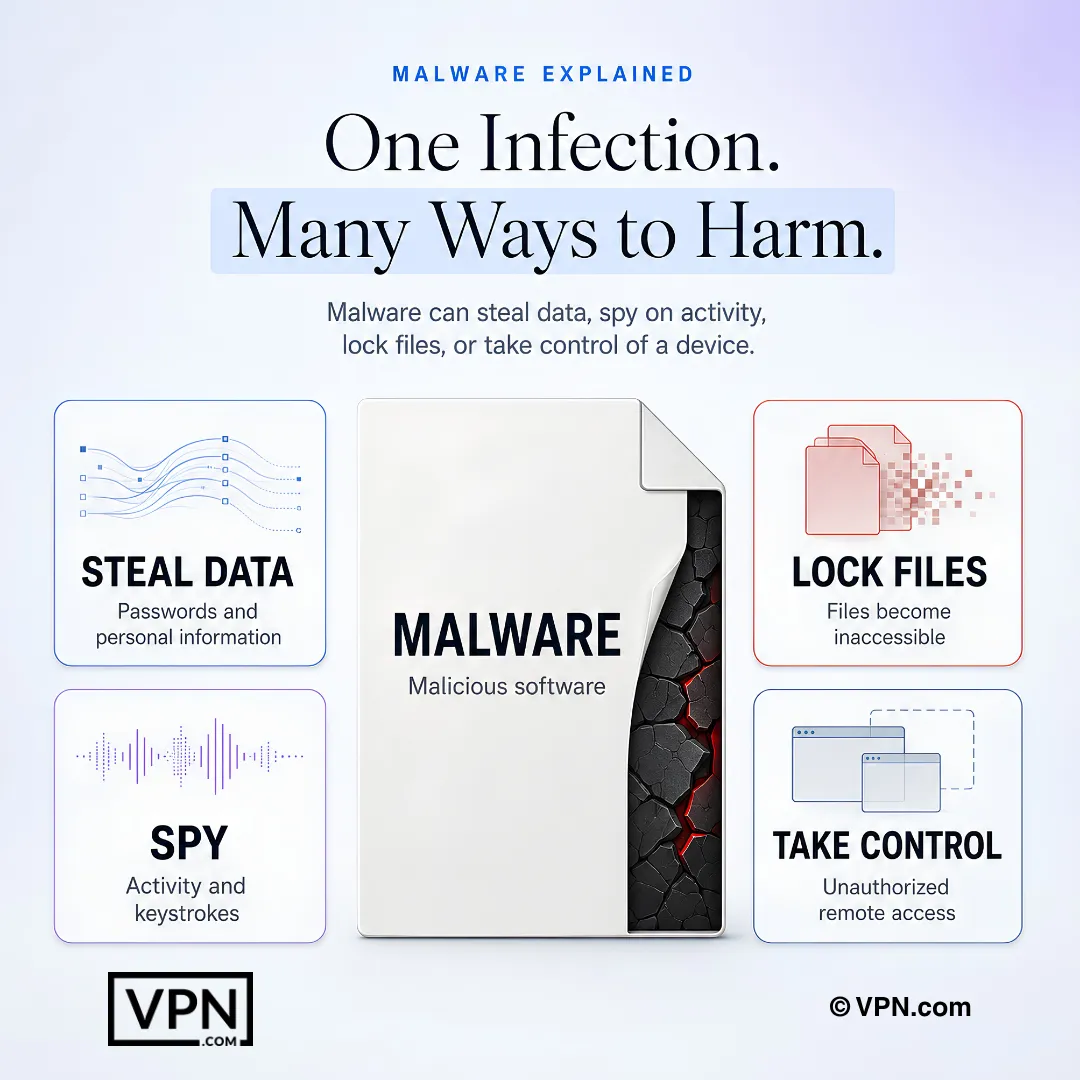
A single malware infection may steal information, monitor activity, lock files, or give an attacker control of a device.
Frequently Asked Questions
What exactly is malware and how does it get onto your device?
Malware is malicious software designed to steal data, damage systems, or disrupt your life, and it typically enters through phishing emails and other tricks that rely on human action, a factor in 68% of breaches. Other common entry points include drive-by downloads from compromised websites, infected USB drives, pirated apps, and unpatched software.
What’s the practical difference between a virus, a worm, and a trojan?
A virus self-replicates and spreads between devices, causing file corruption and system damage, while a worm replicates across networks without any user action, as WannaCry did using the EternalBlue Windows flaw. A trojan disguises itself as legitimate software to create a backdoor for data theft, the same technique used by a pirated game trojan that stole one user’s banking credentials.
Why is ransomware considered the most costly type of malware?
Ransomware featured in 23% of breaches in Verizon’s 2024 analysis, and the median loss in ransomware and extortion breaches was $46,000. CISA and the FBI report about 1,700 LockBit attacks in the United States since 2020, with roughly $91 million paid in ransoms. Malware-as-a-Service kits lower the skill barrier for attackers dramatically.
What is Malware-as-a-Service and why does it make attacks more common?
Malware-as-a-Service lets anyone rent ready-made attack kits on the dark web, functioning like software subscriptions, which removes the technical skill barrier for attackers. Countermeasures include email filters, firewalls, and employee training since phishing remains the standard MaaS delivery method.
How is AI changing the malware threat landscape?
AI-driven malware adapts its own code in real time to dodge antivirus detection, creating unique variants for each attack rather than reusing static signatures. CrowdStrike has documented AI malware mimicking legitimate apps to steal banking details. Defenders are countering with AI-powered detection systems, like CrowdStrike Falcon, that analyze behavior patterns instead of relying on known malware signatures.
Does a VPN actually protect you from malware?
Not directly. A VPN encrypts your connection and hides your IP address, which stops attackers from intercepting data or injecting code via man-in-the-middle attacks on public Wi-Fi, but it does not scan downloads, block phishing sites, or remove infections. Some providers, like NordVPN, add Threat Protection to block known malicious domains, but a VPN is only one layer in a multi-layer defense alongside antivirus software.
What are the most effective habits for preventing a malware infection?
Layer multiple defenses rather than relying on one tool: run antivirus software like Norton or Malwarebytes with weekly scans, enable auto-updates for your OS and apps, use 12+ character passwords in a manager like LastPass, and back up files to Google Drive or an external drive. Add a VPN for public Wi-Fi, since unsecured networks remain a top infection vector.
How do businesses specifically guard against malware-driven data breaches?
Businesses combine enterprise antivirus like CrowdStrike Falcon with network segmentation to limit malware spread and daily backups to recover from ransomware without paying. Employee training on phishing and social engineering closes the human gap, since LockBit alone has collected an estimated $91 million in US ransoms. GDPR fines can reach €20 million or 4% of worldwide annual turnover, adding regulatory pressure to invest in these layers.
What are the warning signs that a device is already infected?
Watch for slow performance or frequent crashes, unexpected pop-up ads, strange emails sent from your own account, unknown programs in task manager, and unusually high network activity or battery drain. One user traced a slowing laptop to cryptojacking malware mining cryptocurrency in the background. Run a full antivirus scan immediately if any of these signs appear, since early detection limits damage.
Which tools are recommended for identifying and removing an active infection?
Boot into Safe Mode and run a full scan with Malwarebytes, Bitdefender, or Kaspersky to identify whether the threat is ransomware, spyware, or a trojan like Emotet. For tough cases, including fileless threats hiding in memory, tools like Emsisoft Emergency Kit or a bootable antivirus USB clean the system before it loads. Run a second scan with a different tool afterward to confirm nothing remains.
What’s the correct first step if you suspect malware on your device?
Disconnect the device immediately by turning off Wi-Fi, unplugging Ethernet, or disabling the network adapter to stop worms or botnets from spreading, since WannaCry spread rapidly across connected networks. Avoid using the device until it’s scanned. Only after the infection is confirmed removed should you change passwords, and do so from a separate, clean device to avoid reinfection.
Is it ever a good idea to pay a ransomware demand?
No. The FBI does not encourage paying a ransom, and recovery of your files is not guaranteed even after payment. Ransomware featured in 23% of breaches in Verizon’s 2024 analysis, which is exactly why verified, malware-free backups on Google Drive or an external drive matter more than the ransom decision itself. Many businesses still pay because downtime costs exceed the ransom, fueling ongoing criminal operations.
Who actually needs to worry about rootkits and wiper malware?
Anyone can be targeted, but these are the hardest infections to handle alone. Rootkits like Zacinlo hide deep in the system to evade standard antivirus tools, often requiring a hired cybersecurity professional after in-house removal attempts fail. Wiper malware like WhisperGate, which targeted Ukrainian systems, erases data entirely rather than encrypting it, forcing a full system rebuild from clean backups.