Zero Trust Cyber Security: Principles & Implementation
Learn zero trust cyber security basics, how the model works, key benefits, and practical steps to shift from perimeter defenses to always-verify access.
 Michael Gargiulo
Bottom Line: Zero trust security replaces the outdated assumption that everything inside your network is safe. Every user, device, and connection is continuously verified, dramatically reducing the risk of breaches in cloud-connected environments.
What Is Zero Trust Cyber Security?
Traditional network security relied on a simple idea: trust everything inside the perimeter and block threats at the edge. Firewalls, VPNs, and intrusion detection systems formed a digital moat around corporate resources. Once a user or device passed the gate, they moved freely.
That model no longer works. Cloud computing, remote work, and mobile devices have dissolved the network perimeter entirely. Employees access sensitive data from personal laptops at coffee shops. Third-party vendors connect directly to internal systems. Attackers who breach a single endpoint can move laterally across an entire organization.
Zero trust cyber security addresses this reality head-on. Instead of assuming anything inside the network is safe, zero trust treats every access request as potentially hostile. Every user, every device, and every connection must prove its legitimacy before gaining access to any resource. For a broader look at the threat landscape, see our cybersecurity hub.
The NIST Special Publication 800-207[1] is the definitive federal framework for implementing zero trust architecture. It covers access control models, deployment patterns, and trust algorithms in detail. Published by the National Institute of Standards and Technology, it serves as the foundation most enterprises use when planning their zero trust strategy.
Zero trust is not a single product you can buy. It is a security model, a philosophy, and an architectural approach that reshapes how organizations think about access and trust at every level.
Core Zero Trust Principles
The following table summarizes the six foundational principles that drive every zero trust architecture:
| Zero Trust Principle | What It Means in Practice |
|---|---|
| Verify explicitly | Authenticate every user, device, and request — every time, not just at login |
| Least privilege access | Grant only the permissions needed for a specific task, nothing more |
| Assume breach | Design systems as if attackers are already inside; limit blast radius |
| Network segmentation | Divide the network so one compromised zone cannot spread laterally |
| Multi-factor authentication | Require a second factor beyond password for all access points |
| Continuous monitoring | Log and analyze all activity in real time to catch anomalies early |
Each principle reinforces the others. Least privilege access limits what a compromised account can reach. Network segmentation contains the damage if an attacker bypasses authentication. Continuous monitoring detects abnormal behavior that static rules would miss. Together, these principles create overlapping layers of defense that dramatically reduce the risk of a successful breach.
Important: Zero trust is not a product; it is a security model. Traditional perimeter defenses assume everything inside the network is safe, but remote work and cloud computing have dissolved that boundary. Adopting least-privilege access and continuous verification dramatically reduces the risk of a breach spreading once attackers gain initial access.
Zero Trust Architecture Components
A zero trust architecture relies on several interconnected components working together. Understanding each one helps organizations plan realistic deployments.
Identity and Access Management (IAM)
IAM is the cornerstone of zero trust. Solutions like Microsoft Entra ID (formerly Azure AD), Okta, and Ping Identity verify user identities before granting access to any resource. Every access request passes through the IAM layer, which evaluates identity, role, and context before making an allow or deny decision. Strong identity and access management practices also help prevent credential harvesting and account takeover attacks.
Multi-Factor Authentication (MFA)
MFA requires users to prove their identity through at least two separate factors: something they know (password), something they have (hardware token or phone), or something they are (biometric). Microsoft reported that MFA blocks 99.9% of automated account compromise attacks. MFA is non-negotiable in any zero trust deployment.
Micro-Segmentation
Rather than treating the network as a single trusted zone, micro-segmentation divides it into small, isolated segments. Each segment enforces its own access policies. If an attacker compromises one segment, they cannot move laterally to others. Tools like VMware NSX, Illumio, and Cisco ACI enable micro-segmentation at scale.
Endpoint Detection and Response (EDR)
Zero trust requires visibility into every device connecting to the network. EDR solutions like CrowdStrike Falcon, SentinelOne, and Microsoft Defender for Endpoint continuously monitor device health, detect malicious behavior, and enforce compliance policies. A device that falls out of compliance (outdated OS, missing patches) can be automatically blocked from accessing sensitive resources.
Security Information and Event Management (SIEM)
SIEM platforms aggregate logs from across the entire environment and apply analytics to detect anomalies. Solutions like Splunk, Microsoft Sentinel, and IBM QRadar provide the continuous monitoring that zero trust demands. Real-time alerting and automated response playbooks help security teams act on threats within minutes rather than days.
Policy Engine and Policy Administrator
At the heart of a zero trust architecture sits the policy engine. This component evaluates every access request against defined policies (user role, device health, location, time of day, risk score) and makes a real-time trust decision. The policy administrator then enforces that decision by instructing the appropriate enforcement point to allow or block the connection.
Zero Trust vs. Traditional Perimeter Security
Understanding the contrast between zero trust and legacy approaches clarifies why organizations are making the shift.
| Factor | Traditional Perimeter Security | Zero Trust Security |
|---|---|---|
| Trust model | Trust everything inside the network | Trust nothing; verify everything |
| Access scope | Broad network access after authentication | Granular, per-application access |
| Verification frequency | Once at login | Continuous, every request |
| Lateral movement risk | High — attackers move freely once inside | Low — micro-segmentation contains breaches |
| Remote work support | Requires VPN tunneling all traffic | Native support for distributed access |
| Visibility | Limited internal traffic monitoring | Full visibility across all connections |
Unlike traditional VPN-based approaches that grant broad network access once connected, zero trust network access (ZTNA) grants access only to the specific application a user’s role requires. Organizations that still rely on privacy-focused VPNs for encryption can layer ZTNA on top to control what each user can actually reach. The VPN handles the encrypted tunnel; zero trust handles authorization and continuous verification.
How to Implement a Zero Trust Architecture
Implementing zero trust is not an overnight project. Most organizations adopt it in phases over 12 to 24 months. Here is a practical, step-by-step approach.
Step 1: Map Your Protect Surface
Identify your most critical data, applications, assets, and services (DAAS). Unlike the attack surface, which is vast and constantly expanding, the protect surface is small and well-defined. Start here.
Step 2: Map Transaction Flows
Document how traffic moves across your network. Understand which users access which applications, from which devices, and through which pathways. You cannot enforce policies on flows you do not understand.
Step 3: Build Architecture Around the Protect Surface
Deploy next-generation firewalls, IAM solutions, and micro-segmentation tools around your protect surface. Place the policy engine at the center of every access decision. NIST SP 800-207 outlines three deployment models: device agent/gateway, enclave-based, and resource portal-based. Choose based on your existing infrastructure.
Step 4: Create Granular Access Policies
Define granular access policies using the Kipling Method: Who is requesting access? What application are they accessing? When are they accessing it? Where are they located? Why do they need access? How are they connecting? These six questions form the basis of every policy rule.
Step 5: Deploy Multi-Factor Authentication Everywhere
Roll out MFA across all access points. Prioritize privileged accounts, then extend to all users. Hardware security keys (YubiKey, Google Titan) provide the strongest protection against phishing.
Step 6: Activate Continuous Monitoring and Analytics
Deploy SIEM and EDR solutions to monitor all traffic in real time. Establish baselines for normal behavior so anomalies trigger immediate alerts. Automate response playbooks for common threat patterns.
Step 7: Iterate and Expand
Start with your most sensitive assets and expand zero trust controls outward. Each phase should include testing, validation, and policy refinement. Zero trust is not a destination; it is an ongoing process of improvement.
Common Zero Trust Use Cases
Remote and Hybrid Workforces
Organizations with employees working from home, co-working spaces, or client sites benefit immediately from zero trust. Instead of routing all traffic through a central VPN, ZTNA solutions verify each user and device independently. This reduces latency and improves security at the same time.
Cloud-First Organizations
Companies running workloads across AWS, Azure, and Google Cloud need consistent access controls that span multiple environments. Zero trust policies follow the user and the workload, not the network boundary.
Regulated Industries
Healthcare organizations subject to HIPAA, financial institutions governed by PCI DSS and SOX, and government agencies following FedRAMP all require strict access controls and audit trails. Zero trust provides both by design.
Third-Party and Contractor Access
Vendors and contractors often need access to specific internal systems. Zero trust grants them access to only the resources they need, for only the duration they need them, with full logging of every action.
Mergers and Acquisitions
When two organizations merge, integrating their networks introduces significant risk. Zero trust allows each environment to maintain independent access controls while selectively granting cross-organizational access on a per-application basis.
Is Zero Trust Right for Your Organization?
Zero trust cyber security is not a passing trend. It is a fundamental shift in how organizations protect their data, applications, and users. The old perimeter-based model assumed threats stayed outside the wall. Today, with cloud computing, remote work, and increasingly sophisticated attacks like identity theft and credential harvesting, that assumption puts organizations at serious risk.
Adopting zero trust means committing to continuous verification, least privilege access, network segmentation, multi-factor authentication, and real-time monitoring. It requires investment in technology and a willingness to rethink how your organization grants and manages access.
The payoff is substantial: reduced breach risk, stronger compliance posture, better visibility into network activity, and a security model that scales with your organization.
Start with your most critical assets. Map your traffic flows. Deploy MFA and IAM. Segment your network. Monitor everything. Every step forward reduces your exposure to the threats that matter most.
References
- S. Rose, O. Borchert, S. Mitchell, and S. Connelly. 2020. Zero Trust Architecture. NIST Special Publication (SP) 800-207. National Institute of Standards and Technology. DOI: https://doi.org/10.6028/NIST.SP.800-207.Archived: Wayback Machine snapshot
Resources for this page
Charts and reference images from our testing, free to view and share.
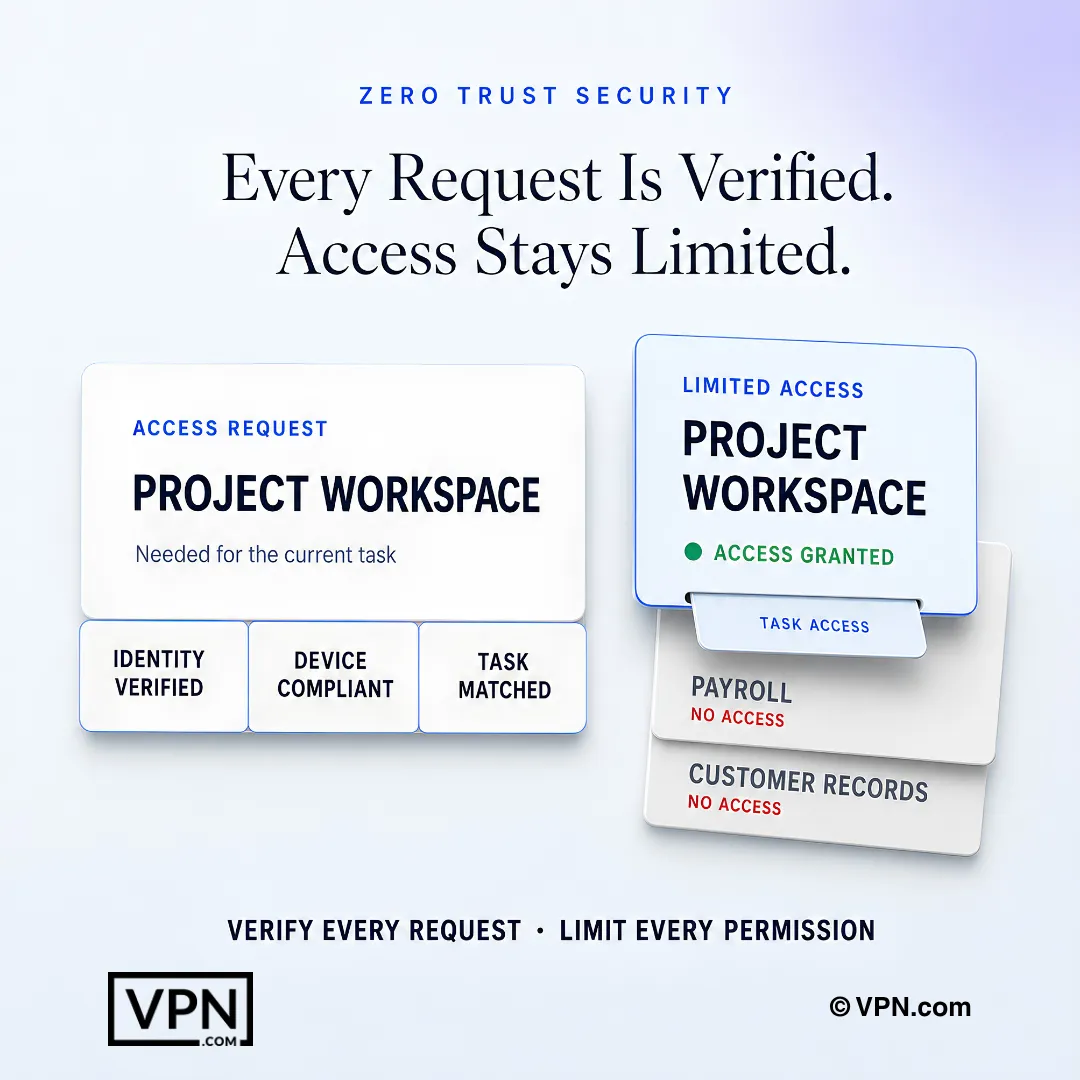
Zero trust verifies every request and grants only the permissions required for the current task.
Frequently Asked Questions
What is zero trust cyber security in simple terms?
Zero trust means no user, device, or connection is trusted by default, even inside the corporate network. Every access request is verified explicitly, granted only the minimum privilege needed, and continuously monitored. It replaces the older “trust everything inside the perimeter” model, which fails once cloud computing and remote work dissolve that perimeter. NIST SP 800-207 is the definitive federal framework for implementing it.
What are the six core principles of zero trust?
The six principles are verify explicitly, least privilege access, assume breach, network segmentation, multi-factor authentication, and continuous monitoring. Each reinforces the others: least privilege limits what a compromised account reaches, segmentation contains lateral spread, and continuous monitoring catches anomalies static rules miss. Together they form overlapping layers of defense rather than a single product or setting.
What threats does zero trust protect against that a traditional VPN doesn’t?
A traditional VPN encrypts the tunnel but grants broad network access once connected, so an attacker who steals one credential can move laterally across the whole network. Zero trust network access (ZTNA) grants access only to the specific application a user’s role requires, with every request re-verified. This directly limits lateral movement, credential harvesting, and account takeover, the attacks perimeter-only defenses miss.
How does zero trust limit lateral movement after a breach?
Zero trust assumes attackers are already inside and designs around that. Micro-segmentation divides the network into isolated segments, so compromising one segment does not grant access to others, using tools like VMware NSX, Illumio, or Cisco ACI. Combined with least privilege access and continuous monitoring via SIEM platforms, this shrinks the blast radius of any single compromised account or endpoint.
What is zero trust network access (ZTNA) and how does it differ from a VPN?
ZTNA grants access only to the specific application a user’s role requires, rather than the broad network access a VPN tunnel provides once connected. Organizations can layer ZTNA on top of an existing privacy-focused VPN: the VPN handles the encrypted tunnel while zero trust handles authorization and continuous per-request verification, closing the gap that VPN-only access leaves open.
Does zero trust replace MFA, or work alongside it?
MFA is a required component of zero trust, not a replacement for it. Microsoft reports MFA blocks 99.9% of automated account compromise attacks, making it non-negotiable across all access points. Zero trust deployments roll MFA out starting with privileged accounts, then extend to all users, often using hardware security keys like YubiKey or Google Titan for stronger phishing resistance.
What tools are actually used to build a zero trust architecture?
A full stack spans identity, endpoints, network, and monitoring. IAM comes from Microsoft Entra ID, Okta, or Ping Identity. EDR comes from CrowdStrike Falcon, SentinelOne, or Microsoft Defender for Endpoint. Micro-segmentation uses VMware NSX, Illumio, or Cisco ACI. SIEM platforms like Splunk, Microsoft Sentinel, or IBM QRadar provide the continuous monitoring the model requires.
What is a policy engine and why is it central to zero trust?
The policy engine sits at the heart of a zero trust architecture, evaluating every access request against factors like user role, device health, location, time of day, and risk score to make a real-time allow or deny decision. The policy administrator then enforces that decision by instructing the enforcement point. NIST SP 800-207 outlines this as the core decision-making component of the model.
How do I start implementing zero trust without disrupting operations?
Start by mapping your protect surface, the small set of critical data, applications, assets, and services rather than the entire attack surface. Then document transaction flows to understand who accesses what and from where. NIST SP 800-207 outlines three deployment models, device agent/gateway, enclave-based, and resource portal-based, so you can choose one matching your existing infrastructure before building outward.
What is the Kipling Method for setting zero trust access policies?
The Kipling Method builds granular access policies around six questions: who is requesting access, what application they’re accessing, when, where they’re located, why they need access, and how they’re connecting. These six questions form the basis of every policy rule enforced by the policy engine, replacing broad, role-based network access with per-request, contextual decisions.
How long does a full zero trust rollout actually take?
Most organizations adopt zero trust in phases over 12 to 24 months rather than as a single project. The sequence runs: map the protect surface, document transaction flows, build architecture around it, create granular policies via the Kipling Method, deploy MFA everywhere, activate SIEM and EDR monitoring, then iterate. Each phase includes testing and policy refinement before expanding to the next asset group.
Is zero trust necessary for regulated industries like healthcare or finance?
Yes. Healthcare organizations under HIPAA, financial institutions governed by PCI DSS and SOX, and government agencies following FedRAMP all require strict access controls and full audit trails, which zero trust provides by design through continuous verification and per-application logging. Third-party vendors and contractors also get access limited to only the specific resources and duration they need.
What happens if a device fails a compliance check under zero trust?
EDR solutions like CrowdStrike Falcon, SentinelOne, or Microsoft Defender for Endpoint continuously monitor device health, and a device that falls out of compliance, such as running an outdated OS or missing patches, can be automatically blocked from accessing sensitive resources. This enforcement happens at the policy engine, which re-evaluates device health as one factor in every access decision, not just once at login.