ProtonVPN Speed Test: Where It Ranks and How to Speed It Up
ProtonVPN ranks #12 of 22 in our Speed Lab, aggregated from independent lab results. Protocol choices, what Secure Core costs, and fixes for slow speeds.
Fastest VPNs Compared



How Fast Is ProtonVPN?
ProtonVPN ranks #12 of 22 in our Speed Lab. That rank is aggregated from independent labs, not from tests we run ourselves. Our methodology page lists the sources we aggregate.
A mid-table rank tells you what to expect in practice: ProtonVPN is not one of the providers you pick for raw throughput, and the gap shows up most on gigabit connections, where there is more speed available to lose. On a typical cable, DSL or mobile connection, the ceiling matters less because your line is the limiting factor either way.
Read the rank as a sort key, not a verdict on whether ProtonVPN is usable. Day to day, what you notice is server choice, protocol and time of day, and all three are things you control. The rest of this page covers those.
Which Protocol to Use
Protocol choice is the single biggest speed lever you control inside the app.
WireGuard is ProtonVPN’s fastest and most stable option, and the option to start with. Connections establish quickly. Start here.
OpenVPN (UDP) is the fallback when WireGuard is unavailable. It carries more overhead than WireGuard, so expect slower transfers and higher latency.
OpenVPN (TCP) is slower again, because TCP adds acknowledgement and retransmission overhead on top of a connection that is already reliable. Use it only when UDP traffic is blocked on the network you are on.
IKEv2 sits between the two on speed and reconnects faster than OpenVPN when your device switches networks. It is the better mobile fallback when you are moving between WiFi and cellular.
What Secure Core Costs You
Secure Core routes your traffic through two ProtonVPN servers instead of one before it reaches the internet.
Two hops means two encryption steps and a longer route, so it costs both throughput and latency by design. That is the trade you are buying: extra protection if the exit server’s network is being watched.
If you are streaming, gaming or moving large files and you do not have a specific threat in mind, turn Secure Core off. If you do have one, leave it on and accept the slowdown.
Why ProtonVPN Sits Mid-Table
Proton runs its own server infrastructure rather than renting capacity from third parties. That is good for privacy, since fewer outside parties touch the hardware, but it makes the network expensive to expand.
The practical effect is a smaller network than the largest providers operate, which means individual servers carry more load at peak hours. Most reports of ProtonVPN “running slow” turn out to be a congested server rather than a limit of the service.
If ProtonVPN Feels Slow
Work through these in order. The first two fix most cases.
- Switch to WireGuard. Check the protocol setting rather than assuming; some platforms and some network conditions fall back to OpenVPN silently.
- Turn off Secure Core, and turn off any multi-hop or Tor-over-VPN option while you are there.
- Change server. Pick a different server in the same country before you conclude the country is the problem.
- Connect closer to home. Distance sets your latency floor. A server two time zones away will always beat one on another continent for ping.
- Try again off-peak. If the same server is fine at 2 PM and poor at 9 PM, you found congestion, not a fault.
- Restart the connection after a network change. Handshakes that survive a WiFi-to-cellular switch can end up in a degraded state.
Measuring It Yourself
Your own connection is the only benchmark that decides anything, and it takes five minutes to check.
Run a speed test with the VPN disconnected first. That baseline is your ceiling; no VPN goes faster than the line underneath it. Then connect and re-run the same test on the same server location, and compare.
Repeat it at two different times of day before drawing a conclusion. A single result during a peak-hour congestion spike will tell you almost nothing about the rest of the week. ProtonVPN’s 30-day money-back guarantee gives you room to run that comparison properly before you commit.
Resources for this page
Charts and reference images from our testing, free to view and share.
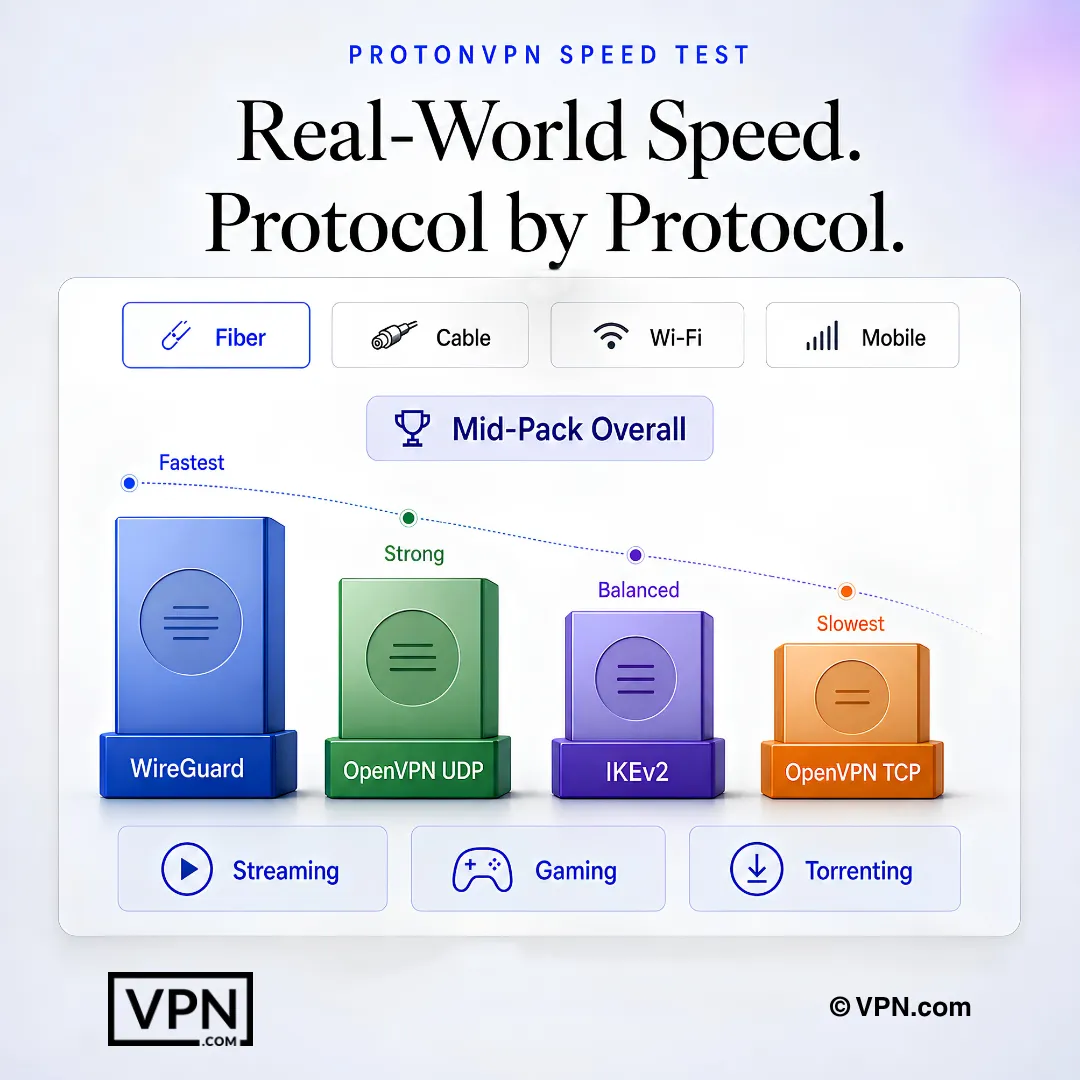
WireGuard leads ProtonVPN’s protocol results, while OpenVPN and IKEv2 show different speed and stability trade-offs.
Frequently Asked Questions
How fast is ProtonVPN compared to other VPNs?
ProtonVPN ranks #12 of 22 in our Speed Lab, which is aggregated from independent labs rather than tests we run. That is twelfth of the 22 providers we cover: comfortable for streaming and everyday browsing, but not the choice if raw throughput is your deciding factor.
Which protocol should I use for the best ProtonVPN speeds?
WireGuard. It is ProtonVPN’s fastest protocol. OpenVPN UDP is the fallback when WireGuard is unavailable, OpenVPN TCP is slower still and worth using only when UDP is blocked, and IKEv2 is the better option on mobile because it reconnects faster when your device switches networks.
Does turning on Secure Core slow ProtonVPN down?
Yes, and by design. Secure Core sends your traffic through two servers instead of one, so there are two encryption steps and a longer route. That costs both speed and latency. It is worth it if you have a specific privacy threat in mind; for ordinary streaming and browsing you can leave it off.
Can ProtonVPN stream 4K without buffering?
On most connections, yes. 4K needs far less bandwidth than a paid VPN connection typically carries, so the usual cause of a stutter is a congested or distant server rather than the service overall. If a stream buffers, change server before you change provider.
Is ProtonVPN’s latency low enough for online gaming?
For casual and turn-based games, comfortably. For competitive shooters, it depends on distance: every VPN adds latency, and a server on another continent adds a lot of it. Connect to the nearest server that serves your purpose, use WireGuard, and turn Secure Core off while you play.
How does ProtonVPN handle torrenting?
ProtonVPN allows P2P traffic on designated servers, which the app marks for you. It does not offer port forwarding, which limits seeding performance in some clients. Its NetShield filter also blocks tracker and ad connections while you are connected.
Is the speed tradeoff worth it for the privacy?
For privacy-focused users, generally yes. ProtonVPN operates under Swiss jurisdiction with a no-logs policy independently audited by Securitum, and Secure Core is a real protection rather than a marketing feature. The throughput it costs is a deliberate design choice, not a shortfall.
Why does ProtonVPN drain my phone’s battery?
Any always-on VPN costs battery, because the device is encrypting every packet it sends. If battery life matters more than peak speed, IKEv2 is the better mobile choice: it also handles the switch between WiFi and cellular more smoothly than WireGuard when you are moving around.
Can I test ProtonVPN’s speed before paying?
Yes. Every paid ProtonVPN plan is backed by a 30-day money-back guarantee, which is long enough to test different servers and protocols on your own connection at different times of day. If it does not hold up for what you need, request a refund inside that window.