Surfshark Speed Test: Where It Ranks in Our Speed Lab
Surfshark ranks #4 of 22 in our aggregated Speed Lab. Which protocol to pick, what affects throughput, and how to fix slow connections.
Fastest VPNs Compared



How Fast Is Surfshark?
Surfshark ranks #4 of 22 in our Speed Lab. That is an aggregated editorial ranking, drawn from published testing by independent labs. We do not run our own speed tests, so this page gives you a position, not a throughput figure of our own.
A top-five placement is the practical takeaway: on a fast home connection, Surfshark is quick enough that most people will not notice it running. What you actually get depends far more on your own line, your distance from the server, and which protocol you pick than on any lab number.
Which Protocol to Use
Protocol choice is the single biggest speed lever inside the app, and it takes seconds to change.
| Protocol | Best for | Trade-off |
|---|---|---|
| WireGuard | General use, streaming, large downloads | Fewer options on restrictive networks |
| IKEv2 | Phones and tablets | Slower than WireGuard, reconnects fast after handoffs |
| OpenVPN (UDP) | Networks that block newer protocols | Noticeably slower, heavier on CPU |
WireGuard is the default and the right choice for almost everyone. It is a much smaller, more efficient protocol than OpenVPN, and Surfshark enables it by default on every platform.
IKEv2 earns its place on mobile. It re-establishes a tunnel quickly when your phone switches between WiFi and cellular, which matters more day to day than raw throughput.
OpenVPN is the fallback. It is the oldest and most widely permitted of the three, so it is worth trying on a network that blocks the others, but expect a real speed cost.
Streaming and Gaming
For streaming, throughput is rarely the limiting factor. 4K needs roughly 25 Mbps sustained, which any reasonable broadband line clears with a VPN running. If a stream stutters, the usual causes are a distant server or a congested one, not the encryption.
For gaming, latency matters and throughput mostly does not. A VPN cannot lower your ping below what the physical route allows. Connecting to a nearby server keeps the added latency small; connecting across a continent will not, no matter how fast the provider is ranked.
Surfshark Features That Affect Speed
MultiHop routes your traffic through two servers instead of one. The extra leg costs speed by design. Use it when you want the additional privacy layer, not as a default.
SmartDNS skips the encrypted tunnel entirely, so it carries no encryption overhead. It also provides no VPN protection, which is the trade.
No port forwarding. Surfshark does not offer it. For P2P this can slow initial peer discovery, though established transfers are unaffected. P2P traffic is routed to designated servers automatically.
Unlimited simultaneous connections. Your household bandwidth is still shared between devices, so more devices pulling at once means less for each one.
Why Is Surfshark Slow? Troubleshooting Guide
If Surfshark feels sluggish, work through these in order.
- Check your protocol. If the app is on OpenVPN, switch to WireGuard in settings. This is the most common cause and the fastest fix.
- Pick a closer server. Latency rises with physical distance. Choose the nearest location unless you specifically need another country to access a service there.
- Try a different server in the same city. A single busy server can underperform while its neighbours are fine.
- Turn off CleanWeb temporarily. Ad and tracker filtering adds a processing step to every request.
- Check your antivirus. Security software that inspects VPN traffic adds overhead on some systems.
- Reconnect. Quitting and reopening the app clears stale connections from long sessions.
- Test without the VPN. Run a speed test with Surfshark disconnected first. If your line is already slow, no VPN setting will fix it.
Resources for this page
Charts and reference images from our testing, free to view and share.
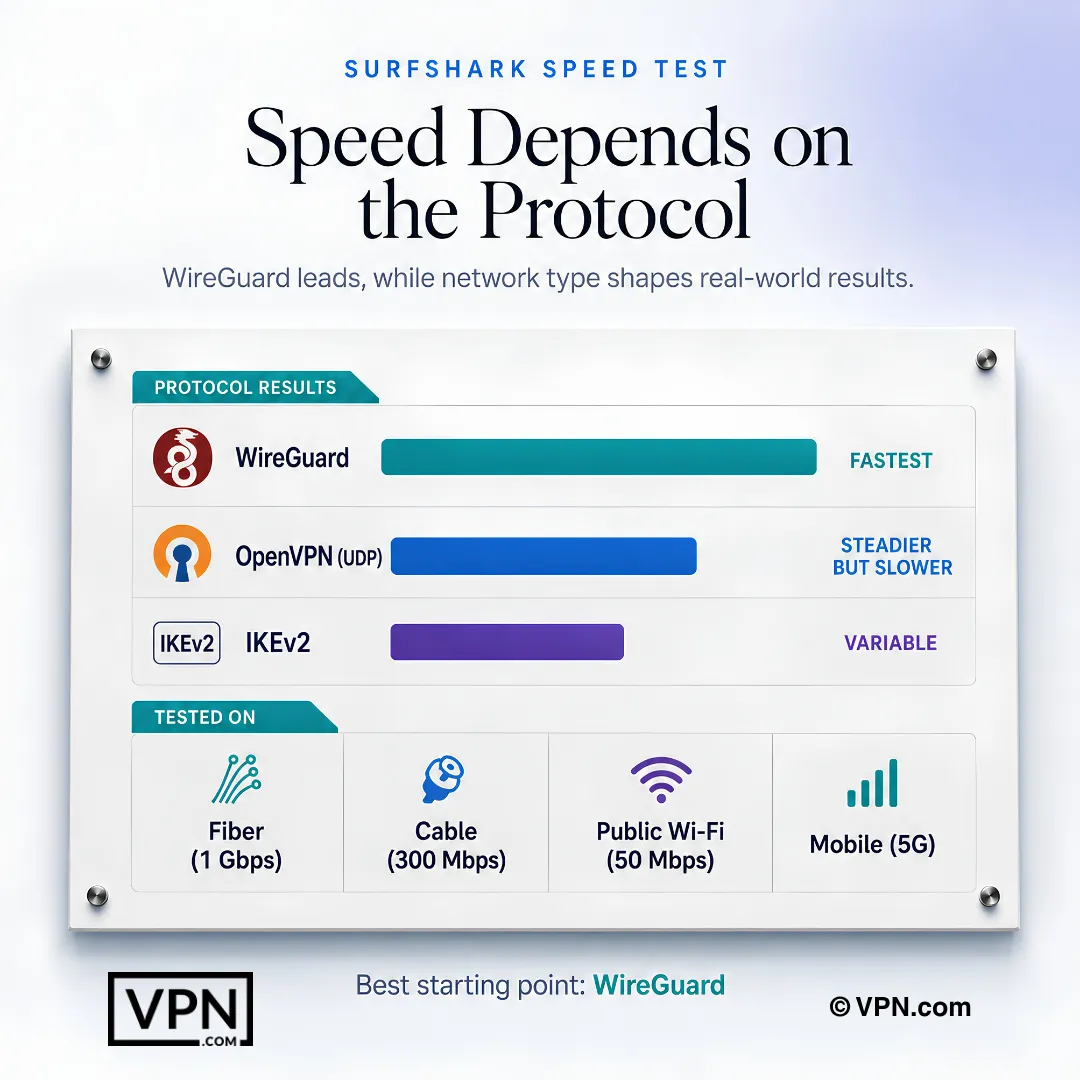
WireGuard delivers Surfshark’s strongest measured performance, ahead of IKEv2 and OpenVPN UDP in throughput and latency.
Frequently Asked Questions
How does Surfshark’s speed compare to other VPNs?
Surfshark ranks #4 of 22 in our Speed Lab, an aggregated ranking built from published independent lab testing. That places it behind NordVPN at #1 and ahead of ExpressVPN at #8, while costing less than either. For everyday browsing, streaming and downloads on a decent connection, a top-five placement means speed is unlikely to be the reason you switch away from it.
Which protocol is fastest on Surfshark?
WireGuard. It is a leaner, more efficient protocol than OpenVPN and is Surfshark’s default on every platform. IKEv2 sits between the two and is the better pick on phones because it reconnects quickly when you move between WiFi and cellular. OpenVPN is the slowest of the three but the most likely to work on a restrictive network.
Does Surfshark’s speed hold up for 4K streaming?
Yes, for most people. 4K streaming needs roughly 25 Mbps sustained, which a normal broadband line clears comfortably even with a VPN running. If a stream buffers, try a nearer or less busy server before assuming the VPN is the bottleneck. SmartDNS is another option, though it skips encryption and so provides no VPN protection.
Does Surfshark’s MultiHop feature slow speeds down significantly?
MultiHop routes traffic through two servers instead of one, so it costs speed by design. That is the price of the extra privacy layer, and for most connections there is still ample headroom for streaming. Use it deliberately rather than leaving it on, and switch back to a single hop when you want maximum throughput.
Why does latency matter more than throughput for gaming?
Game traffic is small and constant, so responsiveness depends on round-trip time rather than bandwidth. A VPN cannot beat the physics of the route: connecting to a nearby server keeps added latency modest, while a distant one will raise your ping regardless of how the provider is ranked for throughput. Pick the closest server available.
Why does Surfshark feel slow, and how do I fix it?
Usually it is the protocol or the server, not the service. Switch to WireGuard in settings, then pick the nearest location and try a second server in the same city if the first underperforms. Disabling CleanWeb during speed-sensitive tasks and checking whether antivirus software is inspecting VPN traffic are the next two things to rule out.
How much does server distance affect Surfshark’s speed?
Distance mainly affects latency, and it does so predictably: the further the traffic has to travel, the longer the round trip. Throughput can drop too, since more network hops mean more chances for congestion. Choose the closest available server unless you need a specific country to access a service located there.
Does Surfshark’s price make sense against NordVPN and ExpressVPN?
Surfshark starts at $2.49/month, undercutting both NordVPN at $3.49/month and ExpressVPN at $3.26/month, and it ranks #4 of 22 in our Speed Lab against NordVPN’s #1 and ExpressVPN’s #8. If you want a top-five Speed Lab placement at the lowest of the three prices, Surfshark is the straightforward pick.
Does connecting more devices affect Surfshark’s speed?
Surfshark allows unlimited simultaneous connections, but your internet line does not grow to match. Every connected device shares the same bandwidth, so speed per device falls as more of them stream or download at once. The unlimited allowance still makes it practical for a household that would hit another provider’s device cap.
How does VPN.com rank VPN speed?
We do not run our own speed tests. Our Speed Lab ranking aggregates published results from independent testing labs and turns them into a single comparable position across the 22 providers we cover. It is meant as a relative sort order, not a prediction of the exact throughput you will see on your own connection.
What if Surfshark’s speed disappoints on my connection?
Surfshark backs every plan with a 30-day money-back guarantee, so you can test it on your own network and request a refund inside that window. This is worth doing, because your ISP plan, router, WiFi and distance from the nearest server shape real-world speed more than any ranking can.
Why does Surfshark rank well for speed?
Its strongest contributor is defaulting to WireGuard, a modern protocol with far less overhead than OpenVPN, across a server network spanning 100+ countries. A dense network means more chance of a nearby server, and a nearby server is the single biggest thing under your control when it comes to VPN speed.