Hosting
Learn web hosting fast compare shared, VPS, cloud, and dedicated plans. Use our 5-step checklist to choose the right host for speed and uptime.
Web hosting is a service in which a web hosting service provider stores the files that comprise your site in a server and publishes your site over the internet.
Think of it this way, your website consists of files, code, pictures and applications. Those need to live somewhere. A web host manages, sets up and supports the servers that contain all that, in addition to supporting the technical infrastructure that keeps your website online.
You may be wondering that hosting is a commodity after all, one server is like another, right? Not quite. The speed, security and general user experience directly depend on the hosting option. This will be useful in case you are setting up your first site or just trying to understand why your existing setup is not succeeding.
How Web Hosting Works?
When someone enters your domain in their browser, an amazingly synchronized mechanism occurs within seconds. Here’s what actually occurs:
- Your domain connects to the host’s server via DNS: The Domain Name System (DNS) is a system that converts your readable domain name to the IP address of the server, which is essentially the street address of where your files are.
- The server retrieves the requested files: Once the connection is established, the server looks up and retrieves the individual files required by that page, like HTML, CSS, images, scripts and whatever is required.
- Those files travel to the visitor’s browser: The server transmits the information over the net to the individual seeking it.
- The browser renders the live webpage: They pass through their browser and are compiled into what they look at and use as the visual page they are on.
The whole chain is based on your hosting infrastructure being in proper operation. When the server is slow, overloaded or improperly configured all the visitors feel it.
Key Hosting Terms You’ll Actually Encounter
You do not have to be a server engineer. Still, there are terms that are constantly remembered when comparing hosts. In simple terms, this is what they imply:
- Server: A highly powerful computer that stores and processes your data in your website. Servers are placed in data centers where there is a controlled environment, backup power, climate and physical security.
- Bandwidth: Bandwidth is the amount of data you can transmit over a given time. Think of it as the size of the pipe between you and your visitors. More bandwidth allows more traffic at once and faster delivery. If it’s under-provisioned, your site can slow down or crash during traffic spikes, hurting user experience and potentially SEO rankings.
- Storage (or disk space): The amount of content you can store, e.g., your site code, text, images, videos and files. A simple blog requires significantly less than a web-based online shop with a thousand product pictures.
- Uptime: How much of your time the site is up and online. No host can assure 100 but will get at least 99.9, which equates to less than 9 hours of downtime per annum. A large number of high-performance organizations set a goal of five nines (99.999% uptime), which is approximately six minutes of downtime per year.
- DNS: This is the system that links your domain name and the IP address of your server. This will be set up when hosting or changing providers.
- SSL (Secure Sockets Layer): This is a security certificate that codes data between the server and visitors’ browsers. It is what adds the padlock in the address bar and your URL will no longer be http. It will be critical to security, trust and SEO Google specifically prefers HTTPS sites.
These aren’t buzzwords. They are the real resources and safeguards that your hosting plan brings. Knowing them will make you determine whether a plan is suitable for your requirements or if you are spending money on things you will not be able to utilize.
Types of Web Hosting

Hosting is not a standard construction. The kind of type you use will affect the level of control you will have, as well as the performance of your site under load, and what you will actually pay.
The following is what each option will effectively provide to whom it makes sense:
Shared Hosting (Best for Small Sites)
Several websites have a common server and resources. It is the cheapest and least technically savvy and is usually the easiest.
- The upside: It is cheap, easy to install and the server is managed by the host.
- The tradeoff: As your server is overloaded by another site, it may cause your site to slow down as well. There is little customization and control over the server settings as well.
- Best for: Simple blogs, portfolios, small companies that have fewer visitors or simply beginner bloggers.
If you’re considering this option, review our shared hosting plan guide to see what you get and what the limits are.
VPS Hosting (More Control and Performance)
VPS (Virtual Private Server) hosting is a type of hosting that is based on the physical server partitioning through virtualization. You receive a dedicated slice of resources ,whereby you have even more control than with a shared hosting model, although you are sharing the hardware.
- The upside: An enhanced consistency of performance, increased configurability and resources that will not be affected by adjacent sites.
- The tradeoff: More costly than shared hosting and usually demands a degree of technical comfort to operate.
- Best for: The growing sites that are overloading shared hosting, developers who require special server settings or where the business is in need of consistent performance without incurring dedicated server expenses.
This is commonly referred to as the middle ground between shared and dedicated- and with reason.
Dedicated Hosting (High-Traffic, Maximum Control)
You get a physical server all to yourself and your site or applications. No sharing. Full control.
- The upside: Highest level of resources, full customization and no other users using affects its performance.
- The tradeoff: It is the most costly alternative and would need in-house technical ability to set up and support. Scaling is also more of a planned activity as opposed to mere adjustments of cloud resources.
- Best for: Websites with a lot of traffic, applications that are resource hungry, organizations with certain compliance needs or businesses with assured performance and security separation.
Want the same dedicated performance without handling everything in-house? Managed dedicated server hosting covers that option.
Cloud Hosting (Scalable, Stable)
Cloud hosting involves a network of virtual servers as opposed to a single physical server. Your site accesses resources across several machines, which provides the flexibility that your traditional host cannot provide.
- The upside: It scales resources up and down smoothly when necessary, it can be reduced to a single online server in case of a failure in one of the servers (redundancy) and it can handle traffic bursts gracefully.
- The tradeoff: Pricing may be less predictable: It frequently tends to be proportional to usage. It may also be complex regarding the distributed nature when you are handling it on your own.
- Best for: You have a fluctuating traffic schedule, need a high level of uptime assurance or just desire a scaling of resources in a dynamic fashion rather than a standard monthly charge.
You could be wondering if this is overkill when it comes to a mere site and you would not be mistaken. However, when your traffic is erratic or downtime is expensive, cloud hosting eliminates much apprehension. For help selecting the right provider for bursts and variable traffic, see managed cloud provider recommendations.
Managed Hosting (Hands-Off Maintenance)
And this is not a different server type; it is a service layer. The host takes care of server maintenance, updates of security, backups and technical optimization as you concentrate on your site.
- The upside: Reduced technical load, active security patches and professional help in case of problems.
- The tradeoff: It is more expensive than unmanaged counterparts and you lose certain control over server configurations.
- Best for: Business owners who do not need technical personnel, Agencies that handle more than one client site and those who would rather spend on peace of mind than study how to manage a server.
If you want a full breakdown of what’s included, see our managed hosting service guide.
WordPress Hosting (WP-Optimized Stacks)
Specifically designed and optimized WordPress sites usually have managed services such as automatic updates, WordPress-specific security and performance caching.
- The upside: Improved WordPress functions by default, an easier dashboard and support staff with knowledge of WordPress.
- The tradeoff: You are trapped in WordPress. You will have to migrate in case you want to use another CMS or another application.
- Best for: WordPress users (naturally) who require optimized performance and do not have enough expertise to optimize them manually and those with multiple WordPress sites.
To understand what you get with WordPress-optimized hosting, read our managed WordPress guide.
Which One Should You Choose?
The truth about the matter is this: it depends on where you are and where you are going.
- Start with shared hosting if: You are opening a new site, you do not have much money and you do not anticipate significant traffic. You can always migrate later.
- Move to VPS when: Your site is simply exhausting the resources of a shared hosting, you require greater control or unreliable performance is costing you traffic.
- Consider cloud hosting if: Traffic needs to be predictable, uptime is very important to your business and you need to expand very fast without migrating problems.
- Go dedicated when: You have high and steady traffic, have special security or compliance requirements or the technical team to implement them appropriately.
- Choose managed hosting if: You are not good at server management (or are not interested) and you would like to work on your business rather than on your infrastructure.
To be fair, you can change hosts at a later time. The majority of providers also provide migration support, which requires transferring files and changing DNS configurations. It is not that easy but it is not permanent either.
What to Look For in a Hosting Provider?
All promises in the marketing are identical: “blazing fast,” 99.9 percent uptime, enterprise-grade security. However, the reality differs crazily among the providers. This is what is really required when you are checking on hosts and how to tell the difference between sound infrastructure and good copywriting.
Speed and Performance
The speed at which your pages are loaded depends on the infrastructure provided by your host. Search for SSD or NVMe storage (not the old HDDs), locations of the servers close to your audience, built-in caching support and CDN compatibility.
Both performance and rankings and user experience are influenced by performance, no matter how much traffic the site receives and the Core Web Vitals of Google are applicable in small sites as well.
Uptime Reliability
The percentage of time during which your site is online is known as uptime. Search 99.9 percent or more (less than 9 hours of unavailability per annum).
Look at an SLA that solidifies promises. Independent monitoring of real-world uptime, the providers even make more promises than they deliver. A host does not promise 100 but you should be concerned with consistent problems.
Security Features
Principles of security are provided by your host. These must have such features as an SSL certificate (which is now standard) and Web Application Firewalls that prevent attacks, malware scanning and elimination, DDoS protection, automatic backups every day and automatic security updates.
Patching is done by the managed hosts; unmanaged systems mean that you have to be up to date. Trusted hosts have their security measures explicitly mentioned and insecurity is not vague.
Support Quality
The quality of support becomes very tangible when your site goes down at 2 AM. Inquire 24/7 accessibility on numerous platforms (phone, chat, email), real response times (not availability), technical know-how beyond script-reading and quality self-service documentation.
Responsive and well-informed support is valued by even seasoned developers when they are looking to troubleshoot a last-minute problem.
Ease of Use
Technical capability is important and so is not wasting time on complex interfaces. Domain management and monitoring are made easier by quality control panels (such as cPanel). WordPress and platform installation. One-Click installs take care of the platform setups and installation.
Staging environments provide a chance to test changes safely. Simple file management spares the aggravation. In case you are at ease using command-line tools, smooth dashboards are less important.
Scalability
Your needs will evolve, traffic will become higher, features will be added and resources will be expanded. Find upgrades between hosting levels without changing providers.
Know what occurs to you when you go beyond limits, throttling, overage or automatic scaling? Cloud hosting has auto-scaling, which should be verified. The majority of existing providers have easy upgrades; look out for those that complicate scaling.
Pricing Clarity
Hosting prices are famous in case of bait-and-switch. The renewal rate is 14.99 after a year or 3.99/month. Fair uses are concealed behind the infinite claims. Ask whether or not there is an additional cost for the SSL, backups and email. Lower prices can be achieved with annual contracts; monthly contracts are more expensive. Transparent providers have transparent rates of renewal, limits and base prices that have key features.
The fact is that hosting can be discussed as a competitive market with high variability of quality. It only takes some time to consider these factors ahead of time and avoid future headaches of migration, performance issues and unexpected budgets.
How to Choose the Right Hosting in 5 Steps?
It is easy to get lost in dozens of hosting companies. The following is a workable model that would cut through the marketing noise and then allow you to decide based on what really matters to your situation.
Step 1: Define Your Website Type + Traffic Expectations
Begin by answering two candid questions: What type of site are you operating and how many visitors will you actually have? A personal blog does not require a lot of resources. A store that deals with e-commerce needs better security, more storage of product images, and good performance that is established upon checkout.
The high-traffic journal must have serious infrastructure at the onset. When you are new, you are unlikely to receive thousands of visitors per day at the very beginning. When you are migrating an existing site, have a look at your current analytics -use real numbers, not estimations.
Thou art thinking that thou had better overestimate. That is costly and unwarranted. The majority of hosts allow you the opportunity to upgrade as you grow.
Step 2: Choose Your Hosting Type
Match your hosting category to Step 1:
- Shared: New sites, personal projects, small businesses with modest traffic.
- VPS: Growing sites, developers needing control, businesses where consistent performance matters.
- Cloud: Fluctuating traffic, sites where downtime is costly and automatic scaling needs.
- Dedicated: High-traffic sites, specific security requirements, technical teams available.
- Managed: Anyone without technical staff who’d rather pay for hands-off maintenance.
Step 3: Pick Your Server Region
Select a data center that is near most of the visitors. Faster load times are achieved by using closer servers. US audience? Choose US servers. European visitors? European data center. Global audience? Integration of CDN in several locations.
The positive side is that the distance between servers is highly compensated for by the CDN support.
Step 4: Check Performance and Security Essentials
Verify the provider includes:
- SSD or NVMe storage
- 99.9%+ uptime guarantee with SLA
- Free SSL certificate
- Firewall and malware protection
- Daily/weekly automated backups
- 24/7 support across multiple channels
- Control panel with one-click installs
If these aren’t clearly listed, that tells you something about the provider’s priorities.
Step 5: Compare Total Cost (Including Renewal)
Divide what you will actually pay in the long term and not just the rate of a promotion. Check renewal pricing- the current price of $4.99/month could be increased to $15.99/month in the first year. Add-ons such as email, backups or even an SSL may be required to factor in.
Think of how long you want to stay in the contract and what you would rather have: flexibility, monthly, or annual savings. It is only right that the least expensive alternative is not necessarily the best. A host at 12/month of high uptime and good customer service defeats a 6/month host with undisclosed charges and slow servers.
Most of the guesswork is eliminated in this framework. You are making a comparison of providers on the basis of real needs, but not what is marketed.
Web Hosting vs Cloud Hosting: What’s the Difference?
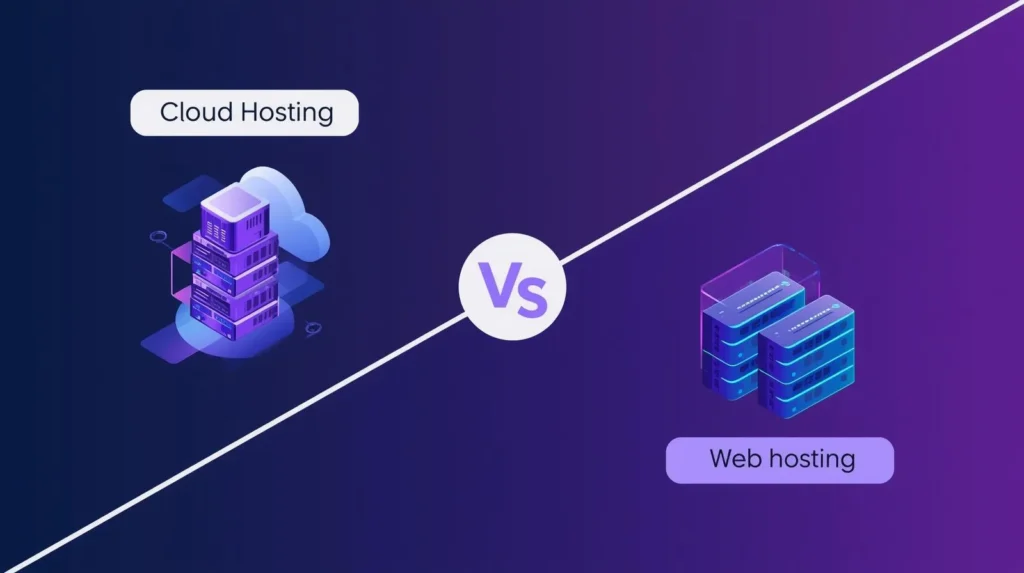
The terms web hosting and cloud hosting are used when they mean something different. Holding on to the old-fashioned web hosting (shared, VPS or dedicated) implies that your site is on only one physical server or a partitioned slice of a single physical server.
Resources, storage, CPU, RAM and bandwidth are allocated to that particular machine. Cloud hosting provides a system of virtual servers that draw resources across a number of physical machines. Your site gets data out of a distributed pool of resources as opposed to a single server.
The difference is important since it will influence the way your site deals with traffic, the amount of money you will pay and what happens when things go wrong.
Core Differences at a Glance
| Aspect | Traditional Web Hosting | Cloud Hosting |
| Infrastructure | Single physical server (or partitioned slice of one) | Distributed network of virtual servers across multiple machines |
| Scalability | Fixed resources; upgrading usually requires plan changes or migration | Flexible scaling; resources adjust dynamically based on demand |
| Reliability | Single point of failure if the server goes down, your site goes down | Built-in redundancy if one server fails, others take over automatically |
| Performance Under Spikes | Can slow down or crash if traffic exceeds allocated resources | Typically handles spikes better by scaling resources automatically |
| Pricing | Fixed monthly or annual plans; predictable costs | Often usage-based; costs fluctuate with resource consumption |
Frequently Asked Questions About Hosting
The Bottom Line
The process of selecting web hosting does not have to be complex, though it does demand going beyond the marketing hype and determining what is important in the selection; this includes performance, reliability, security and quality of support.
When you are opening up a new site or a small blog/portfolio, quality shared hosting is a good place to begin. When you need to run a business site that is getting bigger or you are leaving shared hosting, Upgrade to VPS hosting, where you can be guaranteed of consistent performance and control.
Need hands-off maintenance, no matter what type of hosting you have: You can add managed services to any level that fits. It is more expensive and will eliminate the technical load altogether. Choose your type of hosting depending on your site’s needs and traffic forecasts. Tell the truth about what you really require now and not what you may require in three years.
It is not about the theoretically ideal host; it is about one that is going to work with your site, keep your visitors safe, and not give you headaches that you do not need. You have a framework in this guide that can enable you to make that choice.