Best VPN for Remote Access: Find the Right VPN for Work Now!
Compare the best VPN for remote access by speed, privacy, pricing and team features. Choose the right secure VPN and get started today.
 Michael Gargiulo
Find your VPN
What will you mostly use a VPN for?
Pick one, then answer a few quick questions. We name the VPN that fits, and say why.
VPN for streaming
Question 1 of 3
What made you look for a streaming VPN?
19,829 VPN picks made through VPN.com in the last 30 days

Your match

NordVPN
App store ratings, part of the score
4.664.59

ProtonVPN
App store ratings, part of the score
4.614.70
VPN for privacy
Question 1 of 3
What made you look for a privacy VPN?
19,829 VPN picks made through VPN.com in the last 30 days
Your match
NordVPN
App store ratings, part of the score
4.664.59
ProtonVPN
App store ratings, part of the score
4.614.70
VPN for gaming
Question 1 of 3
What made you look for a gaming VPN?
19,829 VPN picks made through VPN.com in the last 30 days
Your match
NordVPN
App store ratings, part of the score
4.664.59
ProtonVPN
App store ratings, part of the score
4.614.70
VPN for free plans
Question 1 of 3
What made you look for a free VPN?
19,829 VPN picks made through VPN.com in the last 30 days
Your match
ProtonVPN
App store ratings, part of the score
4.614.70
NordVPN
App store ratings, part of the score
4.664.59
NordVPN7,213 serversNordVPN's privacy and security record is strong on process and mixed on proof
93 out of 100, built from two weighted parts
App store ratings, part of the score
4.664.59
Researched Oct 3, 2026Claims checked: 31Independent sources: 11Scores updated Oct 22, 2026
 ExpressVPN3,000+ servers
86 out of 100, built from two weighted parts
App store ratings, part of the score
4.684.69
Researched Oct 3, 2026Claims checked: 27Independent sources: 13Scores updated Oct 22, 2026
 Surfshark4,500+ servers
Surfshark's evidence mixes real, readable third-party documents with provider assertions
85 out of 100, built from two weighted parts
App store ratings, part of the score
4.714.64
Researched Oct 3, 2026Claims checked: 32Independent sources: 5Scores updated Oct 22, 2026
Bottom Line: With 78% of organizations reporting remote-work security incidents averaging $4.56 million per breach, a VPN that creates an encrypted tunnel between remote devices and company resources is foundational for every distributed team.
A single unprotected remote connection is all it takes to expose an entire company network.
78% of organizations reported at least one security incident tied to remote work, averaging $4.56 million per breach. Without proper protection, your team is exposed every time someone logs in from a coffee shop or home router.
A VPN creates an encrypted tunnel between a remote device and company resources. It keeps data unreadable to anyone trying to intercept it. For distributed teams, freelancers, and hybrid employees, this is the first layer of defense against session hijacking, credential theft, and man-in-the-middle attacks.
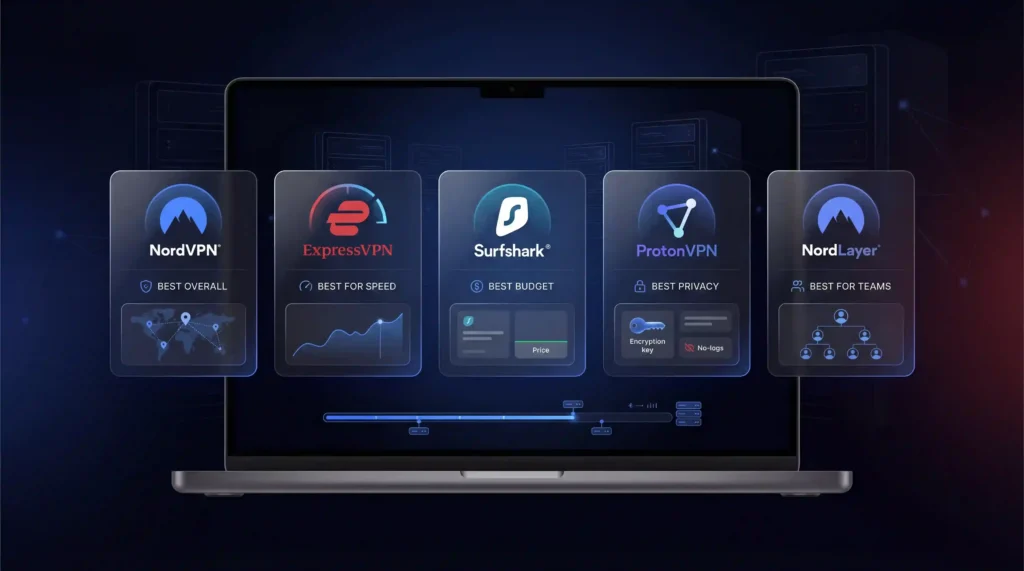
Best VPN for Remote Access (Quick Picks)
- Best Overall for Remote Workers: NordVPN
- Best for Distributed Teams: NordLayer
- Best Budget Option for Remote Employees: Surfshark
Why Distributed Teams Need a VPN
Remote work has permanently expanded the attack surface. Vulnerability exploitation now accounts for 20% of initial access paths. VPN-related edge devices represent 22% of those exploit vectors. That figure jumped roughly 8x year over year.
73% of remote employees use personal devices that lack enterprise-grade protection. Home routers rarely receive firmware updates. Coffee shop Wi-Fi offers zero encryption. Airport networks are prime targets for packet sniffing.
A VPN encrypts all traffic using AES-256-GCM or ChaCha20. It masks the user’s real IP address. ISPs and bad actors cannot see transmitted data. For teams handling client files or accessing internal tools from multiple locations, a VPN is the simplest protection available.
Key Features for Remote Employees
Not every VPN feature matters equally for remote work. These four directly address the risks remote employees face daily.
Kill Switch Prevents Data Leaks During Disconnects
A kill switch cuts internet access if the VPN connection drops. Without it, your real IP and unencrypted traffic are briefly exposed. This matters most for remote workers on unstable Wi-Fi. NordVPN offers a dual kill switch that protects both app-level and system-level connections.
Split Tunneling Separates Work and Personal Traffic
Remote employees use the same device for work apps and personal browsing. Split tunneling routes work apps through the VPN while personal traffic uses the direct connection. This preserves bandwidth for video calls without exposing sensitive work data.
Session Persistence Keeps You Connected Across Networks
Remote workers move between Wi-Fi networks throughout the day. A VPN with session persistence maintains the encrypted connection when switching from home Wi-Fi to a mobile hotspot. WireGuard handles this better than older protocols like OpenVPN, reconnecting in under one second.
No-Logs Policy Backed by Independent Audits
Privacy claims mean nothing without third-party verification. Providers on this list publish or cite independent audits of varying scope. NordVPN says its no-logs policy has been independently audited, and ExpressVPN holds a 2025 KPMG assurance report on TrustedServer.
Best VPNs for Remote Workers Compared
| Feature | NordVPN | ExpressVPN | Surfshark | Proton VPN | NordLayer |
|---|---|---|---|---|---|
| Starting Price | $3.49/mo | $3.46/mo | $2.49/mo | Free tier available | $8/user/mo |
| Servers | 7,213 | 3,000+ | 4,500+ | 20,000+ | Dedicated gateways |
| Countries | 150 | 113 | 100+ | 140+ | 30+ |
| Protocol | NordLynx | Lightway | WireGuard | WireGuard/Stealth | NordLynx |
| Connections | 10 | 10 | Unlimited | 10 | Per-seat licensing |
| Kill Switch | Yes (dual) | Yes | Yes | Yes | Yes |
| Split Tunneling | Yes | Yes | Yes | Yes | Yes |
| Team Management | No | No | No | No | Yes (admin panel) |
| Free Plan | No | No | No | Yes | No |
NordVPN: Best Overall for Remote Workers
NordLynx delivers 750+ Mbps throughput with full encryption. NordVPN says its no-logs policy has been independently audited. Its dual kill switch protects both individual apps and the entire system. Ten simultaneous connections cover a remote worker’s laptop, phone, and tablet without juggling licenses.
ExpressVPN: Best for International Remote Teams
ExpressVPN publishes a 2025 KPMG assurance report on TrustedServer and Cure53 security audits. Lightway enables sub-second connection times. TrustedServer runs entirely on RAM, so no session data ever touches a hard drive. This matters for remote employees connecting from countries with aggressive surveillance.
Surfshark: Best Budget Option for Remote Employees
Surfshark offers unlimited simultaneous connections at $2.49/mo on a two-year plan. A remote household with multiple workers can share one account. Strong WireGuard speeds with AES-256-GCM encryption. CleanWeb blocks ads and malware, reducing distractions during work hours.
Proton VPN: Best Free Tier for Solo Remote Workers
Proton VPN is the only major provider with a genuinely usable free tier. Headquartered in Switzerland with open-source apps. Secure Core routes traffic through privacy-friendly jurisdictions before reaching the open internet. Stealth protocol bypasses VPN blocks in restrictive regions, useful for remote workers traveling internationally.
NordLayer: Best for Managing a Distributed Team
NordLayer sits on the same infrastructure as NordVPN but adds centralized team management. IT admins can onboard and offboard remote employees from a single dashboard. Dedicated gateways provide fixed IP addresses for accessing company resources. Per-seat licensing scales with your team size.
For larger organizations requiring advanced access controls and compliance features, visit to our comprehensive guide to enterprise VPN solutions.
How to Choose a VPN for Your Remote Team
Selecting the right VPN depends on your team’s specific remote work setup. Use this decision framework:
Step 1: Count your remote employees. If you have fewer than 10, individual licenses for NordVPN or Surfshark work fine. Teams of 10+ benefit from NordLayer’s centralized admin panel.
Step 2: Identify where your team connects from. Employees in restrictive countries need obfuscation features. ExpressVPN and Proton VPN handle this best.
Step 3: Assess your bandwidth needs. Video calls consume 3-5 Mbps per participant. Screen sharing adds another 1-2 Mbps. Choose a provider with WireGuard or equivalent protocol to minimize VPN overhead.
Step 4: Check device coverage. Remote employees often use 2-3 devices. NordVPN covers 10. Surfshark covers unlimited. NordLayer uses per-seat licensing that covers all devices per user.
Step 5: Evaluate your budget. Surfshark at $2.49/mo per user is the cheapest option. NordLayer at $8/user/mo adds team management tools. Compare these costs against the $4.56 million average breach cost.
Remote Access VPN Setup Checklist
Before rolling out a VPN to your distributed team, confirm these items:
- Choose a provider with WireGuard or equivalent fast protocol
- Enable the kill switch on every employee device
- Configure split tunneling to route only work traffic through the VPN
- Verify the provider’s no-logs policy with a recent independent audit
- Test connection speeds from your team’s most common locations
- Set up multi-factor authentication alongside the VPN
- Document the setup process for new employee onboarding
- Schedule quarterly reviews of VPN access permissions
Final Verdict
NordVPN delivers the best overall package for remote workers. It combines 750+ Mbps speeds, a dual kill switch, and a no-logs policy it says has been audited. ExpressVPN is the top choice for international remote teams connecting from restrictive regions. Surfshark offers the best value with unlimited connections at $2.49/mo. Proton VPN gives solo remote workers a usable free tier.
For teams of 10 or more, NordLayer adds the centralized management that individual VPN subscriptions lack.
A quality VPN costs a fraction of what a single remote work breach could cost. Organizations face an average of 1,000 remote-work-related cyberattacks per month. Protecting your distributed team starts with encrypted connections.
References
- M. Souppaya and K. Scarfone. 2016. Guide to Enterprise Telework, Remote Access, and Bring Your Own Device (BYOD) Security. NIST Special Publication (SP) 800-46 Rev. 2. National Institute of Standards and Technology. DOI: https://doi.org/10.6028/NIST.SP.800-46r2.Archived: Wayback Machine snapshot
- Cybersecurity and Infrastructure Security Agency CISA. n.d. CISA and NSA Release Guidance on Selecting and Hardening VPNs. Retrieved September 30, 2026 from https://www.cisa.gov/news-events/alerts/2021/09/28/cisa-and-nsa-release-guidance-selecting-and-hardening-vpns.Archived: Wayback Machine snapshot
Resources for this page
Charts and reference images from our research, free to view and share.
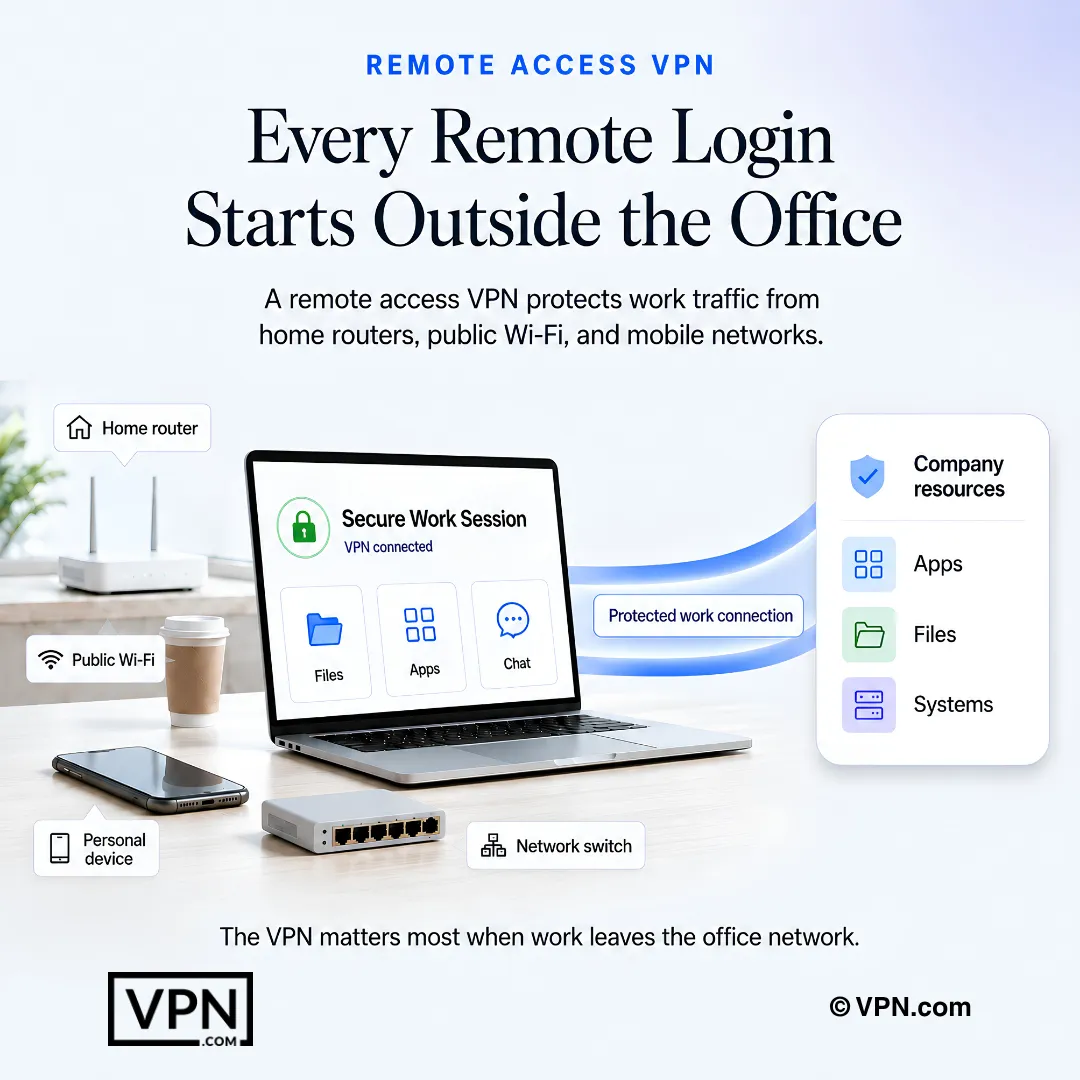
A remote-access VPN protects work traffic as employees connect beyond the office network.
Frequently Asked Questions
How does a VPN actually protect remote workers connecting from home or public Wi-Fi?
A VPN creates an encrypted tunnel between a remote device and company resources using AES-256-GCM or ChaCha20 encryption, making intercepted data unreadable. It also masks the user’s real IP address so ISPs and attackers on the same coffee-shop or airport network cannot see transmitted traffic. This is the first line of defense against session hijacking and man-in-the-middle attacks on unsecured networks.
How serious is the remote-work security risk that makes a VPN necessary?
It’s substantial: 78% of organizations report at least one security incident tied to remote work, and 73% of remote employees use personal devices lacking enterprise-grade protection. Vulnerability exploitation now drives 20% of initial access paths, with VPN-related edge devices accounting for 22% of those exploits, a figure that jumped roughly 8x year over year. Encrypting traffic closes much of that gap.
What’s the difference between a kill switch and split tunneling for someone working remotely?
A kill switch cuts internet access entirely if the VPN connection drops, preventing your real IP and unencrypted traffic from leaking during that gap, while split tunneling routes only work apps through the VPN and lets personal traffic use the direct connection. NordVPN offers a dual kill switch covering both app-level and system-level connections, which matters most on unstable home or public Wi-Fi.
Why does the underlying protocol matter when switching from home Wi-Fi to a mobile hotspot mid-shift?
The protocol determines how fast your VPN session recovers when you change networks. WireGuard supports session persistence and reconnects in under one second, keeping the encrypted tunnel intact as you move between networks, while older protocols like OpenVPN handle these transitions more slowly. NordVPN runs NordLynx, ExpressVPN runs Lightway, and Surfshark runs WireGuard directly, all built on this faster foundation.
How can I verify a provider’s no-logs claim before trusting it with client data?
Check for repeated independent audits rather than taking marketing claims at face value. NordVPN says its no-logs policy has been independently audited, while ExpressVPN holds a 2025 KPMG assurance report on TrustedServer and has had Cure53 security audits of its apps. Confirming a recent audit date matters more than the claim itself when handling sensitive work files remotely.
Which VPN handles video calls and screen sharing best for a remote team?
NordVPN ranks #1 of 22 on our Trust Score, aggregated from published third-party tests, the strongest pick for bandwidth-heavy video calls and screen sharing. Surfshark’s WireGuard implementation also handles multiple simultaneous connections well since it supports unlimited devices on one account. Choose a provider running WireGuard, NordLynx, or Lightway to minimize the overhead a VPN adds to your existing connection.
How much does a VPN for remote access cost compared to NordLayer’s team plan?
Individual plans are cheaper per user: Surfshark starts from $2.49/month on its longest-term plan with unlimited connections, while NordVPN starts from $3.49/month for 10 simultaneous devices. NordLayer, built on NordVPN’s infrastructure, uses per-seat licensing instead and adds a centralized admin dashboard, which costs more per user but makes sense once a team passes roughly 10 remote employees.
How many devices can one remote employee cover under a single VPN plan?
It depends on the provider: NordVPN covers 10 simultaneous devices, enough for a laptop, phone, and tablet on one account, ExpressVPN covers 10 to 14 depending on the plan tier, and Surfshark allows unlimited simultaneous connections. A remote household with multiple workers sharing one login benefits most from Surfshark’s unlimited model rather than juggling separate licenses.
Is a free VPN tier realistic for a solo remote worker?
Proton VPN is the only provider here with a genuinely usable free tier, backed by Switzerland-based, open-source apps and Secure Core routing through privacy-friendly jurisdictions before reaching the open internet. Paid options like NordVPN and Surfshark add a dual kill switch, split tunneling, and unlimited or 10-device connections that a free tier typically can’t match for daily work use.
What happens if I subscribe and the VPN doesn’t fit my remote work setup?
NordVPN, ExpressVPN, and Surfshark all back their plans with a 30-day money-back guarantee, so you can test speed, kill switch reliability, and split tunneling against your actual home or travel network before committing. Since remote work needs vary by location and device count, use that window to confirm the provider handles your team’s specific connection patterns before the trial period closes.
How do I roll out a VPN across a distributed team without creating an IT burden?
For teams under 10, individual NordVPN or Surfshark licenses work fine since each covers up to 10 or unlimited devices respectively without central management. Teams of 10 or more benefit from NordLayer, which sits on NordVPN’s infrastructure but adds a centralized admin dashboard so IT can onboard and offboard employees and assign dedicated gateways with fixed IPs from one panel.
What happens if a remote employee’s VPN connection drops mid-task?
A kill switch cuts internet access entirely rather than falling back to an exposed connection, preventing the real IP and unencrypted traffic from leaking during the gap. NordVPN’s dual kill switch covers both the app and the entire system. Pair this with WireGuard-based protocols like NordLynx or Lightway, which reconnect in under one second when switching networks.
What if a remote employee is working from a country that restricts VPN traffic?
Choose a provider built for obfuscation: ExpressVPN and Proton VPN handle this best among the options here, with Proton’s Stealth protocol specifically designed to bypass VPN blocks in restrictive regions. Install and test the app before travel, since some networks filter VPN traffic entirely. This matters most for employees connecting from countries with aggressive surveillance or filtering.