Cybersecurity
Learn how cybersecurity works, common threats like phishing and ransomware, and simple steps to stay safe. Use the checklist protect yourself now.
Cybersecurity is the way of securing your online resources against theft, damage and unauthorized access. It is not only an IT problem, but a business survival problem that impacts your money, reputation and capabilities to conduct business.
Cybersecurity refers to the act of protecting your equipment, networks and data against digital attacks. Imagine it to be the locks, alarms and security cameras to your online self, but now the threats are quicker and do not have to physically crack into the place.
You may be considering it only applies to the case of someone who is working with classified government information or a Fortune 500 company. Not true. Hacking individuals and small businesses, in particular, is done with the assumption that they have fewer defenses that can protect them.
The good news? To ensure your protection, you do not need a computer science degree. All you have to know is what you are dealing with and what defense is effective.
How Cyberattacks Usually Happen?
The majority of cyberattacks have a regular pattern. Knowing this pattern will allow you to identify the points at which you are weakest and at which the simple defenses will have the most significant impact.
The Attack Chain
- Reconnaissance: Hackers hunt their victims. They visit your business website, search LinkedIn accounts of employees, scan identified systems that are exposed, and find weak spots publicly displayed. You are being profiled prior to some kind of something evil.
- Entry: They find a way in. This may be a phishing email that will fool a person into pressing a button, a software vulnerability that has not been patched or stolen credentials that the user purchased on the dark web. The point of intrusion is hardly ever dramatic hacking- it is typically something prosaic.
- Access Expansion: Once inside, they move to the sides. They enlarge the privileges, place backdoors and unlock systems beyond a foothold. It may take weeks or months before you no longer know their presence.
- Impact: Lastly, they do their mission steal data, install ransomware, cripple businesses or sell access to another individual. Until you realize, there is too much damage to do.
The Most Common Entry Points
The most popular entry mode is weak or reused passwords. When you want to use the password Company2024 or have used the same password on one or more websites, you have left the front door unprotected.
- Phishing emails are used to compromise individuals to provide credentials or install malware. It is not necessarily apparent that phishing nowadays may be highly persuasive, targeted at your bank, your boss, or your software developer.
- Unpatched software leaves an open exploit. You have that update notification that you have been ignoring? They have attackers who are already aware of that vulnerability and are automating tools to scan it.
- Misconfigurations expose systems that should be private. Parking to the public on the cloud storage, internet access to the administration panels or default passwords that are not changed are all easy gateways.
Why Attackers Target People, Not Just Technology?
This is the unpleasant fact: in many cases, your employees become the weakest link. It is not that they are careless, but humans are foreseeable, and technology can be programmed to perfection.
Social engineering is effective since it takes advantage of trust, a sense of urgency and authority. A hacker does not have to crack 256-bit encryption when all he has to do is send you an email that appears to be sent by your CEO requesting a two-minute wire transfer.
Core Goals of Cybersecurity
Cybersecurity is reduced to three things. Security experts refer to this as the CIA triad- and it is not related to intelligence agencies.
Confidentiality
Only to authorized persons, sensitive information should be kept. This implies that customer information, financial documents, trade secrets and personal details remain confidential. A breach in this case implies that a person has looked at what he or she is not supposed to look at.
Loss of confidentiality means data theft, credentials leakage or compromised customer information. The purpose of the attacker is to read, duplicate or steal what you have been trying to hide.
Integrity
Make sure that your information is precise and correct. You should be aware that the data in your systems has not been altered, violated or altered unlawfully.
Integrity attacks are malicious, as you could not realize it at first. Consider the possibility of the financial records being slightly modified, email addresses being re-routed or the software being corrupted with malware. The information is not gone; it is simply misplaced.
Availability
Ensuring that your systems and data are available when you require them. Inability to access files, website down and frozen business operations are all signs that availability has been compromised.
This is where most businesses are experiencing the direct anguish. You could be thinking, we could manage breaches provided we can detect them at early stages, but we can never risk being out of business days. And you are correct, downtime is a direct correlation to lost revenue and angry patrons.
What Availability Attacks Actually Look Like?
- The most apparent availability attack is ransomware. Hackers take a copy of your files and charge you to decrypt them. The information is still there but you can not access it. Ransomware attack has an average downtime of 21 days, with or without payment.
- DDoS attacks (Distributed Denial of Service) will saturate your servers with unreal traffic and cause them to collapse under stress. It shuts down your website, not because it has been hacked into, but because it is overloaded. Authorized users are not able to get through.
- Service disruption can be more insidious. The assailants may delete the backups, corrupt databases or shut down important systems. The effect is the same, as it is brought to its knees as you scramble to start everything again.
To be fair, not every outage is an attack. It is occasionally a bad update, a bad configuration or a hardware error. But the effect on your business is the same and that is why the availability can be more significant when compared to confidentiality in day-to-day operations.
Biggest Cyber Threats to Know
The environment of threats is continuously changing and some types of attacks are prevalent due to their success. This is what you are really going to be competing against.
Phishing and Social Engineering
- Email phishing remains the most common entry point. You get a message that seems to be legit, your bank, a shipping company, or Microsoft support, and it has a link or attachment that will steal credentials or install malware.
- The scam of SMS phishing (smishing) takes advantage of the reality that individuals place more trust in text messages than email. Your package is delayed or Suspicious activity on your account is something one acts on without question.
- Voice phishing (vishing) goes further. Attackers use the tactic of posing as an IT support, a department of fraud in your bank or a vendor. They apply urgency and authority to obtain information or get you to act in a risky manner.
You might be thinking these are easy to spot. They used to be. Modern phishing campaigns are grammatically perfect, visually identical to legitimate communications and perfectly timed to exploit real-world events. The Nigerian prince emails are gone.
To understand why modern scams are harder to detect, explore common phishing attacks and examples.
Malware and Ransomware
- Malware is harmful software that is used to harm systems, steal data or gain illegal access. It exists in various forms such as viruses, trojans, spywares and keyloggers. The mechanism of delivery is usually an attachment to a phishing email or a hacked site.
- Ransomware has integrated to become an extortion business. Hackers are extorting your files and taking money but now there is a twist in the modern world called double extortion. They take your information and blackmail you by asking you to pay or they will publish it online. The threat of the leak exists even with the backups.
The average ransomware payment rate has grown to $1.54 million and even those who do pay have not recovered all their data; despite the payment, 40% of companies have recovered all. Fairly, a universal suggestion by the law enforcement and security professionals is not to pay (it funds future attacks and you are dealing with criminals who do not have a duty to keep their word).
Credential Theft and Account Takeovers
The combination of your username and passwords is money on the dark web. There is stealing credentials due to phishing, breaches of data by other companies or strong passwords being broken.
Account takeovers are incidents whereby attackers intrude into your systems in the name of stolen credentials. Since they are using the valid login information, the use of traditional security tools does not usually indicate the access as being suspicious before it creates damage.
That is why the use of the same password is so dangerous. A single breach of a random forum that you had registered in 2019 will reveal the identical password that you use to access your business email. Attackers are aware of this fact and automatically scan stolen credentials across services.
DDoS and Service Outages
Distributed Denial of Service attacks utilize the traffic of the Internet. Attackers take advantage of chains of infected machines (botnets) to saturate your servers with traffic to the point of crashing. Your business applications, email or website are rendered inaccessible.
Smokescreens are commonly employed using DDoS attacks. As your IT department scurries to get the systems back online, hackers take advantage of the commotion and compromise systems or steal data. The first failure is only a distraction.
The economic cost is direct; e-commerce websites lose money each minute they are down, SaaS providers violate the service level agreements, and customer confidence is lost every hour of downtime.
Supply Chain Attacks
You have taken care of your own systems but what about those of your vendors? Supply chain attacks exploit the most vulnerable point of your business ecosystem, which is usually a third-party provider who has access to your network. Attackers destroy software updates, managed service providers or cloud platforms that you implicitly trust.
By downloading that so-called legitimate update or providing access to the vendors, you are welcoming the attacker. The SolarWinds attack is a perfect example of that: hackers compromised a software update that was further made available to 18,000 clients, including government agencies and Fortune 500 corporations.
The victims did not do anything bad; they just believed their vendor.
AI-Powered Attacks
- The threat environment is radically evolving due to artificial intelligence. With AI, attackers today can now design hyper-personalized phishing campaigns, which mention what you have done recently, sound exactly like your writing style and change according to your feedback.
- Deepfake voice and video technology make it possible to convincingly impersonate. Would you accept a video call on behalf of your CEO who wants to transfer funds urgently, but it is not them? Such attacks are already taking place.
- Automation at scale is also possible through AI. The attackers are able to concurrently launch thousands of bespoke campaigns, scan vulnerabilities on millions of systems and alter their strategies in real-time on what is working.
Well, you may be imagining that this is a science fiction story. It’s not. These are commodified tools available on criminal forums and attackers who have little technical expertise can use them.
The Common Thread
Notice a pattern? The majority of these threats are geared towards the human aspect or the use of trust relationships. Technical defenses are important, but they are not the solution.
The positive point is that most attacks are prevented by awareness only. You only visit requests using different channels when you understand that phishing emails are pixel-perfect.
Types of Cybersecurity
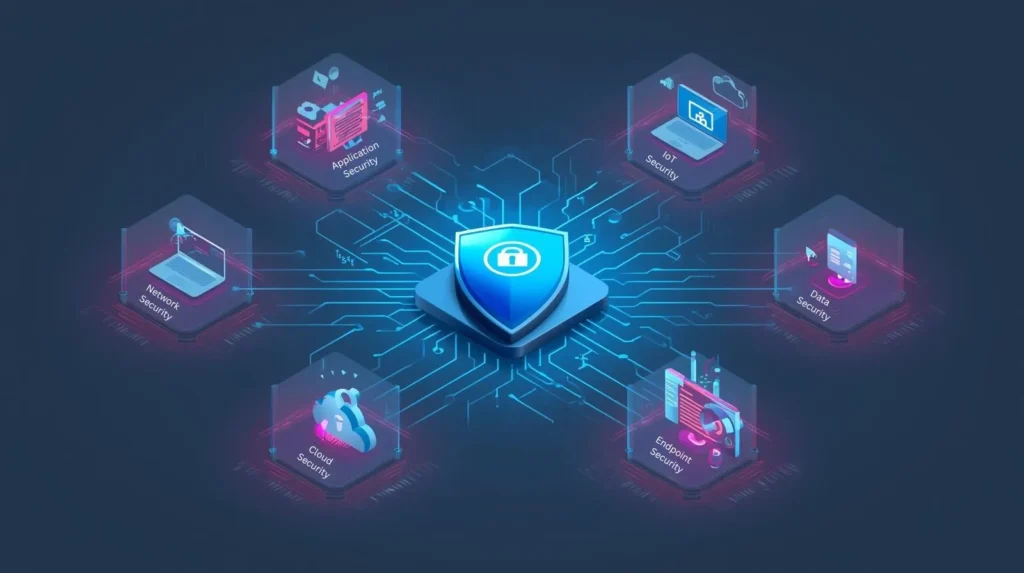
There is more than just a single discipline of cybersecurity, which is a set of specialized fields that secure various aspects of your digital infrastructure. This is what each of them does and why it matters.
Network Security
Secures the routes your information takes. This encompasses firewalls, VPNs, intrusion detection systems and network segmentation, which is the ability to control what can communicate with what.
It is like locking up the streets between buildings and not the buildings themselves. When the attackers are not able to intercept or modify the traffic in transit, they are deprived of a significant attack surface.
Endpoint Security
Locks down the devices that access your network, like laptops, smartphones, tablets, servers and workstations. This includes antivirus programs, encryption of devices, patches and mobile devices management.
Any place is a possible entry point. A weakened laptop in the home network of your employee can be a point of access to your corporate networks. Endpoints are far more complex and more important in endpoint security due to remote work.
Application Security
Guards the computer software you develop or consume, such as websites, mobile applications and APIs. This includes protected coding, vulnerability testing and attack defenses such as SQL injection/Cross-site scripting.
Your programs deal with your business logic and sensitive information. One of the weaknesses here is that the attackers have direct access to all that the application can do, which is usually a lot.
Cloud Security
Solves the distinct risks of cloud environments, such as poorly configured storage buckets, overly liberal access control, weak encryption and shared responsibility misunderstanding between you and your cloud provider.
The cloud is very convenient, yet it puts security liability in places that are not always evident. It is the infrastructure that is secured by your provider; it is upon yourself to secure what you place in it. It is that loophole where violations occur.
Data Security
Focuses on securing the information itself, irrespective of the location of the information and the path it takes. These are data classification (understanding what is sensitive), encryption (it is incomprehensible in case stolen) and data loss prevention software that prevents transfers by unauthorized persons.
You may be considering only the security of data holding systems. The problem? The information is on the move all the time, being copied to laptops, attached to emails and synchronized with personal computers. The information continues to be secured, not only at the place.
For a full breakdown of protecting data at rest and in transit, read our data security best practices.
Identity & Access Management (IAM)
Controls who can access what. This involves user authentication, multi-factor authentication (MFA), role-based access controls and the principle of least privilege the principle of least privilege which involves providing people with the access they actually require.
More than 80 percent of breaches include stolen or used credentials. Even in the cases when a user has a valid account name and password, IAM will protect against unauthorized access.
At 99.9 percent, Multi-factor authentication prevents automated credential attacks. That is no marketing hyperbole that is the data provided by Microsoft of billions of authentication attempts.
Security Awareness Training
Cares about the human aspect by educating and practicing. This can be instructing employees to be aware of phishing, to authenticate requests, use strong passwords and report suspicious activity.
To be fair, training will not transform people into perfectionists. However, it generates a security-aware culture where citizens stop and think before clicking, doubt something suspicious and realize they are a part of a defense mechanism.
The good news? The majority of successful attacks are based on the fact that people are unaware of what to be on the lookout for. When they do, they are forced to work harder by the attackers.
Operational Technology (OT) and Industrial Control Systems (ICS) Security
Secures factory equipment, power grids, water treatment systems and building management systems, which are physical processes that are controlled by systems. These systems were not created to focus on cybersecurity and are usually decades old.
Real-life effects of attacks in this case are not limited to data theft, but to production pauses, equipment damages or potentially safety threats. OT security is needed in case you run manufacturing, utilities or critical infrastructure.
Internet of Things (IoT) Security
Connected devices are secured: security cameras, smart thermostats, industrial sensors, medical devices and all other IP-addressed devices can be considered as not a computer.
IoT gadgets are famously vulnerable. They use weak default passwords and do not have any update systems or security features. They are direct paths and they are ideal in the creation of botnets utilized in DDoS attacks.
Cybersecurity vs Information Security vs IT Security
These are terms used interchangeably in the informal context and in truth, this is normally okay. But knowing these differences is useful when you are recruiting experts, buying equipment or developing a security policy.
The Quick Differences
| Term | What It Covers | Focus Area | Example Responsibilities |
| Cybersecurity | Protection against digital/online threats and attacks | Threat-based defense in connected environments | Stop hackers, block malware, detect breaches, respond to ransomware, secure networks |
| Information Security (InfoSec) | Protection of all information assets, regardless of format | Data protection across all states and media | Protect sensitive documents with classification, access controls, encryption, DLP, compliance |
| IT Security | Protection of technology infrastructure and systems | Infrastructure and operational security | Secure servers, networks, and endpoints with access management, patching, firewalls, and backups |
How They Overlap
The reality? In practice today these circles overlap a great deal.
- Cybersecurity is a branch of information security, specifically, it is the threats of a digital nature. You are working in cybersecurity when you are trying to defend against hackers, malware and DDoS attacks.
- Information security is the broadest umbrella. It encompasses the concept of cybersecurity but also deals with the protection of physical paperwork, the development of data classification policies, and the storage of information, even though it may be stored on computers or in filing rooms.
- IT security is concerned with the technical infrastructure. It is the most practical field of operation- installing firewalls, administering user accounts, installing patches and securing servers. IT security implementation is usually a part of a cybersecurity strategy.
Think of it this way. Information security determines the policy (customer data must be encrypted), cybersecurity the threat (ransomware attacks unencrypted databases) and IT security the control (enable encryption on all database servers).
Cybersecurity for Individuals (Personal Checklist)
You do not require corporate-level security tools to ensure your security. The majority of the attacks that are caused to individuals are based on simple errors that can be avoided by simple habits. Here’s what actually matters.
Multi-Factor Authentication (MFA)
Ensure that MFA is enabled on all accounts in which it is available, with the most importance to email, banking, social media, and anything related to payment. Your email is more vital than any other, the recovery mechanism of all the others.
When you can, use an authenticator application (Google Authenticator, Microsoft Authenticator, Authy) rather than SMS. Intercepting SMS codes is possible by a SIM-swapping attack, wherein the criminals are persuaded to transfer your number to their phone by your phone carrier.
You may be wondering if this introduces irritating additional procedures. It does. It is worth the annoyance. MFA prevents an overwhelming majority of account takeover attacks even when you have been compromised with your password.
Software Updates
Have automatic updates on your phone, computer, browser and applications. Security patches correct vulnerabilities that are actively used by attackers. Weaknesses that are known are exposed because they are delayed. That update notification reminding button? Stop clicking it.
Attackers search unpatched systems at any given time due to their awareness of the fact that most people do not keep up with updates until something goes wrong. It is only fair that updates sometimes lead to issues. But the danger of not updating is always better than the minor inconvenience of a buggy patch.
Password Manager
Your brain will not be able to generate and retain 80 + online accounts with their own passwords. A password manager can. Select any reliable alternative, 1Password, Bitwarden, Dashlane or an inbuilt manager of your browser. The significant one is to employ it reliably and allow it to create passwords at random sites.
This eradicates the use of passwords. In cases like Adobe, LinkedIn, or any other company that gets hacked and your credentials are stolen, whether they are used elsewhere, the attacker can no longer do the same.
Safe Wi-Fi Habits
Open Wi-Fi, by its nature, is insecure. Any other person within the same network is capable of intercepting your traffic. Get a VPN and use it every time you are on a public Wi-Fi in coffee shops, airports, hotels, and conferences. VPN will encrypt and will not be read by anyone surfing the network.
This helps to avoid the stealing of credentials and session cookies or other sensitive information you relay. This is important to change the default password of the router to an encryption password and use WPA3 (or WPA2, because not all routers can use WPA3 yet). The firmware of your router should also be updated like any other device.
How to Spot Phishing Quickly?
Contemporary phishing is advanced, yet there are some indications that invariably show counterfeit messages. Get used to examining the following before clicking anything:
- Urgency and fear: “Your account will be closed”, “Suspicious activity detected,” or “Verify within 24 hours”. True businesses hardly instigate artificial security emergencies.
- Generic greetings: “Dear customer” or “Dear user” instead of your actual name. You are listed by the real companies since they have your name in their system.
- Mismatched URLs: Hover over links before clicking (don’t click to check). It may contain a visible text of paypal.com but the real URL is paypa1-secure-login.com or may contain variations. Check to see whether there are additional characters, spelling errors or odd extensions of domain names.
- Unexpected attachments: You were not anticipating a document, invoice or shipping notice. Although it might seem that the company is legitimate, it is better to check another source and only then open it.
- Requests for sensitive information: There is no business that will request you to give out your password, complete social security number or credit card information over email. They already possess such information or have secure portals where people can submit this type of information.
You may be wondering how all these signs can be counterfeited using elaborate phishing. Sometimes, yes. That is why it is important to review the information. When your bank email notifies you of suspicious activity, you should not follow the link; you need to open your bank app or type in the address that contains the link in a browser and check it there.
What to Do If You Got Hacked (First 30 Minutes)
The situation right after the hack is hectic. In order of ranking the damages, do the following:
Minutes 1-5: Contain the breach
- Change the password of the breached account as fast as possible. Preferably on a different computer. There are chances that the attacker has installed malware on your existing device.
- Enable or reset MFA. In the event that the account had already received MFA and was still hacked, the intruder might have included his or her own form of authentication. Get rid of any authentication that you are not familiar with.
Minutes 5-15: Protect related accounts
- Change the password of any account with the same password (that is why password managing programs are important, you will be aware which account has similar credentials).
- Check the email account to see if it was not the compromised service. Email is usually pivoted on, as it grants access to password reset to all other services. Check your email inbox to see the password reset messages or the message about creating a new account, which you did not order.
Minutes 15-30: Assess the damage and notify
- Check on activity in the recent accounts: the financial transactions, the messages sent, the settings, the connected apps and the changes of recovery emails or phones. Record all suspicious things to be used in case of law enforcement reports.
- In case of any financial accounts, call your bank at once. There are 24/7 fraud lines in most banks specifically created for this case. Time is of the Essence; the faster you report, the better your chance of turning a fraudulent transaction around.
- Place fraud alerts or credit freezes with the three major credit scores (Equifax, Experian, TransUnion) in case your personal information, such as your social security number, has leaked. This will ensure that attackers will not be able to open new accounts under your name.
After 30 minutes: Investigate and recover
- Perform a complete antivirus scan on all the machines. In case of a suspected malware, unplugging the computer while the scan is going on is advisable to ensure no more information is stolen.
- Review what went wrong. Was it a weak password? Phishing email? Malware? Knowledge of the entry point averts recidivism. A decision to report to law enforcement. A majority of personal hacks are not investigated, but a report filed will provide a paper trail to identity theft cases and assist in tracing larger criminal organizations.
The good news? The majority of the hacks made on an individual level are opportunistic. After changing passwords and using MFA, the attacker usually goes to other easily affected people instead of persisting with his targeting.
The Reality Check
This may sound paranoid to someone who is not important enough to be hacked. Hackers are not interested in how important you are, but rather in size and convenience.
Millions of accounts are searched with the help of automated tools to find weak passwords, the absence of MFA and the lack of patched devices. It is not a personal attack against you; you are a broad net in the hope of snaring any weak individual.
Such controls will not protect you against all attacks. They will make it much more difficult for you crack than the millions of users who use “Password123” in all the accounts they have.
FAQs About Cybersecurity
The Bottom Line
Cybersecurity is not about flawless protection. It is about reducing the risk systematically to such a level that you no longer appear to be the easiest target. When you start thinking about all the things you have not done, it makes cybersecurity overwhelming. When you concentrate on the right step, it becomes manageable.
Hackers are searching to find easy targets, easy passwords, no MFA and unverified backup. Any fundamental control you make leaves you out of such a pool. You do not have to be impenetrable but must be more secure than thousands of targets who have not done this.
The threat environment is going to continue to change. New attacks will emerge. But the basics are the same: secure access, retain visibility, contain harm and be able to recover. Get those on target and you will be in a position to evolve with the change of threats.