Domain Name and URL: What's the Difference?
Learn the key differences between domain name and URL. Understand how each works and why getting them right matters for your website's SEO and security.
 Michael Gargiulo
Bottom Line: A domain name is your website’s identity (e.g., google.com), while a URL is the complete address including path and protocol. Mixing them up can impact SEO, weaken branding, and create security vulnerabilities.
Every minute, about 175 new websites go live. That adds to the 368.4 million domain names already registered across top-level domains, according to the Domain Name Industry Brief. Yet only around 17–18% of the 1.1 billion existing websites are active. Billions of web addresses sit unused while competition grows fiercer for the ones that matter.
With so many sites fighting for attention, people still confuse domain names with URLs. Both appear in the browser bar. Both point you to a website. Both get used interchangeably in casual talk.
But treating them as the same thing creates real problems. A domain name is your website’s identity. A URL is the complete address that tells browsers exactly where to go. Confusing them can hurt SEO, weaken branding, and open doors to security risks.
What Is a Domain Name?
A domain name is the online identity of a website. It’s the human-readable label you type into a browser, like google.com or wikipedia.org. Instead of memorizing IP addresses (like 142.250.72.14), users rely on domain names for simple navigation.
Think of it like a street address. The IP address is a set of GPS coordinates. The domain name is the easy-to-remember address you write down or share. It’s the version designed for people, not machines.
Domains are registered through accredited registrarsand work under the global Domain Name System (DNS). The .com extension still dominates, but new TLDs such as .ai, .app, and .shop are gaining traction. Businesses seek short, brandable names that communicate authority instantly.
Choosing the right domain name affects visibility, credibility, and long-term success. If you’re unsure where to start, our guide walks you through selecting a domain that supports branding and SEO from day one.
Parts of a Domain Name: TLD, SLD, and Subdomain
A domain name is made up of three main parts:
- Top-Level Domain (TLD): The extension at the end, such as .com, .org, or newer ones like .ai.
- Second-Level Domain (SLD): The core name chosen by the site owner, like “google” in google.com.
- Subdomain: A prefix before the SLD, such as blog.example.com or shop.amazon.com, often used to separate sections of a site. For a deeper breakdown of how these structures differ, see our guide on subdomains. Together, these parts make each domain unique and easy for users to remember.
Advantages of Domain Names
Domain names offer several advantages beyond just being an address:
- Brand Recognition: A custom domain like yourbrand.com builds trust.
- SEO Benefits: Search engines often reward short, keyword-friendly domains.
- Professionalism: A branded domain looks more credible than a free subdomain.
- Portability: Domains can move with your site even if you change hosting.
If you’re rebranding or switching business names, here’s a practical step-by-step guide on how to change a domain name without losing traffic or trust. For example, tesla.com instantly communicates authority and brand ownership, something a generic URL path could never achieve.
Disadvantages of Domain Name Ownership
Despite the benefits, domain ownership has a few drawbacks:
- Cost: Premium or short domains can cost thousands, or even millions, of dollars. A professional domain valuationhelps you understand fair market pricing before making a purchase.
- Availability: Many desirable names are already registered. Businesses often need to negotiate with current owners or work with a domain brokerto acquire the name they want.
- Legal Risks: Domains that infringe on trademarks can lead to disputes or loss of ownership.
Because of these challenges, businesses must carefully research before registering their ideal domain.
What Is a Uniform Resource Locator (URL)?
A URL, or Uniform Resource Locator, is the complete web address that points to a specific resource on the internet. While a domain name is the site’s identity, the URL gives full directions that tell browsers exactly where to go.
For example, https://www.example.com/blog/article?id=25#comments[1] is a URL. You’re not just visiting “example.com.” You’re being guided to a particular page, a specific article, and even a section of that article.
Think of it this way: a domain is like a building’s name. The URL is the full address with street, apartment number, and the exact door you’re knocking on.
What Are the Parts of a URL?
A URL is more than just the domain. It’s a structured address with multiple components:
- Protocol: Defines how data is transferred, e.g., https:// or ftp://.
- Domain: The website name (like example.com).
- Port (optional): A number that specifies the connection method, e.g., :443 for HTTPS.
- Path: The location of a resource on the server, e.g., /blog/article.
- Query: Parameters that pass data, e.g., ?id=25.
- Fragment: A marker that jumps to a section of the page, e.g., #comments.
Most guides stop at domain and path. But query strings, ports, and fragments make URLs powerful tools for navigation, analytics, and web applications.
Advantages and Disadvantages of URLs
Advantages of URLs
URLs make the web usable by giving people and browsers clear directions.
- Direct navigation: A single click takes you to an exact page or file.
- Easy sharing: URLs can be copied and sent across platforms instantly.
- Tracking capability: Marketers use query strings to measure traffic and campaigns, e.g., example.com/sale?utm_source=instagram.
- Universal format works across browsers and devices.
- Often transparent. Users can guess a page’s content from the URL itself.
Disadvantages of URLs
- Spoofing Risks: Attackers can create fake but similar-looking URLs.
- Length Issues: Overly long URLs are hard to read and may break when sharing.
- Dynamic query strings can sometimes hurt SEO.
What Is the Purpose of a URL?
The purpose of a URL is to provide precise directions for browsers and users. It makes the web usable without memorizing IPs or file paths. It’s the bridge between people and content. Without it, the internet would be an endless maze of numbers.
Understanding how a URL works sets the stage for the bigger question: how does it compare with a domain name, and where do the two overlap?
Similarities Between Domain Names and URLs
Many users mix up domains and URLs because both appear in the browser bar. When someone types “example.com,” they might think it’s the full URL. The actual URL could be https://example.com/about[2]. This overlap creates confusion in search intent and everyday use.
Key Overlaps
- Web Access Point: Both domains and URLs act as entryways to websites. Typing either can bring you to a page.
- User Recognition: Short, clean domains like coffee.com look similar to simple URLs, which blurs the difference.
- SEO & Search Intent: Search engines often treat them together. Users typing a domain or URL may be after the same result.
Example
If you search for amazon.com, that’s the domain. But it also works as a full URL. This shared role is why people commonly blur the line between the two.
How Domain Names and URLs Differ: A Side-by-Side Breakdown
| Attribute | Domain Name | URL |
|---|---|---|
| Definition | Human-readable identity of a website | Complete address pointing to a specific resource |
| Example | google.com | https://google.com/search?q=vpn[3] |
| Components | SLD + TLD (+ optional subdomain) | Protocol + domain + path + query + fragment |
| Scope | Site-level | Page or resource-level |
| You register it | Yes — via an accredited registrar | No . URLs are created inside the site |
| Used on business cards | Yes . clean and memorable | Rarely . too long and context-specific |
| SEO effect | Affects brand signals and some ranking factors | Affects indexing, canonicalization, parameter handling |
| Can exist without the other | Yes (domain without a path) | Yes (data URIs, IP-only URLs, localhost) |
When to Use Which?
Think of domains as your brand’s identity and URLs as the precise directions. Here’s a quick chooser:
- ✅ Use a domain name when:
- Adding it on business cards, ads, or email signatures.
- You need a short, memorable identity that represents your brand.
- You’re focusing on brand recognition rather than pointing to a specific page.
- ✅ Use a full URL when:
- Linking to specific pages, documents, or products.
- Adding tracking parameters for campaigns.
- Working with APIs, technical docs, or deep links that need the exact path.
- ✅ For internal navigation:
- Stick to human-readable paths (e.g., /blog/domain-vs-url).
- Avoid raw IDs or overly long query strings in production URLs.
Examples of URLs and Domains
Here are examples with brief notes so you can immediately see the difference.
- example.com . Domain only. Use this on business cards or email signatures.
- https://example.com[4] . Domain plus protocol. Secure connection implied (https).
- https://example.com/blog/post[5] . Adds a path. This URL points to a page inside the site.
- https://example.com/blog/post?id=12[6] . Adds a query. Used for filters, tracking, or dynamic content.
- https://example.com/blog/post#comments[7] . Adds a fragment. Jump directly to the comments section.
- https://news.example.com/article[8] . Uses a subdomain (news.) to separate site sections.
These examples show that a domain names the site. A URL names the exact place within that site. Use domains for identity and URLs for precise navigation.
Is a URL and Domain Name the Same Thing?
No. A domain name is the site’s name. A URL is the full address that includes the domain plus extra parts needed to reach a specific page or resource. People sometimes use them as if they’re identical, but they serve different roles.
What Are the Exact Differences?
- Scope: Domain = site level. URL = page or resource level.
- Components: Domain has SLD and TLD (and optional subdomain). URL includes protocol, domain, path, query, fragment, and sometimes a port.
- Purpose: Domain builds brand and trust. URL directs browsers and apps to content.
- Usage: You register domains. You create URLs (paths, queries) inside the site.
- SEO effect: Domains affect branding and some ranking signals. URLs affect indexing, canonical decisions, and parameter handling.
- Flexibility: A domain can move between hosts. A URL pinpoints a resource that may change or disappear.
Real-World URL and Domain Examples Annotated
Understanding the difference between domain names and URLs becomes easier with annotated examples. A domain name is the core identity. The URL gives the full path, parameters, and instructions for browsers.
-
https://example.com → Domain: example.com | Protocol: HTTPS
-
https://blog.example.org[9] → Subdomain: blog | Domain: example.org | TLD: .org
-
https://shop.example.net/product/123[10] → Domain: example.net | Path: /product/123
-
https://example.co.uk?ref=google[11] → Domain: example.co.uk | Query: ?ref=google (tracking source)
-
https://example.io/page%20title[12] → Domain: example.io | URL-encoded string: %20 = space
-
http://old.example.com[13] → Domain: example.com | Subdomain: old | Insecure protocol (HTTP)
-
https://secure.example.edu/login[14] → Domain: example.edu | Path: /login (often tied to CMS systems)
-
https://example.travel/hotels/paris[15] → Domain: example.travel | Clean path for SEO-friendly slugs
These cover subdomains, TLD variations, query parameters, URL encoding, and security protocols. They show why the domain name and URL difference matters in SEO, branding, and user trust.
Good vs. Poor URLs
- Good URLs are short, descriptive, and easy to read.
- Poor URLs are cluttered with parameters that hurt SEO and trust.
- A clean URL looks professional and is more shareable.
Edge Cases Most Guides Miss
IDNs & Punycode
- Example: bücher.de → xn—bcher-kva.de
- Risks: phishing look-alikes, analytics quirks, display issues in older systems.
Multi-Domain Strategy
- Primary .com plus ccTLDs for local presence.
- Set redirect rules, check email deliverability, and register brand protection domains to block competitors.
Non-Domain URLs
- Data URIs → inline assets (data:text/plain;base64,…).
- File URLs → local files (file:///C:/Users/Amina/report.pdf).
- IP-only / localhost → dev or intranet testing (http://192.168.0.1[16], http://localhost:3000[17]).
60-Second URL & Domain Health Checklist
✅ HTTPS everywhere (no mixed content) ✅ Slug ≤ 60 characters, lowercase, use hyphens not underscores ✅ Strip UTMs from internal links (campaign tracking only for external traffic) ✅ Self-referencing canonical on each page ✅ Hreflang / locale folders consistent (/en/, /fr/) ✅ One indexed version (www vs non-www; trailing slash policy consistent)
Can a URL Exist Without a Domain Name?
Yes. Not all URLs require a traditional domain name. A URL is any locator that tells a browser or app where to find a resource. Here are common domain-less URLs with clear examples:
- Data URI (inline resource): embeds data directly in the link. Example: data:text/plain;base64,SGVsbG8sIHdvcmxkIQ== (this opens text without any server).
- File path (local files): used for local resources on your machine. Example: file:///C:/Users/Amina/Documents/report.pdf
- IP-only URL: uses an IP address instead of a domain. Example: http://192.168.1.10:8080/status[18]
- Localhost/dev servers: common in development and testing. Example: http://localhost:3000/login[19]
These forms are real URLs. They operate without a registered domain name, providing a direct address for clients to access resources.
Is Every Domain Name a URL?
No. A domain name by itself is a label, not a full locator. example.com is a domain. It can function as a minimal URL if you prepend a protocol like https://. But a domain alone lacks protocol, path, or fragment, so it’s not always a complete URL.
In practice, domains appear inside most URLs. But the domain alone does not tell a browser everything it needs.
Common Confusions Explained
- Can a URL be only an IP? Yes: http://203.0.113.5[20] works.
- Is example.com a URL? Not strictly. https://example.com is a proper URL.
- Do data URIs use domains? No. They embed content directly.
- Are localhost links real URLs? Yes, for your machine or dev environment.
These edge cases clear up common confusion about the domain name and URL relationship.
What a URL Reveals About a Website
A URL carries clues about how a site is built, where it’s hosted, and how its traffic is tracked. From server setups to marketing campaigns, URLs reveal details that often go unnoticed.
Server, CMS, Tracking, and Codes Inside URLs
A closer look at a link can uncover valuable insights:
- Server or CMS hints: Paths like /wp-content/ suggest WordPress. /drupal/ or /joomla/ point to other CMS platforms.
- Tracking parameters: Strings such as ?utm_source=google&utm_campaign=sale show how marketers measure traffic and campaign performance.
- Source campaigns: Affiliate IDs (?ref=123) or campaign tags can reveal partnerships and ad strategies.
- Language or region codes: URLs ending in /en/, /fr/, or /us/ show audience targeting.
Annotated example: https://shop.example.com/en/product?id=57&utm_source=instagram[21]
- shop. → Subdomain for e-commerce
- /en/ → English language version
- ?id=57 → Product identifier
- utm_source=instagram → Campaign tracking
Mini Case Studies: Practical Insights from URLs
- Campaign hygiene: Stripping internal UTMs clarified attribution. A retailer removed unnecessary internal tracking (?utm_source=nav) and saw cleaner, more accurate analytics in Google Analytics.
- Localization: Moving from query-based language parameters (?lang=fr) to folder-based URLs (/fr/) improved click-through rates and enhanced hreflang clarity for search engines.
- Security: Enforcing HTTPS and HSTS headers eliminated browser warnings and increased trust, which lifted checkout rates for an e-commerce site.
SEO, Branding & Best Practices for Domains and URLs
A domain name and URL shape how users perceive your brand and how search engines rank your site. A well-chosen domain boosts credibility. A clean URL structure improves visibility, click-throughs, and trust.
Domain Selection Tips
When deciding on a domain name, keep these points in mind:
- Length: Shorter names are easier to type, remember, and share.
- Brandability: Choose a name that reflects your identity rather than stuffing keywords.
- TLD choice: .com remains the most trusted, but local and niche TLDs like .tech or .store can work when relevant.
- Avoid confusion: Steer clear of numbers, hyphens, or names too close to competitors to prevent legal and branding issues.
Finding the perfect domain often means it’s already taken. In competitive markets, a professional domain brokercan negotiate acquisitions that would otherwise be impossible. Before spending on a premium name, getting a domain valuationensures you pay a fair price.
URL Structure Best Practices
The right URL structure improves both SEO and user trust:
- Clean paths: Use descriptive, readable text instead of random strings.
- Hyphens over underscores: blue-widgets is easier for humans and search engines than blue_widgets.
- Short slugs: Keep URLs concise without unnecessary words.
- Canonical tags: Prevent duplicate content by pointing search engines to the preferred version of a page.
- Secure protocol: Always use HTTPS for trust and ranking benefits.
Example: SEO Impact of URL Choices
- Good: site.com/product/widgets → Descriptive, keyword-friendly, easy to read.
- Poor: site.com/?p=123 → Lacks context, harder for users, weaker SEO signals.
Quick Checklist: Domains & URLs
By aligning domain name and URL choices with SEO best practices, you strengthen your brand and give search engines clear signals to rank your pages higher.
Important: Mixing up domain names and URLs creates real problems, not just confusion. Using a full URL where only a domain belongs (such as on a business card) makes your brand harder to remember. Using just a domain in technical contexts like API documentation or campaign tracking will cause broken links and lost attribution data.
How to Register, Secure, and Manage a Domain
Owning the right domain name is only the first step. To protect your brand and keep your site reliable, you need to register it properly, secure it, and manage it with care. A sloppy setup can lead to downtime, lost traffic, or even stolen data.
Step-by-Step Action Checklist
- Search smart: Use a registrar or brokerto check availability. Look for short, brandable names, and explore different TLDs.
- Register promptly: Once you find a fit, lock it in before someone else grabs it.
- Enable WHOIS privacy: Hide your personal contact details from public records to avoid spam and protect your identity.
- Add SSL (HTTPS): Encrypt traffic with a certificate, which boosts security and improves SEO ranking.
- Set up DNS records: Point your domain to the right server, add mail records (MX), and configure subdomains if needed.
- Monitor and renew: Turn on auto-renew or set reminders. Expired domains can be hijacked and resold.
A secure and well-managed domain builds trust and keeps your branding strategy strong for both SEO and user experience.
Acquire Your Ideal Domain with VPN.com
Already found the perfect domain name but someone else owns it? VPN.com connects you with experienced domain brokerswho handle negotiations, pricing, and secure transfers. Whether you need help with search, registration, privacy options, or acquiring a premium name, VPN.com helps you focus on growing your business. Learn more about how to hire a brokerfor your next domain acquisition.
Common Mistakes, Troubleshooting & Security
Managing a domain name and URL goes beyond registration. Small mistakes can create big problems for SEO, user trust, and brand reputation. The most common issues include broken links, long query strings, insecure HTTP, phishing attempts, expired domains, and scams by shady registrars.
- Broken links frustrate users and harm search rankings. A site full of 404 errors signals neglect. Regular link checks and redirects keep the domain clean.
- Long query strings (like ?id=12345&ref=abc) look messy and scare users away. Clean slugs such as site.com/blog/domain-tips improve both usability and rankings.
- Running on HTTP instead of HTTPS is another major risk. Without SSL, data isn’t secure. Browsers now flag such sites as unsafe. A simple SSL setup protects users and boosts credibility.
- Phishing often comes from spoofed URLs that mimic trusted domains. Monitoring similar domains and warning users about fake versions reduces this risk.
- Expired domains can knock a website offline overnight. Always set auto-renew and keep billing details updated. Likewise, registrar scams are real. Some send fake renewal notices to trick owners. Always stick with trusted, ICANN-accredited registrars.
Final Verdict
Understanding the difference between a domain name and a URL is the foundation of how websites function, how people find you, and how search engines evaluate your presence. A domain name gives your site an identity. A URL provides the complete pathway to every page or resource.
Knowing how they connect, where they differ, and how to use them effectively helps with branding, SEO, and security. With this guide, you now have the clarity to manage both confidently and make smarter choices for your website or business.
If you’re ready to secure a premium domain that matches your brand, VPN.com’s domain brokerage teamcan help you find, negotiate, and acquire the right name.
References
Resources for this page
Charts and reference images from our testing, free to view and share.
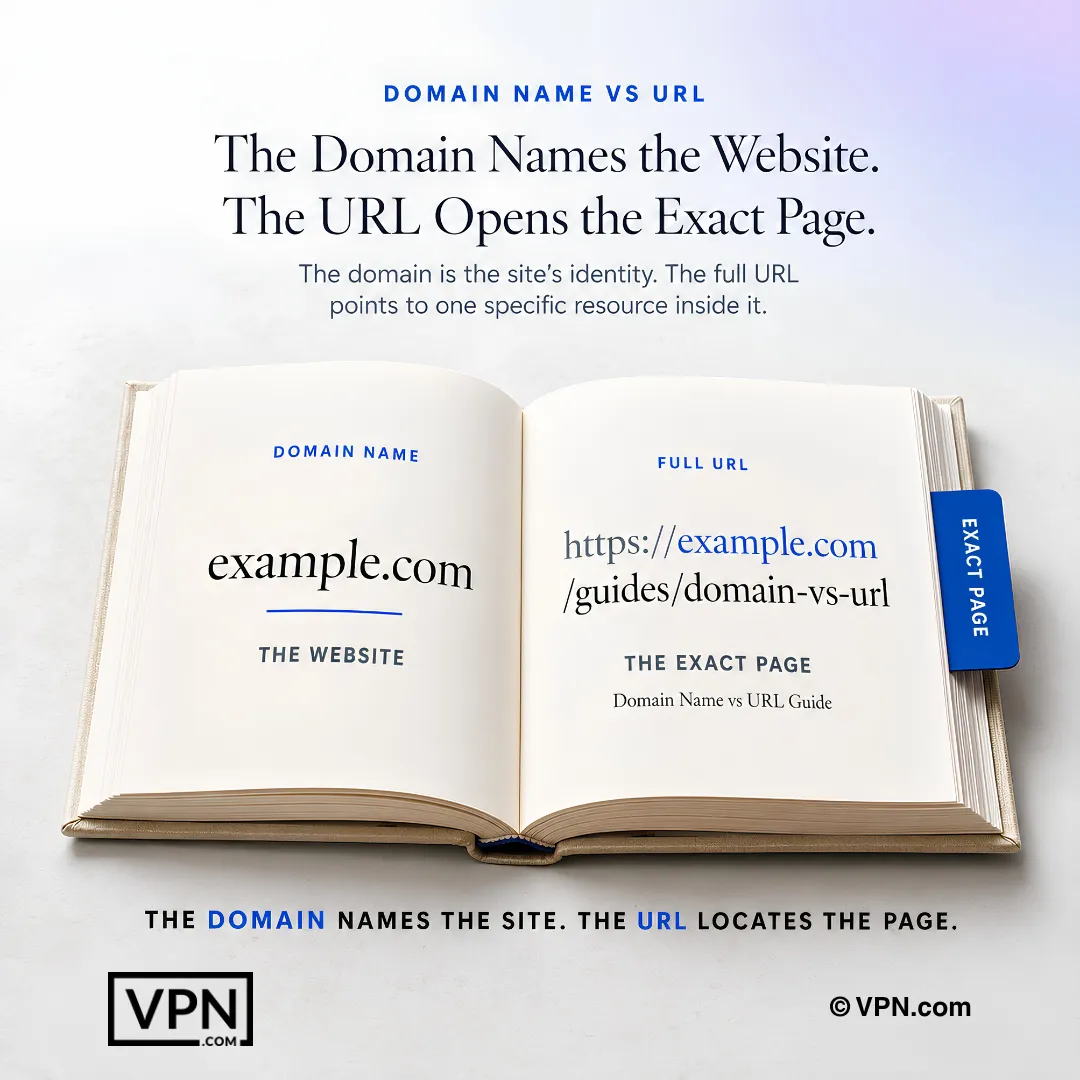
The domain identifies the website, while the complete URL directs users and browsers to a specific page inside it.
Explore domain brokerage
Buy Premium Domain: Expert Broker Service
Buy premium domain names through our broker service. We've advised on over $100M in portfolio and transactions with zero fees until closing. Start your confidential purchase today.
Confidential Domain Acquisition: Buy Domains Anonymously
Acquire premium domains without revealing your identity. VPN.com's confidential brokerage protects your leverage and keeps negotiations private.
Domain Valuation: How Much Is Your Domain Worth?
Get an accurate domain valuation from VPN.com. We assess comparable sales, traffic, brand potential, and market demand to price your domain correctly.
Sell Premium Domain Names for Maximum Value
Sell your premium domain with expert broker representation. We've advised on over $100M in portfolio and transactions and negotiate top prices with zero upfront fees.
.com vs .xyz: The Real Differences Every Brand Should Know
Not sure whether to choose .com vs .xyz for your brand? We cover trust SEO email deliverability and cost to help you make a clear decision right now.
Artificial Intelligence Domains: Buy AI Domains & Names
Explore artificial intelligence domains and AI-focused names. Learn pricing drivers, SEO and branding value, and how a broker helps you buy safely.
Frequently Asked Questions
What is the actual difference between a domain name and a URL?
A domain name is your site’s identity, like google.com, built from a second-level domain plus a top-level domain such as .com or .ai. A URL is the complete address, including protocol, path, query, and fragment, for example https://google.com/search?q=vpn. The domain sits inside the URL, but the URL adds the exact directions to a specific page or resource.
What are the three parts that make up a domain name?
A domain name breaks into a top-level domain (TLD) like .com or .org, a second-level domain (SLD) that’s the core name such as “google,” and an optional subdomain prefix like blog.example.com or shop.amazon.com. Together these three parts create a unique, human-readable label that replaces memorizing an IP address like 142.250.72.14.
What are all the components a full URL can contain?
A full URL can include six parts: protocol (https:// or ftp://), domain (example.com), an optional port (:443 for HTTPS), path (/blog/article), query (?id=25), and fragment (#comments). Most people only recognize domain and path, but query strings and fragments make URLs functional for analytics, campaign tracking, and jumping straight to a page section.
Can a URL exist without a registered domain name at all?
Yes. Data URIs embed content directly in the link, such as data:text/plain;base64,SGVsbG8sIHdvcmxkIQ==, which opens without touching a server. File URLs point to local resources, like file:///C:/Users/Amina/report.pdf, and IP-only or localhost addresses such as http://192.168.1.10:8080/status or http://localhost:3000/login work for dev and intranet testing, no domain required.
Is a domain name like example.com already a complete URL?
Not strictly. A bare domain like example.com is a label, not a full locator, since it lacks a protocol, path, or fragment. Prepending https:// turns it into a minimal but valid URL, such as https://example.com. In practice, domains sit inside nearly every URL, but the domain alone doesn’t tell a browser everything it needs to load a resource.
Why do some domain names sell for thousands or millions of dollars?
Premium and short domains command high prices because desirable names are scarce among the 368.4 million registered domains reported by the Domain Name Industry Brief, and demand for brandable, memorable names keeps rising. A professional domain valuation establishes fair market pricing before you buy, since guessing a number without one risks overpaying or losing a negotiation entirely.
What actually drives up the cost of getting the domain you want?
Cost climbs when the name you want is already registered, forcing negotiation with the current owner or a broker instead of a simple registrar purchase. Premium, short, or brandable names can run into the thousands or millions. A domain valuation before you spend helps confirm the asking price reflects real market value rather than an inflated seller estimate.
When does it make sense to use a domain broker instead of registering directly?
Use a broker when your ideal domain is already taken, which is common given the 368.4 million domains already registered. A broker negotiates acquisitions with current owners, handles pricing discussions, and manages secure transfers, tasks that are difficult to pull off alone. Getting a domain valuation first ensures you don’t overpay before the broker starts negotiating.
How does WHOIS privacy protect me when I register a domain?
WHOIS privacy hides your personal contact details, name, address, and email, from the public WHOIS database that lists every registered domain’s owner. Enabling it during registration prevents spam and reduces the chance of your identity being harvested for scams or unwanted solicitations. It’s listed as a core step alongside enabling SSL and setting up DNS records when securing a new domain.
What happens if I let my domain registration lapse?
An expired domain can be hijacked and resold to someone else, potentially knocking your website offline overnight. The fix is turning on auto-renew or setting calendar reminders and keeping billing details current. Registrar scams compound this risk: some send fake renewal notices, so always renew through a trusted, ICANN-accredited registrar rather than an unsolicited email link.
Do domains and URLs affect SEO in the same way?
No, they affect different signals. Domains influence brand recognition and some ranking factors, since search engines reward short, keyword-friendly names. URLs affect indexing, canonicalization, and parameter handling: a clean path like site.com/product/widgets reads as descriptive and keyword-friendly, while site.com/?p=123 lacks context and sends weaker SEO signals to search engines.
What security risks come from confusing a domain with a URL?
Confusing the two creates real exposure: attackers spoof similar-looking URLs to mimic trusted domains for phishing, and internationalized domain names can be rendered in punycode, like bücher.de becoming xn—bcher-kva.de, creating look-alike risks. Running HTTP instead of HTTPS compounds this, since browsers flag unencrypted sites as unsafe. Enforcing HTTPS with HSTS headers has been shown to eliminate browser warnings and lift trust.