Web Hosting
Web hosting: the right host changes everything.
Independent hosting comparisons, speed benchmarks, and migration guides for WordPress and beyond.
Web Hosting Guide
Bottom Line: Web hosting determines your site’s speed, uptime, and security posture — not just where files are stored. Shared hosting is fine for small sites, but any business handling sensitive data or meaningful traffic needs isolated resources, proactive security, and a host with a clear SLA. Never choose a host based on introductory pricing alone — renewal rates often triple.
Hosting controls how fast your site loads, how often it goes down, and how exposed your data is. Most people rush this decision based on price alone, then regret it when their site crawls during traffic spikes or they lose customers to security breaches.
This guide focuses on what actually matters when choosing where to host your site.
How We Evaluate Hosting Providers
Most hosting comparisons test speed and uptime. We add a dimension no one else publishes: server-level security posture.
Our WordPress hosting and enterprise hosting comparisons evaluate each provider using:
- Speed benchmarks cited from HostingStep (24/7 monitoring, 34 hosts) and WPBeginner (identical test sites, Pingdom + k6)
- Security header scans via SecurityHeaders.com (CSP, HSTS, X-Frame-Options, Referrer-Policy, Permissions-Policy)
- Compliance verification from provider trust pages (SOC 2, HIPAA, PCI-DSS)
- Pricing verified directly on provider websites
All sources are public and reproducible. We do not run our own speed tests. We scan security headers ourselves.
How Hosting Impacts Security and Privacy
Your host has root access to your website’s files, customer databases, and backend infrastructure. If their security protocols are weak, your business is at risk before you even launch. In low-end shared hosting environments, multiple websites share the same server with weak isolation protocols.
If one site on that server is compromised through an outdated plugin, malicious actors can often move laterally across the server, exposing your site even if your own code is perfectly secure. Furthermore, budget providers rarely prioritize proactive patch management, advanced Web Application Firewalls (WAF) or enterprise-grade DDoS mitigation.
A highly secure, managed hosting environment reduces these risks significantly. Premium hosts use isolated container technology, meaning your resources and data are strictly partitioned from those of other users. They provide proactive threat hunting, automated malware scanning, strict access controls and compliance with data privacy frameworks.
When evaluating a host, their security architecture should be your very first consideration, not an afterthought.
How Web Hosting Works?
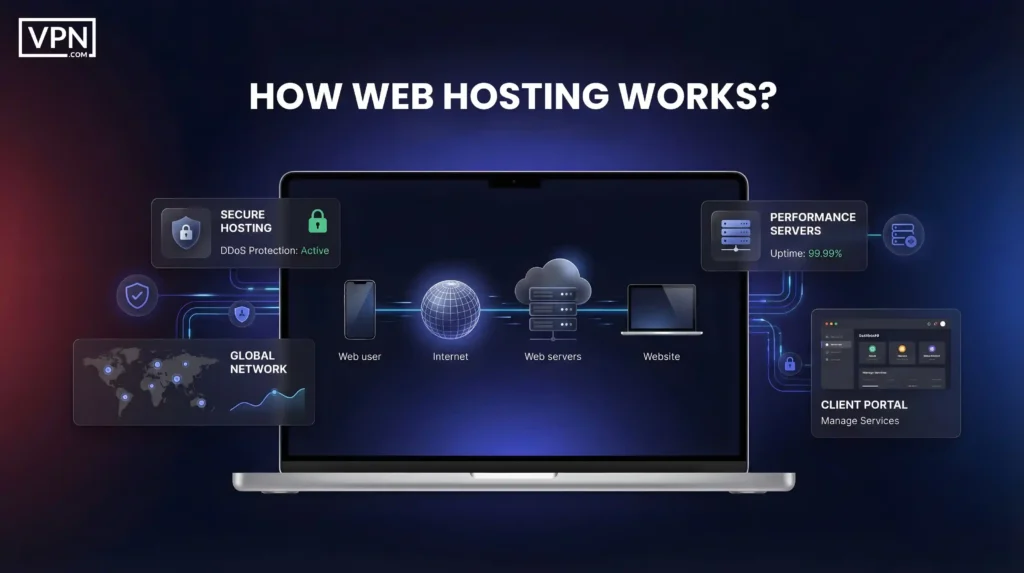
When a visitor enters your domain, DNS connects their browser to your server, which retrieves and delivers your files in seconds. The speed and reliability of that process are entirely determined by your hosting setup.
Types of Web Hosting
Comparing hosting types is the most important step in building your infrastructure. The table below breaks down every major hosting architecture so you can match the right tier to your business needs.
| Hosting Type | Best For | Pros | Cons |
|---|---|---|---|
| Shared Hosting | Beginners, personal blogs, small local sites | Cheapest option, fully managed setup, no technical skills needed | Performance degrades when neighbors spike; limited CPU, RAM, and storage |
| VPS Hosting | Growing sites, developers, mid-sized traffic | Dedicated resources, root access, isolated from neighbors | More expensive than shared, requires baseline server administration skills |
| Managed Dedicated | High-traffic sites, resource-heavy custom apps | Full server control, maximum isolated resources, highest raw performance | Most expensive traditional option, requires expertise or managed support |
| Managed Cloud | Sites with fluctuating traffic and scaling needs | Auto-scales instantly, multi-region redundancy, handles traffic spikes | Usage-based pricing can be unpredictable, more complex initial setup |
| Managed WordPress | WordPress businesses and agencies | WordPress-optimized servers, automatic updates, expert WP support | Locked into the WordPress ecosystem, costs more than generic shared |
| Managed WooCommerce | E-commerce stores processing payments | Optimized for dynamic cart loads, PCI-ready security, built-in caching | Higher baseline cost than standard WordPress hosting |
| Enterprise WordPress | Corporate publishers, 100K+ monthly visitors | Dedicated resources, SLA-backed uptime, compliance certifications | Very expensive, overkill for sites under 50K monthly visitors |
What to Look For in a Hosting Provider?
Every provider promises speed and 99.9% uptime. Reality varies wildly. Here’s what matters.
- Speed and Performance: SSD or NVMe storage, servers near your audience, caching and CDN compatibility. Speed affects rankings and user experience.
- Uptime Reliability: Demand 99.9% uptime or higher. Check the SLA. Look for independent uptime monitoring data, since providers often oversell.
- Security Features: SSL certificates, Web Application Firewalls, malware scanning, DDoS protection, daily backups and automatic updates. Reputable hosts list security clearly.
- Support Quality: 24/7 availability on phone, chat and email with real response times. Knowledgeable support, not just scripts. Providers like WP Engine and Kinsta set the standard for managed WordPress support quality.
- Ease of Use: Good control panels, one-click installs, staging environments and simple file management.
- Scalability: Can you upgrade plans without switching providers? Clarify what happens at the limits, during throttling, with overages or during auto-scaling?
- Pricing Clarity: Watch renewal rate increases. Verify there are no hidden costs for SSL, backups or email. Annual is cheaper than monthly.
How to Choose the Right Hosting in 5 Steps?
Step 1: Define Your Website Type + Traffic Expectations
Are you running a static blog, a dynamic e-commerce store or a high-traffic media site? Dynamic sites (like WooCommerce) require significantly more CPU and RAM than static blogs. Determine how many visitors you realistically expect each month and look for hosts that allow you to easily upgrade resources as you grow.
Step 2: Choose Your Hosting Type
Match your technical requirements to the correct infrastructure. If you are a beginner, look at Shared or Managed WordPress. If you have custom applications, consider a VPS or Dedicated plan. If your traffic fluctuates wildly, Cloud hosting is the ideal choice.
Step 3: Pick Your Server Region
Data gravity matters. The physical distance between the server and the user introduces latency. If your audience is strictly in the US, choose US-based servers. If they are in Europe, select a European data center. If your audience is global, you must ensure the host integrates flawlessly with an enterprise CDN (Content Delivery Network).
Step 4: Check Essential Features
Check that any provider includes SSD or NVMe storage, a 99.9% uptime SLA, free SSL, daily backups and 24/7 support as non-negotiable baseline requirements.
Step 5: Compare Total Cost of Ownership
Check renewal pricing carefully, because a plan advertised at a $4.99/month intro rate often jumps to $15.99 at renewal. Factor in all necessary add-ons (such as paid backups or premium security features) and compare the total monthly cost to the annual cost before signing a multi-year contract.
Common Hosting Mistakes to Avoid
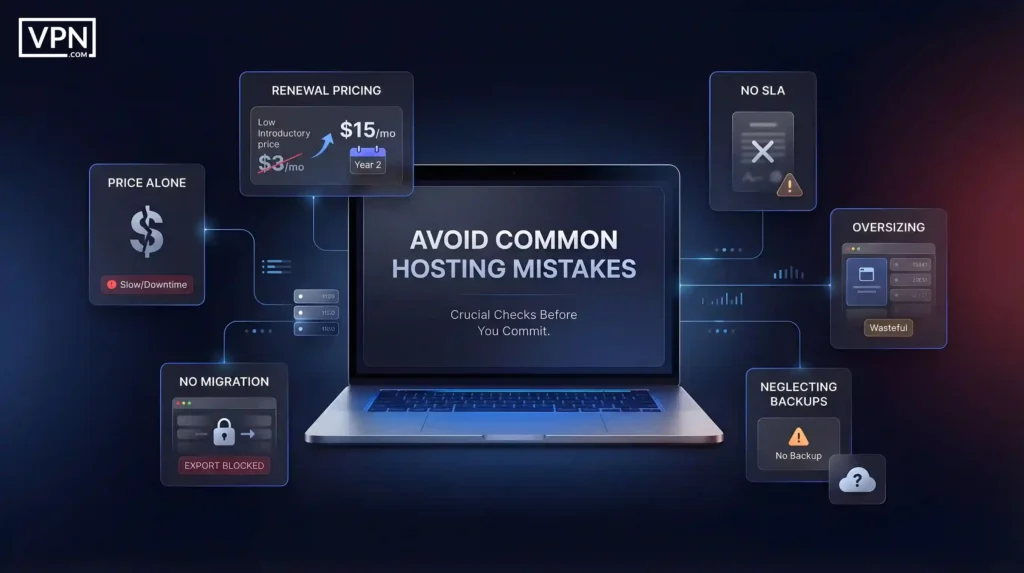
The most common hosting mistake is choosing based on price alone and ignoring renewal rates, which often jump 3–4x after the first year. Always verify the SLA before signing up to ensure you have financial recourse in the event of major downtime.
Frequently Asked Questions
What is web hosting?
Web hosting is a service that allocates space on a physical or virtual server to store your website’s files, databases and code. When you purchase hosting, you are essentially renting space and computing power on the internet so that when a user types your domain name into their browser, the server can deliver your website to them.
Which hosting is best for beginners?
Shared hosting is generally the best starting point for beginners. It is affordable, easy to set up, and the hosting provider handles server maintenance, patching, and security. Look for a plan that includes a control panel, one-click WordPress installation, and 24/7 support. You can upgrade to a VPS or cloud environment as your traffic grows.
What is managed WordPress hosting?
Managed WordPress hosting is a specialized environment optimized for the WordPress CMS. The host handles automatic core updates, WordPress-specific security rules, daily backups, and server-level caching. It costs more than shared hosting, but removes the technical burden of server administration. See our fastest WordPress hosting comparison for benchmarks.
Does hosting affect SEO?
Yes. Hosting directly affects your website’s loading speed, server response time (Time to First Byte), and uptime. Google uses page speed as a ranking factor through Core Web Vitals. A slow host or one with frequent downtime will hurt search rankings, crawl rates, and user experience.
Can I host multiple websites on one plan?
Most mid-tier and premium hosting plans allow multiple websites (add-on domains) on a single account. Read the terms carefully. Budget shared plans often limit you to a single domain. If you host multiple sites on one plan, they all share the same pool of CPU, RAM, and bandwidth.
The Bottom Line
Web hosting is not merely a technical prerequisite for launching a website; it is a vital business investment that determines your website’s speed, stability, security and growth potential. The wrong hosting provider creates constant friction, resulting in lost sales, poor SEO performance and security vulnerabilities.
The right provider works invisibly in the background, giving your website the stable, high-performance foundation it needs to thrive. At VPN.com, we believe that breaking down hosting infrastructure through the lens of security and performance helps business owners make better, safer decisions.
Whether you are launching a simple blog on shared hosting, migrating a store to a managed WooCommerce plan, or scaling a custom app on a dedicated server, getting your infrastructure right is the first step to digital success. Take the time to assess your true resource needs, prioritize security and choose a provider that can grow alongside you.
Web Hosting: FAQs
What is the difference between shared and VPS hosting?
What is managed hosting?
Which hosting type is best for WordPress?
Does hosting affect SEO?
Can I host multiple websites on one hosting plan?
Latest Hosting Guides
Fastest WordPress Hosting: 2026 Speed Tests & Security Audit
We compared 6 WordPress hosts on speed (HostingStep + WPBeginner) and security (header scans). See who's fast and secure.
Managed Cloud Providers: Services & Support Options
Compare AWS, Azure, Google Cloud, Rackspace, and Cloudflare managed services. Pricing models, compliance coverage, and how to pick the right provider.
Enterprise WordPress Hosting: 5 Providers Compared
Enterprise WordPress hosting for 100K+ visitor sites. We compare Kinsta, WP Engine, WordPress VIP, Pressidium, and Convesio on compliance, speed, and pricing.
Find the right host.
Managed WordPress hosting removes the maintenance burden and gives your site the performance foundation it needs to rank and convert.
Compare managed WordPress hosts