Cybersecurity
Learn how cybersecurity works, common threats like phishing and ransomware, and simple steps to stay safe. Use the checklist protect yourself now.
Cybersecurity is the practice of protecting your devices, networks and data against digital attacks, theft and damage. It’s not just an IT problem. It’s a business survival issue that impacts your money, reputation and ability to operate.
Most people think cybersecurity only matters if you work with classified government information or run a Fortune 500 company. Not true. Hackers actively target individuals and small businesses because they assume these targets have fewer defenses.
The good news? You don’t need a computer science degree. You just need to understand what you’re dealing with and what defenses actually work.
How Cyberattacks Usually Happen?
Most cyberattacks follow a predictable pattern. Understanding this pattern helps you identify your weakest points and where simple defenses have the most impact.
The Attack Chain
| Stage | What Happens | Timeline |
| Reconnaissance | Hackers profile you via your website, LinkedIn and exposed systems | Days to weeks |
| Entry | They get in through phishing, unpatched software or stolen credentials | Seconds to minutes |
| Access Expansion | They escalate privileges, plant backdoors and move silently through your network | Weeks to months |
| Impact | Ransomware, stolen data, crippled ops damage is done before you notice | Variable |
Most Common Entry Points
- Weak or reused passwords: Using “Company2024” or the same password across multiple sites leaves your front door unlocked. Stolen credentials are routinely sold on dark web marketplaces, making password reuse even more dangerous.
- Phishing emails: Attackers trick individuals into providing credentials or installing malware. Modern phishing is highly persuasive and targeted, often impersonating your bank, boss, or IT vendor. Visit our phishing attacks guide for detailed defense strategies.
- Unpatched software: That update notification you’ve been ignoring? Attackers already have automated tools scanning for that exact vulnerability.
- Misconfigurations: Cloud storage exposed to the public, admin panels accessible over the internet or unchanged default passwords are easy entry points. Public Wi-Fi networks add another layer of risk, as attackers on the same network can intercept unencrypted traffic in real time.
Why Attackers Target People, Not Just Technology?
Here’s the unpleasant truth: your employees often become the weakest link. Not because they are careless but because humans are predictable and exploitable in ways technology is not.
Social engineering is devastatingly effective. Attackers don’t need to crack 256-bit encryption when they can send an email appearing to be from your CEO requesting an urgent wire transfer. Online scams like these exploit trust, urgency and authority more effectively than any technical vulnerability.
The CIA Triad: Core Goals of Cybersecurity
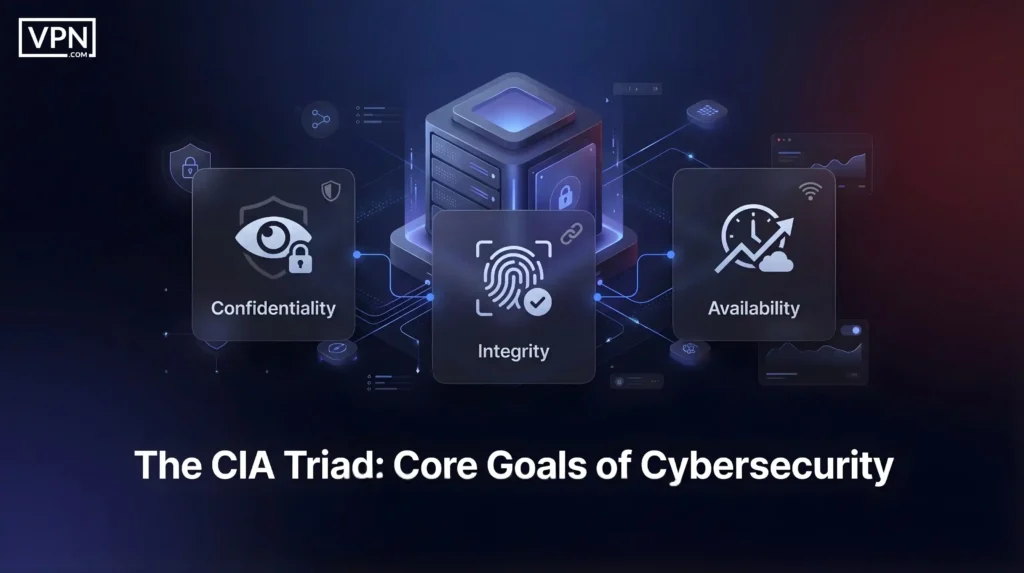
Cybersecurity reduces to three fundamental objectives, known as the CIA triad (unrelated to intelligence agencies):
| Goal | Definition | Attack Example | Impact |
| Confidentiality | Sensitive data accessible only to authorized people | Data theft, credential leaks, compromised customer info | Fines, lost trust, competitive damage |
| Integrity | Information stays accurate and unaltered | Modified records, rerouted emails, malware-infected software | Silent fraud, corrupted systems |
| Availability | Systems and data accessible when needed | Ransomware, DDoS, service disruption | Revenue loss, operational shutdown |
Most businesses prioritize availability above all else. A breach you can eventually recover from is manageable; being offline for days is catastrophic.
Biggest Cyber Threats Today
- DDoS and Service Outages: Attackers use botnets to flood your servers with traffic, causing them to crash. Your website, email and business applications become inaccessible. The economic cost is direct: e-commerce sites lose money every minute offline, SaaS providers violate SLAs and customer confidence erodes with each hour of downtime.
- Supply Chain Attacks: You have secured your own systems, but what about your vendors? Attackers compromise software updates, managed service providers or cloud platforms you trust. The SolarWinds attack compromised a software update used by 18,000 clients, including government agencies and Fortune 500 companies. Victims did nothing wrong; they just trusted their vendor.
- AI-Powered Attacks: AI has turned every attacker into an expert at phishing emails that now reference your recent activity, deepfakes impersonate your CEO’s voice and automated tools scan millions of systems for weaknesses in real-time. What once required sophisticated skills is now a cheap, off-the-shelf toolkit on criminal forums.
Types of Cybersecurity
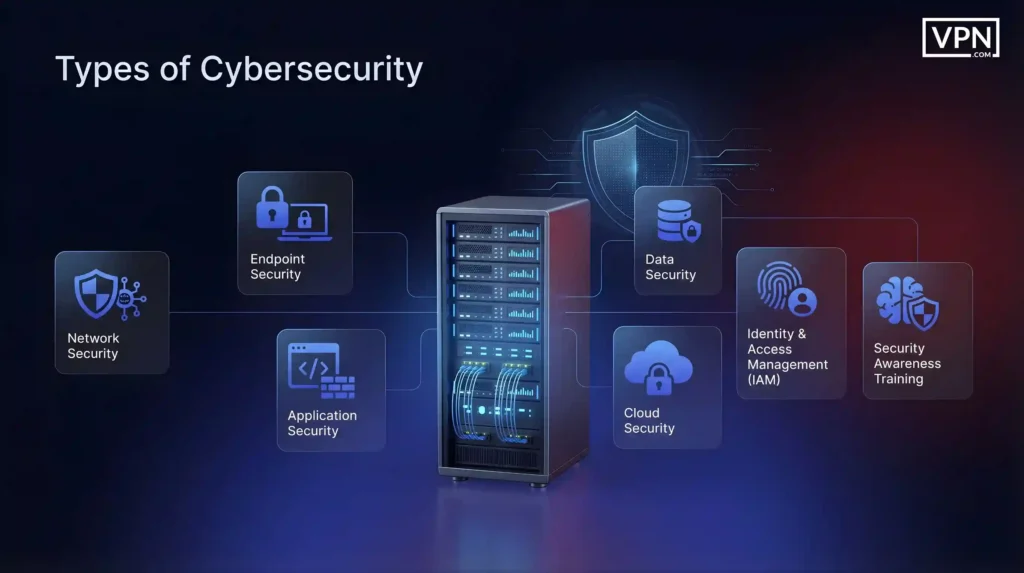
Cybersecurity encompasses multiple specialized disciplines:
| Discipline | What It Protects | Key Technologies |
| Network Security | Routes your data travels | Firewalls, VPNs, intrusion detection systems, network segmentation |
| Endpoint Security | Devices accessing your network, laptops, phones, servers | Antivirus, device encryption, patching, mobile device management |
| Application Security | Software you develop or use like websites, apps, APIs | Secure coding, vulnerability testing, defenses against injection attacks |
| Cloud Security | Risks unique to cloud environments | Access controls, encryption, shared responsibility model compliance |
| Data Security | Information itself, regardless of location or transit | Data classification, encryption, data loss prevention |
| Identity & Access Management (IAM) | Who can access what | Authentication, MFA, role-based access, least privilege principle |
| Security Awareness Training | Human behavior and decision-making | Phishing recognition, authentication protocols, incident reporting |
These disciplines don’t operate in isolation. A zero trust security model ties many of them together by treating every access request as untrusted by default, regardless of where it originates.
Cybersecurity vs Information Security vs IT Security
These terms are often used interchangeably, but understanding the differences is useful when hiring, buying tools, or developing policies.
| Term | What It Covers | Focus Area | Example Responsibilities |
| Cybersecurity | Protection against digital threats and attacks | Threat-based defense in connected environments | Stopping hackers, detecting breaches, responding to ransomware |
| Information Security (InfoSec) | Protection of all information assets, regardless of format | Data protection across all states and media | Confidential documents, encryption, compliance |
| IT Security | Protection of technology infrastructure and systems | Infrastructure and operational security | Server security, user access, patch management, firewalls |
Cybersecurity for Individuals: Essential Controls
You don’t need corporate-level tools to protect yourself. Most attacks on individuals result from simple errors avoidable through basic habits.
- Multi-Factor Authentication (MFA): Enable MFA on all accounts that support it, especially email, banking, social media and payment services. Prefer authenticator apps (Google Authenticator, Microsoft Authenticator, Authy) over SMS, which attackers can intercept via SIM-swapping. MFA prevents an overwhelming majority of account takeovers, even if your password is compromised. Without it, a single leaked password is often enough to enable identity theft.
- Software Updates: Enable automatic updates on your phone, computer, browser and applications. Security patches fix vulnerabilities that attackers actively exploit. Known weaknesses are exposed because most people delay updating. Updates occasionally cause issues, but the risk of not updating always outweighs minor inconvenience.
- Password Manager: Your brain cannot generate and retain 80+ unique passwords. Use a reliable password manager and let it generate random passwords. This eliminates password reuse. If Adobe, LinkedIn or another company is breached, stolen credentials won’t work elsewhere.
What to Do If You’ve Been Hacked
If you believe your account or device has been compromised, change passwords immediately on a separate device, reset MFA and contact your bank if financial accounts are involved. Check your email for unauthorized password reset requests, as email is the pivot point for accessing other services.
Cybersecurity: FAQs
The Bottom Line
Cybersecurity isn’t about perfect protection. It’s about systematically reducing risk until you’re no longer the easiest target. When you think about everything you haven’t done, cybersecurity becomes overwhelming. When you focus on the right priorities, it becomes manageable.
Attackers search for easy targets. Any fundamental control you implement removes you from that pool. You don’t need to be impenetrable, just more secure than thousands of targets who haven’t done the basics.
The threat landscape will continue evolving. New attacks will emerge. But the fundamentals remain constant: secure access, maintain visibility, contain harm and recover quickly. Master those and you’ll be positioned to adapt as threats change.