Privacy Warning WiFi: Causes, Risks & Easy Fixes Explained
Seeing a privacy warning WiFi on your phone or tablet? We clearly explain the meaning, causes, risks & best fixes. Encrypt your connection now with NordVPN!
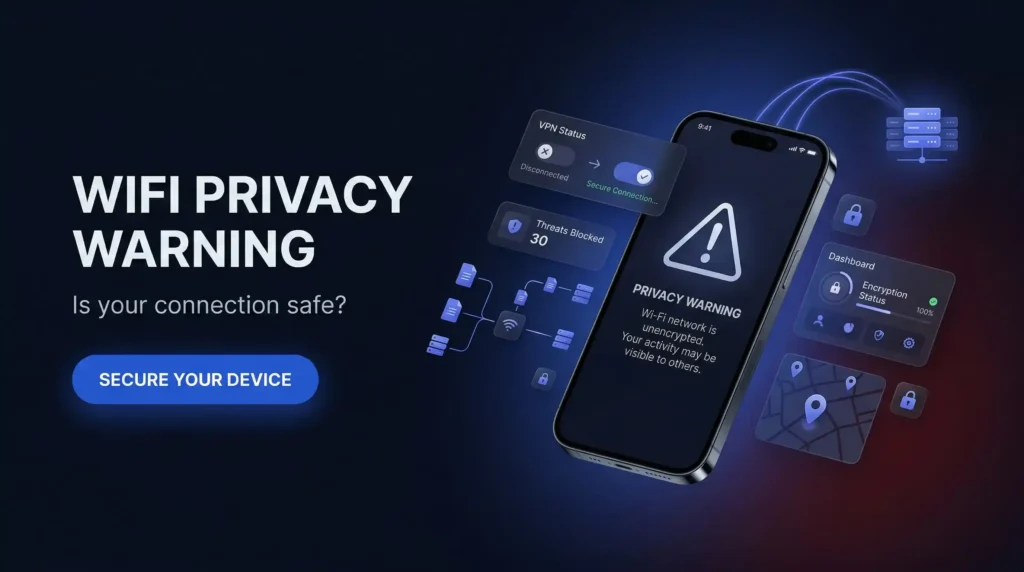
Wi-Fi has turned out to be an important aspect of our lives. At home, work, school or even in the places of popular culture, such as cafes or airports, we use it. But occasionally, a privacy warning on wifi appears on your phone or tablet when you get connected to a network. What is implied by this privacy warning, WiFi meaning? Is it bad? How do you fix it?
It is all about the wifi privacy warning in an easy-to-understand language. You will know what they are, why they occur and how to be safe over the internet. We will also discuss the application of other tools such as NordVPN, which is an excellent VPN to keep your data safe.
What Does Privacy Warning Mean on WiFi?
A WiFi alert is a privacy warning WiFi message that will be displayed on your device when a network is unsafe. You may view it in Wi-Fi under settings in case you have an iPad or an iPhone. It might display the warning brand of Privacy or Weak Security.
This occurs when the network is faulty in a way that could enable one to trace you or even steal your information. As an example, an iPhone WiFi privacy warning could appear should the network be able to detect the unique identifier of your device or should it be using outdated security. You hear your machine telling you to be careful.
The WiFi privacy warning is nothing more than an indication that there is a threat to your privacy. It does not imply that one has hacked you. It only implies that the network is not as secure as it can be. These warnings began to appear more frequently in iOS 14 and thereafter, since Apple introduced features to help better defend against these warnings. This is what makes the iOS WiFi privacy warning such a common sight for Apple users today.
iPhone privacy warnings are useful alerts but they do not protect you on their own. NordVPN adds the encryption layer your device is asking for, keeping your data private on any WiFi network. Start your NordVPN plan today and give your device the protection it is warning you it needs.
Now 68% off.
 Nordvpn
Why is There a Privacy Warning on My WiFi?
You can ask yourself, ” Why has my WiFi said privacy warning?” This occurs because there are a few reasons. Let’s break them down.
Your Device’s ID Isn’t Hidden
Each device has a special address which is known as the MAC address. It is similar to a phone or laptop name tag. When this ID can be seen by the network, it can be traced. The feature of Apple Private Wi-Fi Address conceals it.
However, when this option is switched off, you will now get a privacy warning WiFi notification. This is typical of iPhones and one may wonder why my iPhone’s WiFi privacy warning is showing.
Old Network Security
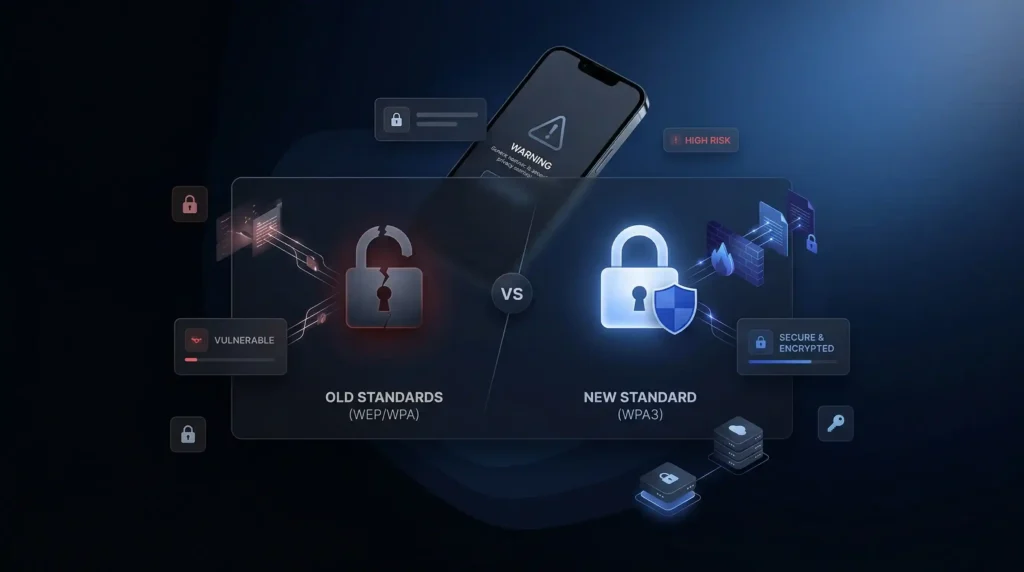
Wi-Fi networks employ types of security such as WEP, WPA, WPA2 or WPA3. Older ones, WEP and WPA, are not safe anymore. They are easy to break by hackers. Your device may display a privacy warning WiFi iPhone alert stating that it has weak security, in case your network uses these.
Blocked Private DNS
Once you go to a site, your computer contacts a DNS server to identify it. Unless this conversation is confidential, anyone will be able to know which sites you are visiting. Other networks are blocking private DNS and this sends an iPhone WiFi privacy warning. The other cause of a privacy warning WiFi iPhone message might be due to this reason.
Public Wi-Fi Problems
There is a lack of security in public Wi-Fi in areas such as coffee shops. One can easily become a member and hackers can monitor your activities. This causes an iPad WiFi privacy alert or other such warnings since your information is not secure.
Router Trouble
The appearance of a privacy warning on a WiFi iPhone may also happen because of an old router or improper setup. To take an example, concealment of the network name (SSID) causes your device to scream to locate it. That is not confidential and may result in a warning.
Is Privacy Warning on WiFi Bad?
Is there, therefore, a problem with the WiFi privacy alarm? It depends. At home, Wi-Fi, it is frequently as little as an indication that something is to be updated. However, when using Wi-Fi in public, it is more dangerous.
Hackers may trick you into stealing your data using tricks such as hotspots or man-in-the-middle attacks. A WiFi alert that warns of privacy implies that you need to be cautious, particularly when doing something crucial such as banking.
Common Risks of Unsecured Wi-Fi
Wi-Fi that is not secured could bring on trouble. Here are some risks.
- Man-in-the-Middle Attacks: It is somebody who is getting between you and the network to spy on you.
- Fake Hotspots: The hackers create Wi-Fi that appears to be genuine, but robs you of your information.
- Packet Sniffing: They steal your information passing through the network.
- Malware: Dangerous programs may find their way to your computer via the Wi-Fi.
These are some of the risks that make having a privacy warning WiFi a worthwhile issue. Not paying attention to it might endanger your information.
How to Get Rid of Privacy Warning on WiFi?
A question that arises is how to resolve the privacy warning on WiFi? These are the simple measures of getting rid of it.
Turn On Private Wi-Fi Address
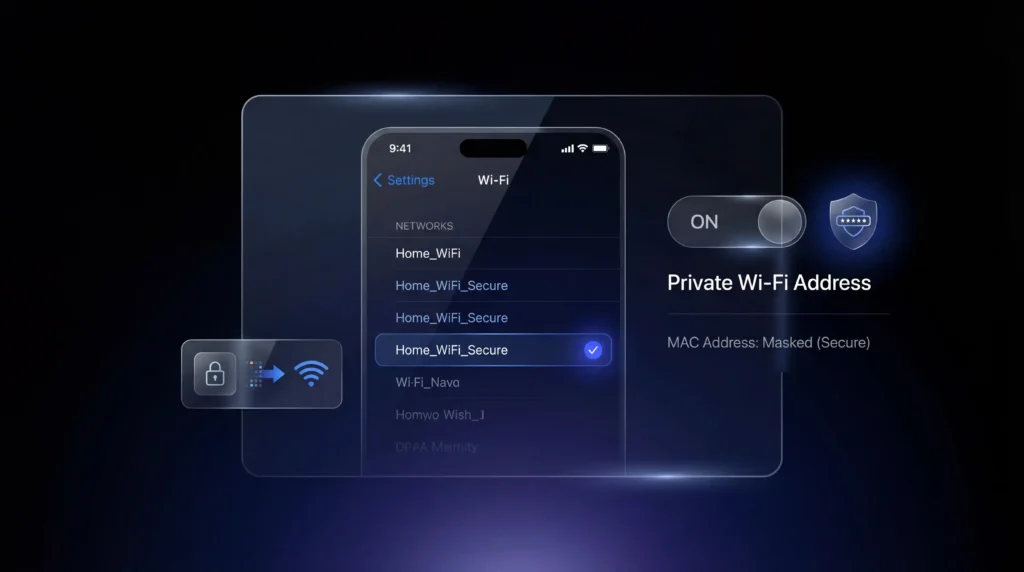
In an iPhone or iPad, navigate to Settings. Tap Wi-Fi. Identify the network and touch the i beside it. Turn on Private Wi-Fi Address. This hides your MAC address. It is a fast solution to a privacy warning WiFi iPhone issue. In case it still appears, continue reading.
Update Your Router
Log in to your router. This is normally done by typing in a browser 192.168.1.1. Check the Wi-Fi settings. Ensure that it is WPA2 or WPA3 as opposed to WEP or WPA. In addition, change the software of the router on the website of the manufacturer. This tends to halt an iPhone WiFi privacy warning.
Set Up Private DNS
You can also edit your router settings and change the DNS to a secure one. Use Google DNS (8.8.8.8 and 8.8.4.4) or Cloudflare DNS (1.1.1.1 and 1.0.0.1). You should enable your router to use DNS over HTTPS or TLS. This is what attaches a privacy alert on WiFi by ensuring that your internet browsing is confidential.
Use a VPN
A VPN conceals everything that you do online. It’s perfect for public Wi-Fi. Install a decent VPN such as NordVPN, ExpressVPN, Surfshark or CyberGhost. The reason NordVPN is a good VPN is that it is secure and at the same time your information is encrypted. Attach to it then connect to a network. This will prevent a privacy warning WiFi notification and save you.
Avoid Risky Stuff on Public Wi-Fi
Never access bank accounts or email with a free Wi-Fi without using a VPN. Use your phone’s data instead. This reduces the risk of issues despite getting an iPhone privacy warning on WiFi.
Update Your Device
Make sure that your phone or tablet is up-to-date. On an iPhone, go to Settings. Tap General. Then tap Software Update. Security bugs are corrected by the updates and may lead to a privacy warning WiFi iPad notification.
Forget and Rejoin the Network
Go to Settings. Tap Wi-Fi. Tap the “i” next to your network. Choose Forget This Network. Reconnect again and switch on the Private Wi-Fi Address. This has the ability to clear an iOS WiFi privacy warning notification
Show Your Network Name
In case your router conceals the name of the network, log in and enable SSID broadcast. This prevents the shout of the name on your device, which will prompt a privacy warning on home WiFi.
Get a New Router
Your router may be outdated and may not support WPA3 or private DNS. Get a new one of the brands such as Netgear or TP-Link. This will be the ultimate solution to the privacy alert WiFi issue.
How to Turn Off Privacy Warning on WiFi?
A privacy warning on WiFi can really not be turned off. It is installed in phones such as iPhones to keep you safe. But you can get it out of the way by correcting the situation. The above steps can be used to conceal your MAC address, upgrade security or use a VPN such as Total VPN, which is a great VPN to do so.
Why Does My WiFi Say Privacy Warning on iPhone?
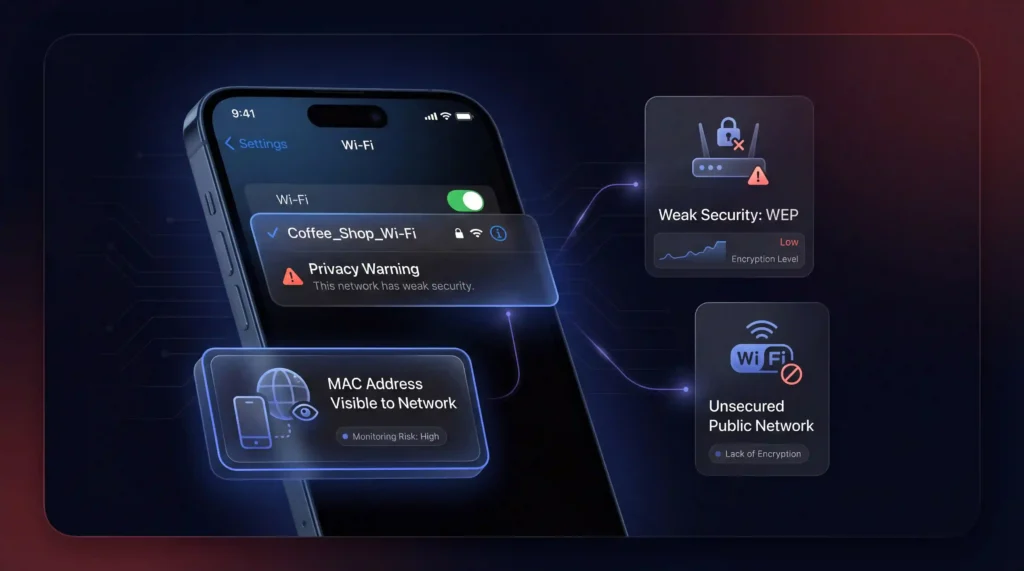
In case you have been presented with a privacy warning when using Wi-Fi on your iPhone. It implies that there is a risk to the network. It might be the case of a security that is old or even that your device has no encryption or even that the ID of your device is visible in the network.
One should know that such warnings do not always indicate that someone has already been able to hack your device but they make you be careful.
How to Fix Privacy Warning on iPhone?
In order to resolve the iPhone WiFi privacy warning, simply follow these steps:
- Enable Private Wi-Fi Address: Access the Settings Wi-Fi and tap on the “i” next to your network and turn on the Private Wi-Fi Address. This will obscure your MAC address, lessening the chances of tracking.
- Update Router Security: Log in to the settings of your router and ensure that you have WPA2 or WPA3. In the case of an outdated WEP security configuration, upgrade it.
- Use a VPN: To keep your information even more secure, a VPN such as Total VPN would help. A VPN helps in securing your internet traffic, hence bypassing the risk of identity theft, particularly in open Wi-Fi networks.
How to Get Rid of the Privacy Warning on WiFi iPhone?
To remove the Privacy warning on your iPhone is as easy as follows:
- Turn on Private Wi-Fi Address to hide your device’s MAC address.
- Update Your Router’s Security to WPA2 or WPA3, ensuring stronger encryption.
- Use a VPN like Total VPN to shield your data from prying eyes.
Why Does My iPhone WiFi Say Privacy Warning?
Your iPhone may display a warning about your privacy for a couple of reasons:
- MAC Address Visibility: When the MAC address of your iPhone is visible to the network, it can be used to monitor you.
- Weak Network Security: When the Wi-Fi network is configured with an old security, such as WEP, then the privacy warning will be raised and that is because the network is prone to attacks.
- Public Wi-Fi: Public networks, such as those in a cafe or an airport, are usually the cause of a privacy warning due to their lack of encryption.
Common Myths About WiFi Privacy Warnings
Let’s clear up some confusion.
- Myth: A privacy warning means I’m hacked.
Truth: It’s just a risk alert, not a breach. - Myth: It only happens on public Wi-Fi.
Truth: Privacy warning on home wifi can trigger it too if the settings are old. - Myth: It’s fine to ignore it.
Truth: On public Wi-Fi, that’s risky.
Knowing this helps you handle a WiFi privacy warning better.
Extra Tips for Staying Safe
Here are more ways to boost your privacy.
- Use HTTPS Sites: Look for the padlock in your browser. It keeps your data safe.
- Turn Off Auto-Join: Stop your device from joining random Wi-Fi. Go to Settings and Wi-Fi to fix this.
- Watch Your Network: Tools like Wireshark can spot weird activity.
- Make Strong Passwords: Use a tough Wi-Fi password with letters, numbers and symbols.
These tricks go beyond fixing a WiFi privacy warning. Want total privacy? NordVPN encrypts your connection instantly with one click, on any network, and is fully secure.
Now 68% off.
Nordvpn
Some Debates About Warnings
Not all people like such alerts. There are some people who claim that Apple’s privacy warnings about WiFi messages are too choosy to the extent that they appear on secure networks. There is a fear among others that free VPNs may follow you rather than assist you.
Nothing shows that ISPs are the reason to give warnings, but it is a good idea to utilize trusted software, such as Total VPN, a good VPN.
Privacy Warning WiFi: FAQs
The Bottom Line
Wifi privacy warning messages on your device are a heads-up message. They identify such risks as tracking or low security. You can rectify them through concealing your gadget ID, updating the router or using a VPN.
Total VPN is a suitable VPN to purchase for those interested in cheaper security. Whether it is an iPhone privacy warning on wifi or an iPad WiFi privacy warning, you cannot afford to ignore it when on a public network. Keep secure and Wireless LAN without concern.
Resources
- Apple – Official Wi-Fi privacy warning explanation & device security
https://support.apple.com - Cybersecurity and Infrastructure Security Agency – Public Wi-Fi risks & safety guidelines
https://www.cisa.gov - Federal Trade Commission – Identity theft & online privacy tips
https://consumer.ftc.gov - Cloudflare – Secure DNS (1.1.1.1) for private browsing
https://www.cloudflare.com - NordVPN – Secure VPN for encrypting public Wi-Fi traffic
https://nordvpn.com - TP-Link – Router security setup & firmware updates
https://www.tp-link.com