

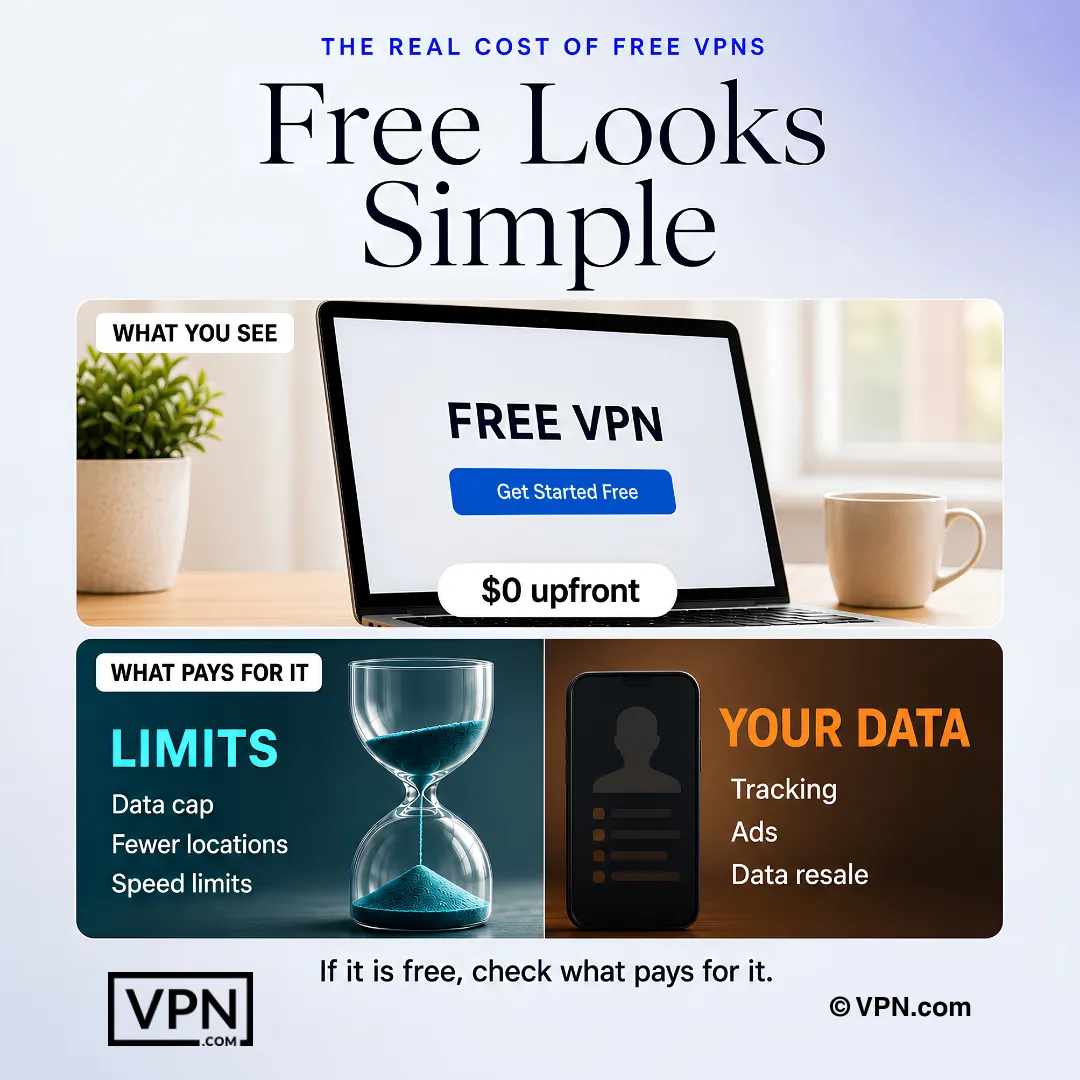
You want to secure your privacy online without spending money yet. That is a reasonable place to start, and a few free VPNs are worth using. Most are not: they fund themselves by logging and selling your browsing data, the behavior they claim to prevent.
This guide names the free VPNs worth using, what each one limits, and how to tell a trustworthy free plan from an ad-funded one.
What the FBI says about paying for a VPN
“Consider paying for a VPN service. Many VPN apps are free to you because they make money by sharing your information with third parties.”
FBI Portland Field Office, October 29, 2019[1]
The FBI publishes criteria and does not endorse any provider. Its warning is the reason this page ranks free plans by who funds them.
The five free VPNs worth using
| VPN | Free data | Devices | Why it made the list |
|---|---|---|---|
| Proton VPN | Unlimited | 1 | Unlimited free data, no ads, Swiss-based, says its no-logs policy is audited |
| Windscribe | 10 GB a month | Unlimited | Unlimited devices and a built-in ad blocker |
| Hide.me | 10 GB a month | 1 | Five free locations; says its no-logs policy is audited |
| TunnelBear | 2 GB a month | Limited | The easiest to start with, and has published Cure53 security audits since 2016 |
| PrivadoVPN | 10 GB a month | Limited | Run by an Icelandic company, and slows down instead of cutting you off after the cap |
The Business Model Behind Free VPNs
Most VPN review sites rank options and move on. We think it is worth understanding what actually happens behind the scenes with free VPNs. Once you see the business model, everything else makes sense.
Free VPNs Have to Make Money Somehow
Running a VPN costs real money. Servers, bandwidth, maintenance, and staff require ongoing funding. When a VPN is completely free with no paid version, the obvious question is: how does the company generate revenue?
The most common methods include in-app advertising, selling anonymized browsing data to advertisers, using your bandwidth for other customers, or aggressively upselling a premium plan. None of these are automatic dealbreakers, but you should understand the model before you install anything.
Many Free VPNs Collect and Sell User Data
This is the critical issue. A 2020 study found that many free VPN applications, especially on Android, had privacy policies that explicitly authorized selling user data to third parties. Others lacked a privacy policy entirely, which is arguably worse.
The irony is hard to ignore: you installed a VPN to stop tracking, and the VPN itself is tracking you.
Some Free VPN Apps Contain Trackers or Malware
Independent security researchers have found embedded ad trackers in free VPN apps on official app stores. In isolated cases, they discovered actual malware. App store review processes are imperfect, and bad actors know that “free VPN” is a search term millions of people use daily.
Always choose VPNs from known companies with verifiable track records and independent audits. If you have never heard of the developer and cannot find documentation about the company online, treat that as a warning.
Limited Bandwidth and Speed Are Standard
Even the trustworthy free VPNs impose restrictions. Data caps between 500 MB and 10 GB per month are standard. Server options are minimal, meaning more users share fewer servers. That math translates directly to slower speeds. Most free plans cannot support HD streaming or torrenting.
Think of it as the express lane at a grocery store. Fewer registers are open, the line moves slower, and you can only bring a limited number of items.
Why Trustworthy Free VPNs Are Limited Versions of Paid Services
The free VPNs we actually trust follow a consistent pattern: they are reduced versions of existing premium services. Companies like Proton, Windscribe, and hide.me offer free tiers so users can test their products. Because they generate revenue from paying subscribers, they have no need to sell your data.
That model genuinely works in your favor. Go in with realistic expectations. You get a taste, not the full meal. But at least it is honest.
Unlike most free VPNs, NordVPN says its no-logs policy has been independently audited. Try NordVPN today and get real privacy without the hidden cost.
The five picks reviewed
We read each free VPN’s privacy policy and checked its data limits, server locations and device support. Here is what we found.
Proton VPN: Best Overall Free VPN

ProtonVPN
Best Overall
85 out of 100, built from two weighted parts
App store ratings, part of the score
4.614.70
Researched Oct 3, 2026Claims checked: 23Independent sources: 3Scores updated Oct 22, 2026
When someone asks us to name one free VPN to install, we recommend Proton VPN most often. It is the only reputable free VPN with unlimited data, no throttling, no ads, and no data selling. That combination is extremely rare.
Why It Stands Out
Most free VPNs use data caps to pressure you into upgrading. Proton does not need that tactic. Millions of paying subscribers fund the operation. The free tier represents genuine goodwill, and its construction reflects that. You get real privacy protection, not a degraded version designed to frustrate you into upgrading.
Key Strengths
Proton VPN is headquartered in Switzerland, outside the EU alliance and US surveillance networks, under some of the strongest privacy laws in the world. Its apps are fully open-source, meaning independent researchers can and do inspect the code for anything suspicious.
Proton says its no-logs policy has been independently audited. Proton uses WireGuard and OpenVPN protocols, includes a built-in kill switch, and provides DNS leak protection. This is not a toy. It is a serious privacy tool and one of the strongest free VPN options available.
Limitations
The free tier allows only one simultaneous connection. You cannot manually select a server; Proton auto-assigns the fastest one from the free pool. If you need a specific country for geo-accessing, results will vary. Speeds are solid for web browsing and video calls, but this tier is not designed for heavy streaming.
Key Features
- WireGuard and OpenVPN protocols
- AES-256 encryption
- Kill switch
- DNS leak protection
- Fully open-source apps
Data Limits: Unlimited, no caps, no throttling
Server Locations: 8–10 countries including the US, Netherlands, Japan, Poland, Romania, Norway, Canada, Switzerland, Mexico and Singapore, auto-assigned
Supported Devices: Windows, macOS, iOS, Android, Linux, Android TV (1 simultaneous connection)
Pros
- Truly unlimited data
- No-logs policy Proton says is audited
- Open-source and transparent
- Swiss jurisdiction
Cons
- Only 1 device at a time
- No manual server selection
- Limited streaming capability
Windscribe: Best Free VPN for Privacy

Windscribe VPN
Best for Privacy
76 out of 100, built from two weighted parts
App store ratings, part of the score
4.644.65
Researched Oct 3, 2026Claims checked: 27Independent sources: 2Scores updated Oct 22, 2026
Windscribe is the strongest free VPN for users willing to prioritize privacy tools over unlimited data. Where Proton VPN covers the basics, Windscribe adds layers most premium VPNs skip.
Why It Stands Out
Windscribe’s built-in R.O.B.E.R.T. system blocks ads, malware, trackers, and even social media or gambling platforms at the DNS level. It protects every connection, not just traffic routed through a browser extension.
Windscribe also runs RAM-only servers. No data is ever physically stored on disk. If a server loses power, everything on it disappears permanently.
Key Strengths
Windscribe says it has commissioned outside security assessments, publishes transparency reports, and offers a post-quantum encryption option, which protects today’s traffic against decryption by a future quantum computer. The free plan includes unlimited simultaneous connections, an exceptionally unusual feature that makes it viable for households with multiple devices.
Limitations
The 10 GB monthly cap is the main constraint. Casual browsing fits comfortably within that limit, but video streaming or other bandwidth-heavy activity will consume it quickly.
Key Features
- WireGuard, Stealth and WSTunnel protocols
- R.O.B.E.R.T. ad, tracker and malware blocker
- Kill switch
- Split tunneling
- RAM-only servers
Data Limits: 10GB per month (15GB if you tweet about them)
Server Locations: 10 countries across North America, Europe and Hong Kong
Supported Devices: Windows, macOS, iOS, Android, Linux, browser extensions (unlimited simultaneous connections)
Pros
- RAM-only servers
- Built-in ad and tracker blocker
- Unlimited simultaneous connections
- Post-quantum encryption option
Cons
- 10 GB cap runs out quickly
- Fewer server locations than competitors
- Stealth protocol can be slow
TunnelBear: Best Free VPN for Beginners

TunnelBear
Best for Beginners
70 out of 100, built from two weighted parts
App store ratings, part of the score
4.683.55
Researched Oct 3, 2026Claims checked: 24Independent sources: 4Scores updated Oct 22, 2026
TunnelBear[2] is the VPN you can hand to someone with zero technical knowledge and walk away. Of the five, it is the easiest for a beginner to use, and that matters more than most people realize.
Why It Stands Out
The interface is simple, lighthearted, and free of technical jargon. You pick a country, tap connect, and a cartoon bear tunnels across a map. No protocol dropdowns, no configuration menus, no decisions. For someone who just wants protection with no learning curve, TunnelBear delivers.
Key Strengths
TunnelBear has published independent Cure53 security assessments since 2016, with full reports public through 2023, a practice most paid VPNs avoid. TunnelBear says it completed further audits in 2024 and 2025. That transparency has earned the company genuine credibility in the industry.
It includes a GhostBear obfuscation option that disguises VPN traffic as standard HTTPS. This is useful in environments that actively block VPN connections. TunnelBear’s security audits are published, and the company has not experienced a major privacy scandal.
Limitations
The 2 GB monthly data cap is the real constraint. One hour of HD streaming burns roughly 3 GB on its own. TunnelBear’s free plan works best as a tool for occasional tasks, not as an everyday solution. Heavier use requires upgrading.
Key Features
- AES-256 encryption
- GhostBear obfuscation
- Kill switch (VigilantBear)
- Cure53 security audits published since 2016
Data Limits: 2GB per month
Server Locations: 48 countries, full network access on the free plan
Supported Devices: Windows, macOS, iOS, Android (unlimited simultaneous connections)
Pros
- Easiest app to use, bar none
- Full 48-country server access
- Cure53 security audits published since 2016
- GhostBear obfuscation included
Cons
- Very low 2 GB monthly cap
- Not suitable for streaming
- No Linux support
Hide.me: Best Free VPN for Mobile Devices

Hide.me
Best for Mobile
78 out of 100, built from two weighted parts
App store ratings, part of the score
4.524.49
Researched Oct 3, 2026Claims checked: 20Independent sources: 3Scores updated Oct 22, 2026
Hide.me does not receive the same attention as Proton or Windscribe, but mobile users should give it serious consideration.
Why It Stands Out
Hide.me provides unlimited data on the free plan, which alone places it in a small category. What makes it especially strong for mobile users is the app design. The iOS version supports Siri shortcuts, letting you set voice commands to connect or disconnect.
The Android version includes programmable auto-connect rules. It connects automatically when you join an unknown Wi-Fi network and disconnects on trusted networks. These are features you would expect from a premium app, not a free one.
Key Strengths
Hide.me gives free users manual server selection across 7 countries, offering more control than Proton’s auto-assignment. The kill switch is fully configurable rather than a simple on/off toggle. On certain platforms, no account is required to use the free version, eliminating signup friction that deters privacy-conscious users.
Limitations
Speeds can be slower on its free servers, particularly when they are busy. Seven server countries may not be enough if you need a specific location outside the list. The free tier also limits you to one simultaneous connection.
Key Features
- WireGuard, IKEv2 and OpenVPN protocols
- Configurable kill switch
- Split tunneling (Android)
- Siri shortcuts (iOS)
- Programmable auto-connect
Data Limits: Unlimited
Server Locations: 7 countries, Finland, France, Germany, Netherlands, Switzerland, UK and US
Supported Devices: iOS, Android, Windows, macOS, Linux, browser extensions (1 simultaneous connection)
Pros
- Unlimited data
- Excellent mobile-specific features
- Manual server selection on free tier
- No account required on some platforms
Cons
- Slower speeds than competitors
- Only 7 server countries
- Single device connection
PrivadoVPN: Best Free VPN With a Soft Data Cap

PrivadoVPN
Best for Speed
71 out of 100, built from two weighted parts
App store ratings, part of the score
3.38
Researched Oct 3, 2026Claims checked: 17Independent sources: 3Scores updated Oct 22, 2026
If raw speed is your priority, PrivadoVPN is worth a look: it slows down rather than stopping once you pass its monthly data cap.
Why It Stands Out
PrivadoVPN supports WireGuard, which keeps encryption overhead low, and its free servers have room for everyday browsing and video. Speed on your own connection will vary.
When you hit the 10 GB monthly cap, PrivadoVPN does not cut your connection. Instead, it throttles speeds to 2–4 Mbps. You can still browse and handle basic tasks, but premium speeds are gone. That gradual reduction is far more practical than a hard cutoff.
Key Strengths
Beyond speed, PrivadoVPN includes Smart Route split tunneling. You choose which apps route through the VPN (sensitive browsing) and which use a direct connection (gaming, office apps).
Limitations
The 10 GB monthly cap is the constraint you must plan around. At these speeds, half a day of HD streaming can consume the entire allowance. The free tier also restricts you to one device, which is inconvenient if you regularly switch between a laptop and phone.
Key Features
- WireGuard and IKEv2 protocols
- Kill switch
- Smart Route split tunneling
- SOCKS5 proxy support
Data Limits: 10GB per month, then throttled to 2–4 Mbps (not cut off)
Server Locations: 10–12 countries and cities including the US, UK, Canada, Germany, Netherlands, India, Mexico, Brazil, Argentina and France
Supported Devices: Windows, macOS, iOS, Android, Linux (1 simultaneous connection)
Pros
- WireGuard support
- Throttled rather than cut off after cap
- Strong streaming access
- Smart Route split tunneling
Cons
- 10 GB monthly data cap
- Single device only
- No multi-hop or obfuscation
When a Free VPN Covers Everything You Need
We do not want this guide to read like a sales pitch for paid VPNs. The reality is that a free VPN can handle everything you need, depending on how you actually use the internet. Here are the scenarios where a free tier genuinely works.
Protecting Yourself on Public Wi-Fi
This is the single best use case for a free VPN. Coffee shop networks, airport Wi-Fi, and hotel connections are genuinely dangerous. Anyone on the same network can potentially monitor your traffic. A free VPN encrypts that connection and makes you a significantly harder target.
You do not need unlimited data or 60 server locations for this. You just need encryption active, and every decent free VPN on this list handles that.
Light Browsing Privacy
A free VPN is sufficient if your main concern is preventing your ISP from building a profile of your web activity or adding a basic layer of anonymity during normal browsing.
You are not streaming 4K video or downloading large files. You are reading, browsing, maybe checking email on a network you do not fully trust. For that level of usage, the data limits on a quality free plan are typically adequate.
Occasional VPN Use
Not everyone needs a VPN running 24/7. If you only activate it a few times per week for specific tasks, like accessing a blocked site, researching privately, or connecting through an unfamiliar network, a free VPN with a monthly data cap will last far longer than you might expect. Occasional use is where free VPN services make the most sense.
Testing VPN Technology Before Committing
This gets overlooked. A free plan from a reputable provider is the most effective way to determine whether you actually benefit from using a VPN before spending money.
You can test the interface, measure the impact on your speeds, check compatibility with your devices, and decide whether VPN use fits your habits. Think of it as an extended free trial that does not require a credit card.
Free VPNs work for occasional use but if you find yourself hitting data caps or needing more servers, NordVPN starts at just a few dollars a month and removes every limitation a free plan comes with. Get NordVPN now and never worry about data caps or slow servers again.
Choosing the Right Free VPN for Your Situation
Not all free VPNs are built the same, and not all users need the same features. Instead of handing you a ranked list and walking away, here is a practical framework for identifying which free VPN actually fits your needs.
If Privacy Is Your Priority
Look for a VPN with a no-logs policy and a published third-party audit. Jurisdiction matters. A VPN based in a privacy-friendly country like Switzerland or Iceland faces fewer government data requests than one headquartered in the US or UK.
Proton VPN remains the strongest choice in this category. It operates from Switzerland, says it has been independently audited, and its free tier does not compromise on privacy principles.
If Speed Matters Most
Focus on free VPNs that provide a reasonable number of servers and do not overcrowd free users. Both Windscribe and hide.me perform well relative to other free options.
Set realistic expectations. No free tier matches paid performance during peak hours. Connecting to a server geographically close to your actual location also helps more than most people realize.
If You Primarily Use Mobile Devices
Confirm that the VPN has a well-rated, actively maintained app on both Android and iOS. The free VPN experience on Android varies widely across providers. Some companies offer solid desktop apps but deliver buggy, slow, or outdated mobile versions that drain your battery or disconnect constantly.
Proton VPN and Windscribe both provide strong mobile experiences. Also verify whether the free plan supports more than one device simultaneously. Some providers restrict free plans to a single device.
If You Want Something Simple
Skip any free VPN that requires manual configuration or protocol selection before you can connect. Look for a clean, one-tap interface with sensible defaults. TunnelBear and hide.me both excel here. They are easy to set up, avoid overwhelming you with options, and do not bombard you with upsell prompts every time you open the app.
If You Only Need Occasional Protection
Data cap size matters less in this scenario than reliability and convenience. You want something that connects quickly, does not force you to log in every session, and simply works when you need it. Even a 500 MB monthly allowance stretches surprisingly far when used only a few times per month for specific tasks.
Any of the reputable free VPNs on this list will serve that purpose. Pick one from a known provider, install it, and keep it ready for when you need it.
References
- Federal Bureau of Investigation. 2019. Oregon FBI's Tech Tuesday: Building a Digital Defense Using Virtual Private Networks. FBI Portland Field Office, press release (October 29, 2019). Retrieved September 30, 2026 from https://www.fbi.gov/contact-us/field-offices/portland/news/press-releases/oregon-fbis-tech-tuesday-building-a-digital-defense-using-virtual-private-networks.Archived: Wayback Machine snapshot
- TunnelBear. n.d. TunnelBear: Secure VPN Service. Retrieved September 30, 2026 from https://www.tunnelbear.com/.Archived: Wayback Machine snapshot
- TunnelBear. n.d. TunnelBear: Secure VPN Service. Retrieved September 30, 2026 from https://www.tunnelbear.com.Archived: Wayback Machine snapshot
- HackerOne. n.d. HackerOne | Leader in Continuous Threat Exposure Management | Security for AI. Retrieved September 30, 2026 from https://www.hackerone.com.Archived: Wayback Machine snapshot
- Swiss Federal Administration. n.d. Der Bundesrat. Retrieved September 30, 2026 from https://www.admin.ch.
Resources for this page
Charts and reference images from our research, free to view and share.
A free VPN still has a cost, whether through usage limits or data monetization risk.