Privacy: VPN.com research ledger, cited. Counts, apps, plans: provider-stated, checked Oct 21, 2026. How we score →
Most iPhone users assume Apple’s ecosystem keeps them safe. It does not. iOS does nothing to protect your traffic on public Wi-Fi, hide your activity from your ISP, or stop network-level surveillance.
Nearly one in five iPhone owners skips additional security tools because they trust the device. Attackers target that assumption directly. A VPN encrypts every packet leaving your phone, masks your real IP, and blocks your carrier from logging your activity.
But some providers simply port their Android app to iOS without optimizing for how iPhones actually behave. Battery drain, upload speed loss, and stripped features follow. This guide covers VPNs genuinely built for iOS, not just compatible with it.
Our rankings are consistent with independent testing from CNET[1], RTINGS[2], and Security.org[3].
How iOS Handles VPNs Differently Than Android
Apple restricts VPN apps at the system level in ways Android does not.
OpenVPN isn’t natively supported on iOS, so apps must bundle their own implementation. That makes them heavier and less reliable. The best iPhone VPNs default to WireGuard or IKEv2. WireGuard’s lower overhead translates directly to less battery drain.
True per-app split tunneling doesn’t exist on iOS. Apple blocks the network API needed for it. Surfshark offers a website-level workaround, but no provider delivers genuine per-app routing.
Upload speed is the most overlooked iOS differentiator. Every VPN adds some overhead, and uploads matter for video calls and voice messages. Test upload quality on FaceTime or Zoom during the refund window before you commit.
iOS-Specific Security Threats That Demand a VPN
Many iPhone owners believe iOS shields them from network attacks. Apple’s sandboxing protects apps from each other, but it does nothing to encrypt the data leaving your phone. Several real threats target iPhone users specifically.
Man-in-the-Middle Attacks on Public Wi-Fi
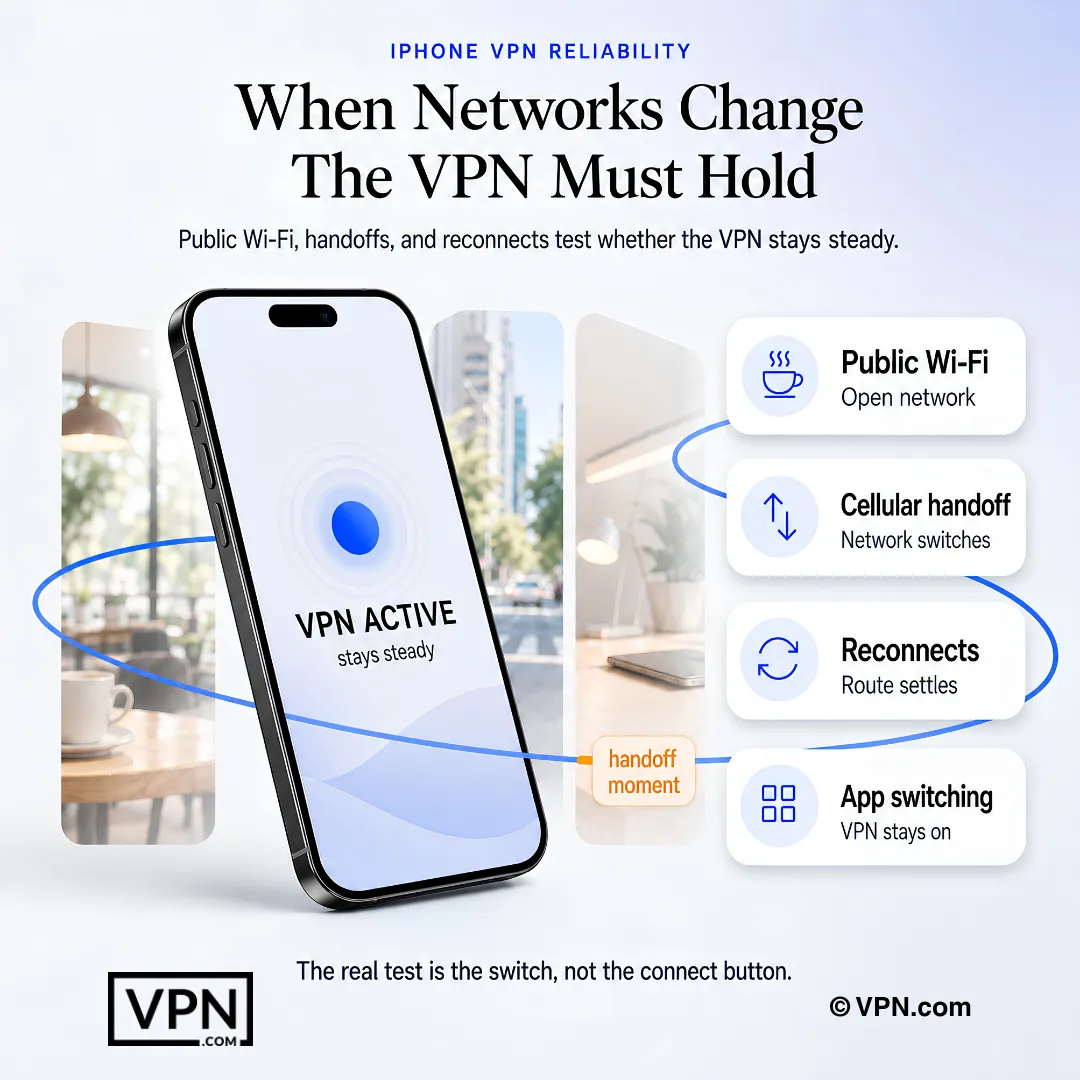
When you connect to coffee shop or airport Wi-Fi, attackers on the same network can intercept unencrypted traffic. iOS does not warn you. A 2023 Forbes report found that 40% of respondents had their data compromised on public Wi-Fi. A VPN encrypts all traffic before it leaves your iPhone, making intercepted packets unreadable.
VPN Session Persistence Bugs in iOS 16 and Later
Security researcher Tommy Mysk documented in 2022 that iOS 16 does not route all traffic through the VPN tunnel immediately after connection. Some Apple services send data outside the tunnel for several seconds. Apple acknowledged this behavior. Proton VPN and Mullvad both published advisories confirming the issue. The practical fix: enable your VPN’s kill switch so any traffic outside the tunnel gets blocked entirely.
DNS and WebRTC Leaks on Cellular Handoffs
iPhones constantly switch between Wi-Fi and cellular. During that handoff, some VPN connections drop briefly. Without a kill switch, DNS queries leak to your carrier’s servers. This exposes the domains you visit even when the VPN reconnects seconds later. WireGuard is built to reconnect faster than IKEv2 or OpenVPN, which shortens this exposure window.
ISP and Carrier Data Collection
In the U.S., carriers like AT&T, Verizon, and T-Mobile collect browsing metadata from mobile connections. A 2021 FTC report confirmed that major carriers harvest location data, browsing history, and app usage. A VPN prevents your carrier from seeing anything beyond encrypted packets headed to a single IP address.
Best VPNs for iPhone Compared
VPN
Price
Protocol
Split Tunneling
Siri
Connection
NordVPN
$3.49/mo
NordLynx
No
Yes
10
IPVanish
$2.19/mo
WireGuard
Yes
No
Unlimited
Proton VPN
$3.49/mo
WireGuard
No
Yes
10
Surfshark
$2.49/mo
WireGuard
Yes (website-level)
No
Unlimited
PIA
$2.03/mo
WireGuard
No
Yes
Unlimited
NordVPN: Best Overall for iPhone
NordVPN leads in balanced iOS performance. NordLynx, its custom WireGuard implementation, holds connections steady through constant Wi-Fi-to-cellular switches. Threat Protection Lite blocks malicious domains before they reach your apps.
Siri integration and a home screen widget make it feel genuinely built for iOS. You can say “Hey Siri, connect to NordVPN” and the tunnel activates without opening the app. The widget shows connection status at a glance on your lock screen.
NordVPN’s iOS kill switch blocks traffic when the tunnel drops.
The App Store rating sits at 4.7 stars across 400,000+ reviews. NordVPN has maintained a 4.6 or higher rating since 2020, showing consistent iOS app quality over time. NordVPN says its no-logs policy has been independently audited.
IPVanish: Best for Consistent Connections on iOS
IPVanish is the pick here for iOS users who want a choice of protocol. It supports WireGuard and IKEv2 with a proper kill switch and offers unlimited simultaneous connections from $2.19/month.
IPVanish’s iOS kill switch works on both Wi-Fi and cellular.
The app lets you switch between WireGuard and IKEv2 directly in iOS settings. IKEv2 reconnects slightly faster after airplane mode, while WireGuard uses less battery during sustained connections.
The App Store rating is 4.5 stars with 90,000+ reviews. IPVanish lacks Siri Shortcuts support, which means you cannot voice-activate the connection. It also lacks a home screen widget. It ships with 3,400 servers in 90+ locations.
Proton VPN: Best for Privacy on iPhone
Proton VPN combines a free tier with a strong privacy record. Swiss jurisdiction, fully open-source apps, and iOS builds it says are independently audited give it the most credible privacy record on this list.
The Stealth protocol bypasses VPN detection in restrictive countries. A free tier with no data cap is available for users who want to test before committing.
Proton says its iOS app has been independently audited, including the iOS client specifically and not just the desktop version. The app’s kill switch on iOS blocks all network traffic when the tunnel drops, including during the iOS 16+ session persistence bug described above.
Proton VPN also supports IKEv2 as a fallback. The App Store rating holds at 4.6 stars with 30,000+ reviews. NetShield, Proton’s DNS-level ad and tracker blocker, reduces data usage by filtering requests before they consume bandwidth.
Proton VPN routes Secure Core traffic through Switzerland, Iceland, or Sweden before reaching the exit server. This double-hop architecture adds latency but prevents the exit server from knowing your real IP.
Surfshark: Best for Multi-Device Households
Unlimited connections make Surfshark the practical choice for households running multiple iPhones, iPads, and other devices on one subscription. CleanWeb blocks ads and trackers at the network level, cutting cellular data usage noticeably.
Heavy uploaders, such as people on frequent video calls, should test FaceTime and Zoom quality during the refund window. For streaming and browsing it is a solid all-rounder.
Surfshark’s iOS kill switch works reliably on Wi-Fi. The website-level split tunneling workaround (called Bypasser) lets you exclude specific domains from the tunnel through Safari.
The App Store rating is 4.6 stars across 50,000+ reviews. Surfshark says its no-logs policy has been independently audited. At $2.49/month on a 2-year plan, it undercuts NordVPN on price. For families with 5+ Apple devices, the unlimited connection cap and low price create clear value.
Private Internet Access: Best for Simplicity
Private Internet Access (PIA) is built for simplicity. Its iOS app has clean automation rules, including auto-connect on untrusted Wi-Fi.
Over 35,000 servers give it the largest global pool on this list. If you make many video calls, test upload quality during the refund window. For everyday browsing and streaming at $2.03/month, it remains the most accessible entry point here.
PIA’s iOS kill switch activates when the tunnel drops and traffic is blocked rather than leaked while the tunnel reconnects, which is the correct behavior.
PIA defaults to WireGuard on iOS but also supports OpenVPN for users who need it. The OpenVPN option drains more battery than WireGuard.
The App Store rating is 4.5 stars with 140,000+ reviews. PIA publishes quarterly transparency reports documenting zero data handovers to authorities. The app includes a Siri Shortcut for quick connect. PIA’s MACE feature blocks ads and trackers at the DNS level, similar to Surfshark’s CleanWeb.
Battery and upload drain: Always-on VPN on iPhone adds noticeable overhead. OpenVPN is the heaviest option on iOS. Switch your VPN app to WireGuard or IKEv2 (found under Protocol in most app settings) to cut background battery use. Upload speed matters more than most reviews show, so test FaceTime and Zoom quality during the refund window.
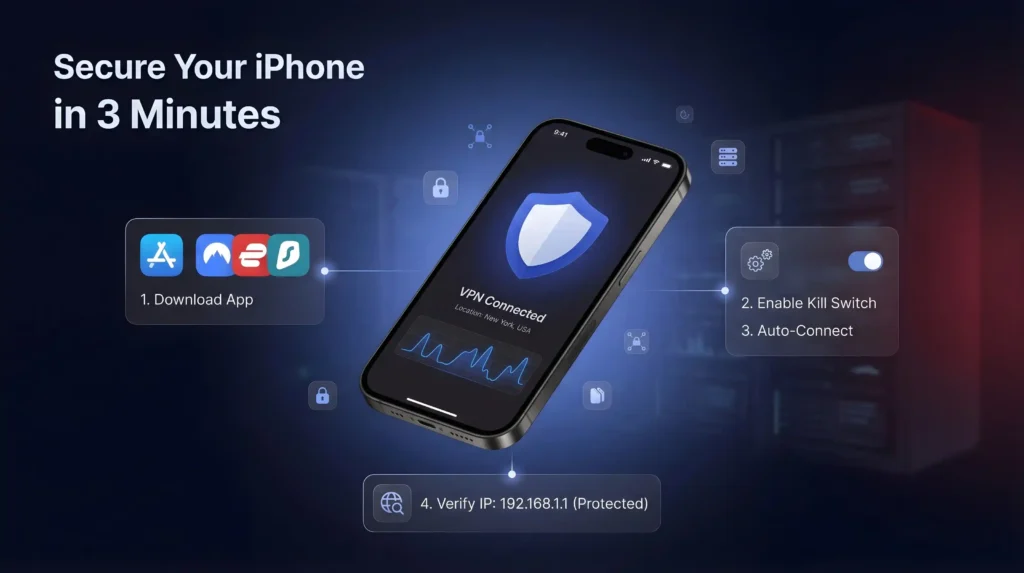
Open the App Store and search for your chosen VPN provider. Download the official app and log in or create an account. Before connecting, go into the app settings and enable the kill switch. Select a server location and tap connect.
To verify the VPN is working, open Safari and search “what is my IP.” The result should show the VPN server’s location, not your real one.
For always-on protection, go to Settings > General > VPN and Device Management > VPN. Tap the information icon next to your VPN configuration and enable Connect on Demand. Your iPhone will now reconnect automatically whenever the VPN drops or the device restarts.
To enable auto-protection on public Wi-Fi, open your VPN app and look for automation or trusted network settings. Most providers on this list let you set rules so the VPN activates automatically on any network that is not your saved home Wi-Fi.
Choosing the Right VPN Protocol on iPhone
Not all protocols perform equally on iOS. Your choice affects battery life, speed, and reconnection behavior.
WireGuard is the best default for most iPhone users. It uses less CPU than OpenVPN, reconnects quickly after network changes, and keeps battery overhead low. NordVPN’s NordLynx, IPVanish, Proton VPN, Surfshark, and PIA all support WireGuard on iOS.
IKEv2 is Apple’s natively supported protocol. It reconnects faster than OpenVPN after airplane mode or network switches. Battery drain is comparable to WireGuard. IPVanish and NordVPN offer it as an alternative on iOS.
OpenVPN is the legacy option. It requires a third-party implementation on iOS, which increases battery drain compared to WireGuard. PIA is the only provider on this list that still defaults to OpenVPN in some configurations. Switch to WireGuard in the app settings unless you have a specific reason to use OpenVPN.
Final Verdict
iPhones are not immune to network threats. Apple’s reputation for security does not protect your traffic from ISPs, public Wi-Fi snooping, or regional restrictions.
NordVPN leads with a WireGuard-based protocol and a genuinely iOS-native experience. IPVanish offers a choice of WireGuard and IKEv2. Proton VPN is the strongest privacy pick with Swiss jurisdiction and open-source apps. Surfshark covers multi-device households at the lowest price. PIA is the simplest entry point for everyday browsing.
All five come with 30-day money-back guarantees. Enable Connect on Demand after setup, and your iPhone stays protected without you having to think about it.
Every VPN adds some overhead, and the size varies by provider, protocol and server distance. We don’t publish upload-loss figures for iOS, so test FaceTime and Zoom quality on your own connection during the refund window. Choosing WireGuard or IKEv2 and a nearby server gives the best chance of keeping uploads smooth.
Why do OpenVPN-based iPhone VPNs drain more battery than WireGuard ones?
OpenVPN isn’t natively supported on iOS, so apps must bundle a third-party implementation, adding more battery drain than WireGuard. PIA is the only provider here that still defaults to OpenVPN in some configurations. Switching to WireGuard or IKEv2 in app settings cuts that overhead.
Does Apple’s iOS security make a VPN unnecessary on iPhone?
No. iOS sandboxing isolates apps from each other but does nothing to encrypt traffic leaving your phone, so ISPs and public Wi-Fi attackers can still intercept unencrypted data. A 2023 Forbes report found 40% of respondents had data compromised on public Wi-Fi, and a 2021 FTC report confirmed carriers like AT&T and Verizon harvest browsing and location metadata.
What is the iOS 16 VPN session persistence bug researchers found?
Security researcher Tommy Mysk documented in 2022 that iOS 16 doesn’t route all traffic through the VPN tunnel immediately after connecting, letting some Apple services send data outside the encrypted tunnel for several seconds. Apple acknowledged the behavior, and Proton VPN and Mullvad both published advisories confirming it. Enabling your VPN’s kill switch blocks any traffic that slips outside the tunnel.
Can any iPhone VPN offer true per-app split tunneling?
No. Apple blocks the network API that per-app split tunneling requires, so no provider on this list delivers genuine app-by-app routing on iOS. Surfshark offers a website-level workaround called Bypasser that excludes specific domains from the tunnel through Safari, but it operates at the domain level rather than the per-app level available on Android.
How does a VPN affect FaceTime and video calls on iPhone?
Upload speed determines call quality more than download speed does. A VPN adds some overhead to uploads, so test a FaceTime or Zoom call on your own connection during the 30-day refund window, using WireGuard or IKEv2 and a nearby server.
How many devices can I run one iPhone VPN subscription on?
It depends on the provider. Surfshark, IPVanish, and PIA all allow unlimited simultaneous connections, useful for households running several iPhones and iPads on one account. NordVPN caps you at 10 devices and Proton VPN also limits paid plans to 10. For a single iPhone user, any of these five covers the need easily.
Does Proton VPN’s free tier work on iPhone without a data cap?
Yes. Proton VPN offers a free tier with no data cap for iOS users who want to test before committing to a paid plan. The paid VPN Plus tier adds the full 20,000+ server network across 140+ countries and 10 simultaneous devices, plus Secure Core double-hop routing that the free tier doesn’t include.
How do these iPhone VPNs compare on price?
Entry pricing varies widely. Surfshark starts from $2.49/month, IPVanish from $2.19/month, Proton VPN from $3.49/month, and NordVPN from $3.49/month, all on their longest-term plans. PIA starts from $2.03/month. Surfshark’s unlimited device connections make its low price particularly effective for multi-iPhone households, while NordVPN pairs its higher price with a WireGuard-based protocol and Siri integration.
Can I get a refund if an iPhone VPN doesn’t perform as expected?
Yes. NordVPN, IPVanish, Proton VPN, Surfshark, and PIA all back their iOS apps with a 30-day money-back guarantee, letting you test real-world battery use and upload speed on your own device before committing. Request the refund through the provider’s support channel within the 30-day window if performance doesn’t match what’s advertised.
How do I set up an iPhone VPN to reconnect automatically after it drops?
Open your VPN app, enable the kill switch in settings, then go to Settings, General, VPN and Device Management, VPN on your iPhone. Tap the information icon next to your VPN configuration and enable Connect on Demand, which reconnects automatically whenever the tunnel drops or the device restarts.
What happens if my iPhone VPN drops during a Wi-Fi to cellular handoff?
Without a kill switch, DNS queries can leak to your carrier’s servers during the brief reconnection window, exposing which domains you visited even after the VPN reconnects. WireGuard-based apps like NordVPN and IPVanish reconnect quickly, cutting that exposure window; NordVPN’s kill switch blocks traffic when the tunnel drops.
Have these iPhone VPN apps been independently audited?
Each provider here says it has commissioned no-logs or security audits. NordVPN, Surfshark and IPVanish say their no-logs policies have been independently audited, and Proton VPN says its iOS client has been audited. Check each provider’s own audit page for the firm, year and published report.
We use cookies to understand how our site is used and, on some pages, to measure our ads. Accept to allow analytics cookies and personalized ads, or decline. If you decline, we only count visits without cookies. Privacy Policy