Best Antivirus Software: Tested & Ranked
We tested the best antivirus software against real threats. Bitdefender leads with perfect lab scores, Norton for privacy, ESET for speed. Find your match.
 Michael Gargiulo
What the Best Antivirus Software Actually Delivers
Bottom Line: Bitdefender tops our testing with perfect independent lab scores and minimal system impact. Norton leads for bundled privacy features, ESET for low resource use, and Malwarebytes for removing active infections. The right pick depends on your devices, habits and budget.
You already know you need antivirus protection. The real problem is choosing one.
Most people either skip it entirely and hope their habits are enough, or install something that turns their computer into a sluggish, notification-spamming machine they resent within a week. Neither outcome is acceptable.
The antivirus market makes this worse. Dozens of products claim to be the “best,” “fastest” and “most complete.” Most of those claims are marketing. Very few tell the full story.
Meanwhile, threats keep evolving. Ransomware attacks are up. Phishing scams now mimic legitimate emails almost perfectly. Malware hides inside everyday downloads, browser extensions and even ads. The stakes are real.
This guide gives you a straight answer. We tested and compared six leading antivirus products across protection rates, system performance, usability and real-world value. No fluff. No paid rankings.
Why Picking Antivirus Protection Feels Overwhelming
It’s not just you. The antivirus market is designed to confuse buyers. Here’s why.
Every “Top Antivirus” List Sounds Identical
Search for antivirus recommendations and you’ll find the same five products with the same vague praise. “Excellent protection.” “Easy to use.” “Great value.”
None of that tells you who each tool is built for. None of it explains real trade-offs. These lists fill space rather than help decisions.
The Free-vs.-Paid Debate Creates Decision Fatigue
Windows Defender ships with every Windows PC. macOS has its own security layers. Both have improved significantly. So the obvious question: is that already enough?
The honest answer: sometimes yes, sometimes no. It depends on how you use your device, what you’re protecting and what risks you face. Most antivirus companies have a financial interest in convincing you free is never enough, so independent guidance is hard to find.
A Poor Antivirus Choice Creates New Problems
Heavy, poorly optimized software can make an older machine painful to use. Some products bury you in pop-ups and upsell notifications that appear more often than actual threats.
Others lock useful features behind higher-tier plans. Several major brands have earned reputations for auto-renewals that are deliberately difficult to cancel. That’s not protection. That’s a different kind of problem.
How We Evaluated Each Antivirus Product
“Good antivirus” means different things for different users. A tool perfect for a solo professional might be wrong for a family of five. Here are the criteria we used.
Malware Detection and Real-Time Scanning
This is the foundation. Everything else is secondary if the software can’t reliably catch threats.
We use independent lab scores from AV-TEST and AV-Comparatives. The best products consistently score 99% or above across both known malware and zero-day threats. Anything below 97% is a concern.
Real-time protection matters as much as detection rates. Software that catches threats on access stops attacks. Software that catches them on demand cleans up after one.
Ransomware and Phishing Defense
These two threats deserve separate attention. They cause the majority of serious damage to individuals and businesses today.
Ransomware encrypts your files and holds them hostage. Good antivirus includes dedicated rollback or folder-protection features. Generic malware detection alone catches ransomware too late.
Phishing protection flags fraudulent websites before you enter credentials. No antivirus scan helps if you willingly hand your password to a convincing fake login page.
System Performance Under Load
A security tool that makes your computer noticeably slower is a bad trade-off.
We track behavior during background scans, startup, file launches and browsing. AV-TEST measures performance on a 6-point scale. The best products score 5.5 or above without throttling normal use.
This matters especially on older hardware, mid-range laptops or gaming machines. The gap between a lightweight antivirus and a heavy one is the difference between smooth performance and constant frustration.
Usability for Non-Technical Users
Most antivirus users are not IT professionals. They want software that installs cleanly, runs quietly and alerts them only when something needs attention.
We evaluate dashboards for clarity, settings for accessibility and alerts for signal-to-noise ratio. A product that bombards you with warnings you don’t understand fails this test.
Extra Features That Add Real Value
Many suites bundle bonus tools. Some add genuine value. Many exist to justify a higher price.
- Firewall: Worth having if well-implemented. A poor firewall is worse than none.
- Password Manager: Useful only if full-featured. Bundled managers rarely compete with dedicated tools.
- VPN: Valuable in principle, but most bundled VPNs impose data caps or limited servers.
- Identity Monitoring: Genuinely useful for catching breaches early, especially for online shoppers and banking users.
- Parental Controls: A real differentiator for family plans, but quality varies enormously.
Pricing, Device Limits and Renewal Honesty
A $30 plan covering one device is not the same value as a $40 plan covering five. A product priced at $20 year one that jumps to $80 on renewal is a bait-and-switch.
We factor in first-year pricing, renewal rates, device allowances and billing transparency. A good antivirus shouldn’t require fine-print reading to understand next year’s charge.
Six Antivirus Products Tested and Ranked
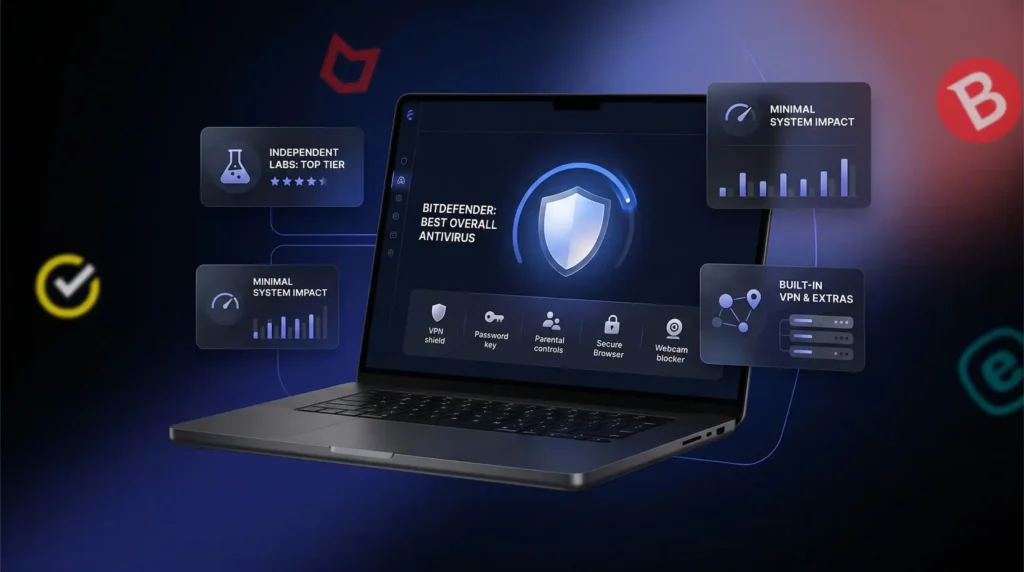
Choosing the right antivirus comes down to what you actually need. Below is each product we tested, with specifics on what it does well, where it falls short and who it fits best.
| Product | Best For | AV-TEST Score | Year 1 Price | Renewal Price | Devices Covered |
|---|---|---|---|---|---|
| Bitdefender Total Security | Overall protection | 6/6 | $24.99–$50 | $100+ | Up to 5 |
| Norton 360 Deluxe | Bundled privacy features | 6/6 (100%) | $30–$50 | $120+ | Up to 5 |
| McAfee Total Protection | Multi-device households | 5.5–6/6 | $30–$50 | $150+ | Unlimited |
| ESET NOD32 | Low system impact | 6/6 (4 labs) | ~$40 | Higher | Up to 3 |
| Malwarebytes Premium | Active infection cleanup | N/A (removal focus) | ~$45 | Similar | 1–5 |
| Avast One | Budget / Gamers | Top-Rated (AV-Comp.) | $40–$60 | Higher | Up to 5 |
Bitdefender Total Security: Top Overall Pick
If you read only one entry in this guide, make it this one. Bitdefender[1] has held the top spot in independent lab testing for years.
Best For: Everyday users and families who want reliable, hands-off protection across Windows, Mac, Android and iOS.
Key Strengths
- Detection: Perfect 6/6 on AV-TEST. Hits 99.9%+ in AV-Comparatives real-world tests. Multi-layered ransomware defense and active phishing blocking.
- Performance: Background protection runs with minimal CPU and RAM impact. Routine real-time scanning is nearly invisible. A slight slowdown occurs during the initial full scan only.
- Features: Built-in VPN, password manager, parental controls, secure banking browser, webcam protection and vulnerability scanner. Most features work well out of the box.
- Usability: Clean, beginner-friendly dashboard. Critical features enabled by default. Setup takes minutes.
Where It Falls Short
- Renewal pricing jumps from $24.99–$50 to $100+ after year one. That catches many buyers off guard.
- Full scans run 45–60 minutes, which is longer than average.
- Cheaper plans (Antivirus Plus) lack the features that make Total Security worth buying.
- Bundled VPN has a daily data cap. Unlimited data requires an upgrade.
Norton 360 Deluxe: Strongest Bundled Feature Set
Norton[2] has evolved from antivirus into a full personal security platform. For users who want antivirus, VPN, backup and identity tools under one subscription, it’s the strongest option.
Best For: Families and power users managing multiple people’s digital security who don’t want separate subscriptions for each tool.
Key Strengths
- Detection: Scores 100% in recent AV-TEST rounds. Gold award from AV-Comparatives. Ransomware blocking stops attacks before encryption begins.
- Performance: CPU usage at 1–2% during background scans. Everyday tasks show minimal impact despite the full suite running.
- Features: Unlimited VPN (no data cap), 50GB+ cloud backup, password manager, parental controls and dark web monitoring. The VPN alone replaces a $3–5/month standalone subscription.
- Usability: Setup is straightforward. Mobile apps are well-designed. Dashboards are clear once you learn the layout.
Where It Falls Short
- Renewal pricing jumps from $30–$50 to $120+. Always check renewal cost before committing.
- Entry-level Norton plans lack cloud backup and the full VPN.
- LifeLock add-ons push costs significantly higher for full identity theft insurance.
- Dual dashboards (device security and identity features) can feel disjointed initially.
McAfee Total Protection: Best Unlimited-Device Plan
McAfee’s differentiator is simple: unlimited devices. For households running five, eight or ten devices across platforms, that changes the value equation entirely.
Best For: Large households with many devices across Windows, Mac, Android and iOS. If you manage security for the whole family, McAfee[3] eliminates the device-counting problem.
Key Strengths
- Detection: Near-perfect independent lab scores. Performs at or near the top of comparative tests consistently.
- Performance: Background scanning stays quiet. Day-to-day impact is minimal on modern hardware. Older PCs see CPU spikes of 50–60% during active scans.
- Features: Unlimited VPN, password manager, dark web monitoring, account cleanup tool (removes personal data from the web) and spam filter.
- Usability: Desktop and mobile apps are genuinely easy to use. One-click protection works well for less technical family members.
Where It Falls Short
- Renewal pricing climbs from $30–$50 to $150+, making it one of the most expensive long-term options.
- Full scans hit older hardware hard. That 50–60% CPU spike is noticeable on 5-year-old laptops.
- Parental controls cost extra, which is frustrating for a product marketed as a family solution.
- Desktop interface can feel cluttered on first use.
ESET NOD32: Lightest Footprint, Zero Bloat
ESET takes a fundamentally different approach. It’s built for users who want elite protection without suite bloat.
Best For: Tech-savvy users who want maximum protection with zero performance compromise. Ideal for older or lower-spec machines where every bit of CPU headroom matters.
Key Strengths
- Detection: Perfect scores across four independent labs. Host Intrusion Prevention System (HIPS)[4] catches exploit-based threats that signature-only tools miss.
- Performance: The lightest footprint in this comparison. CPU and RAM impact is virtually unnoticeable during both real-time protection and scheduled scans.
- Features: Device control, SysInspector diagnostics tool and dedicated ransomware shield. Focused rather than sprawling.
- Usability: Deep configuration options give technical users genuine control over how the software behaves.
Where It Falls Short
- Pricing starts at ~$40 for 3 devices. Renewal rates increase further.
- No bundled VPN, password manager or identity monitoring at the base tier.
- Interface looks dated compared to Bitdefender or Norton.
- Not beginner-friendly. Configuration depth can overwhelm users who just want set-and-forget protection.
Malwarebytes Premium: Best Infection Cleanup Tool
Malwarebytes[5] built its reputation as the tool you call when everything else has failed. That reputation holds.
Best For: Users who need a second-opinion scanner alongside their primary antivirus, or anyone dealing with an active infection. Also a solid lightweight option for simple real-time protection without a full suite.
Key Strengths
- Removal capability outperforms most traditional antiviruses for deeply embedded malware, adware and PUPs (potentially unwanted programs).
- Performance: Real-time protection runs light. Scans complete faster than full-suite products.
- Features: Browser Guard blocks malicious sites at the browser level. Exploit protection prevents vulnerability-based attacks. Ransomware rollback recovers encrypted files.
- Usability: The simplest interface on this list. Open it, scan, see results. Nothing buried, nothing confusing.
Where It Falls Short
- Free version is on-demand scanning only. No real-time protection without Premium.
- Premium pricing (~$45/year) buys a focused product, not a full suite. Value depends on your needs.
- Not a standalone replacement for primary antivirus in most cases. Works best paired with Bitdefender, Norton or ESET.
- Premium+ VPN and privacy tools cost extra beyond the base Premium tier.
Avast One: Strongest Budget Option for Gamers
Avast One[6] offers a competitive free tier, solid premium features and pricing that undercuts most products above.
Best For: Budget-conscious users who want tested protection without full suite prices. Top pick for gamers who need an antivirus that pauses during gameplay.
Key Strengths
- Detection: Top-Rated award in AV-Comparatives’ annual summary. Holds its own against more expensive products in real-world tests.
- Performance: Gaming mode identifies full-screen sessions and suppresses notifications, updates and background tasks automatically. For gamers, this is a requirement.
- Features: Built-in VPN, firewall, password manager and browser protection included at the premium tier. These features cost extra in ESET and Malwarebytes.
- Usability: Modern, clean apps across desktop and mobile. One-tap optimization for less technical users.
Where It Falls Short
- Free version has real-time protection limitations that vary by region. Upgrade prompts are frequent.
- Premium pricing runs $40–$60 year one. Renewal rates increase.
- Upsell prompts persist even in the paid version.
- Scan times can run longer depending on system size.
Free Antivirus vs. Paid: Where the Line Falls
This question deserves a nuanced answer. Free antivirus isn’t a scam. But it isn’t the full picture either.
What Free Tools Handle Well
Free antivirus has improved dramatically. Windows Defender, Avast Free and Malwarebytes Free all offer meaningful baseline protection.
- Basic malware scanning catches known threats, common trojans and widely circulating viruses at reasonable rates.
- Some real-time protection ships with stronger free offerings. Windows Defender runs quietly and catches a solid percentage of threats without additional installation.
- Zero cost matters. For users who would otherwise run unprotected, free antivirus is always better than nothing.
Where Free Protection Leaves Gaps
The limitations aren’t always obvious.
- Phishing defense is weak or absent. Most free tiers offer little browser-level phishing protection. Phishing is now one of the most common ways people lose account access.
- Ransomware protection is minimal. Free tools rarely include dedicated shields, folder protection or file rollback. A single ransomware attack can lock years of files.
- Privacy tools are missing entirely. VPNs, identity monitoring and secure browsers are paid-only across the board.
- Upgrade pressure is constant. Pop-ups, banners and notifications timed to make you feel exposed are part of the free experience.
When Paid Antivirus Justifies the Cost
Free protection works for a narrow set of users. For everyone else, the upgrade earns its price.
- You bank or shop online. Financial activity is the primary target of phishing, credential theft and banking trojans. Paid suites add browser protection and identity monitoring that free tools lack.
- You cover multiple family devices. Free tools are single-device. A paid family plan covers 5–10 devices across platforms for a fraction of separate subscription costs.
- You use your device for work. Client data, business files and work credentials raise breach stakes beyond personal inconvenience.
- You download frequently. More downloads mean higher exposure to infected files. Paid real-time protection with behavioral analysis catches threats that signature-based scanning misses.
The honest summary: if your digital life is simple and you run Windows Defender on an up-to-date machine, free protection may be enough. For everyone else, paid antivirus closes gaps that matter.
Do Built-In Security Tools Replace Third-Party Antivirus?
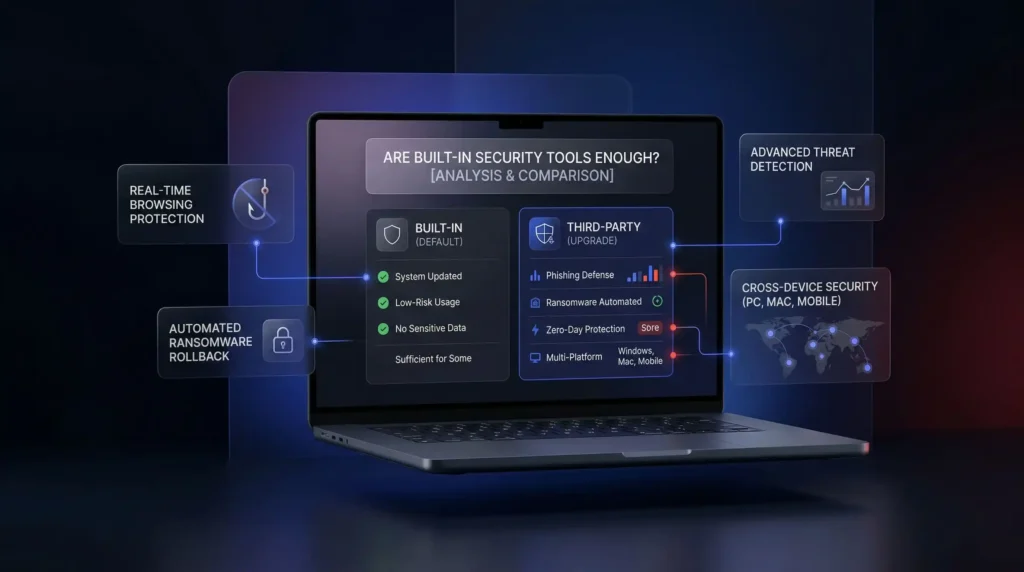
Built-in tools are better than they’ve ever been. But “better than before” and “good enough for everyone” are different claims.
When Built-In Protection Is Sufficient
Microsoft Defender scores consistently at 6/6 in AV-TEST evaluations. Apple’s macOS security architecture handles most everyday threats. Built-in protection works when your usage is low-risk, your system is current and you’re not storing sensitive financial or business data.
When Third-Party Tools Outperform
- Phishing defense: Defender’s SmartScreen filtering doesn’t match real-time browser protection from paid tools. Phishing sites rotate faster than Microsoft’s blocklists update.
- Ransomware protection: Defender’s Controlled Folder Access is off by default and generates frequent false positives. Paid tools automate this more reliably.
- Zero-day detection: Bitdefender, Norton and ESET outperform Defender on previously unseen threats. The margin is consistent, not huge.
- Multi-platform coverage: Defender only protects Windows. Paid plans cover every PC, Mac and phone under one subscription.
What Premium Suites Add Beyond Detection
Paid antivirus offers things no built-in tool touches:
- VPN for encrypted browsing on public Wi-Fi
- Dark web monitoring that alerts you when credentials appear in breaches
- Password managers that reduce credential theft risk
- Parental controls that outperform OS-level options
- Centralized dashboard to manage every household device from one place
Built-in tools are a reasonable floor. For low-risk, single-device users with careful habits, they may be enough. For everyone else, premium antivirus raises the ceiling.
Tip: No single tool covers every threat. Pair your antivirus with a VPN for network-level protection. Antivirus handles malicious files on your device. A VPN encrypts your connection and shields data from interception on public networks.
Final Verdict: Match the Tool to Your Risk Profile
After comparing every product in this guide, the most honest conclusion is also the simplest: there is no single best antivirus for everyone.
Here’s how to decide quickly:
- Best overall protection: Bitdefender Total Security. Perfect lab scores, minimal system impact, strong features.
- Best bundled privacy tools: Norton 360 Deluxe. Unlimited VPN, cloud backup and dark web monitoring in one plan.
- Best for large families: McAfee Total Protection. Unlimited devices under one subscription.
- Best for older/slower hardware: ESET NOD32. Lightest resource footprint in the category.
- Best for active infections: Malwarebytes Premium. Unmatched cleanup and removal capability.
- Best budget option for gamers: Avast One. Strong detection scores with a dedicated gaming mode.
The right tool matches your actual risk level, fits your devices and doesn’t make your daily experience worse. No software fully replaces good habits. Protection works best as a layer on top of careful behavior.
Find the tool that fits your situation. Let it run quietly. Get on with everything else. That’s what good security software does.
Additional Security Resources and References
- AV-TEST – Independent antivirus testing and performance benchmarks https://www.av-test.org[7]
- AV-Comparatives – Real-world protection tests and annual rankings https://www.av-comparatives.org[8]
- Microsoft Defender – Official built-in Windows security documentation https://support.microsoft.com/windows[9]
- Cybersecurity and Infrastructure Security Agency – Threat guidance and best practices https://www.cisa.gov[10]
- Federal Trade Commission – Identity theft and online safety tips https://consumer.ftc.gov[11]
References
Resources for this page
Charts and reference images from our testing, free to view and share.

Effective antivirus blocks malicious files in real time without unnecessarily slowing everyday work.
Frequently Asked Questions
Which antivirus scored best in independent lab testing?
Bitdefender Total Security tops this guide with a perfect 6/6 AV-TEST score and 99.9%+ detection in AV-Comparatives real-world tests. Norton 360 Deluxe also hits 6/6 (100%) with a Gold AV-Comparatives award, and ESET NOD32 posts perfect scores across four independent labs. Anything below 97% detection is considered a concern in this testing framework.
What’s the best antivirus for an older or lower-spec laptop?
ESET NOD32 is the lightest footprint tested, with CPU and RAM impact described as virtually unnoticeable during real-time protection and scheduled scans. By contrast, McAfee Total Protection can spike CPU usage 50 to 60% on older hardware during full scans. If your machine is five-plus years old, ESET’s minimal load matters more than extra bundled features.
Which antivirus is best for cleaning up an active infection?
Malwarebytes Premium, at roughly $45 a year, is built specifically for removing deeply embedded malware, adware and PUPs that traditional antivirus misses. It adds Browser Guard, exploit protection and ransomware rollback. It’s not designed as a standalone primary antivirus in most cases and works best paired with Bitdefender, Norton or ESET for ongoing real-time protection.
Does antivirus actually stop ransomware and phishing attacks?
Good antivirus does, but generic malware detection alone catches ransomware too late since it encrypts files fast. Dedicated rollback or folder-protection features are required, which is why Malwarebytes includes ransomware rollback and Norton blocks ransomware before encryption begins. Phishing protection flags fraudulent login pages before you enter credentials, since no scan helps once you’ve handed over a password.
Is Windows Defender or macOS built-in security enough on its own?
Sometimes. Microsoft Defender scores 6/6 in AV-TEST evaluations and macOS handles most everyday threats, making built-in protection reasonable for low-risk, single-device users on updated systems. Gaps remain: Defender’s SmartScreen phishing filtering lags real-time browser protection, and Controlled Folder Access (ransomware defense) is off by default and Windows-only, leaving Mac and mobile uncovered.
What do free antivirus tools miss compared to paid suites?
Free tools like Windows Defender, Avast Free and Malwarebytes Free handle basic malware scanning well, but phishing defense is weak or absent and ransomware protection lacks dedicated shields, folder protection or rollback. VPNs, identity monitoring and secure browsers are paid-only across the board. Financial activity, frequent downloads, or multi-device households are the clearest signals free protection isn’t enough.
Which antivirus includes the most useful bonus features without extra cost?
Norton 360 Deluxe bundles an unlimited-data VPN, 50GB+ cloud backup, a password manager, parental controls and dark web monitoring all in one subscription, with the VPN alone comparable to a $3 to $5/month standalone service. Bitdefender Total Security similarly includes a VPN, password manager, parental controls and a secure banking browser, though its bundled VPN carries a daily data cap.
How does antivirus system performance testing actually work?
AV-TEST measures performance impact on a 6-point scale, evaluating behavior during background scans, startup, file launches and browsing, with the best products scoring 5.5 or above without throttling normal use. This guide tracked that alongside detection rates from AV-TEST and AV-Comparatives, since a tool that catches 99% of malware but cripples your machine is still a poor trade-off.
Is a bundled antivirus VPN a real substitute for a standalone VPN?
Partially. Norton 360 Deluxe and McAfee Total Protection both include unlimited-data VPNs with no cap, making them reasonably complete. Bitdefender and Avast One bundle VPNs too, but Bitdefender’s carries a daily data cap requiring an upgrade for unlimited use. If you need consistent, uncapped encryption on public Wi-Fi, check the specific bundle’s data limits before relying on it exclusively.
How do I choose between these six antivirus products for my situation?
Match the tool to your actual risk profile rather than a generic “best” list. Bitdefender suits everyday users wanting hands-off protection, Norton fits families wanting bundled privacy tools, McAfee covers large households needing unlimited devices, ESET serves older hardware, Malwarebytes handles active infections, and Avast One suits budget-conscious gamers needing a gaming mode.
What renewal pricing traps should I watch for before buying antivirus?
Every product tested here jumps sharply after year one: Bitdefender rises from $24.99 to $50 up to $100+, Norton from $30 to $50 up to $120+, and McAfee from $30 to $50 up to $150+, the steepest jump in this comparison. Check the renewal rate before subscribing, not just the introductory price, since a $20 first-year deal that jumps to $80 is a bait-and-switch.
How many devices does a family antivirus plan actually need to cover?
It depends on household size. Bitdefender, Norton, ESET and Avast One cover up to 3 to 5 devices depending on tier, while McAfee Total Protection is the only unlimited-device plan tested, making it the best fit for households running five, eight or ten devices across Windows, Mac, Android and iOS without device-counting math.
What should I do if my antivirus keeps slowing down my computer or spamming alerts?
First check if it’s a full scan running, since Bitdefender’s full scans take 45 to 60 minutes and McAfee spikes CPU 50 to 60% on older hardware during scans, both temporary. If everyday performance stays sluggish or alerts feel constant rather than threat-driven, switch to a lighter-footprint product like ESET NOD32, tested as the least resource-intensive option in this comparison.