Best VPN for Manjaro: Native Linux Clients That Work
Find the best VPN for Manjaro with native Arch support, AUR packages, and WireGuard compatibility. Step-by-step install tips included.
 Michael Gargiulo
Top VPNs for Manjaro



Bottom Line: Not all VPNs work on Manjaro’s Arch-based architecture, so it’s worth choosing one specifically built to support Linux natively rather than forcing a Windows-first client to run.
Manjaro is one of the most popular Arch-based Linux distributions, but its rolling-release model and pacman package manager create specific challenges when installing VPN software. Packages built for Debian or Ubuntu (.deb files) won’t work here. You need providers that ship native Arch-compatible clients, publish to the AUR, or support manual OpenVPN/WireGuard configuration.
This guide focuses exclusively on VPN compatibility with Manjaro Linux. If you want a broader overview covering Debian, Fedora, and other distributions, start with our best VPN for Linux guide. For users running a vanilla Arch install without Manjaro’s GUI tools, see our best VPN for Arch Linux page instead.
Below, we cover which VPN providers offer genuine Manjaro support, how to install them using pacman, pamac, or AUR helpers like yay, and how to manage VPN connections through systemd services.
Why Manjaro Requires Specific VPN Considerations
Manjaro shares Arch Linux’s package format and rolling-release update cycle, but adds its own tools that change how you install and manage software. Understanding these differences helps you avoid broken installs and connection failures.
Arch-Based Package Management via Pamac and Pacman
Manjaro uses pacman as its core package manager and pamac as a GUI frontend. Unlike Ubuntu’s apt or Fedora’s dnf, pacman handles .pkg.tar.zst packages. VPN providers that only distribute .deb or .rpm installers require workarounds or AUR packages to function on Manjaro.
The AUR is where most VPN clients live for Arch-based systems. Manjaro supports AUR access through pamac (enable it in Preferences > Third Party) or command-line helpers like yay or paru. This is the primary installation path for most VPN providers.
Manjaro’s pamac distinguishes it from vanilla Arch. Pamac provides a graphical interface to browse, build, and install AUR packages without touching the terminal. This makes VPN installation accessible to users who chose Manjaro specifically to avoid Arch’s manual setup process.
Rolling-Release Update Impact on VPN Stability
Manjaro’s rolling-release model means kernel and library updates arrive regularly. However, Manjaro holds packages in its own stable/testing/unstable branches before releasing them. This buffer gives VPN packages slightly more time to catch up with kernel changes compared to raw Arch.
Despite this buffer, VPN kernel modules can still break after a kernel update. WireGuard is built into the kernel, so it survives updates cleanly. But proprietary tunnel interfaces (like those used by some VPN clients) may need a rebuild. Choose providers that actively maintain their AUR packages.
WireGuard vs OpenVPN on Manjaro
Two protocols dominate Linux VPN usage:
- WireGuard: Built into the Linux kernel since version 5.6. Manjaro ships modern kernels (typically 6.x), so WireGuard works natively without extra modules. It delivers lower latency and higher throughput than OpenVPN. NordVPN’s NordLynx protocol wraps WireGuard with double NAT for added privacy.
- OpenVPN: Mature and widely supported. Install it via
sudo pacman -S openvpn. Every provider on this list supports OpenVPN config files as a fallback. OpenVPN runs in userspace, so kernel updates don’t affect it.
On Manjaro specifically, WireGuard is the better default choice. It requires no extra packages, handles reconnects faster, and typically delivers 30-50% higher throughput than OpenVPN on the same server.
Kill Switch Behavior on Manjaro’s Firewall Stack
A kill switch prevents traffic from leaking outside the VPN tunnel. On Manjaro, most VPN clients implement kill switches using iptables or nftables firewall rules.
Manjaro Settings Manager lets you configure firewall backends (UFW or firewalld) through a GUI. If you use either of these, check for conflicts with your VPN client’s kill switch. Some VPN clients override your existing firewall rules when the kill switch activates. This can lock you out of LAN access until you run the disconnect command.
To test kill switch behavior, connect to your VPN, then simulate a drop by stopping the VPN daemon: sudo systemctl stop nordvpnd. If the kill switch works correctly, curl ifconfig.me should time out rather than reveal your real IP.
Best VPNs for Manjaro Linux
Each provider below is evaluated on its Manjaro-specific installation method, protocol support, logging policy, and pricing. All five offer native Linux clients or AUR packages that work on Manjaro without modification.
NordVPN
NordVPN provides a dedicated CLI client for Linux that installs cleanly on Manjaro via the AUR. The client supports NordLynx (WireGuard-based) and OpenVPN protocols, and includes a built-in kill switch and DNS leak protection.
Installation method: AUR package nordvpn-bin, installable with yay -S nordvpn-bin. After installation, enable the daemon with sudo systemctl enable --now nordvpnd. Log in with nordvpn login and connect with nordvpn connect.
Protocols: NordLynx (WireGuard), OpenVPN (UDP/TCP)
Logging policy: Independently audited no-logs policy (audited by Deloitte in 2022 and 2024)
Price: From $3.39/month on a 2-year plan
Manjaro-specific note: The NordVPN systemd service (nordvpnd) starts automatically after enabling it. If the daemon fails after a kernel update, reinstall the AUR package to rebuild the module with yay -S --rebuild nordvpn-bin. NordVPN’s Threat Protection Lite feature blocks ads and malicious domains at the DNS level. Activate it with nordvpn set threatprotectionlite on.
Pros
- Fast speeds via NordLynx (WireGuard)
- 6,400+ servers across 111 countries
- Kill switch and DNS leak protection via CLI
- Connects up to 10 devices simultaneously
Cons
- CLI only on Linux (no GUI client)
- Buy a NordVPN subscription through VPN.com for the best available pricing
ExpressVPN
ExpressVPN offers a Linux CLI client that supports Arch-based systems. It uses its own Lightway protocol alongside OpenVPN and includes a network lock (kill switch) feature.
Installation method: Download the .pkg.tar.zst package from ExpressVPN’s Linux setup page. Install with sudo pacman -U expressvpn-*.pkg.tar.zst. Enable the service with sudo systemctl enable --now expressvpn.
Protocols: Lightway (UDP/TCP), OpenVPN (UDP/TCP)
Logging policy: No-logs, audited by PwC and KPMG
Price: From $6.67/month on a 1-year plan
Manjaro-specific note: ExpressVPN distributes a .pkg.tar.zst file directly, so it doesn’t depend on AUR maintainers. This makes it less likely to break between Manjaro updates. The network lock kill switch uses iptables rules, so verify it doesn’t conflict with any custom firewall configuration you’ve set through Manjaro Settings Manager. Split tunneling (expressvpn preferences set split_tunnel) works on Manjaro but requires client version 3.0+.
Pros
- Consistently fast speeds across server locations
- Lightway protocol is lightweight and quick to connect
- Works in countries with strict internet censorship
Cons
- Costs more than most competitors
- Limited to 8 simultaneous device connections
Get a comprehensive guide on ExpressVPN
ProtonVPN
ProtonVPN is built by the team behind ProtonMail in Switzerland. It offers both a CLI tool and a newer GUI client for Linux, and its entire codebase is open source.
Installation method: The community maintains protonvpn in the AUR. Install with yay -S protonvpn. Alternatively, use the official CLI: yay -S protonvpn-cli. ProtonVPN also supports native WireGuard and OpenVPN config files you can import into NetworkManager.
Protocols: WireGuard, OpenVPN (UDP/TCP), Stealth (obfuscation protocol)
Logging policy: No-logs policy under Swiss privacy law; open-source apps audited by Securitum
Price: Free tier available; paid plans from $4.99/month
Manjaro-specific note: ProtonVPN’s GUI client depends on python-gobject and gtk3. On Manjaro KDE or XFCE editions, these may not be pre-installed. Install them with sudo pacman -S python-gobject gtk3 before building the AUR package. The Secure Core feature routes traffic through privacy-friendly countries (Switzerland, Iceland, Sweden) before reaching the exit server. The free tier limits you to servers in 5 countries with reduced speeds, but it has no data cap.
Pros
- Free tier with no data limits
- Open-source clients with published audit results
- Secure Core multi-hop routing
- GUI client available for Manjaro
Cons
- Fewer server locations (85+ countries) than NordVPN or PIA
- Free tier speeds are noticeably slower
Get a comprehensive guide on ProtonVPN
Mullvad
Mullvad takes a unique approach to privacy: no email, no username, just a randomly generated account number. It ships a full GUI client for Linux that works on Manjaro out of the box.
Installation method: Available in the AUR as mullvad-vpn (Electron GUI) or mullvad-vpn-cli (CLI only). Install with yay -S mullvad-vpn. The GUI version includes a built-in kill switch and server browser.
Protocols: WireGuard, OpenVPN (UDP/TCP)
Logging policy: No-logs; no personal data collected at signup. Infrastructure audited by Assured AB.
Price: Flat rate of €5/month (no discounts, no long-term contracts)
Manjaro-specific note: Mullvad’s Linux GUI client is one of the best available. It renders natively on Manjaro’s desktop environments (KDE, XFCE, GNOME) without compatibility issues. The app manages its own WireGuard keys and firewall rules independently of your system firewall. Mullvad also supports importing WireGuard configs directly into NetworkManager if you prefer not to use their client.
Pros
- No personal information required to sign up
- Full GUI client on Linux
- Simple, transparent pricing (same for everyone)
- Open-source client code
Cons
- Smaller server network (~700 servers in 46 countries)
- No specialty servers (no streaming-optimized or P2P labels)
Get a comprehensive guide on Mullvad
Private Internet Access (PIA)
PIA provides a full GUI Linux client with graphical server selection, protocol switching, and a built-in kill switch. It has one of the largest server networks of any VPN provider.
Installation method: Download the .run installer from PIA’s website, or install via AUR: yay -S piavpn-bin. The .run script handles dependencies and sets up a systemd service. Run chmod +x pia-linux-*.run && sudo ./pia-linux-*.run to install.
Protocols: WireGuard, OpenVPN (UDP/TCP)
Logging policy: Court-proven no-logs policy; audited by Deloitte in 2022
Price: From $2.20/month on a 3-year plan
Manjaro-specific note: PIA’s MACE feature blocks ads, trackers, and malware at the DNS level. Port forwarding is supported on select servers, which is useful for torrent users on Manjaro. The GUI client (Qt-based) works on KDE and XFCE without issues. On GNOME-based Manjaro editions, ensure Qt5 libraries are installed for proper rendering. PIA allows up to 10 simultaneous device connections on a single account.
Pros
- Large server network (35,000+ servers in 91 countries)
- Up to 10 simultaneous connections
- Full GUI client on Linux
- Affordable long-term pricing
Cons
- Based in the United States (Five Eyes jurisdiction)
- Speeds can vary between server locations
Get a comprehensive guide on PIA VPN
Comparison Table
| VPN | Installation Method | Protocols | GUI on Manjaro | Price (Monthly) | Best For |
|---|---|---|---|---|---|
| NordVPN | AUR (nordvpn-bin) | NordLynx, OpenVPN | CLI only | From $3.39 | Speed + features |
| ExpressVPN | .pkg.tar.zst download | Lightway, OpenVPN | CLI only | From $6.67 | Censorship bypass |
| ProtonVPN | AUR (protonvpn) | WireGuard, OpenVPN, Stealth | Yes (GTK) | Free / $4.99 | Privacy + free tier |
| Mullvad | AUR (mullvad-vpn) | WireGuard, OpenVPN | Yes (Electron) | €5 flat | Anonymity |
| PIA | AUR (piavpn-bin) or .run | WireGuard, OpenVPN | Yes (Qt) | From $2.20 | Large network + value |
Installing and Configuring a VPN on Manjaro
This section provides working terminal commands for installing VPN clients on Manjaro. All commands assume you have AUR access enabled (via pamac or an AUR helper like yay).
Install yay (AUR Helper)
If you don’t have an AUR helper installed yet:
sudo pacman -S --needed git base-devel
git clone https://aur.archlinux.org/yay.git
cd yay
makepkg -si
Manjaro also ships pamac with optional AUR support. If you prefer paru over yay, install it the same way: clone from the AUR and build with makepkg -si.
Install a VPN Client via AUR
Pick your provider and run the corresponding command:
# NordVPN
yay -S nordvpn-bin
sudo systemctl enable --now nordvpnd
nordvpn login
nordvpn connect

# ProtonVPN (CLI)
yay -S protonvpn-cli
protonvpn-cli login your_username
protonvpn-cli connect --fastest

# Mullvad (GUI)
yay -S mullvad-vpn
sudo systemctl enable --now mullvad-daemon
mullvad account set 1234567890123456
mullvad connect

# PIA (AUR)
yay -S piavpn-bin
# Then launch PIA from your application menu
Install OpenVPN Manually
If your VPN provider doesn’t have an AUR package, use OpenVPN with their .ovpn config files:
sudo pacman -S openvpn
# Download .ovpn files from your provider's website
sudo openvpn --config /path/to/config-file.ovpn
Enable Autostart via systemd
Make your VPN connect automatically at boot:
# For NordVPN
sudo systemctl enable nordvpnd

# For Mullvad
sudo systemctl enable mullvad-daemon

# For a generic OpenVPN config
sudo systemctl enable openvpn-client@config-name
Replace config-name with the filename (minus .conf) of your OpenVPN config placed in /etc/openvpn/client/.
Verify Your VPN Connection
After connecting, confirm your IP address has changed:
curl ifconfig.me
# Compare the output to your real IP (disconnect VPN and run again to check)

# Check for DNS leaks
resolvectl status
# Your DNS servers should point to your VPN provider, not your ISP
Using Pamac (GUI Method)
If you prefer Manjaro’s graphical package manager:
- Open Pamac (Add/Remove Software) from your application menu.
- Go to Preferences > Third Party and enable AUR support.
- Search for your VPN provider (e.g., “nordvpn” or “mullvad”).
- Click Build to install the AUR package.
- Open a terminal to enable the systemd service and log in.
Pamac handles dependency resolution and build processes automatically. This is the easiest path for Manjaro users who want to avoid manual AUR builds.
Troubleshooting Common Issues
VPN client won’t start after a kernel update: Manjaro’s rolling updates can break kernel-dependent modules. Rebuild the AUR package with yay -S --rebuild package-name. Then restart the service: sudo systemctl restart service-name.
Kill switch locks you out of all network access: If your VPN disconnects and the kill switch blocks traffic, run sudo mullvad disconnect or nordvpn disconnect to restore access. For OpenVPN, flush iptables: sudo iptables -F.
DNS leaks despite VPN connection: Set your DNS manually to your VPN provider’s DNS servers. Edit /etc/resolv.conf or use resolvectl to override your ISP’s defaults. On Manjaro with NetworkManager, you can also set DNS per-connection in the network settings GUI.
Pamac can’t find the AUR package: Ensure AUR support is enabled in Pamac’s preferences under Third Party. Alternatively, install directly with yay from the terminal.
Slow speeds on OpenVPN: Switch to WireGuard if your provider supports it. WireGuard typically delivers 30-50% higher throughput than OpenVPN on the same server due to its in-kernel implementation and simpler cryptographic handshake.
Final Verdict
Manjaro’s Arch-based package system and rolling-release cycle mean you can’t treat VPN installation the same way you would on Ubuntu or Fedora. The AUR is your primary installation channel, and keeping VPN clients updated after kernel changes is an ongoing consideration. Manjaro’s pamac GUI and stability buffer make this easier than on raw Arch, but the fundamentals remain the same.
For most Manjaro users, NordVPN offers the best combination of speed (via NordLynx/WireGuard), server coverage (6,400+ servers), and straightforward AUR installation. If you want a full GUI experience without using the terminal after setup, Mullvad or PIA are the strongest options. ProtonVPN stands out for users who want a free tier with no data cap or who prioritize open-source transparency. ExpressVPN remains a solid choice for bypassing censorship in restrictive regions.
All five providers listed here install cleanly on Manjaro, support modern protocols, and maintain verified no-logs policies. Pick the one that matches your priorities, install it via yay, enable the systemd service, and verify your connection with curl ifconfig.me.
Resources for this page
Charts and reference images from our testing, free to view and share.
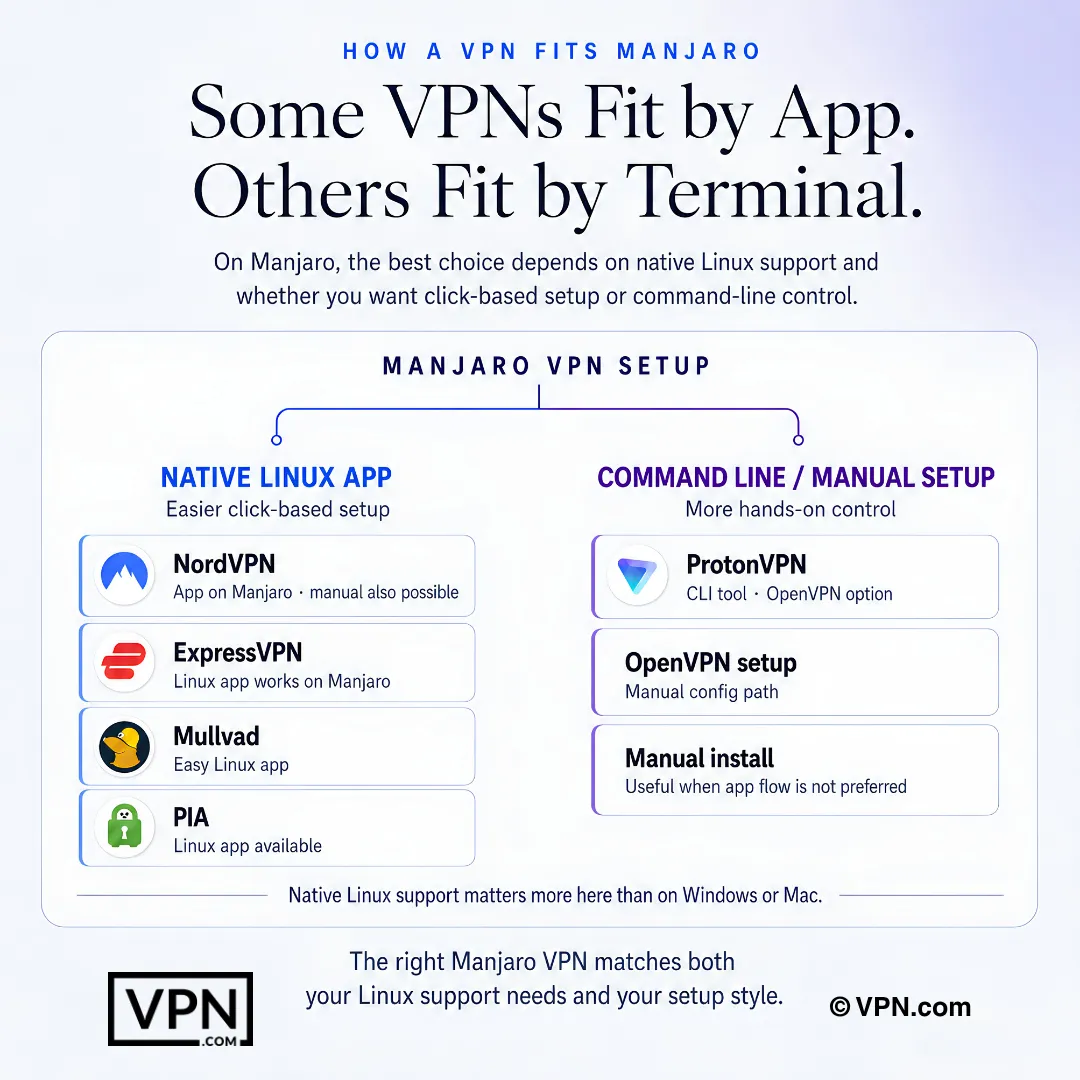
The right Manjaro VPN depends on whether you want app-based setup or terminal-level control.
Frequently Asked Questions
Why can’t I just install a normal Linux VPN client on Manjaro?
Manjaro uses pacman as its package manager and handles .pkg.tar.zst files, not the .deb or .rpm packages many VPN providers build for Ubuntu or Fedora. Native support means either an AUR package like nordvpn-bin or protonvpn, a provider-hosted .pkg.tar.zst installer like ExpressVPN’s, or manual OpenVPN/WireGuard config import through NetworkManager.
How do I install NordVPN on Manjaro?
Install NordVPN via the AUR with yay -S nordvpn-bin, then enable the daemon with sudo systemctl enable —now nordvpnd. Log in with nordvpn login and connect using nordvpn connect. NordVPN’s CLI supports NordLynx, its WireGuard-based protocol, and OpenVPN, plus a kill switch and DNS leak protection, though there’s no GUI client on Linux.
How do I get ProtonVPN’s GUI client running on Manjaro?
Install python-gobject and gtk3 first with sudo pacman -S python-gobject gtk3, since ProtonVPN’s GTK-based GUI depends on them and Manjaro KDE or XFCE editions often lack them by default. Then install the AUR package with yay -S protonvpn, or use the CLI alternative via yay -S protonvpn-cli if you prefer terminal-only control.
Should I use WireGuard or OpenVPN on Manjaro?
WireGuard is the better default on Manjaro since it’s been built into the Linux kernel since version 5.6, and Manjaro typically ships 6.x kernels, so it runs natively with no extra modules. It delivers 30-50% higher throughput than OpenVPN on the same server. NordVPN’s NordLynx wraps WireGuard with double NAT for added privacy, while OpenVPN remains available as a userspace fallback via pacman -S openvpn.
What do I do if my VPN client stops working after a Manjaro kernel update?
Rebuild the AUR package to recompile any kernel-dependent modules, running yay -S —rebuild nordvpn-bin or the equivalent package name for your provider, then restart the service with sudo systemctl restart nordvpnd. WireGuard-based connections rarely break this way since WireGuard lives in the kernel itself, but proprietary tunnel interfaces used by some clients may need rebuilding after each kernel bump.
My kill switch locked me out of my network on Manjaro, what now?
Run the provider’s disconnect command, such as nordvpn disconnect or sudo mullvad disconnect, to restore access immediately. If you’re using a manual OpenVPN config and the kill switch left stale iptables rules, flush them with sudo iptables -F. Kill switches on Manjaro typically work through iptables or nftables rules, which can conflict with UFW or firewalld configured through Manjaro Settings Manager.
Which VPN audits matter most for Manjaro users?
NordVPN’s no-logs policy was independently audited by Deloitte in both 2022 and 2024. ExpressVPN’s has been audited by PwC and KPMG. ProtonVPN’s open-source Linux apps were audited by Securitum, and its entire codebase is publicly available, which matters if you want to verify the client code before running it on Manjaro’s rolling-release system.
Which VPN is fastest for Manjaro users running WireGuard?
NordVPN ranks #1 of 22 in our Speed Lab, aggregated from independent labs, and its NordLynx protocol builds directly on WireGuard, which Manjaro supports natively via its 6.x kernel. WireGuard itself already outperforms OpenVPN by roughly 30-50% in throughput on the same server, so pairing NordLynx with Manjaro’s native WireGuard support compounds that advantage over an OpenVPN-only setup.
Can I use ProtonVPN’s free tier on Manjaro without hitting a data cap?
Yes, ProtonVPN’s free tier has no data cap, unlike most competitors, though it restricts you to a limited set of countries with reduced speeds compared to the paid VPN Plus tier. The free tier installs the same way, via yay -S protonvpn from the AUR, and works with WireGuard and OpenVPN configs imported into NetworkManager.
How many devices can I connect at once with these Manjaro-compatible VPNs?
NordVPN covers 10 simultaneous devices per account. ExpressVPN allows 10 to 14 depending on your plan tier. ProtonVPN ranges from 1 device on its free tier up to 10 on paid plans. All three count your Manjaro machine as one connection alongside phones, other computers, or a router if you extend coverage that way.
How do NordVPN, ExpressVPN, and ProtonVPN compare on price for Manjaro users?
NordVPN starts from $3.49/month on its longest-term plan, close to ExpressVPN’s $3.26/month rate on its longest-term plan. ProtonVPN is the cheapest of the three at $2.49/month on its longest-term plan, and it’s the only one offering a genuinely free tier. Mullvad, by contrast, charges a flat €5/month with no discount tiers or long-term contracts at all.
What’s the refund window if a VPN doesn’t work well on my Manjaro setup?
NordVPN, ExpressVPN, and ProtonVPN all back paid plans with a 30-day money-back guarantee, giving you time to test AUR installation, kill switch behavior, and WireGuard performance on your specific Manjaro build before committing. Request the refund through the provider’s support channel within that window if the client won’t build cleanly or the kill switch conflicts with your firewall setup.
How do I check for DNS leaks after connecting a VPN on Manjaro?
Run resolvectl status after connecting and confirm the listed DNS servers point to your VPN provider rather than your ISP. If they still show your ISP’s DNS, set the correct servers manually per-connection in NetworkManager’s GUI settings, or edit /etc/resolv.conf directly. This matters especially on Manjaro’s NetworkManager-based setups where a VPN client can fail to override DNS settings automatically.