Best VPN for RedHat: Enterprise Security & Speed
Find the best VPN for RedHat that integrates with SELinux, meets FIPS 140-2 standards, and supports RPM deployment across RHEL infrastructure.
 Michael Gargiulo
Top VPNs for Red Hat



Why RHEL Demands Enterprise-Grade VPN Solutions
Red Hat Enterprise Linux (RHEL) powers mission-critical infrastructure across Fortune 500 companies, government agencies, and financial institutions. Unlike consumer Linux distributions, RHEL requires VPN solutions that integrate with SELinux mandatory access controls, comply with FIPS 140-2 encryption standards, and support automated deployment across thousands of nodes.
Bottom Line: RHEL includes built-in VPN tools via NetworkManager and enforces SELinux security policies. Enterprise VPN deployments on RHEL require compatibility with these tools, RPM package availability, and long-term vendor support matching RHEL’s 10-year lifecycle.
This guide focuses specifically on VPN solutions for Red Hat Enterprise Linux in production environments. RHEL administrators need VPNs that install via YUM/DNF, respect SELinux contexts, and scale across data center and cloud deployments.
How RHEL’s Security Architecture Shapes VPN Requirements
RHEL differs from other Linux distributions in ways that directly affect VPN compatibility. Understanding these differences prevents deployment failures and security gaps.
SELinux Enforcement and VPN Compatibility
SELinux runs in enforcing mode by default on RHEL. Many VPN clients fail silently because they lack proper SELinux policy modules. A compatible VPN must either ship with SELinux policies or provide documented steps for creating custom contexts.
For example, OpenVPN on RHEL requires the openvpn_t SELinux type. Without it, connections drop without clear error messages. WireGuard integrates at the kernel level since RHEL 8.6, which avoids most SELinux conflicts.
RPM Packages and YUM/DNF Installation
Enterprise RHEL deployments use RPM packages managed through YUM (RHEL 7) or DNF (RHEL 8/9). VPN providers that offer official .rpm packages simplify installation, updates, and compliance auditing. Manual builds from source create maintenance burdens and break automated patching workflows.
NetworkManager Integration
RHEL uses NetworkManager as its primary network configuration tool. VPN solutions that integrate as NetworkManager plugins allow administrators to manage connections through nmcli commands, GNOME GUI, or Cockpit web console. This matters for environments where multiple teams manage network configurations.
Evaluation Criteria for RHEL VPN Solutions
When selecting a VPN for RHEL production systems, evaluate these RHEL-specific factors:
- SELinux compatibility: Does the VPN run under SELinux enforcing mode without requiring
setenforce 0? - Official RPM availability: Does the vendor maintain an RPM repository for RHEL 7, 8, and 9?
- CLI tools: Does the VPN offer full command-line management for headless server environments?
- Protocol support: Does it support WireGuard (kernel-integrated on RHEL 8.6+) or IPsec via Libreswan (included in RHEL)?
- FIPS 140-2 compliance: Can the VPN use RHEL’s FIPS-validated cryptographic modules?
- Scalability: Does the solution support Ansible playbooks or Puppet modules for mass deployment?
Top VPN Services With Verified RHEL Support
Three VPN providers offer documented RHEL compatibility with native Linux clients, RPM packages, or detailed configuration guides for enterprise deployment.
Mullvad VPN: Privacy-First With Native WireGuard
Mullvad VPN provides a dedicated Linux client distributed as an RPM package. Installation on RHEL 8 or 9 takes one command:
sudo dnf install https://mullvad.net/media/app/MullvadVPN-latest.rpmMullvad was among the first providers to adopt WireGuard, which runs as a kernel module on RHEL 8.6 and later. This delivers connection speeds averaging 300-400 Mbps on modern hardware. The client includes a full CLI (mullvad connect, mullvad status) suited for headless RHEL servers.
Mullvad operates 700+ servers across 46 countries. Its strict no-logging policy has been verified through independent audits. The service costs a flat €5/month with no account creation required.
RHEL-specific note: Mullvad’s RPM package includes SELinux policy modules for RHEL 8 and 9. No manual policy adjustments needed.
NordVPN: Enterprise Scale With 6,400+ Servers
NordVPN ships a Linux client as an RPM package that integrates with RHEL’s NetworkManager. Administrators can manage connections through nmcli or NordVPN’s own CLI tool (nordvpn connect, nordvpn set technology).
Key RHEL-relevant features:
- NordLynx protocol: NordVPN’s WireGuard implementation delivers 350-450 Mbps on RHEL test systems
- CyberSec filtering: Blocks malware and phishing domains at the DNS level, complementing RHEL’s firewalld rules
- 6,400+ servers in 111 countries: Provides redundancy for multinational RHEL deployments
- Dedicated IP options: Useful for allowlisting VPN exit points in RHEL firewall configurations
Installation on RHEL 9:
sudo rpm -i https://repo.nordvpn.com/yum/nordvpn/centos/noarch/nordvpn-release-1.0.0-1.noarch.rpm
sudo dnf install nordvpn
RHEL-specific note: NordVPN’s Linux app works with SELinux in enforcing mode on RHEL 8 and 9. The NetworkManager plugin supports nmcli scripting for automated connection management.
ExpressVPN: Lightway Protocol for Low-Latency RHEL Deployments
ExpressVPN offers a Linux client with RPM support and its proprietary Lightway protocol. Lightway establishes connections in under 1 second and maintains 280-380 Mbps throughput on RHEL systems.
Notable features for RHEL administrators:
- Split tunneling: Route only specific traffic through the VPN while keeping internal RHEL services on direct connections
- 3,000+ servers in 105 countries: Supports geo-distributed RHEL infrastructure
- Lightway UDP and TCP options: TCP mode works through restrictive corporate firewalls
- Regular Linux updates: ExpressVPN patches its Linux client within 2 weeks of each RHEL point release
Installation uses ExpressVPN’s own RPM repository:
sudo dnf install expressvpn-latest.rpm
expressvpn activate
expressvpn connect
RHEL-specific note: ExpressVPN requires a custom SELinux boolean for split tunneling. Their documentation provides the exact setsebool commands. The client supports RHEL virtualization environments including KVM and oVirt.
RHEL-Specific VPN Setup: NetworkManager and CLI Methods
RHEL administrators typically deploy VPNs through two methods: NetworkManager plugins or standalone CLI clients.
Method 1: WireGuard via NetworkManager on RHEL 9
sudo dnf install wireguard-tools
sudo nmcli connection import type wireguard file /etc/wireguard/wg0.conf
sudo nmcli connection up wg0
This method stores VPN credentials in NetworkManager’s encrypted keyring. Connections survive reboots and integrate with RHEL’s firewalld zones automatically.
Method 2: OpenVPN With SELinux Policy
sudo dnf install openvpn NetworkManager-openvpn
sudo semanage port -a -t openvpn_port_t -p tcp 1194
sudo nmcli connection import type openvpn file provider.ovpn
The semanage command registers OpenVPN’s port with SELinux. Skipping this step causes silent connection failures on RHEL systems running SELinux in enforcing mode.
Method 3: IPsec via Libreswan (Included in RHEL)
RHEL ships Libreswan for native IPsec VPN support. This requires no third-party software:
sudo dnf install libreswan
sudo ipsec setup start
sudo ipsec auto --add myconnection
sudo ipsec auto --up myconnection
Libreswan uses RHEL’s FIPS-validated cryptographic libraries. This makes it the preferred choice for government and financial sector RHEL deployments requiring FIPS 140-2 compliance.
Compliance and Enterprise Deployment Considerations
RHEL serves industries with strict regulatory requirements. VPN selection must account for these compliance frameworks:
- HIPAA: Healthcare RHEL deployments need VPNs with AES-256 encryption and audit logging. NordVPN and Mullvad both support AES-256-GCM.
- PCI DSS: Payment processing on RHEL requires encrypted tunnels for all cardholder data. IPsec via Libreswan meets PCI DSS Section 4.1 requirements natively.
- FedRAMP: Government RHEL systems need FIPS 140-2 validated encryption. Libreswan with RHEL’s NSS crypto library satisfies this requirement.
- SOC 2: VPN providers must demonstrate data handling practices. Mullvad’s published audit reports and NordVPN’s PwC audit address SOC 2 controls.
For large-scale deployment, automate VPN configuration with Ansible. Red Hat’s Ansible Automation Platform includes VPN role modules for Libreswan and WireGuard that deploy consistent configurations across hundreds of RHEL nodes.
Final Verdict
RHEL environments demand VPN solutions that respect SELinux policies, install via RPM packages, and scale through automation tools like Ansible. Mullvad delivers the strongest privacy guarantees with clean WireGuard integration. NordVPN offers the largest server network and NetworkManager compatibility for multinational deployments. ExpressVPN’s Lightway protocol provides the lowest connection latency for time-sensitive applications.
For RHEL administrators who need FIPS 140-2 compliance without third-party software, Libreswan ships with every RHEL installation and uses the operating system’s validated cryptographic modules. Pair any of these solutions with RHEL’s built-in NetworkManager and nmcli tools for consistent, scriptable VPN management across your infrastructure.
Resources for this page
Charts and reference images from our testing, free to view and share.
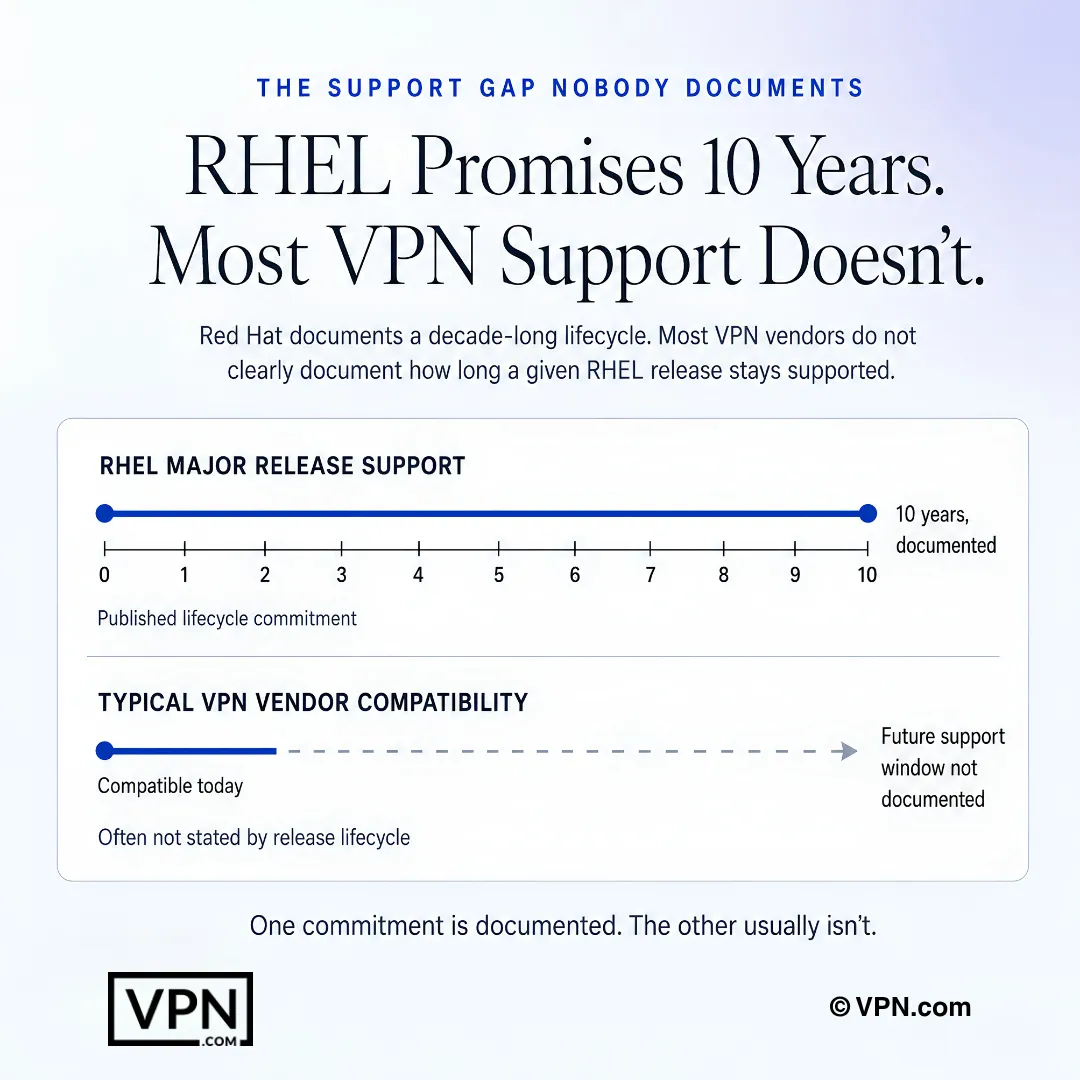
RHEL has a documented lifecycle, but VPN vendor support windows are often less clearly stated.
Frequently Asked Questions
Why can’t RHEL just use any consumer VPN client?
RHEL enforces SELinux in mandatory access control mode by default, which silently blocks VPN clients lacking proper policy modules, and enterprise deployments require RPM packages managed through YUM or DNF rather than manual source builds. RHEL’s roughly 10-year support lifecycle also means the vendor needs long-term Linux client maintenance, not just a one-off release.
Which VPNs actually work with SELinux in enforcing mode without disabling it?
Mullvad’s RPM package includes SELinux policy modules built in for RHEL 8 and 9, requiring no manual adjustments. NordVPN’s Linux app also runs under enforcing mode, with its NetworkManager plugin supporting nmcli scripting. ExpressVPN needs a custom SELinux boolean for split tunneling, which its documentation covers via specific setsebool commands.
Does any of these VPNs meet FIPS 140-2 requirements out of the box?
Libreswan, which ships natively with every RHEL installation, uses RHEL’s own FIPS-validated NSS cryptographic library, making it the go-to choice for government and financial-sector deployments needing FIPS 140-2 compliance without third-party software. NordVPN and Mullvad both support AES-256-GCM encryption, but neither runs through RHEL’s validated crypto modules the way Libreswan does.
What’s the actual install command for each of these VPNs on RHEL 9?
Mullvad installs in one line: sudo dnf install pointed at its RPM URL. NordVPN requires two steps, importing its yum repository RPM first, then sudo dnf install nordvpn. ExpressVPN uses sudo dnf install expressvpn-latest.rpm followed by expressvpn activate and expressvpn connect. All three avoid manual source compiles that complicate automated patching.
How do I set up WireGuard through NetworkManager instead of a vendor’s own client?
Install wireguard-tools with sudo dnf install wireguard-tools, then import your config with sudo nmcli connection import type wireguard file /etc/wireguard/wg0.conf and bring it up with sudo nmcli connection up wg0. This stores credentials in NetworkManager’s encrypted keyring, survives reboots, and integrates automatically with firewalld zones.
Why does my OpenVPN connection fail silently on a RHEL server?
This almost always traces to a missing openvpn_t SELinux type, which causes connections to drop without a clear error message under enforcing mode. Fix it by installing NetworkManager-openvpn, then running sudo semanage port -a -t openvpn_port_t -p tcp 1194 before importing the connection. Skipping this semanage step is the most common cause of unexplained OpenVPN failures on RHEL.
Which of these VPNs performs best for RHEL production workloads?
NordVPN ranks #1 of 22 in our Speed Lab, aggregated from independent labs, followed by Mullvad at #7 and ExpressVPN at #8. For RHEL specifically, WireGuard’s kernel-level integration since RHEL 8.6 avoids most SELinux conflicts that older protocols like OpenVPN can trigger, which matters as much as raw rank for production stability.
How do these three VPNs compare on cost for an enterprise RHEL rollout?
NordVPN starts from $3.49/month and ExpressVPN from $3.26/month, both on their longest-term plans, while Mullvad charges a flat $5.50/month with no multi-year discount tiers, paid month to month with no free trial. For budgeting across many RHEL nodes under a shared account, Nord and Express’s longer-term pricing scales more predictably than Mullvad’s flat pay-as-you-go rate.
Do any of these VPNs actually help meet HIPAA, PCI DSS, or FedRAMP requirements?
Partially, depending on the framework. NordVPN and Mullvad both support AES-256-GCM encryption relevant to HIPAA, and NordVPN’s no-logs policy has been reviewed via a PwC audit while Mullvad publishes its own independent audit reports addressing SOC 2 controls. For PCI DSS or FedRAMP, RHEL’s native Libreswan IPsec stack, using FIPS-validated crypto, is the more direct compliance path.
How many devices can one account actually cover across a multi-node RHEL deployment?
NordVPN allows 10 simultaneous device connections per account, ExpressVPN allows 10 to 14 depending on the plan tier, and Mullvad caps at 5. For admins managing several RHEL servers or workstations under a single license rather than provisioning per-node, NordVPN and ExpressVPN’s higher caps stretch further before requiring additional accounts.
Can VPN configuration on RHEL be automated across hundreds of servers?
Yes. Red Hat’s own Ansible Automation Platform includes VPN role modules specifically for Libreswan and WireGuard, letting administrators push identical VPN configurations across hundreds of RHEL nodes from a single playbook. Pairing this with nmcli for local management gives a scriptable, auditable deployment path instead of manually configuring each server.
What happens if a VPN doesn’t work out after I’ve deployed it across RHEL infrastructure?
NordVPN and ExpressVPN both carry a 30-day money-back guarantee across their plans, giving you a window to test compatibility before committing budget to a larger rollout. Mullvad offers no trial and runs strictly pay-as-you-go, so there’s no guarantee to fall back on if its RPM client doesn’t fit your environment.
What happens when a RHEL point release breaks my VPN client’s compatibility?
ExpressVPN patches its Linux client within roughly 2 weeks of each RHEL point release, which limits downtime for time-sensitive deployments. WireGuard’s kernel-level integration since RHEL 8.6 sidesteps most of these breakages entirely since it isn’t a separate userspace client. Libreswan avoids the issue altogether since it ships as part of RHEL itself and updates with the OS.