How to Choose a VPN: The Only Factors That Actually Matter
How to choose a VPN without falling for marketing hype. Learn which features matter, which ones don't and how to spot shady providers before subscribing.
The number of people worldwide who use VPNs has exceeded 1.75 billion. The VPN market in the world is estimated to have a growth of up to 86 billion dollars and it is expected to keep growing. The increasing use of VPNs is being driven by remote work, escalating cybercrimes and increasing awareness of the issue of digital privacy each year.
This is the problem. When hundreds of VPN providers are trying to grab your attention, it seems that you have been in a minefield to pick the one you like. Other providers are making flashy promises on glitzy advertisements and are extracting your data in the background. Some of them are also selling features that you will never utilize at premium prices.
This guide is what we have developed to make you look beyond the marketing and look beyond what actually counts. This breakdown will either get you in the right direction, whether you need a VPN to protect your privacy or to protect your business.
What Does a VPN Actually Do?
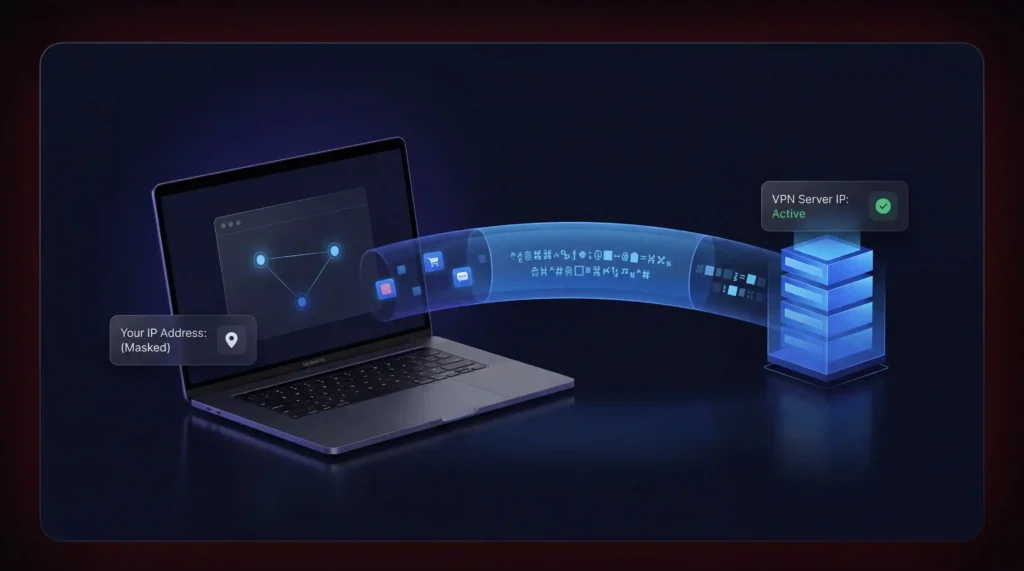
A Virtual Private Network (VPN) establishes an encrypted network between your computer and a remote server. Every internet traffic moves through this tunnel before it attains its final destination. This is done in two significant ways.
- First, it hides your IP address. Websites and services see the VPN server’s IP instead of yours. This masks your physical location and makes it harder for third parties to identify you.
- Second, it encrypts your data in transit. Your Internet Service Provider (ISP) can no longer see which websites you visit or what you do online. All they see is an encrypted connection to the VPN server.
This makes VPNs useful for two core purposes. You can bypass geographic restrictions on content that is blocked in your region. If you want to see how this works in practice, NordVPN lets you test all of these features risk-free with a 30-day money-back guarantee.
Now 68% off.
 Nordvpn
What a VPN Cannot Do?
We must first discuss what VPNs do not do before we get down to the issue of selecting one. The number of providers who claim to offer a full-fledged security solution is too many. That is not the case at all.
Malware or phishing attacks will not be covered by VPN. It will not prevent websites from tracing you using cookies, browsing fingerprinting or GPS positioning data. It will not transform you into being completely anonymous on the Internet. And this will not protect you against being hounded by the law should the VPN provider be subpoenaed to provide data to the law.
Having established achievable expectations, this is what to consider when selecting a VPN.
Key Factors to Consider When Choosing a VPN
Your final decision should be guided by criteria that prioritize security, speed and transparency. The characteristics and practices that distinguish the best VPNs among the rest are detailed below.
A Verified No-Logs Policy
It is the one and the most significant factor. No-logs policy: the VPN company does not keep data on your browsing history, logins or IP addresses. In the absence of this policy, you are just sending your data to your ISP or the VPN company. That is the whole point defeated.
But a claim on a website is not enough. Many providers say they keep no logs while their privacy policies tell a different story. Look for providers that back up their claims with independent third-party audits conducted on a regular basis. Even better is a provider whose no-logs policy has been tested in court. If a legal subpoena produced zero records then you know the policy is real.
Also pay attention to what “no logs” actually covers. Some providers avoid storing browsing data but still log connection metadata like timestamps and bandwidth usage. That metadata can still be used to identify you in certain situations.
Strong Encryption and Modern Protocols
Encryption is the backbone of any VPN. Your provider should use AES-256 encryption as a baseline. This is the same standard used by governments and financial institutions worldwide.
Equally important is the VPN protocol. A protocol determines how your data travels through the encrypted tunnel and directly affects both speed and security. There are three protocols worth considering.
- WireGuard has rapidly become the industry default. Its codebase is roughly 4,000 lines compared to OpenVPN’s 70,000+ lines. This enhances its speed, ease of auditing and lack of vulnerability to bugs. It employs the Poly1305 authentication and ChaCha20 encryption. WireGuard is the most suitable for most users when it comes to resourceful browsing, streaming and gaming.
- OpenVPN is also a good solution when a user requires the greatest flexibility. It is able to operate on TCP and UDP and it is specifically applicable in overcoming the stringent firewalls in restrictive settings. In the event that the country you are visiting blocks traffic with VPNs, you can use the OpenVPN version on TCP port 443 to masquerade your connection as normal HTTPS traffic.
- IKEv2/IPSec is mobile-friendly. It also has a quick reconnect when changing between Wi-Fi and cellular data without disconnecting the VPN. This makes it suitable for users who are always on the move.
Any VPN based on PPTP should be avoided. Various protocols have been violated over the years and practically do not provide any real security.
Server Network and Locations
The experience of VPN directly depends on its size and the distribution of the server network. The increased number of servers in the number of countries implies less congestion and a higher rate of connection. When the number of servers operated by a provider is small then you are probably sharing bandwidth with thousands of other users. The result of that is low speeds and untrustworthy connections.
However, it is not just about quantity. Enquire whether the provider is using physical servers in the places where they are advertised. There are also VPNs that are based on virtual server sites which purport to be located in a specific country but the hardware is located elsewhere. This may add a latency factor and privacy issues in case the physical server falls under the jurisdiction of a state with a stringent data retention statute.
It is also important to ensure that the provider has servers in the areas where you want to stream your content, in order to use a VPN to access it. In case speed is important to you, then you should always connect to a server that is geographically near where you are. The less distance that your data will travel the quicker your connection will be.
Transparent Business Model and Pricing
A VPN service costs money to run. Servers, bandwidth, security audits and development all require funding. If a VPN is completely free then you should ask how it stays in business. In most cases, the answer is to collect and sell your data to advertisers and third parties.
According to survey, 28% of VPN users still rely on free options. We strongly recommend against this for anything beyond the most casual browsing. Free VPNs frequently come with data caps, limited server access, slower speeds and intrusive ads. Some have even been caught distributing malware.
Paid VPNs typically offer monthly or annual subscription plans. Annual plans almost always provide significant savings per month. Just read the fine print carefully. Watch out for automatic rebilling at higher rates after the initial discount period ends. A provider with transparent pricing and a clear refund policy is always a safer bet.
Cross-Platform Compatibility
All your devices should be covered by a VPN. It implies native Windows, macOS, iOS and Android apps at least. Linux support and browser extensions for Chrome or Firefox are strong bonuses. Other providers also offer routers that allow you to secure all the devices on your home network through one setup.
Check how many simultaneous connections the plan allows. A good provider will let you protect at least five devices at once. Some now offer unlimited device connections on a single subscription which is especially valuable for families or small teams.
Kill Switch and Leak Protection
One of the non-negotiable features is a kill switch. It connects itself to the internet automatically in case the VPN tunnel goes dead suddenly. Failure to do so will lead to your device returning to your normal unprotected connection and your actual IP address will be revealed.
DNS and IP leak protection are equally critical. Such properties ensure that your browsing information does not accidentally leak out of the encrypted tunnel even when the VPN is on. One DNS leak will reveal all the sites you visit to your ISP.
Jurisdiction and Legal Framework
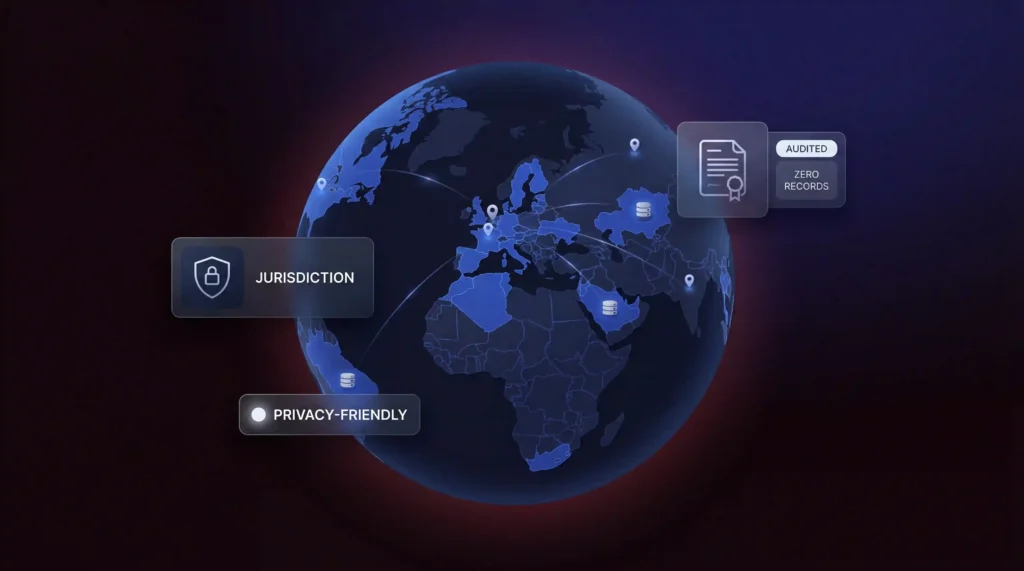
The location of a VPN company is directly reflected in your privacy. Providers based in a country where the data retention laws or intelligence-sharing agreements are aggressive might be compelled to store and transfer user data when compelled to do so by governments.
Jurisdictions that are privacy-friendly provide the providers with a better legal basis to reject these requests and defend their users. Look at the transparency reports and terms of service of the provider prior to subscribing. A provider should explain explicitly what will occur in case they get a government request for data, which should be a red flag.
Reputation and Independent Reviews
Never use the marketing resources of a VPN provider to judge them. Find reviews published by reputable and independent technological sources. The feedback of users on social networking sites, such as Reddit and the commentaries on applications can also demonstrate the tendencies that the official marketing will never speak about.
Take warning of affiliate-based review sites that rank VPNs by commission rates and not their quality. When all VPNs on a list are marked as the best and all the reviews seem to be an advertisement, then it is likely that they are not credible.
Applied every factor above to the VPNs we tested, and NordVPN came out on top each time. Verified no-logs, WireGuard-based speeds, 9,000+ physical servers and a jurisdiction with zero data retention laws. Start with a 30-day money-back guarantee.
Now 68% off.
Nordvpn
How to Spot a Shady VPN Provider?
Not every VPN has your best interests at heart. Here are some warning signs to watch for before you hand over your money or your data.
- Vague or missing privacy policies. If a provider does not clearly explain what data they collect and how they use it, walk away. A trustworthy VPN will always publish a detailed and easy-to-read privacy policy.
- No information about company leadership. If the VPN’s website has no “about” page and no named founders or team members, that is a concern. Legitimate companies are willing to put their reputation on the line.
- Overpromising on security. Any VPN that claims to make you “100% anonymous” or “completely hack-proof” is exaggerating. No tool can deliver that. Honest providers are upfront about the limitations of their service.
- App store presence does not equal safety. Just because a VPN app appears on the Google Play Store or Apple App Store does not mean it is trustworthy. Some VPN apps available on official storefronts have been caught logging user data and even distributing malicious software.
How to Choose a VPN: FAQs
The Bottom Line
The final decision of VPN is based on trust. You are giving your internet traffic to some other party (your ISP) to the VPN provider. It is an important choice and it should be taken into consideration.
Look at confirmed no-logs, current encryption protocols, clear pricing and a known reputation. Bypass the free alternatives. Leak testing of the service with leak detectors. And do keep in mind that a VPN is not the only puzzle. Combine it with good passwords, two-factor authentication and good browsing habits to create a security setup that actually works.
It is worth the effort to have your privacy. Ensure that the VPN you are using has the privilege of defending it.
Resources
- NordVPN – Official website, features and no-logs policy details
https://nordvpn.com - Surfshark – Official website and pricing/transparency info
https://surfshark.com - Proton VPN – Official website and privacy-first approach
https://protonvpn.com - WireGuard – Official protocol documentation and technical details
https://www.wireguard.com - OpenVPN – Open-source VPN protocol and security info
https://openvpn.net - Deloitte – Independent audits verifying VPN no-logs claims
https://www2.deloitte.com - PwC – Third-party verification of privacy practices
https://www.pwc.com - HackerOne – Bug bounty and vulnerability disclosure programs
https://www.hackerone.com