ExpressVPN Free Trial: 30-Day Money-Back Guarantee
ExpressVPN doesn't offer a traditional free trial, but you get 30 days risk-free with its money-back guarantee. Full access across 8 devices.
VPNs with Free Trials



How to Try ExpressVPN for Free
ExpressVPN does not offer a traditional free trial on desktop. Mobile users on Android and iOS may find a 7-day free trial, though availability varies by region. The primary risk-free option is the 30-day money-back guarantee, which gives full access across 8 devices. You pay upfront and request a complete refund before day 30.
ExpressVPN Free Trial Availability
ExpressVPN removed its widely available 7-day free trial for most platforms several years ago. Desktop and laptop users cannot access any free trial period today. The only way to test ExpressVPN on Windows, Mac, or Linux is through the money-back guarantee.
Mobile users sometimes see a 7-day free trial through the Apple App Store or Google Play Store. This trial appears inconsistently and depends on your region, device, and account history. Apple and Google manage the billing, not ExpressVPN directly.
If the 7-day mobile trial shows up, you must cancel before day 7 to avoid charges. Cancellation happens through your phone’s subscription settings, not through ExpressVPN’s website. Missing the deadline means your selected plan activates at full price.
ExpressVPN Money-Back Guarantee Explained
The 30-day money-back guarantee is the most reliable way to try ExpressVPN without long-term commitment. You get unrestricted access to every server, feature, and protocol during those 30 days. There are no bandwidth limits, speed caps, or feature restrictions of any kind.
This guarantee applies to all plan lengths: 1-month, 6-month, and 12-month subscriptions. You must purchase directly through ExpressVPN’s website to qualify. Purchases made through Apple or Google require refund requests through those platforms instead.
ExpressVPN states “no questions asked” in its refund policy. In practice, the support agent may ask why you want to cancel. A simple answer like “it’s not right for me” works every time.
How to Cancel ExpressVPN and Get a Refund
Follow these 5 steps to cancel ExpressVPN and receive your full refund within the 30-day window.
Step 1: Open the ExpressVPN website and log in to your account dashboard.
Step 2: Click the live chat icon in the bottom-right corner of the page. Live chat operates 24 hours a day, 7 days a week.
Step 3: Tell the support agent you want to cancel your subscription and request a refund. The agent may ask for a reason or offer troubleshooting help.
Step 4: Confirm you want the refund. The agent will process the cancellation and initiate the refund on the spot.
Step 5: Wait 5 to 7 business days for the refund to appear in your original payment method. Credit cards may take slightly longer depending on the issuing bank.
Keep your confirmation email as proof until the refund posts to your account. The entire live chat process typically takes under 10 minutes from start to finish.
What You Get During the Guarantee Period
The 30-day guarantee period provides the exact same product as a paying long-term subscriber receives. Nothing is locked, throttled, or hidden behind an upgrade wall.
You get access to servers in 105 countries with unlimited bandwidth and speed. All 8 simultaneous device connections are available from day one. Every protocol option works, including Lightway, OpenVPN, and IKEv2.
Split tunneling, the kill switch, and DNS leak protection all function during the guarantee period. Streaming accesses for Netflix, Disney+, BBC iPlayer, and other platforms work identically to paid accounts. You can test everything before deciding to keep the subscription.
ExpressVPN Trial vs. Competitor Free Trials
| Provider | Free Trial | Money-Back Guarantee | Free Tier | Simultaneous Devices |
|---|---|---|---|---|
| ExpressVPN | 7-day (mobile, limited) | 30 days | No | 8 |
| NordVPN | 7-day (mobile) | 30 days | No | 10 |
| CyberGhost | 1-day (desktop), 3-day (mobile) | 45 days | No | 7 |
| Proton VPN | None needed | 30 days | Yes (free tier) | 10 (paid) |
CyberGhost offers the longest money-back guarantee at 45 days on plans of 6 months or longer. Proton VPN stands alone with a permanent free tier, though it limits you to servers in 5 countries. NordVPN mirrors ExpressVPN’s structure with a mobile trial and 30-day guarantee.
ExpressVPN’s 30-day guarantee remains competitive, but it lacks a permanent free option. Users who want zero financial risk upfront should consider Proton VPN’s free tier first.
Resources for this page
Charts and reference images from our testing, free to view and share.
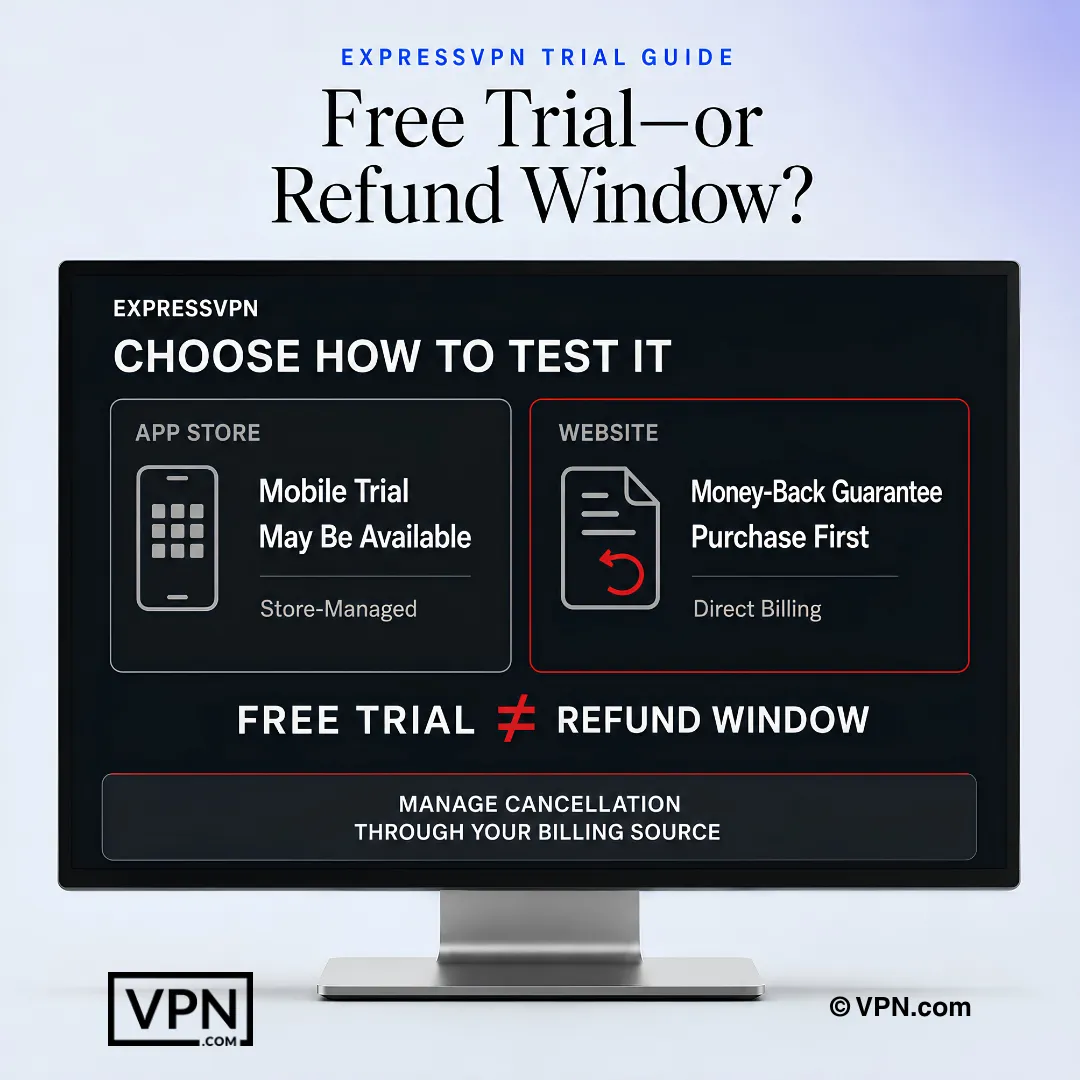
ExpressVPN testing options depend on where you subscribe: a mobile trial may be store-managed, while website purchases use a refund window.
Frequently Asked Questions
Does ExpressVPN actually offer a free trial?
No desktop free trial exists; ExpressVPN removed it years ago for Windows, Mac, and Linux users. Mobile users on iOS and Android sometimes see a 7-day trial through the Apple App Store or Google Play, but availability varies by region, device, and account history, and Apple or Google handle the billing, not ExpressVPN. The reliable option is the 30-day money-back guarantee.
How does ExpressVPN’s 30-day money-back guarantee work as a trial substitute?
You pay upfront through ExpressVPN’s website, then request a full refund anytime before day 30 with no bandwidth caps or feature restrictions. The guarantee covers all plan lengths: 1-month, 6-month, and 12-month subscriptions. Refunds process fully only for purchases made directly on ExpressVPN’s site, not through Apple or Google.
Do I get the full ExpressVPN product during the 30-day guarantee, or a limited version?
The full product, with no throttling. During the 30-day window you get unrestricted access to every server across ExpressVPN’s 3,000+ server network in 105 countries, with no speed caps or feature restrictions. Split tunneling, the kill switch, and DNS leak protection all function exactly as they would for a long-term subscriber.
How do I cancel ExpressVPN and receive my refund within the 30-day window?
Log into your ExpressVPN account dashboard, click the 24/7 live chat icon, and tell the agent you want to cancel and receive a refund. The agent processes the cancellation on the spot, and funds return to your original payment method in 5 to 7 business days. Keep your confirmation email as proof until the refund posts.
What happens if I miss the 7-day mobile trial’s cancellation deadline?
Your selected plan activates at full price automatically once day 7 passes, since Apple or Google bills you directly rather than ExpressVPN. Cancellation must happen through your phone’s subscription settings, not ExpressVPN’s website, before the trial ends. If you miss it, fall back on the 30-day money-back guarantee, though Apple/Google purchases require refunds through those platforms instead.
Can I get a refund if I subscribed to ExpressVPN through the App Store or Google Play?
Yes, but through Apple or Google’s own refund process, not ExpressVPN’s live chat. ExpressVPN’s 30-day money-back guarantee applies fully only to purchases made directly on its website; subscriptions bought via the Apple App Store or Google Play require you to request refunds through those platforms’ policies instead.
How does ExpressVPN’s trial and guarantee compare with NordVPN and CyberGhost?
ExpressVPN and NordVPN both pair a limited 7-day mobile trial with a 30-day money-back guarantee, while CyberGhost offers a shorter 1-day desktop or 3-day mobile trial but a longer 45-day guarantee on 6-month-plus plans. None of the three has a permanent free tier; Proton VPN is the one named alternative with an always-free plan.
Is ExpressVPN’s “no questions asked” refund policy actually enforced without questions?
Largely yes, but expect a brief conversation first. ExpressVPN states its policy is “no questions asked,” yet in practice the live chat agent may ask why you’re canceling before processing it. A simple response like “it’s not right for me” is sufficient, and refunds still complete within 5 to 7 business days.
How many devices can I actually test during the ExpressVPN guarantee period?
Between 10 and 14 simultaneous connections depending on the plan tier you choose, the same limit that applies to paying subscribers. There’s no reduced device allowance during the 30-day window, so you can test phones, laptops, and streaming devices together before deciding whether to keep the subscription.
Can I test Netflix or Disney+ access during the ExpressVPN refund window?
Yes, streaming access works identically to a paid account throughout the full 30-day guarantee period. ExpressVPN accesses Netflix, Disney+, and BBC iPlayer among other platforms, with no feature gating tied to the refund window, making the guarantee period a practical way to confirm streaming access before committing long-term.
Does ExpressVPN throttle speed or cap bandwidth during the money-back guarantee period?
No, there are no bandwidth limits or speed caps during the 30-day window, matching what paying long-term subscribers get. ExpressVPN ranks #8 of 22 in our Speed Lab, aggregated from independent labs, and that same performance is available in full during the guarantee period, not a reduced trial-tier version.
Are core security features like the kill switch active during the guarantee period?
Yes, split tunneling, the kill switch, and DNS leak protection all function normally throughout the 30-day guarantee window. Every protocol option, including Lightway, OpenVPN, and IKEv2, remains available without restriction. Nothing is locked or throttled behind an upgrade wall while you’re testing the service before making a refund decision.