Our answer#1 of 3

NordVPN
Best for SecurityRouter-ready with clear guides · Threat Protection · fast NordLynx.
Get NordVPN30-day money-back guarantee
Decision guide · Updated August 2026
A router VPN protects every device at once, including consoles and smart TVs that cannot run VPN apps. Setup ease is what separates the picks.
NordVPN
Best for SecurityRouter-ready with clear guides · Threat Protection · fast NordLynx.
Get NordVPNThe ranking
Ordered by our overall score, aggregated from independent testing labs.


Installing a VPN on your router protects every device in your home at once with a single setup. It’s the easiest way to secure gadgets that don’t support VPN apps natively, like Xbox, PlayStation, Roku and Apple TV.
This guide covers the top router-optimized providers, hardware compatibility and step-by-step setup instructions.
A router VPN encrypts all internet traffic flowing through your network. Every connected device gets protected automatically.
Before buying, check your VPN’s documentation to confirm firmware and model compatibility. For a broader evaluation framework beyond router-specific features, see our guide on how to choose a VPN.
We tested dozens of VPN providers on actual router hardware. These five consistently delivered the best combination of speed, stability and ease of setup on routers.
| Provider | Dedicated Router App | Pre-Configured Router | Router Setup Difficulty | Protocol Support | Kill Switch on Router | Split-Tunneling | Starting Price |
|---|---|---|---|---|---|---|---|
| ExpressVPN | Yes (Aircove) | Yes (Aircove hardware) | Easy (plug-and-play) | Lightway, OpenVPN | Yes (automatic) | Yes (per-device) | $4.99/mo (2-yr) |
| NordVPN | No | Via FlashRouters | Moderate (manual config) | NordLynx, OpenVPN | Yes (via firmware) | No | $3.49/mo (2-yr) |
| Surfshark | No | Via FlashRouters | Moderate (manual config) | WireGuard, OpenVPN | Yes (via firmware) | Yes | $2.49/mo (2-yr) |
| Private Internet Access | No | Via FlashRouters | Moderate (manual config) | WireGuard, OpenVPN | Yes (via firmware) | Yes | $2.19/mo (2-yr) |
| IPVanish | No | Via FlashRouters | Moderate (manual config) | WireGuard, OpenVPN, IKEv2 | Yes (via firmware) | Yes | $2.49/mo (2-yr) |
ExpressVPN offers the most polished router experience in the market. Its Aircove router ships with VPN software pre-installed.
ExpressVPN is ideal for users who want zero-friction setup and per-device control without touching a command line.
NordVPN delivers top-tier speeds on router hardware, making it the strongest choice for households that stream 4K, game online and download large files simultaneously.
NordVPN is best for power users who prioritize raw speed and don’t mind a moderate setup process.
Surfshark offers strong router compatibility at a lower price point. Its unlimited simultaneous connections policy means the router’s single-slot advantage matters less, but the always-on coverage still protects devices that can’t run apps.
Surfshark is great for families and multi-device households that want premium protection on a budget.
Private Internet Access (PIA) gives advanced users granular control over encryption settings at the router level.
PIA suits technical users who want full control over encryption and routing behavior.
IPVanish maintains detailed setup documentation for custom firmware routers and owns its entire server infrastructure.
IPVanish works well for DD-WRT and Tomato users who value server infrastructure transparency.
Check compatibility before buying: ISP-provided routers almost never support VPN installation. You need your own hardware. Asus RT-AX88U, RT-AC86U and Netgear Nighthawk models support OpenVPN out of the box. For WireGuard support, verify your router’s firmware version is recent. Older Asus firmware may only support OpenVPN. If manual configuration feels too complex, FlashRouters sells pre-configured routers with NordVPN or Surfshark already installed. ExpressVPN’s Aircove is the easiest plug-and-play option with a dedicated web dashboard.
Not every router supports VPN installation. Use this table to quickly check your hardware, then visit the brand-specific guide for detailed setup instructions.
| Router Brand/Firmware | Native VPN Support | Protocols Supported | Setup Difficulty | Notes |
|---|---|---|---|---|
| Asus (RT-AX88U, RT-AC86U) | Yes | OpenVPN, WireGuard (newer firmware) | Easy | Built-in VPN client in admin panel |
| Netgear Nighthawk | Yes (select models) | OpenVPN | Moderate | Requires manual .ovpn file upload |
| Linksys WRT Series | Yes | OpenVPN | Moderate | Native OpenVPN support on WRT3200ACM |
| DD-WRT Firmware | Yes (after flash) | OpenVPN, WireGuard | Advanced | Voids warranty; supports 200+ router models |
| Tomato Firmware | Yes (after flash) | OpenVPN | Advanced | Lighter than DD-WRT; fewer supported models |
| OpenWrt Firmware | Yes (after flash) | OpenVPN, WireGuard | Advanced | Most flexible; steepest learning curve |
| ExpressVPN Aircove | Yes (built-in) | Lightway, OpenVPN | Easy | Plug-and-play; no manual config |
| ISP-Provided Routers | No | None | N/A | Replace with your own hardware |
⚠️ Firmware flashing warning: Installing DD-WRT, Tomato or OpenWrt on your router voids the manufacturer warranty. A failed flash can permanently brick the device. Always verify your exact model number against the firmware’s supported hardware list before proceeding. Back up your current firmware first.
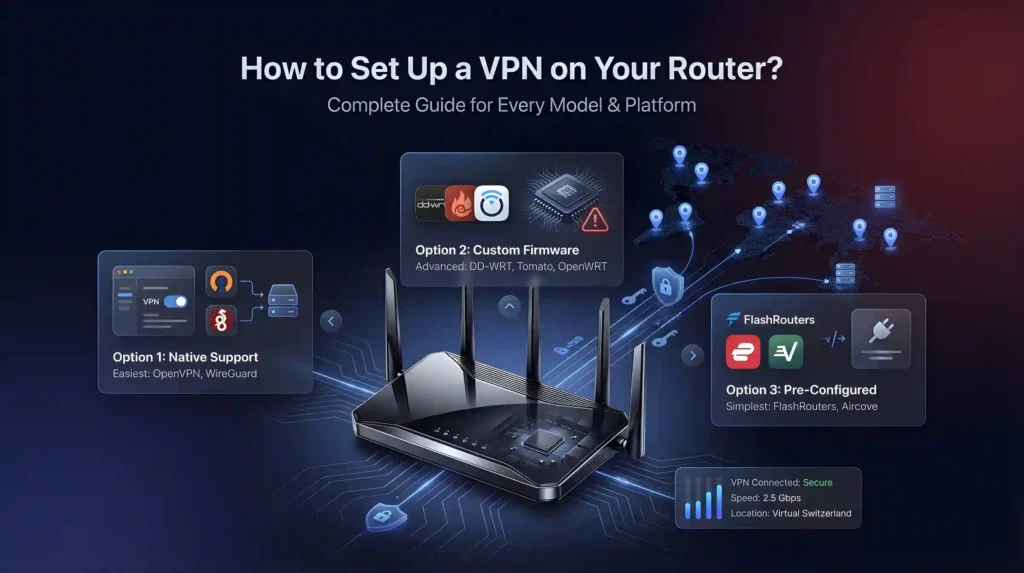
Setup varies by router model and VPN provider. For device-specific installation steps beyond routers, our VPN setup guide covers every platform from phones to desktops.
Many modern routers include VPN client settings out of the box. Estimated time: 10–15 minutes.
For routers that don’t natively support VPNs, you can flash custom firmware. Estimated time: 30–45 minutes.
The simplest path for non-technical users. Estimated time: under 5 minutes.
If you’re reading this guide, a router VPN is likely the right call. Here’s a quick comparison to confirm.
| Feature | Router VPN | Device VPN App |
|---|---|---|
| Coverage | Every device on the network | Only devices with the app installed |
| Speed impact | 20–40% loss (router CPU handles encryption) | 5–15% loss (device CPU is faster) |
| Server switching | Changes affect all devices; requires router reboot | Instant, per-device switching |
| Setup | One-time, 5–45 minutes depending on method | Per device, 2–3 minutes each |
| Best for | Smart TVs, consoles, IoT, always-on protection | Phones and laptops that travel off-network |
Recommendation: Use a router VPN for your home network’s always-on protection. Install device apps on phones and laptops for when you leave the house. The two approaches complement each other.
A router VPN is the most efficient way to protect an entire household. One setup, total coverage, no device left behind. ExpressVPN leads for its dedicated Aircove router app and 5-minute setup. NordVPN delivers the fastest speeds at 410 Mbps on WireGuard. Surfshark offers the best value with unlimited connections at $2.49/month. PIA and IPVanish round out the list for advanced users who want granular control over encryption and routing.
For the simplest path, grab a pre-configured router or ExpressVPN’s Aircove. For more control, flash DD-WRT firmware on a compatible model. Either way, a router VPN transforms your home network into a fully encrypted, always-on private connection.
Find setup instructions and provider recommendations for your specific router:
Charts and reference images from our testing, free to view and share.
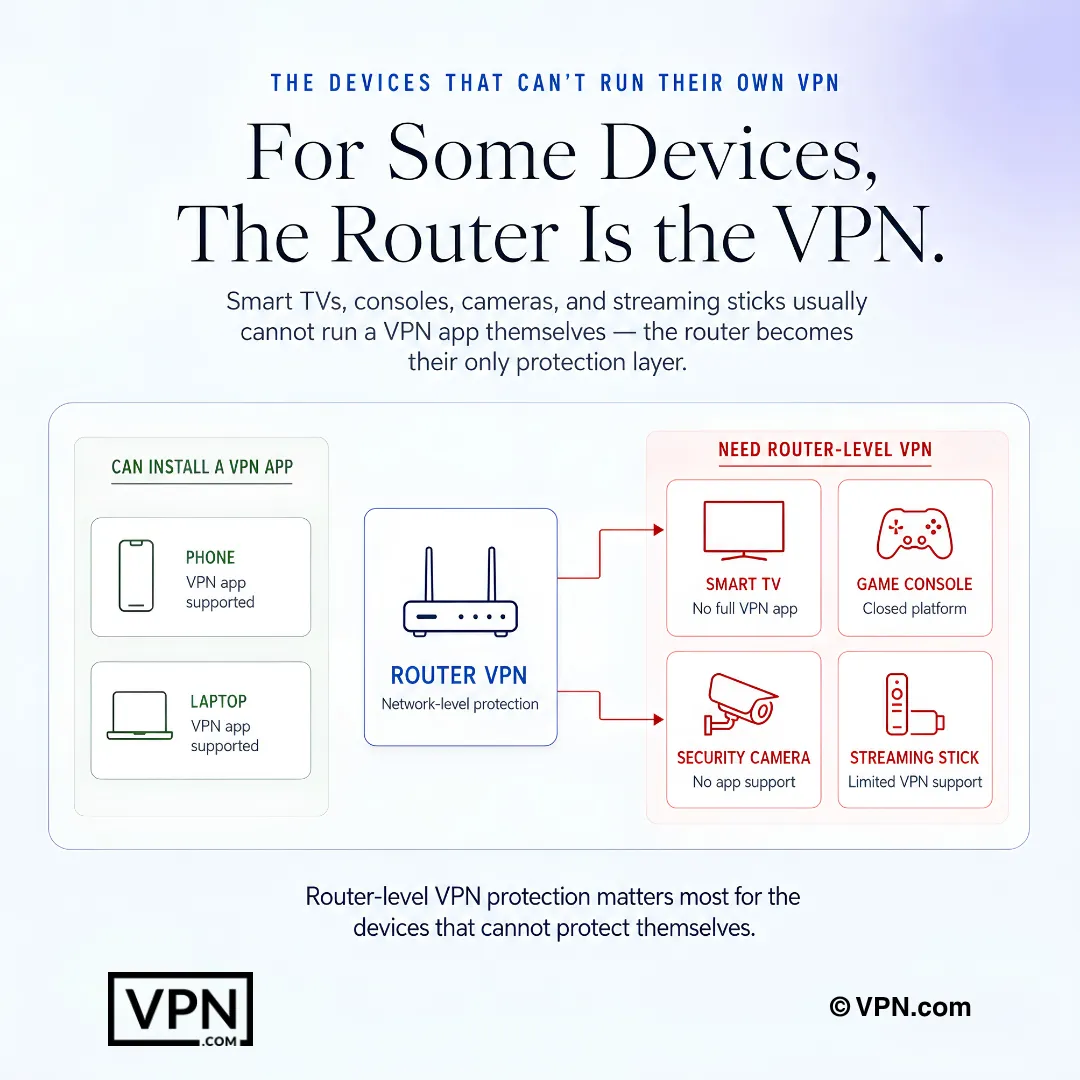
A router VPN encrypts every device on your home network from one setup, covering gadgets that can’t run VPN apps natively like Xbox, PlayStation, Roku, and Apple TV. Security cameras, thermostats, and other IoT devices that lack built-in encryption get covered too. It’s one configuration versus installing and managing an app on every phone, laptop, and console separately.
Yes, a router uses just one connection slot regardless of how many devices join your Wi-Fi behind it. That matters most on capped plans: NordVPN allows 10 simultaneous devices per account, while Surfshark and PIA offer unlimited connections. Even on NordVPN’s tighter limit, a router lets an entire household bypass the per-device cap entirely.
Under 5 minutes. Plug it in, open the web dashboard, and select a server, with no manual config files required. The dashboard also lets you assign different server locations to different devices, so a smart TV can route through one country while a laptop uses another. Firmware updates arrive automatically over the air.
NordVPN has no dedicated router app, so setup runs through manual OpenVPN configuration, typically 15 to 20 minutes on hardware like an Asus RT-AX88U. NordVPN provides step-by-step guides with screenshots for 12+ router models to ease the process. The kill switch requires manual firmware configuration, and split tunneling isn’t available at the router level at all.
WireGuard generally suits router hardware better since it demands less processing power than OpenVPN, which matters on a router’s limited CPU. NordVPN uses its WireGuard-based NordLynx protocol, while Surfshark and PIA support WireGuard directly. ExpressVPN’s Aircove runs its own Lightway protocol instead. Check your router’s firmware version first, since older builds may only support OpenVPN.
NordVPN posted the strongest router throughput among providers tested, thanks to its WireGuard-based NordLynx protocol, and ranks #1 of 22 in our Speed Lab, aggregated from independent labs. ExpressVPN’s Aircove (Lightway) and Surfshark’s WireGuard implementation also performed well. Since router CPUs handle encryption, protocol efficiency matters more here than on phones or laptops.
ISP-provided routers almost never support VPN installation, so you’ll need your own hardware. Models like the Asus RT-AX88U, RT-AC86U, and Netgear Nighthawk support OpenVPN out of the box. If buying new hardware feels daunting, FlashRouters sells routers pre-configured with NordVPN or Surfshark already installed, or ExpressVPN’s Aircove offers a plug-and-play alternative.
Flashing DD-WRT, Tomato, or OpenWrt voids your manufacturer’s warranty, and a failed flash can permanently brick the device. Always confirm your exact model number against the firmware’s supported hardware list and back up your current firmware first. If that risk feels too high, a pre-configured router from FlashRouters or ExpressVPN’s Aircove skips flashing entirely.
ExpressVPN’s Aircove offers the most accessible version, letting you exclude specific devices through its web dashboard with no config files. Surfshark supports split tunneling on DD-WRT firmware to route specific IP addresses outside the tunnel, and PIA supports it on DD-WRT and pfSense. NordVPN offers none at the router level, so every connected device shares one server.
Yes. Security cameras, smart thermostats, and other IoT devices often ship with no built-in encryption at all, and a router VPN closes that gap by encrypting their traffic automatically without any device-side setup. This matters most with a router-level kill switch enabled, which cuts all network traffic if the VPN connection drops, preventing any device from leaking data unencrypted.
Yes, since the encryption happens at the router level, devices like Roku, Apple TV, Xbox, and PlayStation get covered without needing any app installed. ExpressVPN’s Aircove dashboard even lets you assign a specific server location to your smart TV independently from other devices on the same network, useful for accessing region-locked content on a single screen.
Yes. ExpressVPN, NordVPN, Surfshark, and PIA all back their plans with a 30-day money-back guarantee, which covers router-based configurations the same as standard app installs. If firmware flashing proves too complex or your hardware isn’t compatible after purchase, request a refund through the provider directly rather than persisting with an unstable setup.
Pricing runs from $1.99/month on Surfshark’s longest-term plan, from $2.03/month on PIA’s, and from $3.49/month on both ExpressVPN’s and NordVPN’s longest terms. Router use adds no extra provider fee beyond the subscription itself, though a pre-configured option like ExpressVPN’s Aircove hardware or a FlashRouters unit carries a separate one-time hardware cost.