


Best VPN for Streaming

Reach the library your subscription pays for, wherever you actually are, without buffering.

Someone on a sofa browsing shows on a TV in the evening

Question 1 of 3

What made you look for a streaming VPN?

50,852 VPN picks made through VPN.com in the last 30 days

Before you choose

The three questions everyone asks

  1. Why do you need a VPN for streaming?

    Streaming services decide what you can watch by the country your IP address points to. A VPN lets you choose that country, so your subscription works wherever you are.

    See what your connection shows
  2. Not sure what to pay?

    Month to month, most VPNs cost about $11. Longer plans cost less: NordVPN is $3.49 a month on its 2-year plan, billed up front.30-day money-back guarantee

    See how paid compares with free
  3. What does the FBI say?

    “Consider paying for a VPN service. Many VPN apps are free to you because they make money by sharing your information with third parties.”
    Portland Field Office · The FBI publishes criteria and does not endorse any provider.
    Learn more

What your connection shows

Your IP tells every streaming service where you are.

A VPN masks it, so your subscription follows you instead of your address.

VPN off
IP address
···.···.···.···
Location
···
Streaming catalog
Local only

Read live from your own connection. Nothing is stored or sent.

Setup guide

How to set up a VPN for streaming

Protecting a smart TV

Most smart TVs cannot run a VPN app, so the router protects the TV instead.

  1. Install the VPN on your routerThe TV needs no app; Android TV and Fire TV models can also run one directly.
  2. Connect the TV to that networkWi-Fi or cable, the TV is covered the moment it joins.
  3. Pick the server country onceThe router sets the location for every screen, so choose the one your subscription covers.
Install the VPN on your router
Your TV is covered, with no app on it

Protecting a streaming stick

Fire TV and Android-based sticks run the VPN app themselves; other sticks need the router route.

  1. Install the app on the stickFind your provider in the stick's app store, then sign in.
  2. Connect to the right countryPick a server in the country your subscription covers.
  3. Open your streaming appEverything you watch through the stick now runs through the VPN.
Install the app on the stick
Everything you watch on that TV is protected

Protecting the whole home network

One install on the router covers every screen in the house.

  1. Check your plan supports routersNot every plan includes router setup, so confirm it before you buy.
  2. Install the VPN on the routerFollow your provider's guide for your router model.
  3. Reconnect every screenTVs, sticks, consoles and phones are covered as one connection, with no app on each.
Install the VPN on your router
Every device at home is covered

Side by side

A paid VPN is not a free VPN with ads

The difference shows up the moment a streaming service checks your IP.

What you are comparingPaid VPNFree VPN
Streaming accessActively maintained servers that keep access workingOften blocked by the major platforms
Speed for 4KDedicated capacity, minimal bufferingShared and often congested
Data capsUnlimitedOften capped per day or month
LoggingIndependently audited no-logs (top providers)Often sells usage data

Our verdict

Watch what your subscription already pays for

Our take: Streaming platforms actively block known VPN IP ranges, so the case for one provider over another is which servers keep access working, not which is cheapest. Pick on access and speed, not price alone.

  • Dedicated streaming servers keep access working on the major platforms far longer than free alternatives.
  • Enough bandwidth for buffer-free 4K on a stable connection.
  • Access to the libraries your subscription already covers elsewhere, where the service allows it.
  • An independently audited no-logs policy on the providers we recommend, not a promise on a marketing page.
  • Bandwidth for 4K
  • Reliable regional access
  • Harder to throttle

Why NordVPN is our pick for streaming:

  • Obfuscated servers that keep access working on major platforms
  • Fast enough for buffer-free 4K on a stable connection
  • Smart DNS support for devices that cannot run the app

Getting NordVPN onto every screen you watch:

  • Desktop, mobile and router support
  • Apps for Windows, macOS, iOS, Android and Linux
  • Apps for Android TV and Fire TV

How NordVPN plans work:

  • Monthly and multi-year plans
  • 30-day money-back guarantee
  • Cancel inside the money-back window for a full refund

The full guide

The detail behind our pick

This page covers the best VPN options across all streaming platforms. We do not run our own speed or streaming tests. Our rankings combine our Trust Score with published results from selected independent testing labs, including CNET[1], CyberInsider[2], Top10VPN[3], Security.org[4], Experte[5], and Cybernews[6].

Quick comparison: streaming VPN performance

VPNTrust Score rankNetflix librariesConnectionsStarting price
NordVPN#1 of 2217+10$3.49/mo
ExpressVPN#8 of 221810–14 (by plan)$3.26/mo
Surfshark#4 of 229+Unlimited$2.49/mo
Proton VPN#12 of 2220+10$3.49/mo
CyberGhost#10 of 22Multiple7$2.03/mo

For a deeper look at raw throughput across all use cases, see our dedicated speed comparison.

Top 5 VPNs for streaming

These five services rank well on our Trust Score and in published independent lab results, and each supports streaming on the major platforms.

NordVPN: top Trust Score rank for streaming

NordVPN holds the #1 Trust Score rank of 22 providers. A nearby server usually leaves plenty of bandwidth headroom for 4K, which needs about 25 Mbps, though any VPN adds some latency.

NordVPN uses NordLynx, a proprietary protocol built on WireGuard. It is built for low overhead without weakening encryption. For streaming, SmartPlay automatically combines VPN routing with Smart DNS, so you can skip hunting for a working server manually.

NordVPN is reported to reach 17+ Netflix regional libraries, and to work with Disney+, Prime Video, Hulu, and Max, though access can change when platforms update their blocks. It also runs natively on Fire TV, Android TV, and Apple TV.

ExpressVPN: simplest setup for new users

ExpressVPN is reported to reach 115 streaming services and 18 Netflix regional libraries. One button connects you. Server recommendations appear automatically.

The Lightway protocol is built to keep long-distance connections stable. Distant servers add latency on any VPN, so pick one near you when you can. ExpressVPN also provides native apps for smart TVs, game consoles, and routers, covering devices that many VPNs require manual setup for.

Surfshark: unlimited devices for less

Surfshark costs less than NordVPN and ExpressVPN. It is also built for streaming. The defining feature is unlimited simultaneous connections. One subscription covers every device in your household.

Surfshark includes GPS spoofing, aimed at a problem IP masking alone does not cover: YouTube TV uses GPS coordinates as well as IP addresses to detect location on mobile. Surfshark is reported to reach 9+ Netflix libraries.

Proton VPN: privacy-first streaming

Proton VPN pairs streaming support with a strong privacy record. Founded by CERN scientists and based in Switzerland, it operates under Swiss data protection law. If privacy matters alongside streaming, Proton VPN is a strong pick.

Proton VPN is reported to reach 20+ Netflix regional libraries using its Stealth and WireGuard protocols, and to work with Prime Video, Disney+, and Hulu on US, UK, and EU servers. Proton says its VPN Accelerator can improve speeds on distant servers. A free plan with unlimited data is also available, though streaming access requires the paid tier.

CyberGhost: labeled servers remove the guesswork

CyberGhost has a standout feature: its labeled streaming servers. Instead of guessing which server works with BBC iPlayer or Netflix US, you search for a server dedicated to that exact platform and connect. CyberGhost labels servers for over 50 streaming services, including niche platforms like Crunchyroll and Peacock.

Its network of 11,500+ servers across 100 countries is one of the largest available. This helps maintain access as platforms block IP addresses over time. Speed depends on the server and protocol, and WireGuard is usually the lighter choice for HD and 4K. CyberGhost is also the only provider here with a 45-day money-back guarantee, giving you extra time to test it on every platform you use.

What makes a VPN good for streaming?

  • Reliable access is the most important factor. A VPN that can’t reliably access geo-restricted content is useless for streaming. Platforms constantly identify and block IP ranges linked to known VPN servers.
  • Speed determines quality. VPN encryption always adds some overhead. You need at least 10 Mbps for HD and 25 Mbps for 4K. A nearby server using a modern protocol like WireGuard keeps the added latency and lost throughput small.
  • Server network matters for two reasons. More countries means more content libraries. More servers means less congestion and faster connections. Look for 60+ countries and thousands of individual servers.
  • Device compatibility is essential because most people stream on multiple devices. All five picks have apps for Windows, macOS, iOS, Android, Fire TV, Apple TV, and Android TV.

What the FBI says about paying for a VPN

“Consider paying for a VPN service. Many VPN apps are free to you because they make money by sharing your information with third parties.”

FBI Portland Field Office, October 29, 2019[7]

The FBI publishes criteria and does not endorse any provider.

In most countries, yes. VPN use is legal in the US, UK, Canada, Australia, and throughout Europe. Using one to access geo-restricted content does technically conflict with most platforms’ terms of service. This is a civil matter, not a criminal one. The worst realistic outcome is the platform blocking your VPN’s IP and asking you to disable it.

VPN use is restricted or prohibited in a small number of countries including China, Russia, and Iran. Research local laws carefully if you’re in one of these regions.

VPN.com does not encourage or condone using VPN services to violate the terms of service of any platform. Information on this page is provided for educational purposes. Users are responsible for complying with the policies of the services they use.

References

  1. A. Tomaschek and M. Long. 2026. Best VPN for Streaming in 2026: Unblock International Movies and TV Shows on Netflix, Amazon Prime Video and BBC iPlayer. CNET (August 10, 2026). Retrieved September 30, 2026 from https://www.cnet.com/tech/services-and-software/best-vpn-for-streaming/.Archived: Wayback Machine snapshot
  2. B. Mann. 2026. Best VPN for Streaming — Which Performs Best in 2026? CyberInsider (September 22, 2026). Retrieved September 30, 2026 from https://cyberinsider.com/vpn/best/streaming/.Archived: Wayback Machine snapshot
  3. S. Migliano and J. Jones. 2018. The Best VPNs for Streaming Movies, TV Shows & Sport. Top10VPN (May 3, 2018). Retrieved September 30, 2026 from https://www.top10vpn.com/best-vpn/streaming/.Archived: Wayback Machine snapshot
  4. Security.org. 2026. The Best VPNs for Streaming in 2026. Retrieved September 30, 2026 from https://www.security.org/vpn/best/streaming/.Archived: Wayback Machine snapshot
  5. M. Gschwentner. n.d. Best VPN for Streaming: Comparing 27 Providers. EXPERTE.com. Retrieved September 30, 2026 from https://www.experte.com/vpn/streaming.Archived: Wayback Machine snapshot
  6. Cybernews. n.d. Cybernews. https://cybernews.com/vpn/best-vpn-for-streaming/.
  7. Federal Bureau of Investigation. 2019. Oregon FBI's Tech Tuesday: Building a Digital Defense Using Virtual Private Networks. FBI Portland Field Office, press release (October 29, 2019). Retrieved September 30, 2026 from https://www.fbi.gov/contact-us/field-offices/portland/news/press-releases/oregon-fbis-tech-tuesday-building-a-digital-defense-using-virtual-private-networks.Archived: Wayback Machine snapshot

Resources for this page

Charts and reference images from our testing, free to view and share.
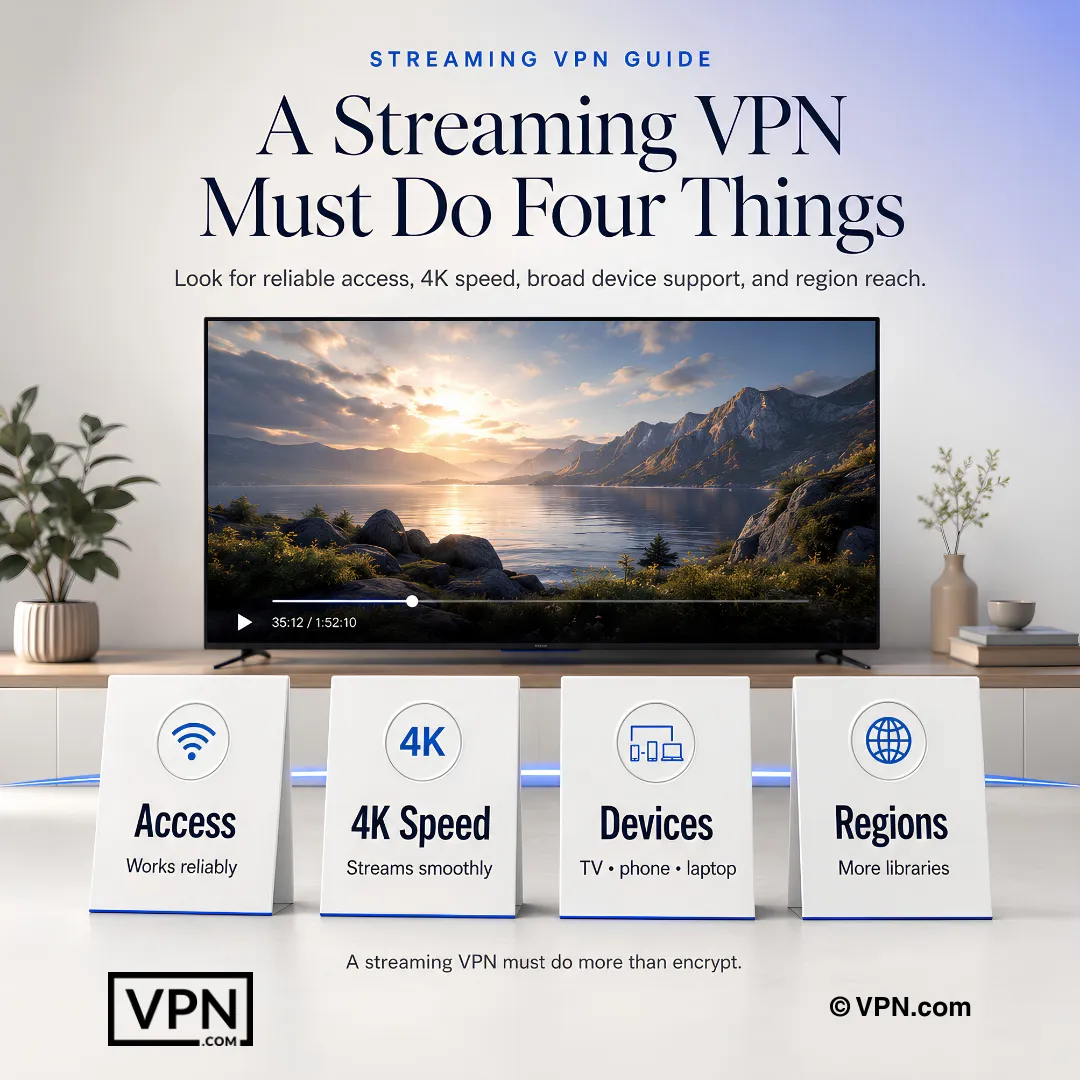
  • Four requirements for a streaming VPN: reliable access, 4K speed, broad device support, and region reach.
    A strong streaming VPN must keep access reliable, preserve 4K performance, support the right devices, and reach the required regions.

Frequently Asked Questions

Why do so many VPNs fail to access Netflix and other streaming platforms?

Streaming platforms like Netflix actively identify and block IP ranges known to belong to VPN servers, so free proxies and undermaintained services get blacklisted quickly. The five providers here maintain large, actively refreshed server fleets, though no VPN can promise access on every platform every day. NordVPN is reported to reach 17+ Netflix regional libraries, ExpressVPN 18, and Proton VPN 20+.

How much speed do I lose running a VPN for streaming?

A VPN usually adds some latency and trims some throughput, and the size of the effect varies by provider, protocol and distance to the server you connect to. NordVPN holds the #1 Trust Score rank of 22 providers, which combines our Trust Score with published independent lab results, not our own speed tests. A nearby server minimizes the hit on any of them, and the money-back window lets you test your own line.

Which VPN accesses the most Netflix regional libraries?

Proton VPN and ExpressVPN lead with 20+ and 18 Netflix regional libraries respectively, followed by NordVPN’s 17+ and Surfshark’s 9+. CyberGhost reaches multiple libraries through servers labeled by platform rather than by raw country count. For library breadth, ExpressVPN or Proton VPN edge out the others on these figures; for streaming plus privacy, Proton VPN is the stronger pick.

How does NordVPN’s SmartPlay compare to Surfshark’s GPS spoofing for streaming?

SmartPlay is NordVPN’s built-in Smart DNS layer that pairs VPN routing with the right server for a platform automatically, removing manual server-hunting. Surfshark instead includes GPS spoofing, which fakes device location coordinates, addressing a different problem: YouTube TV checks GPS rather than IP address, so IP masking alone may not be enough on mobile. Each technique addresses a distinct streaming weak point.

How many devices can I stream on simultaneously with each provider?

Surfshark allows unlimited simultaneous connections, the most generous option here, useful for households streaming across many screens at once. NordVPN and Proton VPN both cover 10 devices, ExpressVPN scales from 10 to 14 depending on plan tier, and CyberGhost caps at 7. Match the limit to your household’s actual device count before committing to a plan.

How do these VPNs compare on price for streaming-focused use?

CyberGhost is cheapest, from $2.03/month on its longest-term plan, followed by Surfshark from $2.49/month and ExpressVPN from $3.26/month. NordVPN starts from $3.49/month and Proton VPN from $3.49/month, tied for the highest starting price in the group. NordVPN holds the #1-of-22 Trust Score rank, though a higher rank does not guarantee better streaming on your own connection.

Which streaming VPN gives the longest window to test before committing?

CyberGhost offers a 45-day money-back guarantee, the longest here, giving extra time to test its platform-labeled streaming servers across every service you use. NordVPN, ExpressVPN, Surfshark, and Proton VPN all back paid plans with a standard 30-day money-back guarantee. Use the window to test the specific platforms, like Netflix or BBC iPlayer, that matter most before deciding.

Does a privacy-focused VPN like Proton VPN sacrifice streaming performance?

Not necessarily. Proton VPN, founded by CERN scientists and based in Switzerland under strong data protection law, is reported to reach 20+ Netflix regional libraries plus Prime Video, Disney+, and Hulu using its Stealth and WireGuard protocols. Proton says its VPN Accelerator feature can improve speeds on distant servers, so the privacy-first design need not cost you much speed.

Can I stream reliably with a free VPN plan instead of paying?

Not with these providers. Proton VPN’s free tier includes unlimited data, but streaming access requires upgrading to its paid VPN Plus plan, since the free tier lacks the infrastructure needed for geo-restricted libraries. None of the other four providers covered here (NordVPN, ExpressVPN, Surfshark, and CyberGhost) offers a free tier at all. Surfshark, from $2.49/month, is a low-cost paid entry point.

How do I set up a VPN for streaming on a Fire TV Stick or smart TV?

Download the app directly from the Amazon Appstore for Fire TV Stick, since NordVPN, ExpressVPN, and CyberGhost all run natively there. Smart TVs without native VPN support need a router-level setup or a Smart DNS feature like NordVPN’s SmartPlay, which pairs VPN routing with the correct server automatically. Sign in, choose a server in the target country, then open your streaming app.

What should I do if a streaming service blocks my VPN mid-stream?

Switch from an older protocol like OpenVPN to WireGuard or NordLynx in your app’s settings, since modern protocols are harder for platforms to detect. If that doesn’t restore access, connect to a different server in the same country rather than switching regions entirely. CyberGhost’s servers, labeled across more than 50 streaming platforms, exist to reduce the guesswork in this scenario.

Is it legal to use a VPN to access geo-restricted streaming content?

Yes. In most countries, including the US, UK, Canada, Australia, and throughout Europe, VPN use itself is legal. Using one to reach geo-restricted libraries does technically conflict with most platforms’ terms of service, but that’s a civil matter, not a criminal one. The worst realistic outcome is the platform blocking your VPN’s IP and asking you to disable it.

Why does the same streaming account show different content in different countries?

Streaming platforms license content on a country-by-country basis, so Netflix, BBC iPlayer, Hulu, and YouTube TV restrict libraries to their home region through geo-blocking tied to your IP address. A VPN changes which server your traffic appears to originate from, letting the platform’s location check register you in that country instead. Connecting to a US server can give access to the US Netflix library, for example.