Privacy: VPN.com research ledger, cited. Counts, apps, plans: provider-stated, checked Oct 15, 2026. How we score →
BBC iPlayer delivers top free content like Planet Earth, Sherlock, Top Gear, and live BBC channels. No subscription required. The catch: it only works inside the UK. If your IP shows another country, iPlayer blocks access due to content licensing.
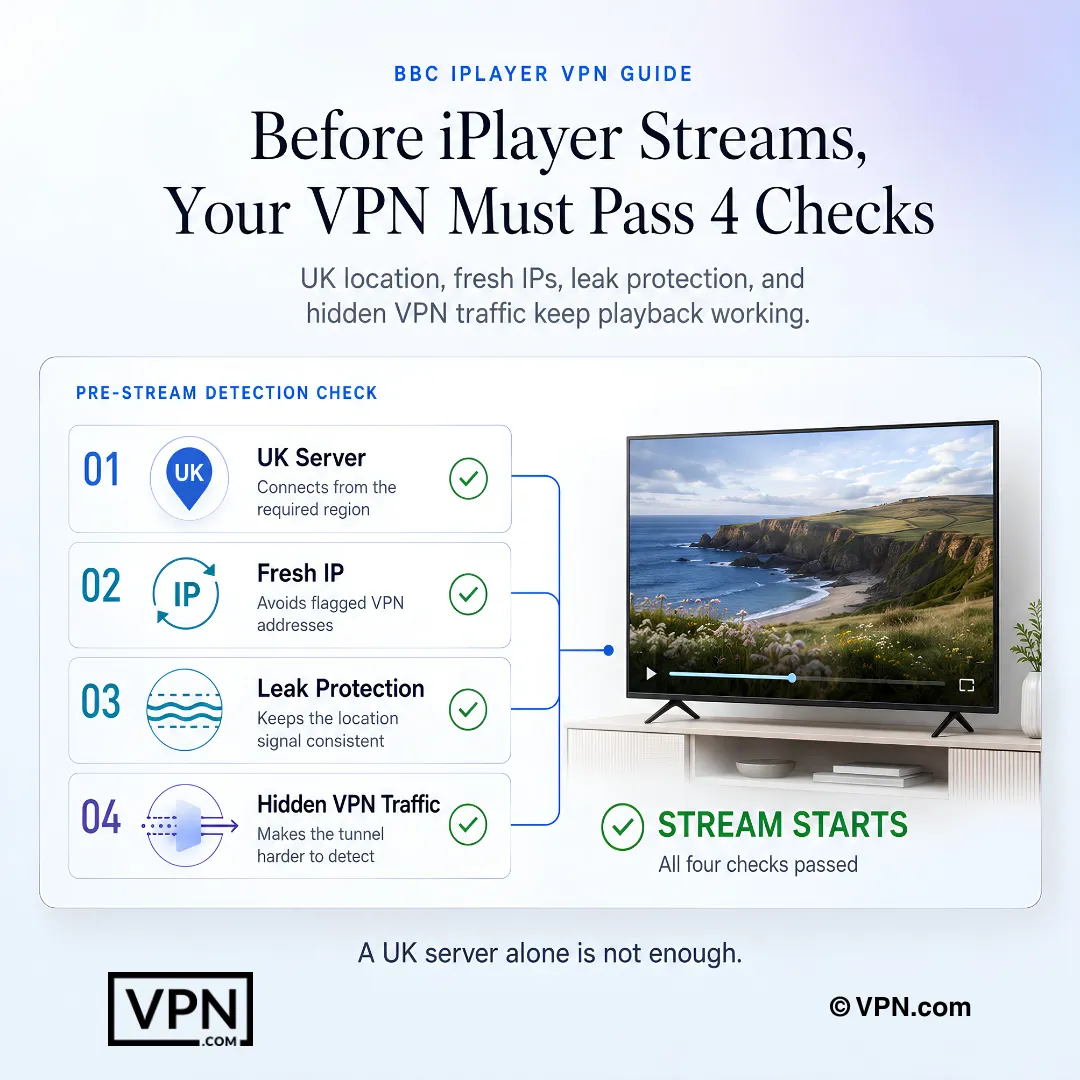
Enterprise-grade VPNs fix this by routing your connection through a UK server. The VPN assigns you a British IP address. iPlayer then treats you like a local viewer and accesses everything. The real challenge is detection. BBC iPlayer runs one of the most aggressive VPN-blocking systems of any streaming platform. It flags datacenter IPs, detects DNS leaks, and cross-references GPS data on mobile. Most VPNs fail within minutes. Only providers with dedicated obfuscation protocols and active IP rotation maintain consistent access.
Best VPNs for BBC iPlayer Compared
Info: BBC iPlayer only works inside the UK and requires a UK IP address. Its detection system is among the most advanced of any streaming service — only VPNs with strong obfuscation and reliable UK server rotation continue to work. Always connect to a UK server before opening iPlayer, and disable GPS on mobile to prevent location cross-checks.
NordVPN: Best Overall for works with iPlayer Detection
NordVPN is built for reliable BBC iPlayer access with 440+ UK servers across 4 cities. NordWhisper protocol makes VPN traffic indistinguishable from regular HTTPS browsing. This defeats deep packet inspection, the primary method iPlayer uses to flag VPN connections.
SmartPlay activates automatically on all devices. It combines DNS routing with VPN encryption so you never need to configure anything manually. NordVPN ranks #1 of 22 on our Trust Score, aggregated from published third-party tests, so speed is rarely the limit for 4K UHD streaming.
NordVPN also includes an automatic kill switch on every app. If the VPN connection drops mid-stream, the kill switch cuts internet access instantly. This prevents your real IP from leaking to iPlayer, which would flag your account. NordVPN also tops our picks for Hulu using the same obfuscation technology.
Surfshark: Best Budget VPN for iPlayer Households
Surfshark uses Camouflage Mode on UK servers. Camouflage Mode activates by default on OpenVPN connections, disguising VPN packets as standard traffic. No manual configuration needed.
Unlimited simultaneous connections make Surfshark ideal for households. One account covers every phone, tablet, laptop, smart TV, and Fire Stick in your home. At $2.49/mo, it undercuts most competitors while matching their iPlayer performance.
Surfshark also rotates IP addresses automatically. Each time you reconnect to a UK server, you receive a fresh IP. This reduces the chance of hitting an address that iPlayer has already blacklisted.
ExpressVPN: Best for Restricted Networks and Travel
Lightway Turbo delivers low latency and stable 4K streaming on iPlayer. ExpressVPN works across its UK servers, with 5 UK city options providing the widest geographic coverage in this comparison.
MediaStreamer extends iPlayer support to devices that cannot run VPN apps natively, including older smart TVs, Apple TV, and gaming consoles. This DNS-based option trades encryption for broader device compatibility.
ExpressVPN excels on hotel Wi-Fi, airport networks, and other restrictive connections where standard VPN protocols get blocked. Its automatic protocol selection detects network restrictions and switches to the most effective option. Reliable on public Wi-Fi where other VPNs struggle to connect.
ProtonVPN: Best for Privacy-Focused iPlayer Access
ProtonVPN offers UK servers with its Stealth protocol designed to bypass deep packet inspection. For smooth HD and 4K streaming, a stable connection to a nearby UK server matters more than the VPN brand.
All ProtonVPN apps are open-source, and Proton says they have been independently audited. The company is incorporated in Switzerland, outside Five Eyes and EU data retention jurisdictions. For users who want iPlayer access without sacrificing anonymity, ProtonVPN provides the strongest legal privacy framework of any provider on this list.
ProtonVPN’s NetShield feature blocks ads and trackers at the DNS level. This speeds up page loads on iPlayer and prevents third-party tracking scripts from detecting your VPN usage through browser fingerprinting.
VPN-Specific Tactics to Maintain iPlayer Access
These tactics focus on VPN configuration, not general browser troubleshooting. Each one addresses a specific detection method that BBC iPlayer uses to identify and block VPN traffic.
Enable obfuscation mode before connecting. NordVPN users should activate NordWhisper or Obfuscated Servers in settings. Surfshark users should verify Camouflage Mode is on. ProtonVPN users should select Stealth protocol. Standard protocols like WireGuard or IKEv2 are easier for iPlayer to detect.
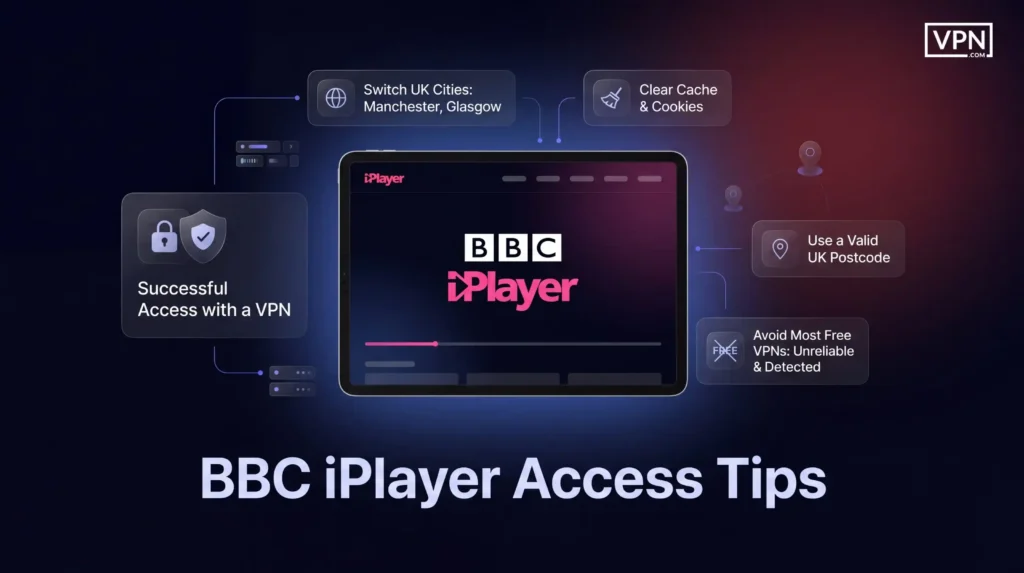
Rotate UK server cities when blocked. If a London server gets flagged, switch to Manchester, Glasgow, or Birmingham. iPlayer blacklists IP ranges in batches, so a different city often provides fresh, accessed addresses.
Activate the kill switch on every device. A single IP leak exposes your real location to iPlayer. Every VPN on this list includes a kill switch. Turn it on in your VPN app settings before streaming. This is critical on mobile where connections drop more frequently.
Use DNS leak protection. Confirm your VPN routes all DNS queries through its own servers. Run a DNS leak test at dnsleaktest.com after connecting. If your ISP’s DNS appears in results, iPlayer can detect your true location regardless of your VPN IP.
Avoid free VPNs for iPlayer.Free VPN providers use shared IP pools that iPlayer blocks aggressively. Most free tiers also cap data at 500 MB to 10 GB per month, not enough for a single 90-minute BBC drama in HD.
Step-by-Step: Set Up a VPN for BBC iPlayer
Step 1: Install and Connect to a UK Server
Choose a VPN from the comparison table above. Download the app on your device. Open the app, log in, and connect to a UK server.
If London servers fail to load iPlayer, switch to Manchester or Glasgow. Server congestion and IP blacklisting vary by city, so testing 2-3 locations takes under a minute.
Mobile users should also disable location services for the iPlayer app. On iOS, go to Settings > Privacy > Location Services and set BBC iPlayer to “Never.” On Android, go to App Info > Permissions > Location and select “Deny.” iPlayer cross-checks GPS against your IP address on mobile devices.
Step 2: Create a BBC Account
Open the iPlayer website or app while your VPN is active. Sign up for a free BBC account. When the form asks for a postcode, enter any valid UK postcode. iPlayer checks the format but does not verify identity or residency. A postcode like SW1A 1AA (Westminster) works.
Step 3: Handle the TV License Prompt
Before your first stream, iPlayer asks whether you have a UK TV license. This operates on an honesty system. Click “I have a TV License” to continue. The platform does not request a license number or verify ownership.
Step 4: Troubleshoot Common Errors
If iPlayer displays a location error after connecting:
Clear your browser cache and cookies. Stored location data from previous sessions can conflict with your VPN IP.
Restart the VPN app and reconnect to a different UK server.
Try a different browser. On Fire Stick or smart TVs, use Silk Browser or Chrome instead of the dedicated iPlayer app.
Disable WebRTC in your browser settings. WebRTC can leak your real IP even with a VPN active. Firefox users can disable it in about:config by setting media.peerconnection.enabled to false.
Final Verdict
BBC iPlayer runs one of the toughest VPN detection systems of any streaming platform. NordVPN is the safest choice with NordWhisper obfuscation and 440+ UK servers. Surfshark matches it on performance at a lower price with unlimited device connections.
ExpressVPN is the go-to for travel and restrictive hotel or airport networks. ProtonVPN is the right call for anyone who wants reliable iPlayer access combined with Swiss-jurisdiction privacy protection.
All four providers offer a 30-day money-back guarantee. Test your pick on iPlayer from your location and request a full refund if it does not deliver.
VPN.com does not encourage or condone using VPN services to violate the terms of service of any platform. Information on this page is provided for educational purposes. Users are responsible for complying with the policies of the services they use.
References
R. Dunne and D. Sung. 2022. The best BBC iPlayer VPNs: top choices based on expert testing for streaming EastEnders, Dr Who, and more. TechRadar (November 7, 2022). Retrieved September 30, 2026 from https://www.techradar.com/vpn/bbc-iplayer-vpn.Archived: Wayback Machine snapshot
BBC iPlayer runs one of the most aggressive VPN-detection systems of any streaming platform, flagging datacenter IP ranges, detecting DNS leaks, and cross-referencing GPS data on mobile devices. Basic VPN protocols like standard WireGuard or IKEv2 get caught within minutes. Only providers with dedicated obfuscation, such as NordVPN’s NordWhisper or Surfshark’s Camouflage Mode, maintain consistent access to the full library.
How does a VPN actually let me watch BBC iPlayer from outside the UK?
Connecting to a UK server assigns you a British IP address, so iPlayer’s geolocation check treats you as a local viewer instead of blocking you. NordVPN operates 440+ UK servers across 4 cities, ExpressVPN offers 5 UK cities, and ProtonVPN runs 553+ UK servers. The VPN’s obfuscation layer then disguises that connection as regular HTTPS traffic to dodge deep packet inspection.
Which VPN works best for BBC iPlayer overall?
NordVPN is the strongest overall pick, combining 440+ UK servers across 4 cities with NordWhisper and Obfuscated Servers protocols that disguise VPN traffic as regular browsing. It ranks #1 of 22 on our Trust Score, aggregated from published third-party tests. SmartPlay auto-activates on every device, so there’s no manual server hunting or DNS configuration required.
What is obfuscation, and why does it matter for iPlayer access?
Obfuscation disguises VPN traffic to look like ordinary HTTPS browsing, defeating the deep packet inspection iPlayer uses to flag and block VPN connections. NordVPN calls this NordWhisper, Surfshark uses Camouflage Mode by default on OpenVPN, and ProtonVPN offers a dedicated Stealth protocol. Standard WireGuard or IKEv2 connections lack this disguise, which is why they get detected and blocked far more often.
Do I need a real UK postcode or TV license to use BBC iPlayer with a VPN?
No, iPlayer’s signup runs on an honesty system rather than verification. It checks that a postcode matches a valid UK format, so an example like SW1A 1AA works, but doesn’t confirm residency. Before your first stream, iPlayer asks if you hold a UK TV license; clicking “I have a TV License” continues without requesting a license number.
Can I use a free VPN to access BBC iPlayer?
It’s not recommended. Free VPN providers rely on shared IP pools that iPlayer’s detection system blocks aggressively, and most free tiers cap data between 500 MB and 10 GB monthly, not enough for even one 90-minute BBC drama in HD. Paid options like NordVPN, Surfshark, ExpressVPN, or ProtonVPN’s paid tier offer dedicated obfuscation and far higher data allowances instead.
How many devices can stream iPlayer at once with these VPNs?
It varies by provider. Surfshark allows unlimited simultaneous connections, useful for a household running phones, tablets, laptops, and a Fire Stick on one account. NordVPN caps at 10 devices, ProtonVPN offers 1 to 10 depending on plan tier, and ExpressVPN allows 10 to 14 depending on plan. Match the device count to how many screens in your home actually need iPlayer.
How do I set up a VPN to watch BBC iPlayer step by step?
Install your chosen VPN’s app, log in, and connect to a UK server, testing London, Manchester, or Glasgow if one fails to load iPlayer. Then open iPlayer, sign up with a valid-format UK postcode, and confirm you hold a TV license when prompted. Enable obfuscation mode first, NordWhisper, Camouflage Mode, or Stealth protocol, since standard protocols get detected more easily.
What should I do if iPlayer shows a location error even with my VPN connected?
Clear your browser’s cache and cookies first, since stored location data from earlier sessions can conflict with your new VPN IP. Restart the VPN app and reconnect to a different UK city, since iPlayer blacklists IP ranges in batches. On Fire Stick or smart TVs, switch to Silk Browser or Chrome, and disable WebRTC, which can leak your real IP despite an active VPN.
Which VPN holds up best for streaming iPlayer in HD or 4K?
We don’t publish speed-retention figures for iPlayer. NordVPN ranks #1 of 22 on our Trust Score, aggregated from published third-party tests, and ExpressVPN’s Lightway Turbo is built for stable streaming across its UK servers. Any of the providers compared here is fast enough for HD and 4K when connected to a nearby UK server.
What happens if a VPN doesn’t actually work with BBC iPlayer after I subscribe?
All four providers in this comparison, NordVPN, Surfshark, ExpressVPN, and ProtonVPN, back their plans with a 30-day money-back guarantee. Test iPlayer access from your specific location and device setup immediately after subscribing. If a server rotation or obfuscation mode fails to maintain access, request a refund within that window rather than troubleshooting indefinitely.
How do NordVPN, Surfshark, ExpressVPN, and ProtonVPN compare on price for iPlayer streaming?
Surfshark is the cheapest at from $2.49/month on its longest-term plan, followed by ExpressVPN from $2.99/month. NordVPN and ProtonVPN both start from $3.49/month, the highest of the four. Surfshark also throws in unlimited device connections at that price, while NordVPN backs its rate with 440+ dedicated UK servers across 4 cities for iPlayer specifically.
Which VPN offers the strongest privacy protection while streaming iPlayer?
ProtonVPN provides the strongest legal privacy framework here, incorporated in Switzerland outside Five Eyes and EU data retention jurisdictions, with open-source apps that Proton says were independently audited. NordVPN operates from Panama, with apps and infrastructure audited by Cure53, while ExpressVPN is based in the British Virgin Islands with KPMG no-logs assurance and Cure53 audits. All three pair jurisdiction with a kill switch to prevent IP leaks mid-stream.
We use cookies to understand how our site is used and, on some pages, to measure our ads. Accept to allow analytics cookies and personalized ads, or decline. If you decline, we only count visits without cookies. Privacy Policy