Privacy: VPN.com research ledger, cited. Counts, apps, plans: provider-stated, checked Oct 15, 2026. How we score →
Trying to watch Disney+ while traveling often leads to one problem. Content is not available in your region. This happens because Disney+[1] uses geo-restrictions tied to its licensing agreements. The same show may be available in some countries and absent in others.
Disney+ operates distinct content libraries in over 150 countries. The US library holds roughly 1,400+ titles, while smaller markets carry fewer than 800. Some regions bundle Hotstar content (now Disney+ Hotstar) with Bollywood films, cricket, and regional Indian programming. A VPN routes your traffic through a server in your target country, giving you an IP address that matches that library.
In this guide, we cover the top VPNs that consistently access Disney+. We also explain Disney+‘s specific detection methods, region-by-region library differences, and how to troubleshoot common errors.
Not sure whether a site is blocking you or just down? Run our free Access Check to see what is happening.
Our rankings are consistent with independent testing from 01net[2] and Security.org[3].
What Is the Best VPN for Streaming Disney+ Content?
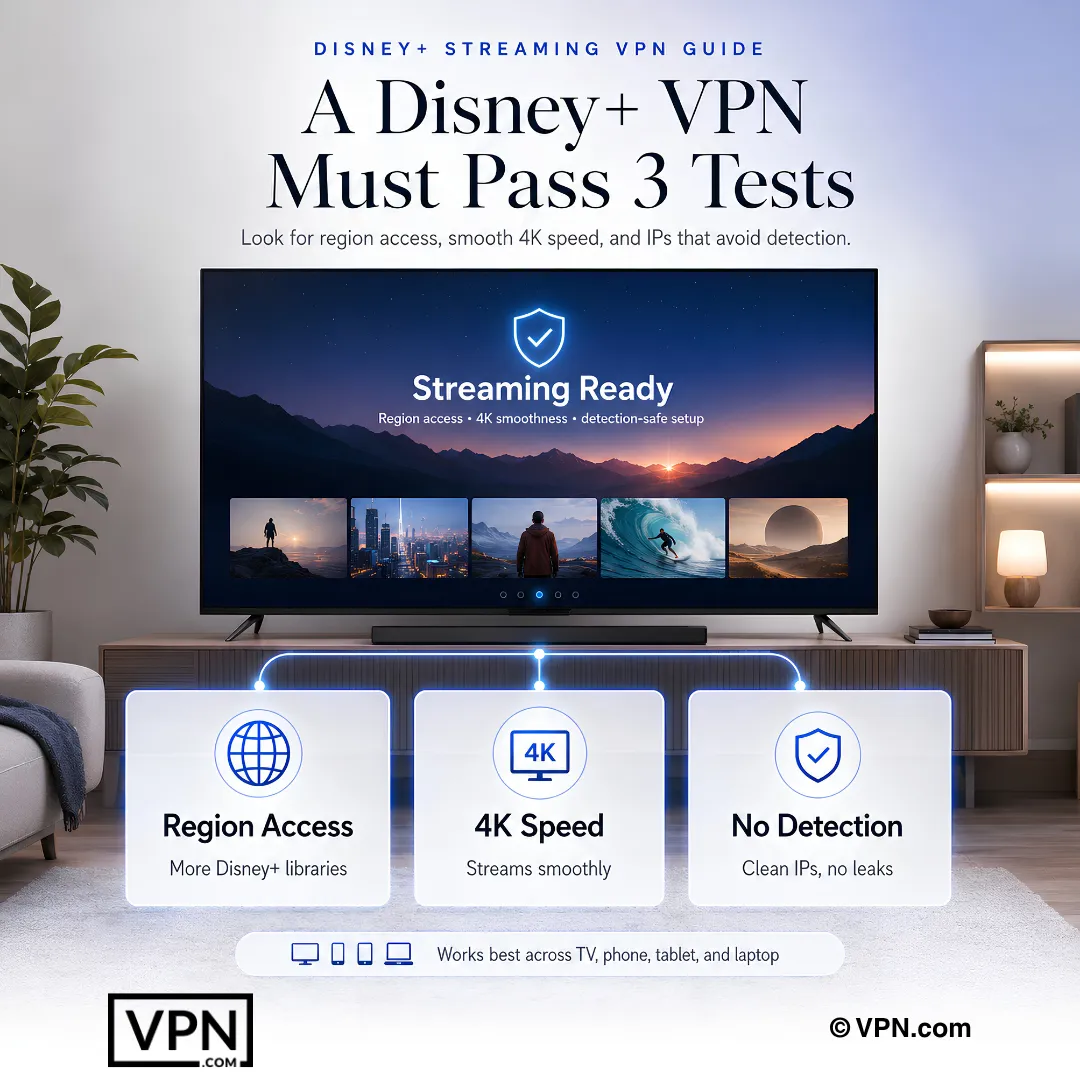
The right VPN for Disney+ must do three things well. It must access multiple regions, maintain fast speeds for 4K streaming, and stay ahead of Disney+‘s VPN detection. Across US, UK, Japanese, and Hotstar libraries, these are the top options:
NordVPN stands out for most users. It delivers strong speeds and works across the widest range of Disney+ regions.
Surfshark is ideal for families. It allows unlimited simultaneous device connections at the lowest price point.
ExpressVPN is known for stability. Its MediaStreamer (Smart DNS) feature makes it the easiest option for smart TVs and consoles.
NordVPN Leads Our Trust Score and Covers 6 Disney+ Regions
NordVPN consistently accesses Disney+ in the US, UK, Canada, Australia, Japan, and the Netherlands.
Speed and Protocol
NordVPN uses the NordLynx protocol (built on WireGuard), which keeps encryption overhead low. Disney+ requires 25 Mbps for 4K UHD streaming.
Disney+ Region Performance
NordVPN maintains 7,213 servers in 150 countries. For Disney+, the US servers are the most reliable. They access the full US library including Marvel, Star Wars, and National Geographic originals. UK servers also grant access to the Star hub, which carries mature-rated content unavailable in the US library.
NordVPN’s Threat Protection feature blocks ads and trackers during streaming sessions. This reduces page-load interference on the Disney+ web player.
Pricing and Connections
NordVPN costs $3.49/month on the 2-year plan. It supports up to 10 simultaneous device connections. Apps are available for Windows, macOS, iOS, Android, Linux, Fire TV Stick, and Android TV. Router configuration is also supported for whole-home coverage.
Surfshark is the best value pick for households. One subscription covers every device in your home with no connection limit. Surfshark covers Disney+ in the US, UK, Canada, Australia, and India (Hotstar content).
Speed and Protocol
Surfshark uses WireGuard by default, which keeps encryption overhead low.
India server access matters for Disney+ Hotstar content, including IPL cricket streams and Bollywood films.
Disney+ Region Performance
Surfshark operates 4,500+ servers in 100+ countries. Its CleanWeb feature blocks ads within the browser-based Disney+ player. For the Disney+ app on mobile and TV devices, CleanWeb reduces background tracker activity.
Surfshark’s Bypasser (split tunneling) lets you route only Disney+ traffic through the VPN. This keeps your local apps and banking services on your regular connection while streaming from a foreign library.
Pricing and Connections
Surfshark costs $2.49/month on the 2-year plan. It offers unlimited simultaneous connections. Apps cover Windows, macOS, iOS, Android, Linux, Fire TV Stick, Android TV, and Apple TV. A Smart DNS feature (called SmartDNS) works on gaming consoles and older smart TVs that cannot install VPN apps.
ExpressVPN prioritizes connection stability. Its MediaStreamer (Smart DNS) feature makes it the top choice for users streaming on smart TVs, Apple TV, and PlayStation/Xbox consoles.
Speed and Protocol
ExpressVPN uses its proprietary Lightway protocol, built for fast, stable connections.
Lightway is built for fast connections, so Disney+ should start quickly after server selection.
Disney+ Region Performance
ExpressVPN runs servers in 113 countries. It reliably accesses US, UK, Australian, Canadian, and Japanese Disney+ libraries. The UK Star hub works consistently, granting access to titles rated TV-MA and R that Disney+ excludes from the US library.
MediaStreamer is ExpressVPN’s Smart DNS tool. It works on devices that cannot run VPN apps natively, including Samsung Tizen TVs, LG webOS TVs, PlayStation 5, and Xbox Series X. MediaStreamer routes only DNS queries through ExpressVPN’s servers, so speeds stay at near-100% of your base connection.
Pricing and Connections
ExpressVPN costs $2.99/month on its longest-term plan. It supports 10 simultaneous connections. Apps exist for all major platforms including iPhone. Router firmware (ExpressVPN Aircove) is also available as a dedicated VPN router.
Side-by-Side Comparison of All Three VPNs for Disney+
Feature
NordVPN
Surfshark
ExpressVPN
Disney+ Regions accessed
6+
5+
5+
Hotstar Access
Yes
Yes
Yes
Simultaneous Connections
10
Unlimited
10
Smart DNS
Yes (SmartPlay)
Yes (SmartDNS)
Yes (MediaStreamer)
Split Tunneling
Yes
Yes (Bypasser)
Yes (not iOS)
Monthly Price (longest-term plan)
$3.49
$2.49
$2.99
Protocol
NordLynx (WireGuard)
WireGuard
Lightway
Money-Back Guarantee
30 days
30 days
30 days
Why Disney+ Blocks VPNs and How Detection Works
Disney+ actively detects and blocks VPN traffic. Understanding the methods helps you choose a VPN that stays ahead.
IP Blacklisting
Disney+ maintains a database of known VPN IP addresses. When thousands of users connect from the same IP, Disney+ flags it. Top VPNs counter this by rotating IP addresses frequently and maintaining large pools of fresh IPs.
DNS and WebRTC Leak Detection
If your VPN leaks DNS requests or WebRTC data, Disney+ can see your real location. NordVPN, Surfshark, and ExpressVPN all include built-in DNS leak protection. They also block WebRTC leaks in their browser extensions.
GPS Spoofing Detection on Mobile
The Disney+ mobile app can cross-reference your IP-based location with your device’s GPS. If they don’t match, access is denied. Surfshark’s GPS Override feature (Android only) spoofs your GPS coordinates to match the VPN server location. NordVPN and ExpressVPN do not offer this feature natively.
Deep Packet Inspection (DPI)
Some ISPs and networks use DPI to identify VPN traffic patterns. NordVPN’s obfuscated servers disguise VPN traffic as regular HTTPS traffic. ExpressVPN’s Lightway protocol also resists DPI. Surfshark offers Camouflage Mode for the same purpose.
Disney+ Content Libraries Differ Significantly by Region
Not all Disney+ libraries are equal. Choosing the right server location depends on what you want to watch.
United States
The US library is the largest, with roughly 1,400+ titles. It includes every Marvel Cinematic Universe film, all Star Wars content, Pixar originals, and National Geographic documentaries. US-exclusive originals drop here first.
United Kingdom and Europe
UK and European libraries include the Star hub. Star adds content from 20th Century Studios, FX, and ABC that carries TV-MA and R ratings. Shows like The Bear, Shogun, and Only Murders in the Building appear under Star. The US library does not include Star because Hulu carries this content domestically.
Japan
The Japanese library includes anime titles not available elsewhere. Studio Ghibli films are not on Disney+ in the US due to licensing with HBO Max, but they appear in some Asian markets.
India (Disney+ Hotstar)
Disney+ Hotstar combines the standard Disney+ catalog with Hotstar originals, Bollywood films, and live sports (IPL cricket, ICC events). Surfshark and NordVPN both access Hotstar’s India servers reliably.
How to Set Up a VPN for Disney+ (Step-by-Step)
Setting up a VPN for Disney+ takes under 5 minutes. These steps are specific to Disney+ and address common pitfalls.
Step 1: Subscribe and Install
Choose NordVPN, Surfshark, or ExpressVPN. Download the app for your device. Log in with your credentials.
Step 2: Select the Right Server Location
Pick a server based on the library you want. Connect to a US server for the largest catalog. Connect to a UK server for Star hub content. Connect to an India server for Hotstar and cricket.
Step 3: Clear Disney+ Cached Region Data
This step is critical. Disney+ caches your region when you first log in. If you connect to a VPN but still see your home library, do this:
Mobile (iOS/Android): Go to Settings > Apps > Disney+ > Clear Cache. Then force-close the app and reopen.
Browser: Clear cookies and site data for disneyplus.com. Use an incognito/private window for a clean session.
Smart TV: Uninstall and reinstall the Disney+ app. This resets the cached region.
Step 4: Disable Location Services (Mobile)
On mobile, turn off GPS/location services before opening Disney+. On Android, Surfshark’s GPS Override feature automatically matches your GPS to the VPN server. On iOS, simply disable location access for the Disney+ app in Settings > Privacy > Location Services.
Step 5: Use Split Tunneling for Optimal Performance
If you only want Disney+ routed through the VPN, enable split tunneling. In Surfshark, this is called Bypasser. In NordVPN, it’s under Settings > Split Tunneling. Route only the Disney+ app through the VPN and keep everything else on your regular connection. This preserves speeds for other tasks.
Smart TV and Console Setup
Devices like Samsung TVs, LG TVs, PlayStation, and Xbox cannot install VPN apps directly. You have two options:
Smart DNS: All three recommended VPNs offer Smart DNS. Change the DNS settings on your TV or console to the addresses provided by your VPN. This accesses Disney+ without encrypting all traffic.
Router Installation: Install the VPN on your router. Every device on your network then routes through the VPN. NordVPN and ExpressVPN provide detailed router setup guides. ExpressVPN also sells the Aircove router with built-in VPN firmware.
For Fire TV Stick specifically, all three VPNs have native apps. See our best VPN for streaming guide for multi-platform comparisons.
Troubleshooting Disney+ VPN Errors
Disney+ displays specific error codes when it detects a VPN. Here is what each means and how to fix it.
Error 73: Location Unavailable
Error 73 means Disney+ cannot verify your location. This typically occurs when your IP says one country but your device GPS says another.
Fix: Disable GPS/location services on your device. Clear the Disney+ app cache. Reconnect to the VPN server and relaunch the app.
Error 83: Device Compatibility Issue
Error 83 is a catch-all error. It sometimes appears when Disney+ detects VPN traffic or when there is a DRM handshake failure.
Fix: Switch to a different server in the same country. If that fails, switch VPN protocols (try WireGuard or Lightway). On smart TVs, use Smart DNS instead of a full VPN connection.
“Something Went Wrong” or Proxy/proxy Detected
This generic message means Disney+ identified your IP as belonging to a VPN.
Fix: Disconnect and reconnect to get a fresh IP. Try a server in a different city within the same country. Enable obfuscated servers (NordVPN) or Camouflage Mode (Surfshark). Contact your VPN’s live chat support for a confirmed working server.
Buffering or Low Quality Despite VPN Connection
If your stream loads in SD or buffers frequently, the VPN server may be congested.
Fix: Switch to a closer server or a less popular city. Enable WireGuard/NordLynx/Lightway for faster speeds. Use split tunneling so only Disney+ traffic goes through the VPN. Check that your base internet speed exceeds 25 Mbps (the minimum for 4K UHD on Disney+).
Final Verdict
Choosing the right VPN for Disney+ comes down to three factors: speed, region access, and device support.
NordVPN is the strongest all-around option. It accesses 6+ Disney+ regions. Surfshark is perfect for families who need unlimited connections at the lowest price. ExpressVPN is ideal for smart TV and console users thanks to its MediaStreamer feature and rock-solid stability.
Avoid free VPNs for Disney+. They fail to access the service and cannot maintain the 25 Mbps minimum for 4K streaming. All three recommended VPNs offer 30-day money-back guarantees, so you can test them risk-free with your Disney+ account.
VPN.com does not encourage or condone using VPN services to violate the terms of service of any platform. Information on this page is provided for educational purposes. Users are responsible for complying with the policies of the services they use.
How does a VPN actually let me watch a different country’s Disney+ library?
A VPN routes your connection through a server in your target country, assigning you an IP address that matches that region’s licensing zone, so Disney+ serves that library instead of your home one. The US library carries roughly 1,400+ titles versus fewer than 800 in smaller markets, which is why server location determines what you can actually watch.
Which Disney+ regional libraries do NordVPN, Surfshark, and ExpressVPN actually access?
NordVPN covers six regions: US, UK, Canada, Australia, Japan, and the Netherlands. Surfshark and ExpressVPN each cover five or more, including US, UK, Canada, and Australia, with Surfshark adding India’s Hotstar library. Region count varies by provider, so match your pick to the libraries you actually want.
Can I access Disney+ Hotstar’s Indian content, including cricket, with these VPNs?
Yes. Both Surfshark and NordVPN reliably access Hotstar’s India servers, which combine the standard Disney+ catalog with Bollywood films and live IPL cricket and ICC matches. Surfshark’s Android-only GPS Override feature spoofs your device location to match the VPN server, helping avoid the location mismatch that often trips up Hotstar’s mobile app specifically.
How does Disney+ detect and block VPN connections?
Disney+ uses four main methods: IP blacklisting against known VPN address pools, DNS and WebRTC leak detection that exposes your real location, GPS-versus-IP cross-referencing on mobile apps, and deep packet inspection for VPN traffic patterns. NordVPN counters DPI with obfuscated servers, ExpressVPN’s Lightway protocol resists it natively, and Surfshark offers Camouflage Mode for the same purpose.
What does Disney+ Error 73 mean and how do I fix it?
Error 73 means Disney+ can’t verify your location, typically because your IP address indicates one country while your device’s GPS reports another. Fix it by disabling location services on your device, clearing the Disney+ app’s cache, then reconnecting to your VPN server before relaunching the app. This mismatch is common on mobile, since Disney+ actively cross-checks GPS against IP.
I’m getting Error 83 or “proxy detected” on Disney+. What now?
Error 83 is a catch-all that can signal VPN detection or a DRM handshake failure. Disconnect and reconnect for a fresh IP, then try a different server in the same country. Switching protocols helps too, try WireGuard, NordLynx, or Lightway depending on your provider. On smart TVs, switch to Smart DNS instead of a full VPN connection if the error persists.
How do I clear Disney+‘s cached region after switching VPN servers?
Disney+ caches your region on first login, so simply connecting to a new server isn’t always enough. On mobile, go to Settings, Apps, Disney+, Clear Cache, then force-close and reopen the app. In a browser, clear cookies for disneyplus.com or use an incognito window. On smart TVs, uninstall and reinstall the app entirely to reset the cached region.
How do I stream Disney+ on a smart TV or console with no native VPN app?
Use the provider’s Smart DNS feature: SmartPlay on NordVPN, SmartDNS on Surfshark, or MediaStreamer on ExpressVPN, which routes only DNS queries through the VPN so speeds stay near full base connection. Alternatively, install the VPN directly on your router so every connected device, including consoles and older TVs, routes through it automatically without individual configuration.
Which VPN is fastest for streaming Disney+ in 4K?
NordVPN ranks #1 of 22 on our Trust Score, aggregated from published third-party tests, and covers US, UK, and Japan servers for Disney+ 4K UHD streaming. Surfshark ranks #3 of 22 and also supports Hotstar streaming, while ExpressVPN’s Lightway protocol is built for fast connections and quick playback starts.
How many devices can stream Disney+ at once on each of these VPNs?
NordVPN covers 10 simultaneous devices, ExpressVPN offers 10 to 14 depending on the plan tier, and Surfshark allows unlimited simultaneous connections on every plan. For a household streaming Disney+ across phones, tablets, and multiple TVs at once, Surfshark’s unlimited-device structure removes the connection-limit math entirely, which is why it’s positioned as the family pick here.
How do NordVPN, Surfshark, and ExpressVPN compare on price for Disney+ streaming?
Surfshark is the cheapest at from $2.49/month on its 2-year plan, followed by NordVPN from $3.49/month and ExpressVPN from $2.99/month, both on their respective longest-term plans. All three include Smart DNS and split tunneling for Disney+-only routing, so the price gap mainly reflects device limits and region-access breadth rather than core streaming capability.
Can I get a refund if a VPN doesn’t reliably access Disney+ for me?
Yes. NordVPN, Surfshark, and ExpressVPN each back their plans with a 30-day money-back guarantee, letting you test Disney+ access with your actual account before committing long-term. CyberGhost, also featured on this page for its streaming-optimized servers, offers a 45-day guarantee, giving extra room to troubleshoot region access before the refund deadline passes.
Is it safe to log into my Disney+ account through these VPNs?
Yes. NordVPN, Surfshark, and ExpressVPN all enable DNS leak protection by default and block WebRTC leaks in their browser extensions, preventing your real location or credentials from exposure during login. Each provider says it has had its no-logs policy independently audited: NordVPN says so, ExpressVPN commissioned KPMG assurance on its no-logs controls (2025), and Surfshark says Deloitte audited its setup.
Does using a VPN to access a different Disney+ region violate its terms of service?
Using a VPN to reach another country’s Disney+ library can conflict with Disney+‘s own terms of service, which restrict content to licensed regions. VPN.com doesn’t encourage or condone violating any platform’s terms; this information is educational, and you’re responsible for complying with the policies of any service you use, including account suspension risk tied to detected VPN use.
We use cookies to understand how our site is used and, on some pages, to measure our ads. Accept to allow analytics cookies and personalized ads, or decline. If you decline, we only count visits without cookies. Privacy Policy