Best VPN for Vpn For Comcast 2026 — Secure, Fast & Private

Compare the best VPNs for vpn for comcast with fast speeds, strong security, and reliable performance. Get started with a risk-free trial.

Updated By
Stop Comcast tracking with vpn for xfinity—secure browsing and streaming.

Comcast Xfinity serves over 26.5 million users across the U.S, but it’s not just providing internet; it’s also monitoring your online activity. Since the 2017 net neutrality repeal, Comcast has been allowed to track your browsing history, collect personal data, and even sell it to advertisers.

Users have also reported bandwidth throttling, especially during streaming or gaming. These slowdowns aren’t random; they’re often caused by ISP tracking and control. To stay private and avoid these issues, many users now rely on a VPN.

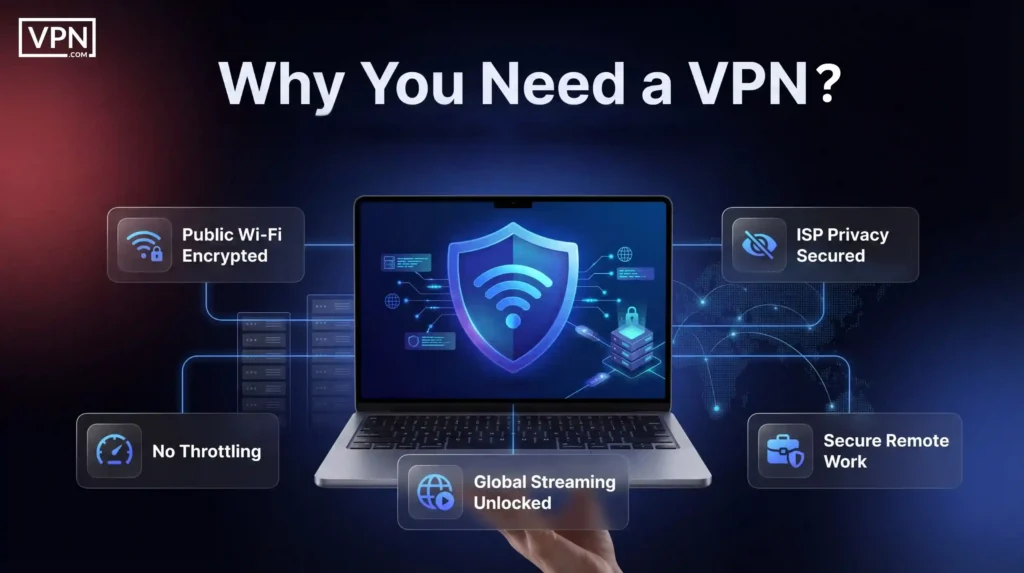
A virtual private network hides your online activity by encrypting your data and masking your IP address. It stops Comcast from logging your searches or slowing your connection based on what you’re doing.

Tools like NordVPN, Surfshark, and ExpressVPN are already helping thousands of Xfinity customers stay protected and access faster speeds. As cybercrime continues to grow, and more people share their VPN Comcast problems online, protecting your data is more important than ever.

If you’re looking for the best VPN for Comcast Xfinity, this guide will show you how to pick one and use it the right way with Xfinity.

Comcast Xfinity can log your browsing and often throttle heavy traffic, especially since the 2017 net-neutrality repeal. Using a third-party VPN with Xfinity encrypts all data and hides your IP, stopping ISP tracking, curbing throttling, securing public/Xfinity Wi-Fi, and unlocking geo-restricted content.

Best picks: NordVPN (fast, obfuscated), ExpressVPN (easiest for streaming), CyberGhost (budget), and Total VPN (simple), with Surfshark and IPVanish as strong alternatives.

You can’t install a VPN on Xfinity gateways, use apps on each device, or bridge to a compatible router. If speeds drop, try nearby/obfuscated servers and disable XFi Advanced Security.

What is Comcast Xfinity and How Does It Work?

Comcast Xfinity is the largest broadband provider in the U.S., serving over 31 million subscribers. It offers internet, TV, mobile, and home phone services under the Xfinity brand. The Internet is delivered using a hybrid fibre-coaxial system.

Fiber runs to neighborhood hubs, while coaxial cables connect homes. An Xfinity modem or gateway receives the signal and distributes it through wired or wireless connections inside the house. Plans range from basic 50 Mbps to multi-gigabit speeds.

As an internet service provider, Comcast manages how your devices connect to the internet. It assigns IP addresses, handles DNS lookups, and controls traffic routing. This setup also gives Comcast visibility into your online activity.

Although tools like Advanced Security offer some protection, they do not stop tracking at the network level. After a major Xfinity data breach in 2023 and growing privacy concerns, many users have turned to VPN Comcast options for better control.

Using a trusted Xfinity VPN can mask your data, hide your IP address, and avoid throttling. Later in this guide, we’ll explain how to set up a reliable VPN for Comcast and what to expect when using it with your Xfinity connection.

What is Xfinity VPN?

Xfinity VPN refers to using a third-party virtual private network with an Xfinity internet connection. It is not a built-in feature, and Comcast does not offer VPN services to its users. A VPN works by encrypting your data and routing it through a secure server.

This hides your real IP address and prevents Comcast from seeing your browsing activity. When you use a VPN, your traffic goes to the VPN server first, not directly to websites.

Comcast can only see the VPN connection, not the sites you visit or the content you access. This helps protect your privacy and reduce throttling. For Xfinity users, VPNs offer:

  • Privacy Protection: Hides your online activities from Comcast, preventing data collection or sales.
  • Throttling Avoidance: Masks bandwidth-intensive activities like streaming, reducing the likelihood of speed reductions.
  • Geo-Restricted Content Access: Connects to servers in other regions to access content unavailable in your area, such as region-specific streaming services.
  • Public Wi-Fi Security: Protects your data on Xfinity Wi-Fi hotspots or other public networks, reducing the risk of hacking.

To use a VPN with Xfinity, you’ll need a separate provider like NordVPN or ExpressVPN. These tools also support Xfinity router VPN setups for full-device protection.

If you want control over your online activity, choosing a strong VPN for Comcast is the best option.

Do I Need a VPN With Xfinity Internet or Mobile?

Xfinity gives you fast internet and wide coverage, but it also tracks your online activity. Whether you’re using Xfinity at home or on mobile, your activity isn’t fully private.

That’s why many users ask, Do I need a VPN with Xfinity? The answer is yes, especially if you care about privacy, speed, or streaming freedom. Here’s why a VPN with Xfinity is worth using:

Protect Your Privacy from Comcast

Comcast can log your browsing history, DNS requests, and app usage. Even Xfinity Mobile VPN services don’t fully encrypt your data. A third-party Comcast VPN encrypts all traffic between your device and the internet.

This means your search history, streaming habits, and personal info stay hidden even on public networks or shared home Wi-Fi.

Stop Throttling and Speed Drops

Users often notice slower speeds while streaming Netflix or gaming. Comcast can detect heavy data use and slow your connection. A VPN Xfinity setup hides your traffic type.

This makes it harder for Comcast to apply throttling rules, helping you enjoy faster and more stable speeds during peak hours.

Access Blocked or Global Content

Comcast has been known to block torrent sites and restrict streaming platforms. A VPN helps you avoid these limitations.

It connects you to servers in different countries, letting you unlock foreign shows or region-restricted websites. Whether you’re using a VPN on an Xfinity router or app, access opens up.

Save on Data Overage Fees

Many Xfinity plans come with data caps. If you go over, you may pay extra fees, often $10 per 50GB. A VPN hides your bandwidth usage by encrypting the connection.

While it doesn’t remove the cap, it may prevent Comcast from tracking exactly how much you’re using, which can help some users reduce overage charges.

Secure Public and Mobile Connections

Public Wi-Fi is risky. Xfinity hotspots are common, but not always secure. Xfinity Mobile VPN features offer limited protection and don’t always encrypt traffic.

A trusted VPN app fully protects your data on mobile devices, shielding passwords, messages, and activity from hackers and tracking tools.

NordVPN

(4.9)

  • #1 VPN for Privacy

  • 8000+ high-speed VPN servers worldwide

  • Secure and private access to the internet

  • Protection from ads/trackers and malware

Try 2 Year of

NordVPN

for $83.43

or Try for $3.09/mo

30-day money-back guarantee

VPN.com may earn a commission when you buy through links on this page. This supports our independent research at no extra cost to you.

Our Best VPN for Comcast and Xfinity Users in

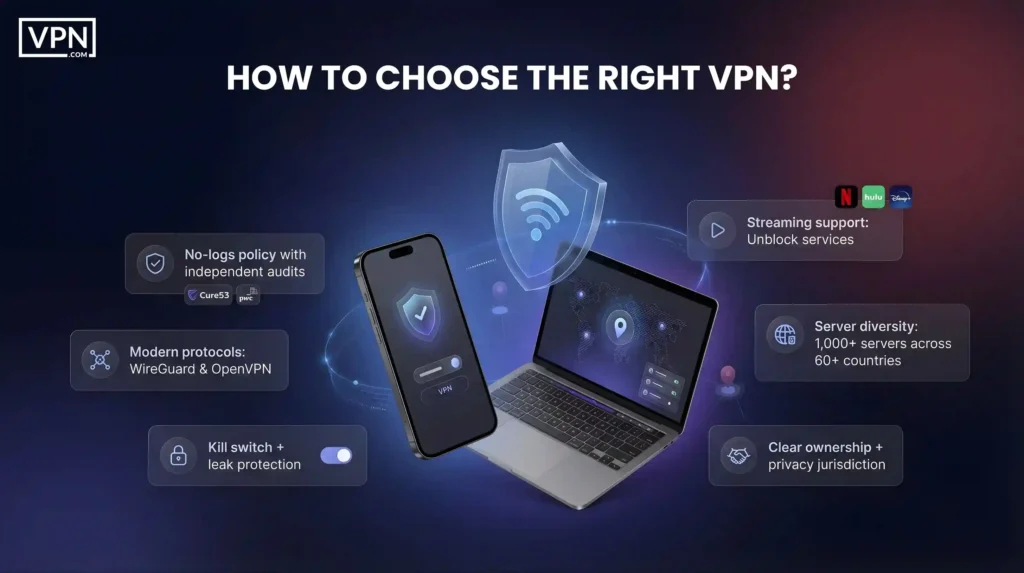
If you’re looking for the best VPN for Comcast or the most reliable VPN for Xfinity, these four providers stand out in . They’re fast, secure, and compatible with routers, smart TVs, and mobile devices, including Xfinity VPN iPhone users.

Total VPN Xfinity: Fast & Simple VPN for Comcast

  • Features: Simple dashboard, easy setup, compatible with IPTV apps, no-logs, email/chat support
  • Speed: Stable speeds for HD and 4K
  • Works On: IPTV boxes, Firestick, routers, mobile
  • Support: Email/chat support, simple dashboard
  • Pricing: From $2.49/month

Total VPN is straightforward, making it a good fit for VPN with Xfinity needs. It’s beneficial if you want fast streaming without complicated configuration.

NordVPN Xfinity: Best Overall VPN for Xfinity

  • Features: Obfuscated servers, Meshnet, SmartDNS, kill switch, AES-256 encryption, audited no-logs policy
  • Speed: Up to 950 Mbps (NordLynx protocol)
  • Works On: Xfinity routers, Fire TV Stick, smart TVs, iPhones
  • Support: 24/7 live chat, full device guides
  • Pricing: Starts at $3.39/month

NordVPN offers a strong privacy setup and top speeds, ideal for VPN for Comcast router users. It’s also one of the best choices for NordVPN on Xfinity router.

ExpressVPN Xfinity: Best for Easy Setup & Streaming

  • Features: Lightway protocol, MediaStreamer, split tunneling, kill switch, no-logs policy
  • Speed: 898 Mbps
  • Works On: Fire TV, Apple TV, iOS, routers
  • Support: Beginner-friendly apps, 24/7 live chat
  • Pricing: Starts at $4.99/month

ExpressVPN is fast and beginner-friendly. It’s a top pick for streaming and works well with an ExpressVPN Xfinity router.

CyberGhost Xfinity: Best Budget Pick with Streaming Servers

  • Features: Streaming-optimised servers, AES-256 encryption, kill switch, DNS leak protection, no-logs policy
  • Speed: 860+ Mbps
  • Works On: Fire TV Stick, Android TV, smart TVs
  • Support: Free trial, setup guides for all devices
  • Pricing: From $2.19/month

CyberGhost is a solid, low-cost option. It’s great for users wanting the best VPN for Xfinity with minimal effort.

Swipe for further details

Other Top Options: Which VPN Works With Xfinity?

These alternatives also work well with Comcast Xfinity VPN setups and deliver strong performance:

Surfshark Xfinity: Best for Multiple Devices & Clean Streaming

  • Features: Unlimited devices, CleanWeb ad blocker, WireGuard protocol, GPS spoofing, split tunneling
  • Speed: 900+ Mbps
  • Works On: Fire TV Stick, IPTV apps, smart TVs, routers
  • Support: 24/7 chat, detailed guides
  • Pricing: Starts at $1.99/month

Surfshark is perfect for large households using many devices. It’s fast, private, and ideal for streaming.

IPVanish Xfinity: Strong Compatibility with Xfinity Gateways

  • Features: Unlimited connections, split tunneling, SOCKS5 proxy, OpenVPN/WireGuard, kill switch
  • Speed: Reliable for 4K streaming
  • Works On: Fire TV Stick, routers, Android TV
  • Support: Manual setup guides, real-time chat
  • Pricing: Budget-friendly annual plans

IPVanish is great for VPN on Xfinity router setups and is one of the few VPNs that work smoothly with Nvidia Shield.

These VPNs protect your privacy, help you avoid throttling, and unlock blocked content. Whether you’re after the best VPN for Comcast Xfinity,  this list covers everything you need in .

Swipe for further details

How to Set Up VPN on Xfinity Routers?

Unfortunately, a VPN cannot be installed directly on an Xfinity router. The Xfinity routers are for specific network configurations, and currently, installing a VPN is not supported.

You can still use a VPN for your Xfinity Internet with your devices configured to use the VPN. This way, you will encrypt your internet traffic and route it through the VPN server, thus being secure and private.

Here is the general setup on how to have a VPN set up for your devices:

  • Choose VPN Provider: Research trusted VPN providers known for safety, speed, and reliability. There are ExpressVPN, NordVPN, SurfShark, and CyberGhost.
  • Download and install the VPN application: The user should download the VPN provider application from a given computer, smartphone, or tablet.
  • Create an Account: Create an account with the chosen VPN provider.
  • Connect to the VPN server: Open the VPN app and select a server location. Connect to the server. Your device’s Internet traffic will now be encrypted and routed through the VPN server.

Xfinity VPN on iPhone: How to Set It Up Easily

If you’re using Xfinity internet or Xfinity Mobile and want to protect your iPhone traffic, setting up a VPN on your iPhone is simple. A working Xfinity VPN on an iPhone helps you stay private, access restricted sites, and avoid data tracking by Comcast.

Xfinity VPN for iPhone: Step-by-Step Setup Guide

There are two easy ways to use an Xfinity VPN iPhone: through a VPN provider’s app or using manual configuration like IKEv2 or OpenVPN.

Option 1: Use a VPN App (Recommended)

  1. Download a trusted VPN app (e.g. NordVPN, Surfshark, or ExpressVPN) from the App Store.
  2. Sign in or create an account.
  3. Tap “Quick Connect” or select a server.
  4. Allow the VPN configuration when prompted by iOS.
  5. Once connected, your data is encrypted and hidden from Xfinity.

Option 2: Manual Setup Using IKEv2

  1. Go to Settings > General > VPN & Device Management.
  2. Tap Add VPN Configuration > IKEv2.
  3. Enter the server address, remote ID, and username/password from your VPN provider.
  4. Tap “Done” and toggle the VPN on.

Both options work well with Xfinity VPN on iPhone setups.

Comcast VPN Issues and How to Fix Them

Many users experience trouble when trying to use a VPN with Xfinity. Whether it’s slow speeds, frequent disconnections, or blocked content, these problems often trace back to how Comcast handles VPN traffic. But there are fixes.

Is Comcast Blocking VPN Traffic?

Some users report that Comcast is blocking VPN connections or slowing them down. While not officially confirmed, signs include:

  • Your VPN disconnects often, especially after connecting to Xfinity Wi-Fi.
  • Streaming services buffer more than usual while the VPN is active.
  • Some websites won’t load unless you turn off the VPN.

This might be Xfinity blocking VPN protocols, especially on gateways with advanced security features enabled. In many cases, switching to a VPN with obfuscated servers helps you avoid these restrictions.

Common Comcast VPN Problems and Solutions

These are the most reported Comcast VPN issues, along with what causes them and how to fix them:

Choosing the right VPN reduces these problems. Always check compatibility, especially if using a VPN on Xfinity router or mobile apps.

Comcast Business VPN: What You Need to Know

A Comcast business VPN setup differs from regular residential services. Business internet plans from Comcast offer higher reliability, static IPs, and better support, but they still don’t include a built-in VPN. Most businesses use third-party VPNs to secure remote work and protect data.

These VPNs allow encrypted access to internal networks and help avoid geo-restrictions. You can install a VPN on Xfinity router or configure it per device for individual employees. Unlike residential users who face more throttling, Comcast business VPN users get consistent speeds.

However, VPN compatibility with Xfinity gateways still matters. If you’re setting up a business network, look for a VPN that supports IPsec, OpenVPN, and router-level installation.

Solutions like NordVPN on Xfinity router and ExpressVPN Xfinity router setups are great options. Always test for stability and ensure your router supports custom firmware if needed.

NordVPN

(4.9)

  • #1 VPN for Privacy

  • 8000+ high-speed VPN servers worldwide

  • Secure and private access to the internet

  • Protection from ads/trackers and malware

Try 2 Year of

NordVPN

for $83.43

or Try for $3.09/mo

30-day money-back guarantee

Xfinity VPN Review

If you’re researching a true Xfinity VPN review, it’s useful to look at real user experiences. Across forums like Reddit and Quora, users share honest feedback about VPNs used with Comcast Xfinity.

  • On Reddit, one user praised IPVanish for working smoothly with an Xfinity gateway and Nvidia Shield setup: IPVanish’s compatibility with Xfinity gateways for streaming on Nvidia Shield.”
  • Another user mentioned NordVPN’s Meshnet feature when accessing Xfinity Stream remotely from a Fire TV Stick: NordVPN’s Meshnet feature… useful for Xfinity Stream app users.”

What does this tell you? NordVPN and IPVanish both deliver stable performance, strong encryption, and good compatibility with Xfinity setups. These tools help avoid Comcast VPN issues like disconnections and throttling.

For an unbiased Xfinity VPN review, customer feedback highlights these two as top choices for privacy, speed, and reliability on Xfinity networks.

VPN for Xfinity: FAQs

No, Xfinity does not offer its own VPN. Users need to install a third-party VPN compatible with Xfinity for full privacy protection.

There is no native Xfinity VPN service. For privacy, use trusted providers like NordVPN or ExpressVPN that work well with Xfinity networks.

Some users report Xfinity blocking VPN traffic or causing disconnects. Using obfuscated servers or switching VPN protocols usually solves this.

Yes, but you must enable Bridge Mode and use a compatible third-party router. This setup allows you to run a VPN on an Xfinity router for full-home protection.

If using an app-based VPN, open the app and tap “Disconnect.” If it’s on your router, access router settings to disable the connection.

You can set up a VPN for Comcast by choosing a provider, installing the app, or configuring it on your router. This hides your activity from Comcast.

Comcast does not offer VPN services. You’ll need to use a third-party VPN for encryption, privacy, and access to restricted content.

Yes, many VPNs are fully compatible with Xfinity. Top options include NordVPN, ExpressVPN, and Surfshark, all tested with Xfinity gateways.

Final Thoughts

Using a VPN for Xfinity helps you avoid Comcast’s tracking and throttling while keeping your data private. It also gives smoother streaming, faster speeds, and access to content that may be blocked in your region.

Services like Total VPN, NordVPN, ExpressVPN, and CyberGhost work well for securing multiple devices on Comcast connections. A trusted VPN ensures you stay protected and in control of your browsing.

With the right setup, you can enjoy secure and unrestricted internet access at home or on the go.

Nordvpn
The VPN trusted by millions.
Buy Now