Surfshark Free Trial: 7 Days on Mobile + 30-Day Guarantee
Try Surfshark free for 7 days on iOS and Android, or use the 30-day money-back guarantee on any plan. Test unlimited simultaneous connections risk-free.
VPNs with Free Trials



Can You Get a Surfshark Free Trial?
Surfshark does not offer a traditional free trial on desktop. Mobile users on Android and iOS can access a 7-day free trial through their app stores. Every plan includes a 30-day money-back guarantee, letting you test all features risk-free on unlimited devices before deciding to keep it.
Surfshark Free Trial Availability
The Surfshark free trial exists only on mobile platforms. Android users find it on Google Play. iOS users access it through the Apple App Store. You must start a new subscription through the app store to qualify.
This 7-day window gives you full access to 3,200+ servers across 100 countries. You connect unlimited devices simultaneously during the trial. Cancel before day 7 ends and you pay nothing.
Desktop and laptop users have no free trial option. The 30-day money-back guarantee serves as the risk-free testing window for those platforms instead.
How the Surfshark Money-Back Guarantee Works
The Surfshark money-back guarantee covers all plans for 30 days after purchase. You pay upfront, use the full service, then request a refund if unsatisfied. Surfshark processes refunds within 5-10 business days back to your original payment method.
Three conditions apply to the guarantee. First, you must request the refund within 30 calendar days of the initial purchase. Second, purchases made through the Apple App Store or Google Play require refund requests through those platforms directly. Third, cryptocurrency payments follow a separate refund process that may take longer.
The guarantee applies to the Surfshark Starter, One, and One+ bundles equally. Monthly plans qualify, but the 30-day window makes them less practical for testing purposes.
Step-by-Step Refund Process
Getting your money back from Surfshark takes about 15 minutes of effort. Follow these 5 steps exactly.
Step 1: Log into your Surfshark account at the official website. Navigate to the subscription section and note your purchase date.
Step 2: Open live chat support through the help icon on the Surfshark website. Live chat operates 24/7 and responds within 2-3 minutes on average.
Step 3: Tell the agent you want to cancel Surfshark and request a full refund. They will ask why you want to leave. A simple answer like “it doesn’t meet my needs” works fine.
Step 4: The agent confirms your refund eligibility and initiates the process. You receive an email confirmation within 1 hour of the request.
Step 5: Wait 5-10 business days for the refund to appear on your statement. Credit cards typically process faster than PayPal or bank transfers.
What You Get During the Guarantee Period
Surfshark places zero restrictions on features during the 30-day guarantee window. You access the identical product that long-term subscribers use daily.
Your access includes 3,200+ servers in 100 countries with unlimited bandwidth. You get the CleanWeb ad blocker, split tunneling, MultiHop connections, and a kill switch. Surfshark One subscribers also receive antivirus protection, data breach alerts, and a private search engine.
The unlimited device policy means you can install Surfshark on every phone, tablet, laptop, and smart TV you own. No caps exist on simultaneous connections during the trial or guarantee period.
Surfshark Trial vs Competitor Options
| Provider | Free Trial | Money-Back Guarantee | Free Tier | Device Limit |
|---|---|---|---|---|
| Surfshark | 7 days (mobile only) | 30 days | No | Unlimited |
| NordVPN | 7 days (mobile only) | 30 days | No | 10 |
| CyberGhost | 1 day (desktop), 3 days (mobile) | 45 days | No | 7 |
| Proton VPN | None needed | 30 days | Yes (free plan) | 1 (free), 10 (paid) |
CyberGhost offers the longest money-back guarantee at 45 days on annual plans. Proton VPN stands alone with a permanent free tier covering 5 countries. NordVPN mirrors Surfshark’s structure almost exactly but limits connections to 10 devices.
Surfshark wins on device policy. Families or users with many gadgets save money by covering everything under one account. The 30-day guarantee matches the industry standard set by most premium providers.
Resources for this page
Charts and reference images from our testing, free to view and share.
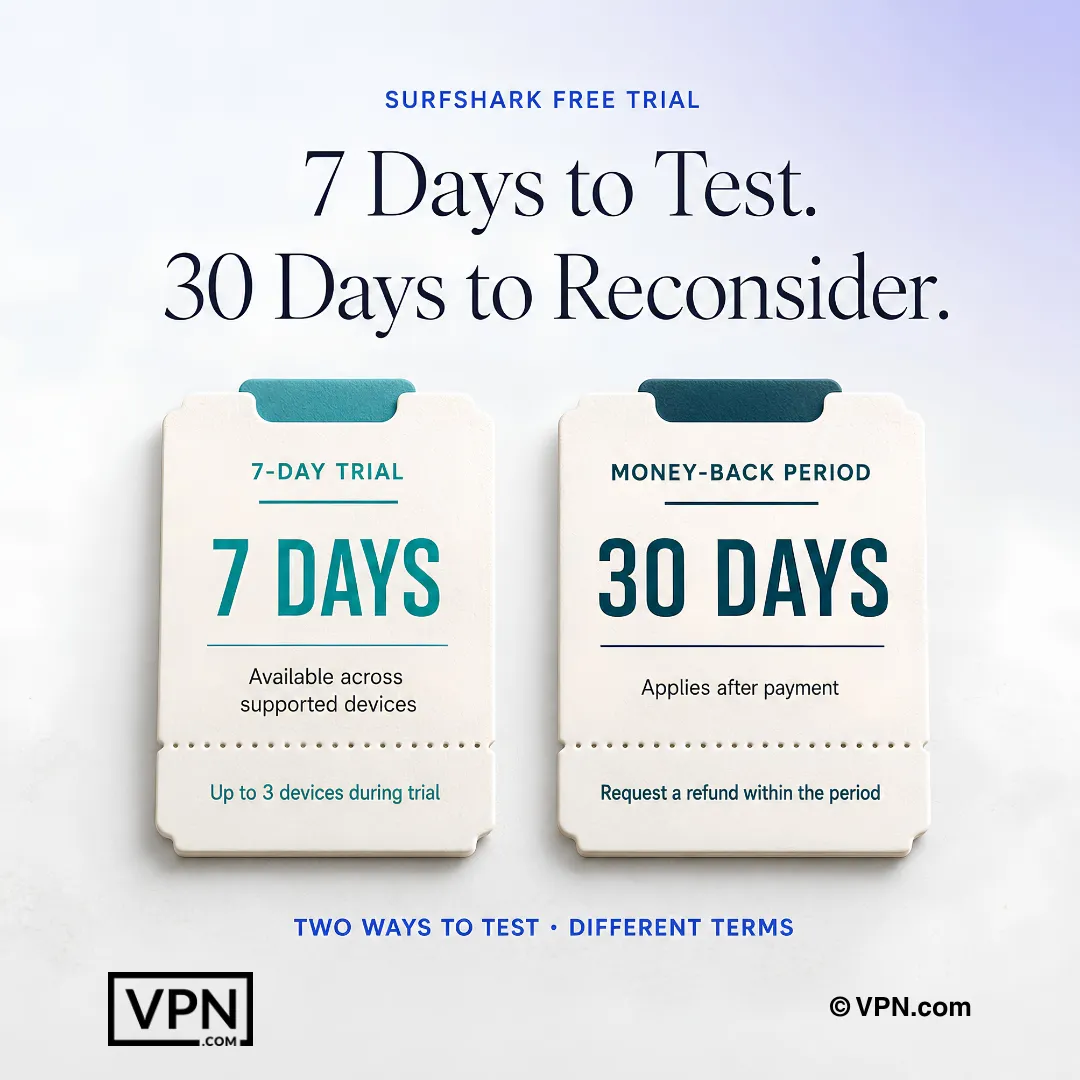
Surfshark offers a seven-day mobile trial, while every paid plan is backed by a 30-day money-back guarantee.
Frequently Asked Questions
Does Surfshark actually offer a free trial?
Not on desktop. Surfshark’s free trial is a 7-day offer available only through the Android Google Play Store or Apple App Store, and you must start a new subscription through the app store to qualify. Desktop and laptop users skip the trial entirely and rely on the 30-day money-back guarantee, which covers the Starter, One, and One+ bundles equally.
How do I activate the Surfshark 7-day free trial on my phone?
Download the app from Google Play or the Apple App Store and start a new subscription directly through that store, since this is the only route that accesses the trial. You get unlimited simultaneous device connections during the 7 days. Cancel before day 7 ends through the app store to avoid being charged.
How exactly does Surfshark’s 30-day money-back guarantee work?
You pay upfront, use the full service, and request a refund within 30 calendar days of purchase if unsatisfied. Surfshark processes approved refunds within 5 to 10 business days back to your original payment method. The guarantee applies equally across the Starter, One, and One+ plans, though monthly billing makes the window less practical for testing.
What happens if I forget to cancel before the 7-day trial ends?
Your subscription converts to a paid plan automatically unless you cancel through the app store before day 7. If that happens, fall back on the 30-day money-back guarantee instead: contact live chat, which operates 24/7 and responds in 2 to 3 minutes, and request a refund within 30 calendar days.
Does the Surfshark trial or guarantee cap how many devices I can connect?
No, both periods carry Surfshark’s standard unlimited simultaneous connections policy, so you can run it on every phone, tablet, laptop, and smart TV you own without device caps. This differs from NordVPN, which allows 10 devices, and CyberGhost, which allows 7, both under their own money-back windows.
What’s the step-by-step process to request a Surfshark refund?
Log into your account, note your purchase date, then open 24/7 live chat and tell the agent you want to cancel and receive a full refund. The agent confirms eligibility, and you get an email confirmation within 1 hour. The refund itself lands back on your original payment method in 5 to 10 business days.
Is it better to pay upfront for Surfshark’s guarantee or wait on the mobile trial?
Paying upfront and using the 30-day guarantee gives you far more testing time than the 7-day mobile-only trial, and it works on desktop where no trial exists at all. Surfshark’s cheapest plan runs from $2.49/month, so the cost of testing this way is low relative to the extra 23 days of coverage.
What’s the actual difference between Surfshark’s free trial and its money-back guarantee?
The trial requires no upfront payment but is mobile-only, lasts 7 days, and must be started through the app store. The guarantee requires payment first but works on any platform and plan, lasts 30 days, and refunds process in 5 to 10 business days through live chat rather than the app store.
Are any features restricted during Surfshark’s trial or refund window?
No, Surfshark places zero restrictions during either period. You get full access to CleanWeb ad blocking, split tunneling, MultiHop connections, and the kill switch, plus antivirus, data breach alerts, and a private search engine if you’re on the One bundle. It’s the identical product long-term subscribers use, not a stripped-down version.
Do refund rules change if I bought through the Apple App Store or Google Play?
Yes. Purchases made through the Apple App Store or Google Play require you to request the refund through those platforms directly rather than Surfshark support. Cryptocurrency payments follow a separate refund process that may take longer than the standard 5 to 10 business days for card purchases.
Can I test streaming access during the trial or guarantee period?
Yes, full streaming access is included with no extra settings needed, covering platforms like Netflix, Disney+, Amazon Prime Video, Hulu, BBC iPlayer, and Max. This applies during both the 7-day mobile trial and the 30-day guarantee window, so you can verify performance on your preferred services before committing long-term.
Will I be charged unexpectedly after starting the “free” trial?
Yes, if you don’t cancel. The trial requires an active subscription through the app store, which converts to a paid plan automatically after 7 days unless you cancel first. Surfshark’s zero-logs policy is independently verified by Deloitte, so your activity during the trial isn’t tracked regardless of whether you keep the service.